



Why Hall-Effect Keyboards Matter Now
We will walk through why Hall effect keyboards deserve attention now: unmatched durability, consistent feel, and strong integration with modern setups. We explain trade-offs versus optical and mechanical switches, helping us choose keyboards that fit our workflows and longevity expectations.
What We Need to Decide
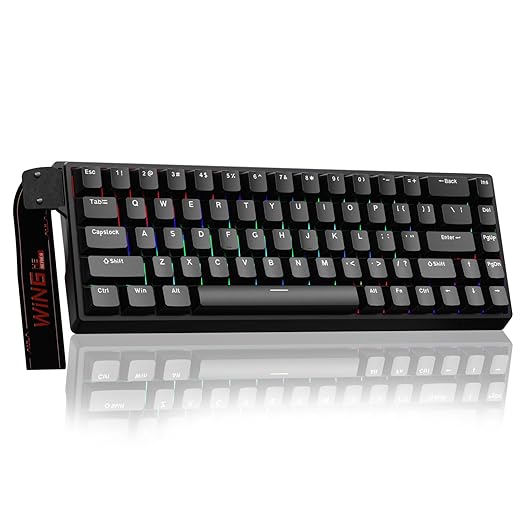
Understand Hall-Effect Technology
Why magnetic sensing actually changes the game — and not just for nostalgia.Understand Hall-effect sensing: magnets move past a sensor to detect key travel without metal contacts, so switches age by magnet and spring wear rather than by contact erosion. Identify how that changes real-world use: fewer chatter issues, quieter long-term operation, and predictable actuation over years — browse our how-to guides.
Describe the key factors that shape feel and reliability
Compare Hall to other sensing methods for practical choices
Note limitations: fewer aftermarket switch options, higher costs, and more complex firmware/hardware for custom builds — factors we must weigh before picking a model.
Define Your Use Case and Priorities
Gaming, typing, or design work — which one should dictate your choice? You might be surprised.Map the Hall-effect landscape to real-world needs and pick the features that matter.
Focus on gaming needs: verify actuation-point customization and low-latency firmware. Test wired latency and polling under tournament conditions; remember that Hall sensing rarely dictates latency — firmware and USB stack do. Example: a competitive player should insist on wired modes and configurable debounce/hysteresis.
Focus on typing needs: prioritize switch curve, travel, and sound profile. Try tactile Hall stems in person where possible — Hall switches keep a consistent feel over years, but tactile options are fewer today.
Focus on pro or mixed workflows: prefer robust build, hot-swap PCBs if we want future-proofing, or soldered boards if we want maximum stability. Demand reliable macro/profile software and vendor commitment to firmware updates.
Compare wireless options: note that magnet sensing is low-power, but Bluetooth stacks and microcontrollers dominate battery life; test real-world uptime for our usage.
Choose a price band as a shortcut
Balance long-term cost: Hall gives longevity and environmental resistance; mainstream mechanical or optical still win on price, modability, and community aftermarket.

Evaluate Feel: Switches, Stabilizers, and Acoustics
Are Hall keyboards the quiet, buttery unicorn they claim to be? The answer depends on a few surprising variables.Dig into tactile reality: test how Hall-effect switches translate magnet/sensor behavior into perceived key feel. Remember that linear, tactile, or clicky profiles come from switch mechanics and magnet placement — not the sensor — so try different stem designs in person where possible.
Compare mechanical parameters: feel the spring weight (eg. 45g vs 67g), travel distance (short vs full travel), and hysteresis tuning. These determine key responsiveness and accidental-press forgiveness; a 45g linear with low hysteresis feels fast for gaming, a 67g tactile with higher hysteresis suits deliberate typing.
Check acoustics: press identical switches on aluminum, brass, and polycarbonate plates to hear resonance shifts. Example: a 67g linear on aluminum rings brighter; polycarbonate muffles highs and breathes deeper thock — choose by office/recording needs.
Mind stabilizers and mounting: plate mount vs gasket/foam changes rattle and vibration. Note that Hall boards often ship with premium dampening but sometimes proprietary stabilizers that limit aftermarket mods.
Test in context: we measured sound profiles and vibration; louder, higher-frequency peaks bother open-plan offices, while deeper thocks suit late-night coding. Test sample videos and buy from vendors with flexible returns so we can confirm the advertised feel in real life.

Assess Compatibility and Software Support
Is the firmware friendly or a locked garden? Your daily workflow depends on it.Assess system-level integration: Hall keyboards are more than switches — their microcontrollers, firmware, and vendor apps determine whether we can remap keys, save onboard profiles, get low-latency wired modes, or receive long-term security and bugfix updates. Look beyond marketing copy to the firmware model.
Prioritize open platforms: prefer boards that support QMK/VIA-style configurators or publish firmware on GitHub. When vendors lock features behind closed apps, expect limited remapping, poor Linux/Mac support, and slower security fixes.
Evaluate Bluetooth and drivers: test multipairing ergonomics and whether BLE HID implementation actually drops latency. Try a quick real-world pairing with your phone and laptop when possible.
Check update cadence and community activity: frequent, transparent firmware revisions and active forum forks mean bugs get fixed and mods are viable.
Prefer transparency: closed firmware can create security and maintenance headaches in professional or collaborative setups.
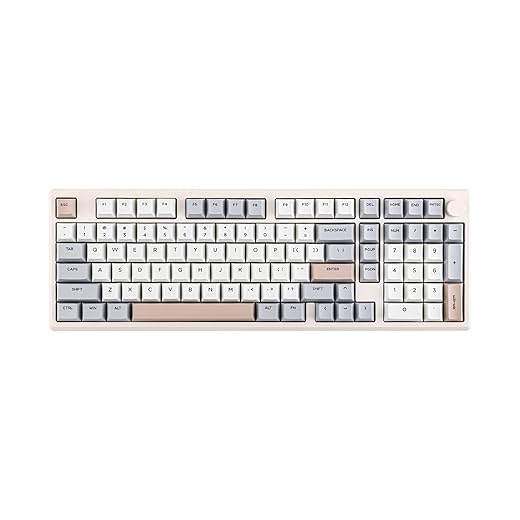
Shop Smart: Brands, Warranty, and Resale Value
Pay more now or save later? Let's quantify the long-term payoff of Hall keyboards.Compare incumbent brands and emerging makers by the practical things that matter: warranty length, spare-part availability, and documented firmware support. We prioritize vendors who publish firmware, keep parts in stock, and offer at least a two-year warranty on electronics.
Prioritize warranties and modularity. Favor boards with replaceable PCBs, hot-swap daughterboards, and stocked switches/encoders—those reduce lifetime cost. For example, a prebuilt from an established vendor often includes parts and straightforward RMA; a group-buy boutique may deliver a nicer finish but require DIY fixes.
Evaluate pricing tiers and buying mode. Buy prebuilt when you want immediate support and returns. Opt for custom services when you need unique layouts or premium sound—only if the builder provides clear spare-part and support policies. Wait on experimental Hall designs until a parts ecosystem grows.
Consider resale drivers
Time purchases around product cycles and major sale events; negotiate add-ons (extra switches/keycaps/RMA terms).
Inspect immediately on unboxing: test every row, USB modes, Bluetooth pairing, lighting, and stabilizers.
Start with mainstream Hall-enabled boards or reputable boutique makers; choose premium only when replaceability and firmware longevity are guaranteed.

Bringing It Together
We’ve shown how Hall‑effect keyboards trade aftermarket breadth for long‑term durability and a stable feel; use our checklist—use case, feel, firmware, warranty—to pick a model that fits your workflow, avoids buyer’s remorse and headaches. Ready?
Frequently asked questions
What should I prepare before I choose a hall-effect mechanical keyboard?
Start with the checklist in the “What we’ll need” section above—measure your space, confirm compatibility with your gear, and read the full walkthrough once before you change settings or buy parts. Hall-effect mechanical keyboard goes faster when prep is done upfront.
How long does it take to choose a hall-effect mechanical keyboard?
Most readers finish in about 30–90 minutes if they already have the right parts, but budget extra time for measurements, firmware updates, or a second pass when something does not behave the way the manual suggests on the first try.
What is the hardest part when you choose a hall-effect mechanical keyboard?
The step that trips people up is usually alignment or configuration—getting measurements, cable routing, or software settings right before you commit. If results still look off, re-check the basics in order instead of swapping hardware immediately.
What mistakes should I avoid when I choose a hall-effect mechanical keyboard?
Skipping measurements, ignoring ventilation or port limits, and rushing the final test are the common failures. Photograph your starting setup, label cables, and verify the outcome with the same content or workflow you will use every day—not a one-off demo.
When should I call a pro instead of trying to choose a hall-effect mechanical keyboard myself?
Bring in help when the job needs structural work, licensed wiring, or tools you do not own, or when repeated attempts still fail after you have followed the troubleshooting section. A short paid visit can cost less than replacing gear you damaged by forcing the install.

Princess Rioboca is the Lead Editorial Writer at Option Cutter, bringing over seven years of hands-on experience in consumer technology journalism. Specializing in home networking and smart home architecture, she transforms complex technical data into practical, real-world upgrades. Princess personally tests and audits every product she reviews—evaluating real-world Wi‑Fi throughput, cable management durability, and streaming ecosystem stability—to filter out spec-sheet noise. Her rigorous, field-tested insights are designed to give readers transparent, unbiased buying advice on what to purchase, what to skip, and exactly why.















