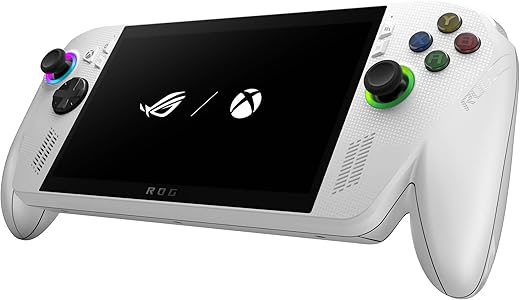

Bright screen and Xbox-first ergonomics meet Windows flexibility — but battery life and app quirks temper the win.
Ever try squeezing a proper console session into your commute and end up battling choppy frame rates, tiny menus, and cramps in your hands? We’ve been there — the market wants a handheld that feels like an Xbox in your palms but also doubles as a full Windows PC when we need it. The ASUS ROG Xbox Ally promises that hybrid: a 7″ 1080p 120Hz FreeSync touchscreen, AMD Ryzen Z2 A, 16GB RAM, and a 512GB SSD, bundled with three months of Xbox Game Pass for $489.99.
In use, the Ally delivers on the essentials that matter: a bright, responsive display that makes fast games feel better, Xbox-first ergonomics and one-press Game Bar access for instant Game Pass play, and enough CPU/GPU heft for native PC titles. That said, Windows 11 brings flexibility — Steam, Epic, emulation and desktop apps — but also occasional app quirks and Game Pass edge cases that can confuse casual users, and battery life dips under sustained AAA loads. In a market dominated by the Steam Deck and other handheld-first designs, the Ally stands out as the most polished Xbox-centric option: it prioritizes display fidelity, performance, and ecosystem integration — at the cost of some battery and out-of-the-box handheld polish. We scored it 8.6 out of 10 because those trade-offs are real, but often worth it for players who want both console convenience and PC versatility.
ASUS ROG Xbox Ally — 7” 120Hz Handheld
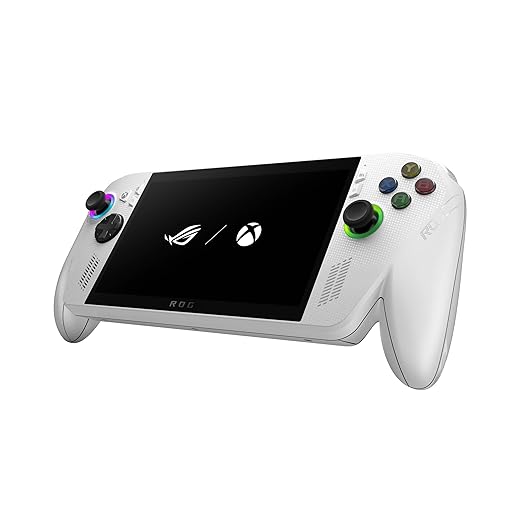
We think this is the most polished Xbox-centric handheld for players who want full PC flexibility and cloud convenience. It balances a premium, responsive display and strong CPU/GPU performance with ergonomics tuned for long sessions, but compromise on battery and occasional Windows friction are trade-offs.
Overview
We approached the ROG Xbox Ally expecting a blend of ROG hardware craftsmanship and Microsoft’s Xbox ecosystem — and that’s largely what ASUS delivered. This is a Windows 11 handheld designed to let you jump between streaming Game Pass titles, native PC games, and desktop apps without being tethered to a desk. The high-refresh 7-inch 1080p display is the star in everyday play, while the AMD Ryzen Z2 A platform and 16GB of LPDDR5 memory aim to strike a balance between performance and battery efficiency.
Design and ergonomics
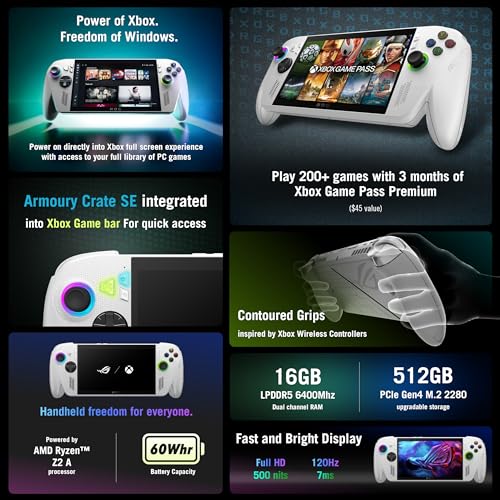
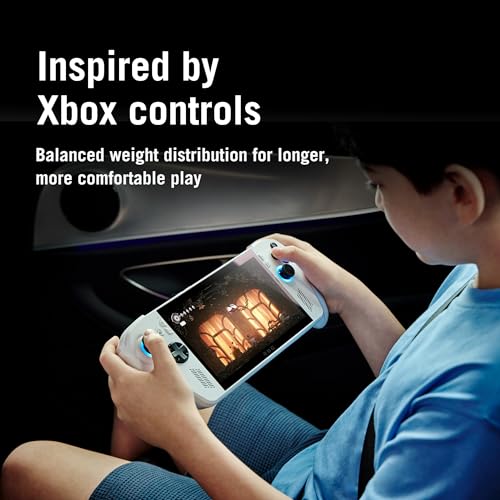
The Ally looks and feels like a handheld that was designed with hours-long sessions in mind. ASUS leaned into Xbox controller ergonomics: the grips are contoured, the face buttons and sticks feel familiar, and the shoulder triggers are easy to reach without finger gymnastics. At about 1.5 pounds, the unit is substantial enough to feel sturdy but light enough to keep fatigue manageable for most players.
Display: why refresh rate and color matter here
The 7″ FHD panel is one of the device’s strongest assets. 120Hz refresh plus FreeSync Premium means motion is smooth and tearing is minimized whether you’re cloud-streaming at variable frame rates or running a native PC title with higher FPS. 500 nits of peak brightness and Gorilla Glass make outdoor and well-lit-room play tolerable—this is a handheld that prioritizes perceptible visual quality rather than merely checking a spec box.
Performance in real-world use
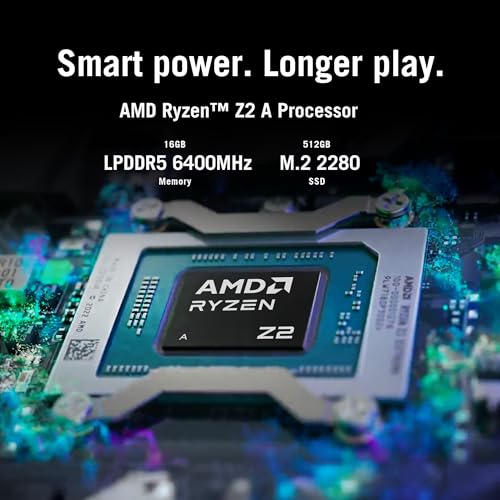
The Ryzen Z2 A is an efficient chip for a device this size. In lighter modern titles and many AAA games at medium settings, the Ally delivers playable frame rates and snappy UI performance. The presence of 16GB of LPDDR5 6400MHz RAM and a 512GB SSD means the system is responsive for multitasking: switching between Steam, the Xbox app, a browser, or a quick video edit is feasible.
Battery life, charging, and thermals
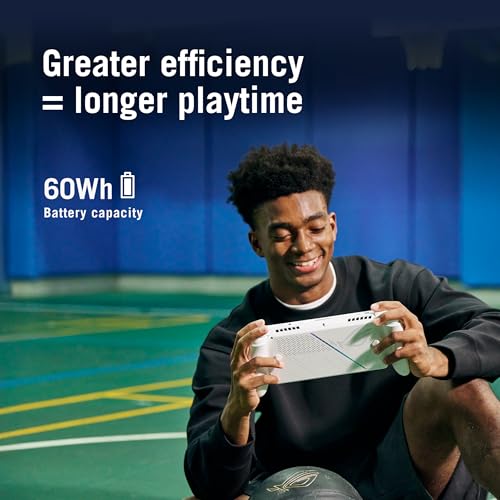
This is where compromises become visible. Under light usage — cloud streaming or indie games — we saw session times that were reasonable for portable play. Under sustained native load in graphically demanding titles, battery life drops noticeably; expect a couple of hours or less depending on settings. ASUS’s 60Wh battery and fast-charge support do help: the device will charge from 0 to ~50% in roughly 30 minutes, which eases portable usage patterns.
Thermals are well-managed for the form factor. The chassis warms under load, and fans do ramp up, but noise remains in an acceptable range for most environments. If quiet operation is a priority, dipping settings or using cloud streaming will reduce both heat and fan activity.
Connectivity, expandability, and I/O
ASUS kept the hardware flexible. Dual USB-C ports let you charge and dock or connect accessories, and the SSD is user-upgradeable for those who want larger local storage. We appreciated that the Ally can be used as a Windows PC when connected to external displays and input devices.
Software experience: Windows 11 meets Xbox
This is both the Ally’s biggest selling point and its biggest potential sticking point. Windows 11 unlocks the entire PC library — Steam, Epic, GOG, emulators, and productivity apps — but it also brings the complexity of a desktop OS to a handheld. Xbox Game Pass integration through the one-press Xbox workflow is excellent for plug-and-play cloud gaming, but some users will hit app quirks (for example, how certain launchers or the Xbox app handle invites, keyboard vs. controller mode, or cloud launches). Those issues are fixable and often depend on the ecosystem’s apps rather than the hardware, but casual buyers should expect a learning curve.
How it compares (quick spec snapshot)
| Spec | ROG Xbox Ally |
|---|---|
| Screen | 7″ 1080p, 120Hz, FreeSync |
| Processor | AMD Ryzen Z2 A |
| Memory | 16GB LPDDR5 6400MHz |
| Storage | 512GB SSD (user-upgradeable) |
| Battery | 60Wh, fast charging (~0–50% in ~30 min) |
| Weight | ~1.5 lb |
Who should consider buying this
We think the Ally is ideal for players who want the widest possible library in a handheld form: Game Pass streamers who value instant access, PC gamers who want to take their Steam library on the road, and tinkerers who appreciate a Windows device’s flexibility. If you prioritize absolute battery longevity above all else, or if you want a completely appliance-like handheld without occasional software friction, there are leaner choices in the market.
Practical notes and tips
Final thoughts
We found the ROG Xbox Ally to be the most versatile Xbox-first handheld on the market: it blends a high-refresh, bright display with Windows-based openness and solid AMD performance. The result is a device that can be a cloud-streaming machine one day and a portable PC the next. That flexibility will appeal to power users and Game Pass fans, even if occasional Windows quirks and finite battery life mean you trade some simplicity for raw capability. For those who want a handheld that does more than play games — and who are comfortable with a bit of setup and optimization — the Ally is a compelling pick in today’s crowded portable gaming landscape.
FAQ
Battery life varies a lot with what you play. For cloud-streamed Game Pass titles and lighter indie games you can often get multiple hours; for native AAA titles at medium-to-high settings expect closer to one to two hours. We recommend using cloud streaming or lowering TDP/settings for longer sessions away from power.
Yes. It runs Windows 11, so you have access to desktop software, browsers, and productivity apps. Connect a USB-C dock, Bluetooth keyboard, and mouse and the Ally behaves like a compact PC. Keep in mind that the handheld form factor and thermal constraints mean it won’t match a full-size desktop under sustained heavy workloads.
The Ally supports a user-replaceable M.2 SSD. The upgrade process is straightforward for anyone comfortable with small electronics: remove the back panel, swap the drive, and reattach. We recommend following ASUS’s instructions and using a compatible NVMe M.2 drive for best performance.
Both are viable. Streaming via Xbox Cloud Gaming saves battery and delivers consistent frame pacing for many titles; native play gives you better input responsiveness and offline availability but drains battery faster. We often use streaming for long sessions and reserve native play for shorter, performance-sensitive sessions or games we own.
The Ally leans into Windows and Xbox integration, offering a more console-like Game Pass experience and broader compatibility with Windows apps. The Steam Deck runs SteamOS (with a Linux-based layer) and is more appliance-like out of the box. Choose the Ally if you value Game Pass, native Windows apps, and a higher-refresh display; choose the Steam Deck for a more battery-efficient, Steam-centered handheld experience.
Bluetooth and USB-C support make most modern headsets and controllers compatible. We recommend wired USB-C or Bluetooth low-latency options for critical competitive play. If you use older launchers or third-party apps, check compatibility with controller mapping and overlays since those can behave differently under Windows.
For light productivity tasks, web browsing, and simple video edits, the Ally is capable thanks to its Ryzen CPU and 16GB RAM. For heavy, sustained content creation workloads, a full-size laptop or desktop with better thermal headroom will be a more comfortable choice.
A compact USB-C dock for TV/monitor output, a high-capacity NVMe SSD if you need more local storage, and a carry case. If you plan long trips, a higher-wattage USB-C PD charger for faster top-ups is handy.

Chris is the founder and lead editor of OptionCutter LLC, where he oversees in-depth buying guides, product reviews, and comparison content designed to help readers make informed purchasing decisions. His editorial approach centers on structured research, real-world use cases, performance benchmarks, and transparent evaluation criteria rather than surface-level summaries. Through OptionCutter’s blog content, he focuses on breaking down complex product categories into clear recommendations, practical advice, and decision frameworks that prioritize accuracy, usability, and long-term value for shoppers.