



Why choosing a Matter-capable smart lock matters now
We will show how a Matter-capable smart lock improves daily life, not just adds another app. We focus on design, UX, ecosystem fit, and why Matter shifts competition, making interoperability, security, and long-term value practical for real homes right now — see our how-to guides.
What you’ll need before we begin
Start with the door: fit, mechanics, and real-world install
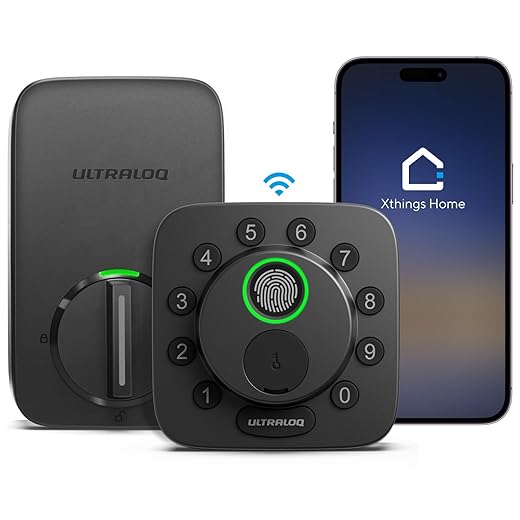
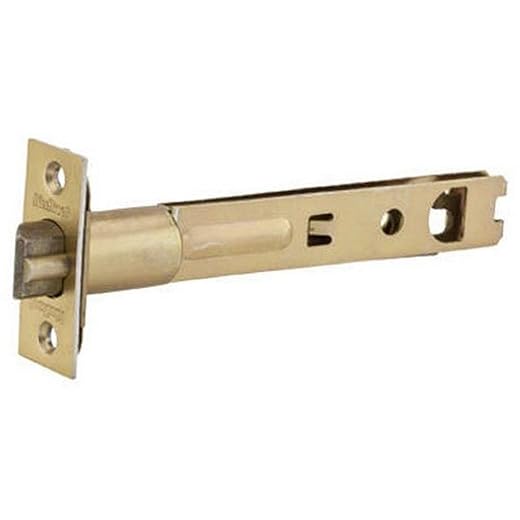
Could our next lock survive daily use — or will it be an installation nightmare?Measure the door: thickness, backset, and the existing deadbolt type before you open product pages. We begin by sizing up the physical reality because a lock that looks great on paper can jam on install.
Inspect the frame and strike plate, test for multipoint mechanisms (common on European or high-security doors), and check whether the bolt has clearance. We check single- vs. double-cylinder setups—if a key is required on both sides many smart locks won’t fit without changing the cylinder. Ask whether installation needs new holes, a reinforced strike, or adapters; drilling through metal or realigning the bolt adds cost and kills momentum.
Finally, we highlight quick wins — models with adjustable backsets or retrofit designs that preserve keys and provide a cleaner experience.
Make Matter the starting point, not an afterthought
Is Matter just marketing? (Spoiler: no — it’s our ticket out of platform lock‑in.)Prioritize native Matter support — not a “coming soon” firmware promise. Matter actually lets the same lock work locally with HomeKit, Google, and Alexa without vendor bridges, so we can pick hardware for UX and build automations across assistants.
Check these things before we buy
Pick the right connectivity mix for performance and battery life
Wi‑Fi, Thread, or Bluetooth — which one feels faster, lasts longer, and breaks less?Compare Wi‑Fi, bluetooth stack.
Expect Wi‑Fi for direct cloud access and instant remote control without a hub, but plan on faster battery drain; useful when we need remote guest access or delivery integrations without extra hardware.
Use bluetooth low energy beacon for the lowest power and simple local pairing; it’s ideal for proximity unlocks but limits range and wider automations, and OTA updates can be slower via a phone app.
Favor thread for snappier local Matter control, lower latency, and better battery life in everyday use; note it requires a Thread border router (HomePod mini, Nest Hub, or Matter border router).
Demand real security and thoughtful physical design
A pretty finish won’t stop burglars—or data leaks. What actually protects us?Demand end-to-end encryption on smart locks, hardware-backed keys, and signed, rollback‑protected firmware updates — ask how keys are stored and how updates are validated.
Prioritize locks with local fallback (Matter/Thread/Bluetooth) so cloud outages don’t strand us; treat “cloud‑only” as a red flag.
Insist vendors publish update cadence and support windows. For example, we prefer locks that store keys in a secure element and keep local logs — it saves us from flaky cloud services and preserves privacy.
Map the ecosystems and everyday integrations that unlock value
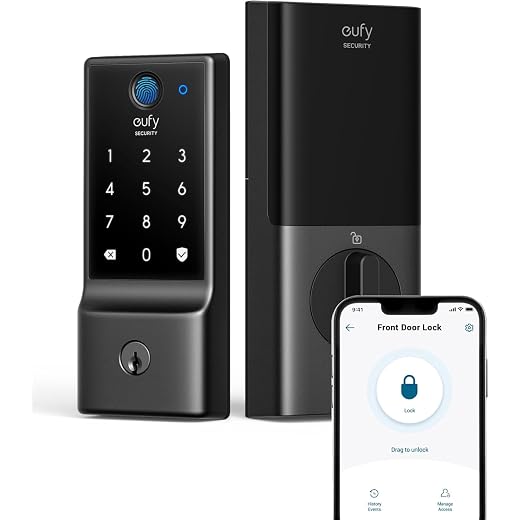
Will our lock actually play nice with routines, delivery services, and our assistants?Map how the lock plugs into our daily systems. We treat Matter as the compatibility baseline, then check whether vendors actually expose local automations, APIs, or require a paid cloud — because that changes everything in practice.
Look for these specifics before buying
Test common automations — lock on leave, unlock for trusted faces, sync with garage — and pick the lock that complements our existing platform investments instead of forcing us to rebuild routines.

Test, compare, and predict ownership costs
Don’t buy on specs alone — our hands‑on checklist and the true cost of ownership.Run a hands‑on checklist — we measure pairing speed, app clarity, firmware update behavior, lock/unlock latency, and battery longevity under realistic use.
Check these areas
Weigh warranty, vendor responsiveness, and whether core features require a subscription. Consider long‑term costs — batteries, replacement parts, door modifications — and prioritize a vendor with a proven update policy. Test side‑by‑side where possible and be ready to wait for better firmware or broader Matter support when it meaningfully improves the UX.
A practical takeaway
We pick locks by fitting our door, insisting on native Matter, testing UX, security, and integrations — it future‑proofs our setup. Try this method, share your results, and join us.
Frequently asked questions
What should I prepare before I choose a smart lock with matter support?
Start with the checklist in the “What we’ll need” section above—measure your space, confirm compatibility with your gear, and read the full walkthrough once before you change settings or buy parts. Smart lock with matter support goes faster when prep is done upfront.
How long does it take to choose a smart lock with matter support?
Most readers finish in about 30–90 minutes if they already have the right parts, but budget extra time for measurements, firmware updates, or a second pass when something does not behave the way the manual suggests on the first try.
What is the hardest part when you choose a smart lock with matter support?
The step that trips people up is usually alignment or configuration—getting measurements, cable routing, or software settings right before you commit. If results still look off, re-check the basics in order instead of swapping hardware immediately.
What mistakes should I avoid when I choose a smart lock with matter support?
Skipping measurements, ignoring ventilation or port limits, and rushing the final test are the common failures. Photograph your starting setup, label cables, and verify the outcome with the same content or workflow you will use every day—not a one-off demo.
When should I call a pro instead of trying to choose a smart lock with matter support myself?
Bring in help when the job needs structural work, licensed wiring, or tools you do not own, or when repeated attempts still fail after you have followed the troubleshooting section. A short paid visit can cost less than replacing gear you damaged by forcing the install.

Princess Rioboca is the Lead Editorial Writer at Option Cutter, bringing over seven years of hands-on experience in consumer technology journalism. Specializing in home networking and smart home architecture, she transforms complex technical data into practical, real-world upgrades. Princess personally tests and audits every product she reviews—evaluating real-world Wi‑Fi throughput, cable management durability, and streaming ecosystem stability—to filter out spec-sheet noise. Her rigorous, field-tested insights are designed to give readers transparent, unbiased buying advice on what to purchase, what to skip, and exactly why.















