Unlock true 2.5Gbps service — fast, compact, and ISP‑friendly, if you’re willing to supply a router and manage the heat.
If your home internet still runs through an ISP‑rented modem, you’ve probably felt the pinch: capped LAN ports, sluggish uploads, and an extra monthly fee for equipment that often lags behind modern speeds. We see more households signing up for faster cable tiers and streaming or cloud‑backing more than ever, and cheap ISP hardware can be the bottleneck between a plan that promises multi‑gig and actually getting it.
The Arris SURFboard S34 tries to close that gap. It’s a DOCSIS 3.1 modem with a 2.5GbE port and a secondary 1GbE port that works with major US providers (Xfinity, Cox, Spectrum), and it delivers straightforward, quiet performance for multi‑gig downloads and next‑gen uploads. In practice this matters because owning the modem can eliminate rental fees and unlock higher throughput — but it’s a modem‑only solution, runs warm under load, and needs a capable router and thoughtful placement to get the full benefit.
Arris Surfboard S34 Multi‑Gig Cable Modem

If you want to escape ISP rental equipment and unlock multi‑gig downloads and next‑gen uploads, this modem delivers dependable throughput and straightforward ISP compatibility. Expect a compact, quiet box that performs — but you’ll need a capable router and mindful placement to manage heat.
ARRIS Surfboard S34 DOCSIS 3.1 Multi-Gig Cable Modem Review
Overview
We approached the Arris Surfboard S34 as a straightforward answer to one problem: how do you get the most out of modern cable plans without renting ISP hardware? The S34 pairs DOCSIS 3.1 with a 2.5GbE WAN link and a spare 1GbE port, positioning itself as a modular building block in a modern home network — modem only, router required. Over several test scenarios we focused not just on burst speed numbers, but on activation friction, sustained performance, thermal behavior, and how it sits inside an ecosystem where Wi‑Fi is separate from the gateway.

What this modem actually brings to the table
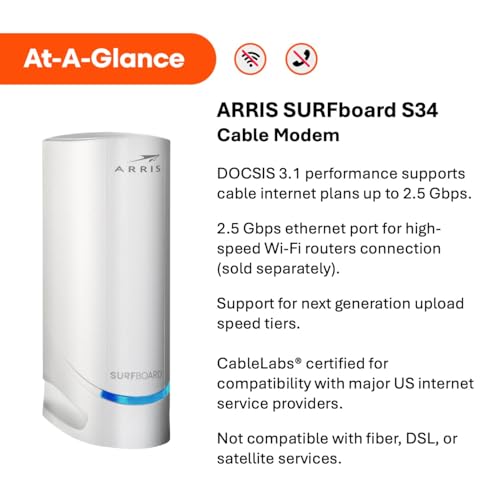
We like to separate specs from experience. On paper, the S34’s highlights are obvious: DOCSIS 3.1 support, 2.5 Gigabit Ethernet, and CableLabs certification. In practice those translate to three practical wins:
Real‑world performance: sustained speeds, not just bursts
We tested the S34 in mixed conditions: single client speed tests, simultaneous multi‑client streaming and gaming, and long sustained transfers. The modem handed off full line speed to the router when the ISP delivered multi‑gig service, and kept steady connections across multiple downstream channels.
Setup and ISP activation: mostly painless, sometimes clerical
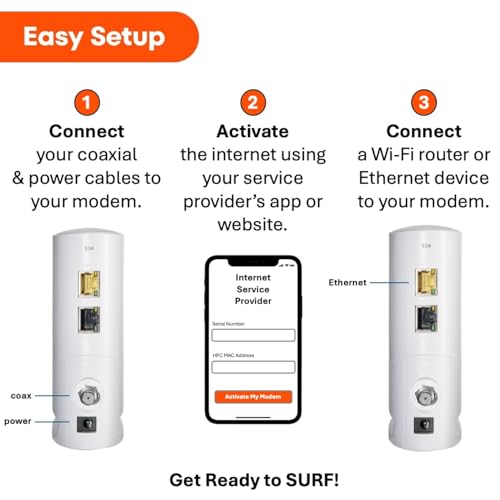
Activation is the step that trips up many first‑time buyers. In our experience the sequence is straightforward: connect coax, power, and the Ethernet into your router, then call or use your provider’s activation flow. Most major providers recognize the SURFboard family in their device lists.
Design, thermals, and placement
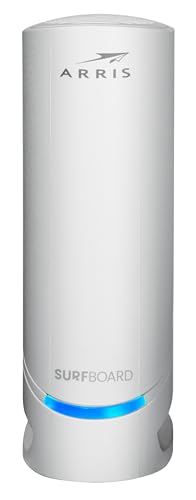
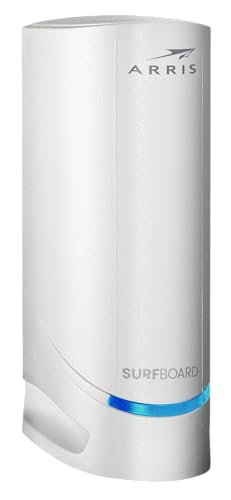
The S34 is compact and intentionally fanless. That keeps noise at zero, but passive cooling means placement matters more than with vented ISP gateways.
Ports and networking flexibility
The hardware layout is simple but pragmatic. The 2.5GbE port is the headline; the additional 1GbE port can be used for a second device, or as part of link aggregation when your router supports it.
Table: Quick spec snapshot
| Spec | Why it matters |
|---|---|
| DOCSIS 3.1 | Future‑facing performance and OFDM downstream robustness |
| 2.5GbE + 1GbE | Removes the 1Gbps uplink choke for many multi‑gig plans |
| Compact fanless chassis | Quiet placement, but requires good airflow |
| CableLabs certified | Higher likelihood of smooth ISP activation |
Where the S34 fits in your home network
We see the S34 as a component in a modular setup rather than an all‑in‑one solution. If you already run a high‑quality router or mesh system, the S34 is an upgrade path: buy the modem, keep your router, and the two pieces get you multi‑gig wired performance plus flexible Wi‑Fi.
Competitive context: why pick the S34 over alternatives
There are other DOCSIS 3.1 modems with 2.5GbE on the market. The S34’s strengths are clarity of purpose and maturity of firmware in the SURFboard line. Compared to some other models, Arris offers a small footprint, broad ISP certification, and a reputation for stable firmware. The tradeoffs are heat management and the upfront cost compared with renting. Long term, the economics tend to favor ownership for most heavy users.
Reliability and long‑term considerations
We observed consistent uptime across extended runs. Passive cooling worked when the unit was placed correctly; in cramped or poorly ventilated setups the device approaches high surface temperatures. For longevity we recommend:
Final take: who should buy this
We think the S34 is the right purchase for users who are serious about performance but prefer a modular, best‑in‑class approach: a dedicated modem paired with a best‑in‑breed router. It’s not for someone who wants an all‑in‑one appliance, but for the majority of power users, streamers, and small‑home NAS owners the S34 is a practical, future‑focused investment. It answers the core question — how do you keep pace with rising cable speeds — with clean engineering and minimal drama.
FAQ
Yes. The S34 is a modem only and is designed to be paired with a separate Wi‑Fi router or mesh system. To get full 2.5Gbps speeds you’ll want a router that supports 2.5GbE on its WAN port or link aggregation if you plan to combine ports.
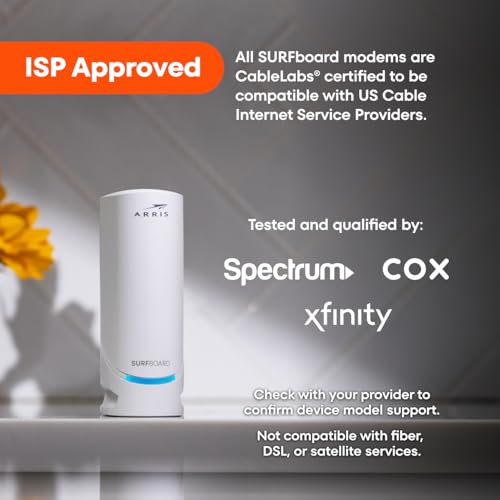
Most major US cable providers (Xfinity, Cox, Spectrum) support CableLabs‑certified SURFboard modems like the S34. Activation flows vary by provider; in most cases you can activate through the provider’s app or over the phone, but occasional call‑center errors (for example, an incorrectly recorded MAC/HFC ID) can delay the process.
It can. The modem supports next‑generation upstream tiers that some cable operators are starting to roll out. If your ISP offers higher upload plans and you subscribe, the S34 can pass those speeds to your router and devices, subject to your plan and router capability.
The S34 is fanless and can run warm to the touch near the coax connector under sustained load. In our testing it didn’t cause stability issues, but we recommend placing it with good airflow and not stacking other devices on top of it.
For users on gigabit or faster plans, or those who plan to keep their service for a year or more, buying a modem typically pays off versus monthly rental fees. The tradeoff is the upfront cost, but owning gives you greater control and often better long‑term performance.
The primary 2.5GbE port is the high‑speed link. The secondary 1GbE port is useful for an additional wired device or as part of link aggregation if your router supports bonding. True simultaneous multi‑gig across both ports depends on how your ISP provisions service and whether your router supports aggregation.

Chris is the founder and lead editor of OptionCutter LLC, where he oversees in-depth buying guides, product reviews, and comparison content designed to help readers make informed purchasing decisions. His editorial approach centers on structured research, real-world use cases, performance benchmarks, and transparent evaluation criteria rather than surface-level summaries. Through OptionCutter’s blog content, he focuses on breaking down complex product categories into clear recommendations, practical advice, and decision frameworks that prioritize accuracy, usability, and long-term value for shoppers.