



Why Matter Finally Feels Like the Smart-Home Moment
We think matter finally delivers a simple, reliable smart home: it unifies devices across ecosystems, improves user experience, forces better design, and reduces setup chaos — so manufacturers must compete on features, not locked ecosystems, benefiting us as customers today.
What You’ll Need
We recommend a matter wave‑compatible hub or Thread border router, a mix of Matter devices (or bridges), reliable Wi‑Fi/Ethernet, a smartphone, basic networking familiarity, and 1–2 hours to plan.
Create a Smart Home Matter Device in 10 Minutes on ESP32
Map Your Home by Experience, Not by Brand
What if we designed rooms around routines instead of logos? (Spoiler: it makes setup predictably easier.)Map your home by how we actually live in it, not by the brands on our shelves.
List rooms by use—kitchen for multitasking, bedroom for sleep/privacy, entry for access—and note the functions we want in each: lighting scenes, security, HVAC, presence sensing, etc.
Identify where matterhorn-native compatibility matters most: buy capabilities, not product lines, to avoid duplicate gadgets and unnecessary bridges.
Note these core functions for each room
Identify networking chokepoints and decide which rooms need wired backhaul or extra Wi‑Fi/APs‑Fi/APs for low-latency control and smooth Matter commissioning.

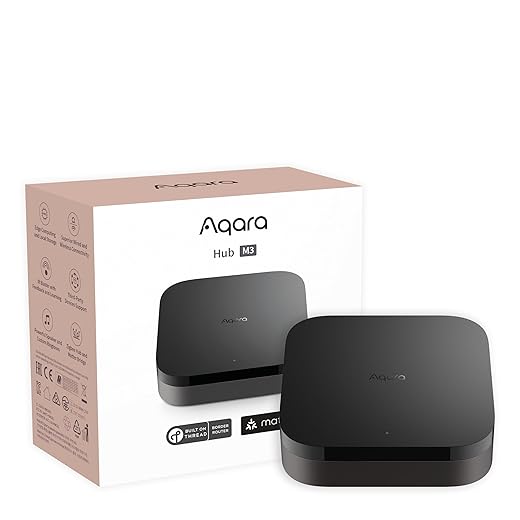
Pick Your Hub Strategy — One True Bridge or Platform Flexibility?
Should we commit to a single ecosystem or hedge with multiple bridges? Both have trade-offs — here’s how to decide.Choose a primary controller that will host automations and act as our system’s brain. Evaluate hubs by Matter support, update cadence, and how they translate advanced features (routines, scenes, extensions).
Focus on three concrete checks
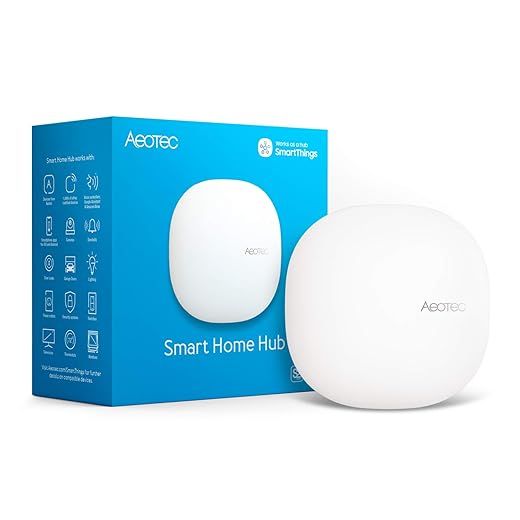
Prefer a single-platform setup — see our how-to guides (Apple Home for tight UX and local rules, Google for broad Assistant/Chromecast ties, Alexa for device breadth) for cleaner experience. Add a secondary bridge only for legacy Zigbee/Z‑Wave gear we can’t replace. For example: run core automations on a HomePod/Apple TV, keep a small hub for old sensors.
Buy Smart: Which Devices Actually Matter?
Not every gadget needs to be Matter-native — but some do. Which ones should we prioritize for reliability?Prioritize Matter-native devices for core systems: smart locks, primary lighting, major sensors (door/window, motion), and thermostats. These touchpoints define our everyday reliability and security.
Treat peripherals (plugs, bulbs, cameras) case‑by‑case: keep a proven non‑Matter camera or Hue lighting ecosystem if it’s more solid than a new Matter product. Check firmware‑update policies, developer transparency, and vendor promises of Matter feature parity. We focus on devices with strong local APIs or proven cloud fallbacks to reduce single‑vendor lock‑in.

Network and Commissioning: Make Setup Painless
Commissioning can be the worst part — so let’s remove the friction and avoid the pitfalls that break most installs.Segment the network — we create a dedicated IoT VLAN on your router with its own SSID and consistent DHCP so devices stay discoverable and future‑proofed.
Use Ethernet for primary hubs and border routers; deploy mesh only where wiring is impractical to avoid flaky hops.
When commissioning Matter devices, power‑cycle and place them within a few feet of the primary hub; update firmware first, then add to our primary controller.
Assign consistent names and room tags as we add devices to save hours later (Kitchen‑Ceiling, FrontDoor‑Lock).

Design Automations That Respect Humans (and Don’t Go Rogue)
Automation is powerful — but poorly designed flows are the fastest route to disabling ‘smart’ features for good.Start by grouping automations into three practical categories with smart plugs and name them clearly so everyone knows what to expect.
Use conservative triggers and layered conditions: require two confirmations (motion + time window) before firing, and prefer local, time-windowed automations for reliability. Document fallback states when cloud services fail (e.g., locks default to local PIN; lights revert to manual).
Test automations in small batches and enable obvious manual overrides (big physical switch, quick app “pause”).
Design clear UX feedback: push a short notification, blink an LED, and keep predictable delay budgets so autonomy feels trustworthy without surprising people.

Maintain, Iterate, and Compete: Keep the System Healthy
A smart home is never ‘done.’ We show how to keep it current without constant tinkering or vendor fatigue.Set a quarterly maintenance routine: update firmware for hubs and endpoints, review automations, and run a quick network-health check (mesh node count, channel overlap, and IoT VLAN latency).
Keep a changelog so we can rollback problem updates — note version, date, and observed behavior. Use vendor communities (Reddit, Discord, GitHub issues) to spot breaking updates early; we once avoided a bad rollout after a thread flagged a Hue firmware bug.
Reassess every new device: ask whether it replaces an existing function or adds measurable utility (does a smart plug truly automate a routine or just duplicate an outlet?).
Evaluate competitive value: prefer Matter-native integrations to avoid cloud-only lock-in, and pivot integrations when better Matter implementations arrive so we don’t rebuild from scratch.
Make Matter Work for Real Homes
Matter lowers friction, but we succeed through deliberate planning, choosing reliable hardware, and modest ongoing maintenance. We designed for user experience and ecosystem fit, not vendor lock-in. Try this approach in your home, share results, and iterate together with us.
Frequently asked questions
What should I prepare before I build a matter smart home that actually works?
Start with the checklist in the “What we’ll need” section above—measure your space, confirm compatibility with your gear, and read the full walkthrough once before you change settings or buy parts. Matter smart home that actually works goes faster when prep is done upfront.
How long does it take to build a matter smart home that actually works?
Most readers finish in about 30–90 minutes if they already have the right parts, but budget extra time for measurements, firmware updates, or a second pass when something does not behave the way the manual suggests on the first try.
What is the hardest part when you build a matter smart home that actually works?
The step that trips people up is usually alignment or configuration—getting measurements, cable routing, or software settings right before you commit. If results still look off, re-check the basics in order instead of swapping hardware immediately.
What mistakes should I avoid when I build a matter smart home that actually works?
Skipping measurements, ignoring ventilation or port limits, and rushing the final test are the common failures. Photograph your starting setup, label cables, and verify the outcome with the same content or workflow you will use every day—not a one-off demo.
When should I call a pro instead of trying to build a matter smart home that actually works myself?
Bring in help when the job needs structural work, licensed wiring, or tools you do not own, or when repeated attempts still fail after you have followed the troubleshooting section. A short paid visit can cost less than replacing gear you damaged by forcing the install.

Princess Rioboca is the Lead Editorial Writer at Option Cutter, bringing over seven years of hands-on experience in consumer technology journalism. Specializing in home networking and smart home architecture, she transforms complex technical data into practical, real-world upgrades. Princess personally tests and audits every product she reviews—evaluating real-world Wi‑Fi throughput, cable management durability, and streaming ecosystem stability—to filter out spec-sheet noise. Her rigorous, field-tested insights are designed to give readers transparent, unbiased buying advice on what to purchase, what to skip, and exactly why.















