



Why ‘Wireless’ Often Means ‘Wired’ Under the Hood
We open by dismantling a common assumption: wireless describes convenience, not independence. We prize untethered devices, but the systems that make that freedom reliable — backhauls, power, and infrastructure — are almost always physical. In our experience, marketing glosses over those dependencies. That gap matters because it shapes real user outcomes: speed, uptime, and predictability.
We’ll look beyond hype to the design choices and ecosystem constraints that keep wires relevant. We explain how wired backbones, power delivery, and infrastructure control improve performance and security. We want users to understand trade-offs so they can make smarter purchases and smarter network designs over time, reliably — see our how-to guides.



Performance and predictability: Why wireless peaks when it leans on wires
Spec sheets don’t tell the whole story
We’ve all seen headline numbers—Wi‑Fi 6E touting aggregate multi‑gigabit throughput—but those figures are theoretical, aggregated across multiple spatial streams and channels. In real homes, interference, neighboring networks, building materials, and device contention turn those peaks into bursts. A modern laptop that might read “up to 2.4 Gbps” on paper often settles into the hundreds of megabits when fighting for airtime with phones, streaming sticks, and IoT sensors.
Wired backbones tame variability
A wired link gives you predictable, sustained throughput and consistent latency. That predictable plumbing matters in multi‑floor houses and dense apartment layouts where a single congested AP can be overwhelmed. We’ve seen setups with a Netgear Orbi or Eero Pro 6 perform well in light use, but only when the main satellites are wired do large file copies, NAS backups, and simultaneous 4k. If you care about steady backups to cloud services, Plex libraries, or multiple gamers in the house, run Ethernet to the critical nodes.
Practical, immediately useful steps
Designers and integrators still default to copper or fiber for core links because predictability beats theoretical peak numbers. Next, we’ll look at the other invisible wire—power—and how it enables the always‑on conveniences we expect.
Power: The invisible wire that enables always-on conveniences
We’ve talked about data plumbing; now let’s talk about power plumbing. Most of the devices we expect to be instantly available — security cameras, smart speakers, wall‑mounted tablets, Wi‑Fi extenders — aren’t just hungry for bandwidth, they need a steady power feed. Batteries promise freedom, but they also promise upkeep: charging cycles, dead units at inconvenient times, and slimmer feature sets to conserve juice.
Why batteries fall short for “always‑on” devices
A wireless battery camera that advertises “months” of runtime sounds great until motion‑heavy nights cut that to days. Smart displays running voice assistants, ambient screens, or local AI inference eat power even while idle. Batteries force trade‑offs: reduced sensors, lower-duty cycles, and user maintenance (swap the battery, re‑pair the mount). For prosumer reliability, unplugged equals fragile.
PoE and wired power as UX choices
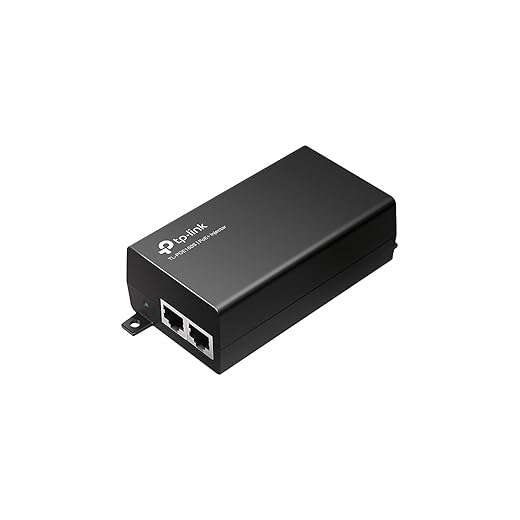
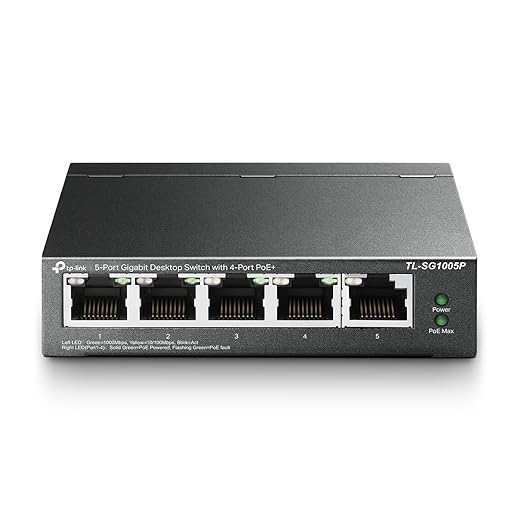
Power‑over‑Ethernet is the simplest compromise: one cable for both data and power, predictable uptime, and smaller device profiles because there’s no bulky battery or AC adapter. PoE+ (30W) powers most cameras, touch panels, and many extenders; PoE++ handles heavier loads. Devices built for PoE — think Ubiquiti UniFi cameras, Reolink PoE cams, and many enterprise APs — are easier to install cleanly and maintain.
Practical how‑tos
Wired power isn’t glamorous; it’s a UX decision. It reduces maintenance, enables slimmer devices, and makes “set it and forget it” actually work in daily life — at the cost of planning and occasional cable routing grunt work.
Backhaul and mesh realities: When a wireless mesh still needs a wired backbone
How mesh degrades without a wire
We’ve all seen the glossy ads: three small nodes, seamless coverage, “whole‑home Wi‑Fi.” In practice, full wireless topologies trade raw capacity for convenience. Every wireless hop — especially when a node uses the same radio to talk to clients and to the next node — effectively slices available bandwidth. RF contention in the crowded 2.4GHz and 5GHz bands compounds that: multiple devices, neighboring networks, and bluetooth stack. The result: slower speeds at the far node, higher latency, and less predictable performance during peak use.
Why wired backhaul matters
Running cable between nodes turns that shared medium into dedicated lanes. Wired backhaul
In real homes — a video call in the office while two 4K streams run in the living room — wired backhaul keeps each node honest. It’s the difference between “it mostly works” and “it always works.”
Hybrid options: tradeoffs and practical tips
Powerline, MoCA, and wireless backhaul each have real use cases
Quick how‑tos
Wiring isn’t glamorous, but in a market where we ask more of Wi‑Fi than ever, picking the right backhaul is a pragmatic UX decision that pays off in day‑to‑day reliability.
Security and control: Physical wiring as an architectural advantage
Attack surface and radio exposure
Wireless convenience comes with broadcast risk. Every always‑on radio is a public face: rogue APs, evil‑twin attacks, bluetooth low energy beacon sniffing, and RF jamming are practical concerns we see in real homes and small offices. When critical devices live on a cabled network, we reduce that exposure — their traffic never traverses the air where a neighbor or a determined attacker can intercept or impersonate.
Trusted onboarding and VLAN segmentation
Wired ports give us blunt, reliable trust boundaries. We can
A simple habit — asking guests to plug into a labeled “guest” jack instead of giving Wi‑Fi credentials — dramatically reduces setup friction while preserving isolation. Enterprise-style controls like RADIUS and port security are far easier to enforce and audit on switches than trying to corral every radio client.
Diagnostics, firmware recovery, and local control
Wiring also buys us better tools when things go wrong. Switches and wired APs support
In today’s market — where consumer gear increasingly ties to vendor clouds — retaining an on‑site, wired control plane is a practical hedge. It’s not about rejecting wireless; it’s about designing an architecture where the most sensitive flows run on cables we can see, control, and repair.
Latency-sensitive work and entertainment: When milliseconds matter
Where you actually notice lag
We all chalk up glitchy video calls and stuttering streams to “bad Wi‑Fi,” but latency and jitter manifest in specific, aggravating ways:
These are human-facing problems — a few dozen milliseconds of extra delay or a packet drop can mean the difference between a seamless take and an unusable recording.

How wires change the experience
Wired connections don’t magically make your Internet faster, but they make it predictable. Cables and switches reduce packet loss, flatten jitter, and remove the contention that wireless clients fight over. For a gamer, that steadier round‑trip time means fewer unexpected lag spikes. For a producer, it means lower ASIO buffer settings and reliable multicam capture. For hybrid workers, it keeps speech and screen updates crisp and synchronized.
Practical, immediately useful steps
Wired links are a simple UX hack: fewer surprises, crisper interactions. Next, we’ll look at how treating those wires as long‑term infrastructure affects cost, ecosystem choices, and future‑proofing.
Ecosystem, cost, and future-proofing: Treating wires as an investment
The real economics: small up-front, big lifetime value
We think about cabling as a one-time friction that saves years of hassle. Pulling a few extra ethernet runs during construction or a renovation usually adds a few hundred dollars to a project, but retrofitting later — chasing fish tape through finished walls or buying expensive wireless extenders — can cost far more in time and money. Good wiring reduces the need to replace client devices just to keep up with backend improvements: a laptop with a 2.5Gb NIC still benefits when the house backbone supports 10Gb uplinks.
Compatibility and upgrade paths
Wiring standards are conservative by design: Cat6/Cat6a still map cleanly to newer PHYs, and fiber backbones future-proof speed ceilings. We recommend:

Platform thinking: wires as an innovation substrate
Manufacturers know consumers live in mixed environments; many routers and smart-home hubs assume wired backbones and expose features accordingly (VLANs, multigig ports, PoE). A wired foundation lets ecosystem makers innovate — more capable local hubs, distributed storage (NAS from Synology), and low-latency cloud-edge appliances — without forcing users to buy new endpoint radios.
Practical tips for builders and homeowners
Treat wiring as a durable platform investment — a small aesthetic or labor trade-off up front that unlocks simpler upgrades, better resale value, and a healthier product ecosystem down the road. Next, we pull these threads together into a practical stance on running the backbone while keeping wireless conveniences.
A practical stance: Run the backbone, keep the convenience
We recommend a hybrid posture: let wires do heavy lifting — backhaul, power, and anchored endpoints — and let wireless deliver mobility and simplicity. In today’s market, with denser homes and smarter devices, wired infrastructure buys predictable performance, lower latency, and clearer security boundaries. That reliability matters for streaming, remote work, smart hubs, and guest privacy; it also reduces long-term upgrade friction because fiber, Ethernet, and PoE remain forward-compatible.
Start by wiring the places that carry most traffic: router to switch to primary APs, gaming/office desks, and media centers. Balance aesthetics and cost with conduit, baseboard runs, or professional drops. Treat wiring as strategic infrastructure — we design around it to make wireless work better for everyone and simplify long-term upgrades.
Frequently asked questions
What is the main point of “Why Your Wireless Setup Still Needs Wires”?
This piece explains where why your wireless setup still needs wires matters in real buying decisions—not just headline specs. We focus on trade-offs, who benefits most, and what to verify before you spend.
Who should read this why your wireless setup still needs wires guide?
Read it if you are actively shopping, upgrading, or trying to separate marketing claims from day-to-day use. Skip it if you already own the gear and are not planning a change this season.
What changed recently around why your wireless setup still needs wires?
Prices, firmware, and feature tiers shift quickly in this category. We call out what is new enough to affect your decision and what is incremental hype you can safely ignore.
How should I use this editorial when buying?
Treat it as context before you compare models: note the risks and priorities here, then cross-check specs and current pricing on the picks that match how you actually use the product.
What is easy to get wrong about why your wireless setup still needs wires?
Buyers often overweight one spec—brightness, speed, or brand—and underweight fit for their room, ecosystem, or warranty support. We flag the mismatch we see most often in reader questions.
Where should I go next after reading?
Use the related comparisons and top picks linked near the end of this article for model-level shortlists, then confirm return policies and compatibility with the devices you already own.

Iqra Jumar is Option Cutter's editorial writer. She writes practical editorials and buyer guides that focus on real-world upgrades—better Wi‑Fi, cleaner cable setups, smarter streaming, and everyday fixes—not spec-sheet noise alone. Her work helps readers decide what to change now, what to skip, and why.









