


Why most streaming lag isn’t inevitable
Streaming feels effortless until it isn’t: up to 70% of playback issues trace to fixable causes, not some inscrutable internet curse. We see stutters, frozen frames, and long startup times as symptoms — not fate. In this piece we reframe lag as a set of solvable frictions across networks, devices, apps, and delivery systems. That matters because small product choices change perception, retention, and competitive positioning overnight.
We’ll show practical fixes you can try at home and explain when problems demand platform or provider action. Our focus is on measurable wins: faster startup, steadier bitrate, and fewer rebuffer events. We judge solutions by user impact, implementation cost, ecosystem fit, and better business outcomes.


Pinpointing the problem: latency, buffering, and the user experience
We start by separating what users actually feel from the underlying streaming mechanics. If we can name the problem — startup delay, periodic buffering, persistent latency, or audio/video drift — we can choose the right fix. Different sins require different surgeons.
What kinds of lag show up, and how they feel
Why the technical differences matter
Startup delay is about connection setup and player priming; shaving milliseconds off DNS or reusing TLS sessions makes a big UX dent. Rebuffering is about sustained throughput vs. jitter — a high average bandwidth isn’t enough if packets arrive burstily. Latency is about buffer size and protocol choices (we see services sacrifice milliseconds for stability). A/V drift is mostly a device/player problem, not the CDN.
Quick diagnostic checklist (how we tell which it is)
Product choices and perception
Products tune differently: Twitch and Stadia prioritize low latency with smaller buffers; Netflix and Disney+ prioritize uninterrupted playback with larger buffers and aggressive ABR ceilings. We prefer a design-first view: longer startup + smooth playback often beats instant start + frequent stalls for casual viewing, while competitive live experiences demand the opposite. The right fix depends on which behavior the product chooses to signal — and what the user expects next.
Making the network behave: practical fixes at home and on the go
We walk through the most effective, user-friendly network tweaks that actually change what people feel. The common theme: modern homes and pockets are saturated — cloud backups, cameras, phone updates, siblings gaming — and that multiplexing chokes perceived quality unless we nudge the network.
At home: placement, bands, and simple congestion control
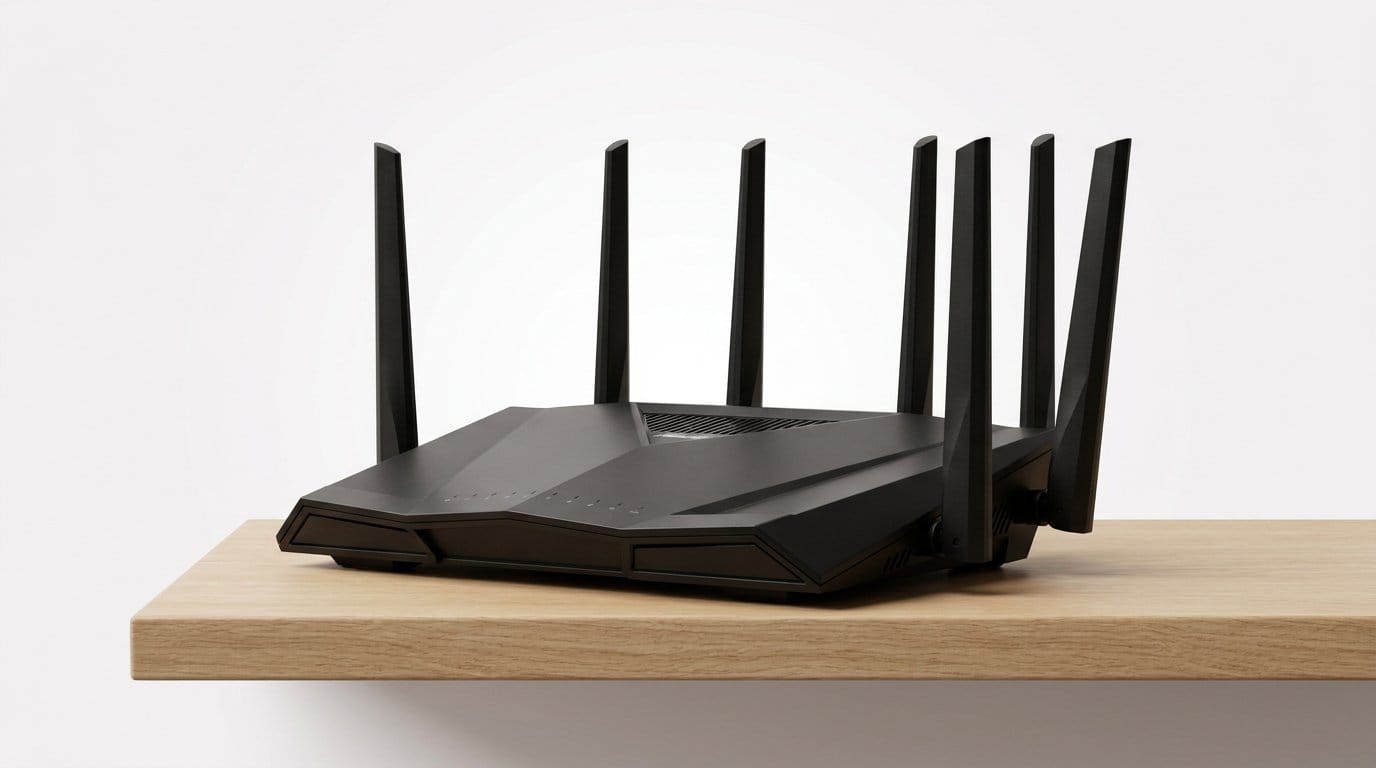
Move your router up and central; avoid closets and concrete walls (Cost: free; Impact: throughput/jitter). Prefer 5 ghz for your primary streaming device (lower interference, higher throughput) and reserve 2.4 GHz for IoT. Create a separate SSID for cameras and smart bulbs so low‑bandwidth chatter can’t compete with video (Cost: low; Impact: jitter).
Use band steering or a small mesh system when coverage is the issue — real homes need overlapping cells, not a single bar‑graph. Turn off legacy 802.11b/g rates if possible; they can slow a whole network.
Router settings that actually help
Enable basic QoS or “device priority” and pin your TV or set‑top box to high priority (Cost: low; Impact: throughput/latency). If your router supports app‑aware QoS or DSCP tagging, use it for streaming apps. Avoid fiddling with MTU unless you understand it.
When wired wins
Ethernet or gigabit powerline to the main streamer is the single most reliable fix for rebuffering (Cost: $20–$70; Impact: throughput/jitter). If you can run a cable, do it.
On the go: carriers, VPNs, and app modes
Mobile problems are often carrier cell load or radio handoffs. Switching from LTE to a less-crowded Wi‑Fi or a different carrier can make dramatic improvements. VPNs sometimes reduce jitter by better routing — and sometimes add latency; test both (Cost: medium/varies; Impact: latency/jitter). Use low-latency or “fast” modes in apps when available for live/event viewing.
When to escalate
If whole-house throughput is consistently low, document speeds and times, then contact your ISP. In enterprises, loop in network admins and request traffic shaping for streaming flows. These are the fixes that buy time before device or CDN changes become necessary — and they set up the next layer: smarter device and app choices.
Device and app choices that reduce lag
We think of devices and apps as collaborators in playback — when they’re not coordinated, even a perfect network feels sluggish. Below we walk through the practical choices that actually change how fast video starts and how often it stutters.
Hardware acceleration and codec support
Native apps can call a device’s hardware decoder directly; browsers sometimes can’t. That matters because software decoding on an under‑powered CPU turns a 4k. Choose devices with modern codec support (HEVC, AV1) and check whether the app uses hardware acceleration.
Power management and background scheduling
Phones and smart TVs aggressively sleep background processes to save battery or reduce heat. That can pause prefetching, drop TCP connections, or delay codec initialization when you resume. In apps we prioritize:
App design: buffer targets, prefetching, and UI friction
Buffer size choices change perceived lag. Small buffers reduce startup time but increase rebuffering risk; big buffers hide jitter but delay seeking. We recommend adaptive targets: small for on‑demand start, larger for live or high‑bitrate video. Avoid heavy startup animations that push rendering after network setup — users perceive that as lag even when data is ready.
Cross‑device tuning: consoles, TVs, phones, casting
Every platform has different priorities: consoles have CPU headroom, TVs need thermals and OEM firmware. App teams should test per‑device profiles and expose simple toggles:
Small, visible settings (and sensible defaults per device class) reduce support calls and keep playback consistent across a household.
Encoding and delivery: why codecs and ABR matter more than you think
Smarter codecs and ladders change the math
We control much of the server-side stack, and small choices here ripple to every viewer. Modern codecs (AV1, HEVC where supported) squeeze the same perceptual quality into far lower bitrates, but only when devices can decode them natively. More important than chasing the newest codec is a smarter encoding ladder: per-title or per-scene ladders that place rungs where quality actually changes. Misconfigured ladders — big bitrate jumps between rungs — force clients into visible artifacts and frequent switches.

Practical how-to
ABR: make it feel steady, not just fast
Adaptive-bitrate algorithms decide quality every few seconds. An aggressive ABR that chases raw throughput looks faster on paper, but users notice constant up-and-down switches. We prefer hybrid ABR: buffer-aware with smoothed throughput estimates and limits on jump size. Simple tweaks — minimum dwell time between switches, penalizing downward switches more than upward ones — make streams feel stable.
Quick ABR rules we use
Protocols and trade-offs: latency, startup, reliability
Low-latency options (LL‑HLS, CMAF chunked DASH, or WebRTC for sub‑second) reduce delay but increase encoder/CDN complexity and sometimes cost. Shorter segments lower startup time but raise CDN request load; HTTP/3 (QUIC) can help RTT-sensitive cases. Choose a latency target per product: live sports needs sub‑second; talk shows can tolerate a few seconds for a more reliable experience — and lower CDN spend.
CDNs, edge computing, and the role of the ecosystem
Why CDN choice still matters
We zoom out: the path a video takes once it leaves our encoder determines whether it hops across a few metropolitan POPs or bounces between continents. Not all CDNs are equal everywhere — Cloudflare or Fastly might be stellar in one country, while local players (Tencent, Alibaba, Limelight) or CloudFront win elsewhere because of peering and metro POP density. The practical result: startup times and rebuffer rates change regionally, and that’s a product problem, not a user fault.
Platform integrations that shave seconds
Small protocol wins add up. Persistent TCP connections, aggressive keep‑alive, TLS 1.3 with 0‑RTT handshakes, and HTTP/3 (QUIC) reduce RTTs and avoid repeated handshakes on every segment request. Those platform-level choices make cold starts feel fast and keep rebuffering from cascading into a bad session — and they require CDN+platform coordination, not just better encoders.

Multi‑CDN, telemetry, and dynamic routing
We prefer multi‑CDN strategies paired with client telemetry so routing is adaptive
Quick checklist — what teams can do now
Investing in peering and edge presence is a strategic product decision: it reduces churn, cuts support tickets, and often saves money downstream by avoiding wasted retries. Up next, we’ll talk about how to make those improvements measurable and durable inside the product.
Measure, design, and communicate: product moves that make fixes stick
We’ve talked about pipes and codecs; now we have to make those improvements visible and repeatable. Too many teams treat lag as a vague complaint instead of a measurable product KPI. We fix that by instrumenting, designing for failure, and telling users what to expect.
Measure the right things — and slice them
Collect a compact telemetry set tied to user impact
Run A/B UX experiments that trade quality for latency: measure retention and complaint rates, not just bitrates.
Design for graceful degradation
Build fallbacks users understand. Progressive strategies—start at lower resolution, upgrade when stable; offer audio‑only when bandwidth drops—keep sessions alive and frustration low. Use clear, human error states (“We’re buffering — switching to audio‑only to keep things playing”) rather than cryptic spinners.

Ship controls and communicate trade‑offs
Expose simple toggles: “Low‑latency mode,” “Data saver,” or “HD on Wi‑Fi only.” When users pick a mode, show expected trade‑offs (latency vs. picture quality). Transparent choices reduce support volume and build trust—gamers and live broadcasters will happily accept lower resolution for consistent sub‑s latency if we tell them what they’ll get.
Organize for durability
Create cross‑functional SLAs and SLOs that span product, infra, and support. Give support teams dashboards with session traces and CDN/ISP flags so fixes aren’t guesswork. Formalize partnerships with ISPs and CDNs for peering and incident playbooks.
When we measure what matters, design for failure, and communicate proactively, fixes stop being heroic one‑offs and become repeatable product improvements — which sets us up nicely for the final recommendations in the Conclusion.
Fixable problems, strategic choices
We close by reiterating that most streaming lag is a bundle of solvable issues—some we fix at home with better Wi‑Fi, device choices, and simple settings, many require smarter product and infrastructure decisions, and a few demand industry coordination. These fixes matter now because user expectations and competition have raised the bar: small latency gains increase engagement, reduce churn, and become product differentiators in a crowded market.
For us as consumers, start with the high‑impact, low‑effort fixes. For product teams, prioritize telemetry‑driven changes that align UX, delivery, and business goals: measure, iterate, and communicate wins. When companies treat lag as a product problem instead of an inevitability, the viewing experience improves for everyone. Start improving today.
Frequently asked questions
What is the main point of “Why Most Streaming Lag Is Fixable”?
This piece explains where why most streaming lag is fixable matters in real buying decisions—not just headline specs. We focus on trade-offs, who benefits most, and what to verify before you spend.
Who should read this why most streaming lag is fixable guide?
Read it if you are actively shopping, upgrading, or trying to separate marketing claims from day-to-day use. Skip it if you already own the gear and are not planning a change this season.
What changed recently around why most streaming lag is fixable?
Prices, firmware, and feature tiers shift quickly in this category. We call out what is new enough to affect your decision and what is incremental hype you can safely ignore.
How should I use this editorial when buying?
Treat it as context before you compare models: note the risks and priorities here, then cross-check specs and current pricing on the picks that match how you actually use the product.
What is easy to get wrong about why most streaming lag is fixable?
Buyers often overweight one spec—brightness, speed, or brand—and underweight fit for their room, ecosystem, or warranty support. We flag the mismatch we see most often in reader questions.
Where should I go next after reading?
Use the related comparisons and top picks linked near the end of this article for model-level shortlists, then confirm return policies and compatibility with the devices you already own.

Iqra Jumar is Option Cutter's editorial writer. She writes practical editorials and buyer guides that focus on real-world upgrades—better Wi‑Fi, cleaner cable setups, smarter streaming, and everyday fixes—not spec-sheet noise alone. Her work helps readers decide what to change now, what to skip, and why.









