
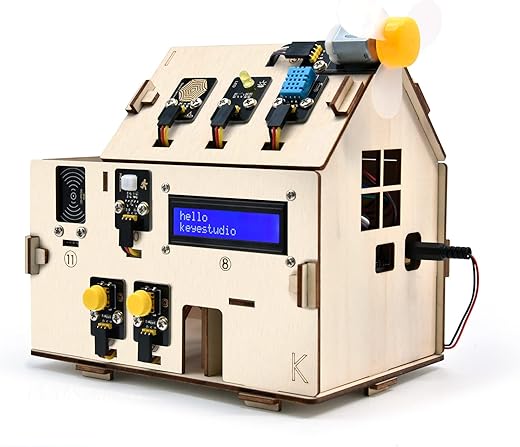

Why our smart homes still feel more like collections than a home
We bought into a simple promise: fewer chores, more comfort. Instead, most of us wake to five apps, three notifications, and a light that won’t turn off. Smart home ownership has become a patchwork of devices that should simplify life but add friction.
We’ll examine five failures: platform fragmentation; UX and design mismatches; brittle automation; hardware realities; and market incentives.
This matters because fragmentation wastes money, erodes trust, and keeps smart homes unhelpful.
We’ll describe the user-facing symptoms — confusing setup, redundant notifications, devices that don’t talk, and mental overhead that turns convenience into chore — and explain why these technical and market choices matter to buyers, makers.
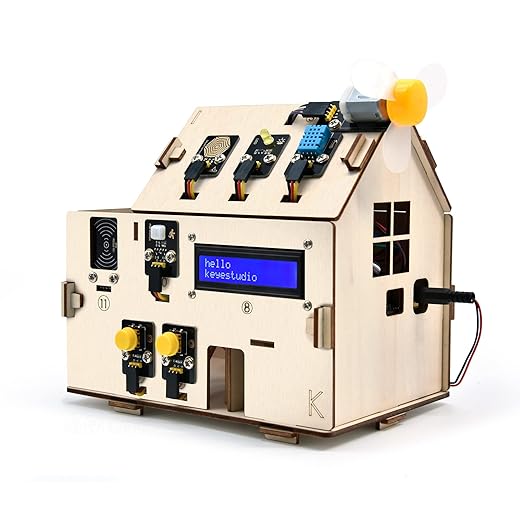

Platform fragmentation: too many walled gardens and too few bridges
How we got here
We expected “smart” to mean simple. Instead, competing platforms and proprietary protocols created parallel universes on our phones. Manufacturers build ecosystems because it’s the fastest route to monetization and lock‑in: if your lights only play nicely with Brand A’s app, you either live in that app or you buy into it. That’s good business — and terrible UX.
What this actually feels like
In practice, fragmentation shows up as:
We’ve set up rooms where creating a “Goodnight” scene takes longer than getting the kids to bed. Automations that span vendors — motion sensor (Zigbee), smart lock (Z-Wave), and a voice assistant (cloud) — are fragile precisely where they should be seamless.
Partial fixes and why they’re often stopgaps
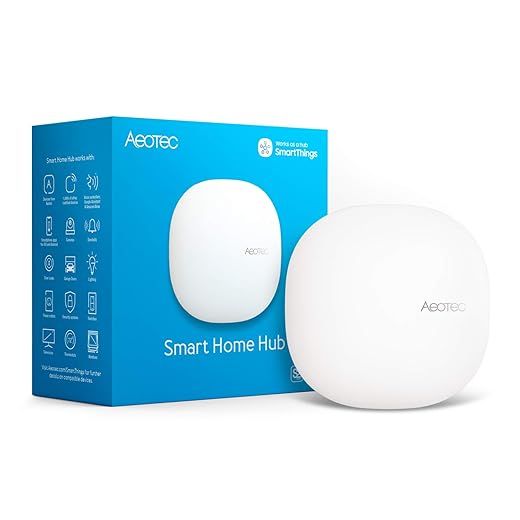
Manufacturers have shipped bridges, hubs, and integrations to paper over the cracks. Hubs like Samsung SmartThings or dedicated bridges like the Philips Hue Bridge let incompatible devices coexist. Third‑party platforms such as Home Assistant or Hubitat try to unify control and keep things local.
These tools help, but they introduce new failure modes: extra points of maintenance, firmware mismatch headaches, and in some cases more latency because traffic routes through yet another cloud. Bridges can translate protocols, but they don’t solve inconsistent naming, permissions, or vendor decisions to sunset APIs.
Practical steps we can take now
These moves won’t fix the market, but they reduce the daily friction of living with a smart home built from too many gardens.
Design and UX mismatches: when devices obey engineers, not humans
UX problems that turn capability into cognitive load
Even when devices technically interoperate, the user experience often doesn’t. We juggle apps with different interaction models: one uses swipes, another forces modal dialogs; one names a device “Living Room Lamp,” another insists on “LR_Light_01.” Those inconsistencies aren’t cosmetic — they make simple tasks feel like debugging sessions. Onboarding flows that ask for obscure permissions, QR codes that fail without explanation, and settings hidden behind nested menus add up to a high cognitive cost of ownership.
Feedback failures: you can’t tell what’s actually happening
Poor feedback is where smart homes stop being trustworthy. Devices report “offline” with no hint whether it’s power, Wi‑Fi, or server issues. Lights blink when they update firmware but apps show them as “on,” so we end up physically checking rooms. Weak status indicators and poor logging mean we’re guessing at state instead of seeing it. That uncertainty forces over‑engineering (rules that include retries, confirmation steps, or manual checks) because the system doesn’t clearly communicate.
Design-first fixes we can use right now
Design improvements aren’t just aesthetic; they reduce time spent troubleshooting. Practical changes we can demand or apply today:
Try these quick actions: standardize names across apps before automations, add a simple dashboard (Home Assistant, Alexa Routines) showing critical device health, and keep at least one physical control for every critical function.
Different users, different pain points
Tech enthusiasts tolerate complexity — they’ll script around it or install Home Assistant. Mainstream users won’t. For them, clumsy UX is a dealbreaker: smart equals simple, or it isn’t smart at all. Bridging that gap requires designers to prioritize clarity over feature checklists.
Next, we’ll look at how brittle automations compound these UX issues — rules that assume perfect feedback collapse when the status model is messy.
Automation that’s brittle: rules that don’t adapt to real life
Common anti‑patterns that break in the wild
We build automations as if people behaved like clocks. The result: routines that fire at the wrong moment or never at all. The usual offenders:
These anti‑patterns produce predictable UX problems: lights that go dark during dinner, heating that spikes when a window is opened, or security alerts that drown us in false positives. Trust erodes quickly — once we have to intervene manually, we stop relying on automations.
Why real‑world context is so hard
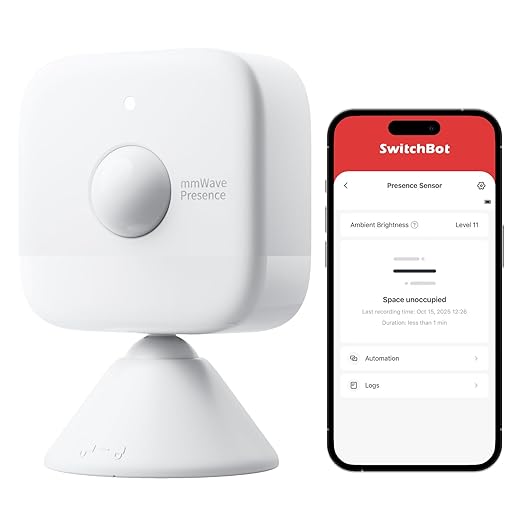
Contextual automations — using presence, activity, sound, or CO2 levels to infer intent — are the promise. In practice, they’re fragile because of:
Emerging fixes — and why adoption is slow
New approaches can reduce brittleness: edge computing for faster, private inference; more expressive rule engines that allow “and/or” conditions and fallbacks; hybrid local‑cloud architectures that keep critical decisions on‑device. These cut false positives and make behavior more human‑friendly.
Vendors drag their feet because these solutions raise costs, complicate support, and can undermine cloud subscriptions that fund R&D. Interoperability remains a business decision, not purely a technical one.
Practical steps you can apply today
These tactics won’t make every automation perfect, but they stop routine brittleness from wrecking trust in the rest of the system.
Hardware reality: affordability, reliability, and lifecycle mismatch
Cheap radios, flaky connections, and the invisible trade-offs
We often blame apps when lights flicker or sensors go offline, but the problem usually starts with the radio and sensor hardware. To hit low price points, manufacturers skimp on antennas, power‑management firmware, and even the quality of the SoC. The result: devices that drop off Zigbee meshes, Wi‑Fi bulbs that flood the network with retries, or battery sensors that die in months instead of years. In practice this looks like lights that don’t respond when we need them, motion sensors that miss presence, and hubs that need constant babysitting.
What helps: prefer devices that use robust low‑power radios (Zigbee, Z‑Wave, or Thread) for sensors, put mains‑powered devices on different channels or SSIDs, and use plug‑in devices as mesh repeaters. If a vendor publishes antenna specs or power‑draw numbers, that’s a good sign.
Long‑lived infrastructure vs. fast‑moving software
Locks, HVAC, and water heaters are household fixtures with lifespans measured in years or decades. Yet the firmware and cloud services that control them update on a quarterly cadence—or vanish entirely when a startup pivots. That mismatch creates real risk: a smart lock that relies on a cloud API can lose features (or stop working) long before the mechanical parts wear out.

When we buy long‑term devices, we should favor models with local control, documented APIs, or a strong third‑party integration record (think Nest/Ecobee history vs. a one‑year Kickstarter brand). Check whether security updates are provided and how many years a company commits to support.
Upgrade friction and repairability
Hardware upgrades are painful. Replacing a $20 sensor is easy; swapping a built‑in thermostat or mortise lock is not. Many manufacturers design to replace rather than repair: glued batteries, proprietary connectors, or closed firmware make servicing costly.
Simple heuristics that improve longevity:
Practical steps we can take today
These hardware realities shape the incentives vendors face and the competitive landscape that follows—issues we’ll dig into next when we look at market incentives and why companies don’t always build for interoperability.
Competitive context and market incentives: why companies don’t always build for interoperability
Why enclosure wins (even when it hurts users)
We’re used to devices that “just work” inside one company’s universe. Amazon, Apple, and Google all reward ecosystem purchases: better voice control, easier setup, and exclusive features. That convenience is real, and companies lean into it because differentiation drives sales. Add data capture and subscription services — think Ring Protect, Nest Aware, or premium energy analytics — and the incentive to keep users inside a garden becomes financial, not just technical. The short-term result is fast customer acquisition; the long-term result is a home made of islands.

Standards, alliances, and the hard work between press releases and real life
Standards like Matter promise a bridge, and alliances publish roadmaps with fanfare. In practice, certification is slow and partial: devices may claim Matter support but lack full feature parity (local control, secure commissioning, or advanced automations). Small vendors cite testing costs and shifting specs as reasons to delay. The outcome is familiar — agreements on paper, friction in everyday use. We can buy “compatible” devices that won’t talk to our legacy hubs without manual work or cloud bridges.
Regulation, privacy expectations, and market pressure
Regulators are starting to push for security and right-to-repair rules, and privacy scandals make consumers warier of cloud‑only lock‑ins. But regulation moves slowly; market pressure does more immediate work. When users demand basic interoperability — or when integrators like Home Assistant show what’s possible — companies start to change. Still, many will only act when collaboration aligns with revenue, not just goodwill.
Practical, actionable paths forward
What buyers can do:
What makers should prioritize:
These steps won’t remove every compatibility headache overnight, but they change incentives — making openness a competitive asset rather than a sacrifice. In the final section, we’ll outline practical fixes and what we should expect next.
Practical fixes and what we should expect next
The smart‑home promise is intact but needs practical fixes across design, standards, hardware and incentives. We recommend users prioritize local‑first devices, favor open‑compatible ecosystems, and build simple fallback behaviors — small choices that reduce brittle automation and protect privacy. Manufacturers must invest in UX research, support local interoperability standards, and design for longevity rather than quarterly churn.
These changes matter now: better integration lowers friction, rebuilds trust, and makes the value of connected homes tangible for a far larger audience. We should expect gradual consolidation around interoperable platforms — and should push it.

Chris is the founder and lead editor of OptionCutter LLC, where he oversees in-depth buying guides, product reviews, and comparison content designed to help readers make informed purchasing decisions. His editorial approach centers on structured research, real-world use cases, performance benchmarks, and transparent evaluation criteria rather than surface-level summaries. Through OptionCutter’s blog content, he focuses on breaking down complex product categories into clear recommendations, practical advice, and decision frameworks that prioritize accuracy, usability, and long-term value for shoppers.








