

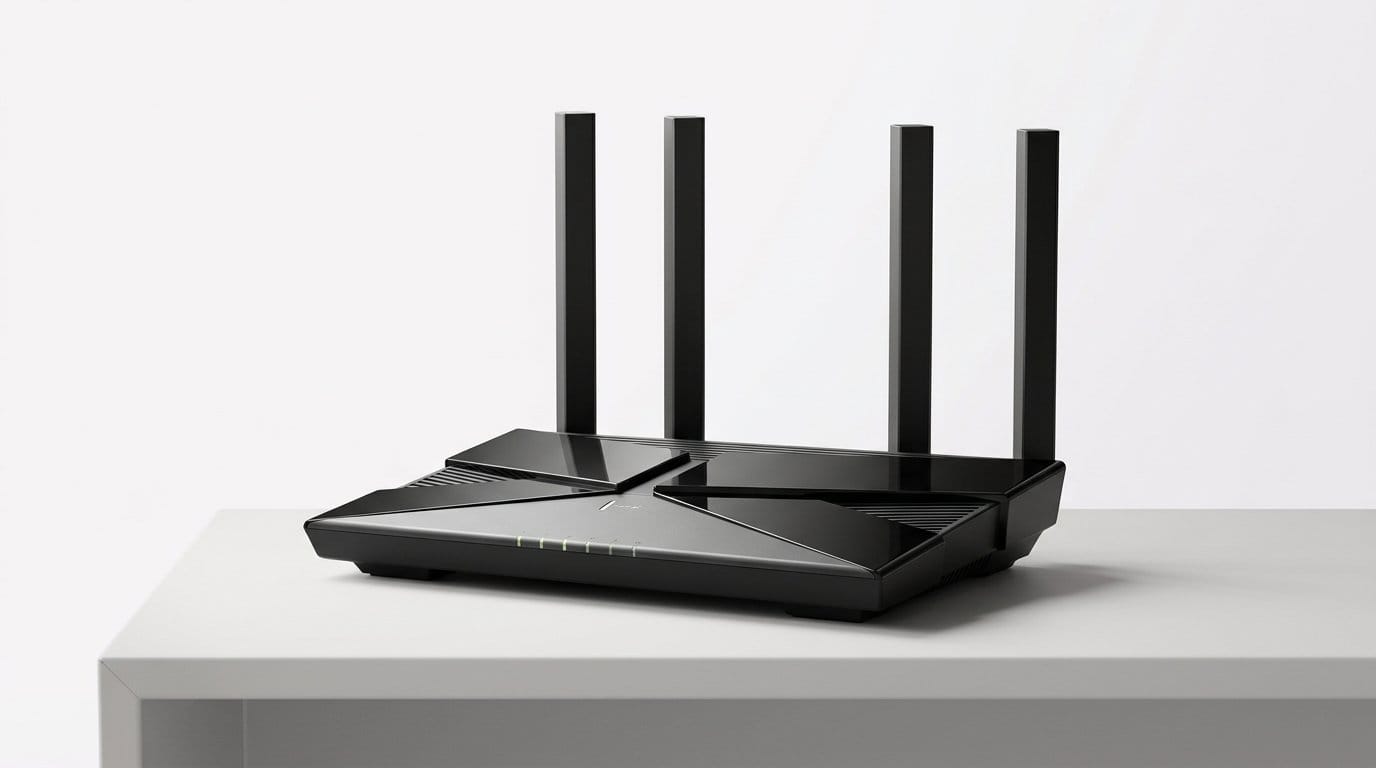

Placement vs. Power: The Simple Truth About Home Wi‑Fi
We see routers sold by big numbers — gigabits, gigahertz, antenna counts — and the implication is clear: more is always better. In our testing, that’s rarely the case. Wi‑Fi is a spatial problem first and a horsepower problem second.
Where a radio sits in a house determines whether a device gets a steady link or a spotty one. Walls, furniture, and the human body break signals and change behavior. Devices prefer strong, stable coverage over momentary peak speeds.
Thinking in terms of coverage, line of sight, and device behavior gets better real‑world results than chasing specs. That shift matters now more than ever: homes are larger, devices are more numerous, and ecosystems are fragmenting. We’ll show practical placement strategies that beat raw power every time.
Read on for measured advice, not marketing. We’ll focus on practical tests and simple moves you can.

Supercharge Your Wi‑Fi: Fastest Way to Optimise Your Network
How Wi‑Fi Actually Moves Through Buildings
Signal behavior in real spaces
We start with a simple frame: Wi‑Fi is a radio wave navigating a cluttered, multi‑material obstacle course. In an open one‑story room a router and phone trade packets like two people shouting across a room. Add drywall, a bookshelf, an aquarium, and a concrete floor, and that “shout” becomes muffled, bounced, or entirely blocked. We see houses and apartments create predictable signal shadows — dead zones behind thick walls, weak spots on opposite sides of metal appliances, and fluctuating performance when a crowd gathers in the living room.
An anecdote from our testing: a midrange router in the center of a 1,200 ft² house gave consistently better whole‑home throughput than a flagship router hidden in a glassed‑in office at one corner, despite the flagship’s higher spec sheet numbers.
Frequency tradeoffs: 2.4 GHz vs 5 GHz
The frequency a device uses matters more for placement than raw Mbps. 2.4 ghz penetrates better through walls and travels farther, but it’s slower and crowded — think Bluetooth, baby monitors, and every old IoT device. 5 GHz has more bandwidth and less interference, but its waves are shorter and more easily blocked.
Practical rule: use 5 ghz2 when you have line‑of‑sight or short internal paths (gaming, streaming), and rely on 2.4 GHz for devices in the garage, garden, or across multiple walls. Recent Wi‑Fi 6E gear adds 6 GHz, which is even faster and less cluttered but even more directional — great for rooms near the router, less so for entire houses.

Antennas, device radios, and room geometry
Device radios are often the weakest link: phones and IoT gadgets transmit at lower power than routers. Antenna orientation and height change real performance. A router tucked low behind furniture forces signals to skim under tables or through couch cushions; lifting it to eye level often creates clearer paths. In narrow hallways or stacked apartments, angling external antennas to cover adjacent rooms can beat jacking up transmit power.
Common environment variables to watch
Immediate placement steps you can try
We’ll dig into how to design for rooms and which systems actually fix these problems in the next sections.
Why Bigger Numbers Don’t Deliver Better Coverage
Peak speeds are marketing, not reality
Manufacturers love headline numbers — “AX6000,” “3.2 Gbps,” eight antennas — because they’re easy to print on a box. But those figures are aggregates from ideal lab tests: multiple bands added together, multiple spatial streams counted as if a single device could use them all, and measurements taken with line‑of‑sight radios in a sterile chamber. In our labs and homes, a phone or laptop rarely sees more than a fraction of that top number. Wi‑Fi is half‑duplex (devices take turns talking), so real single‑client throughput and the speed you feel during video calls or gaming are governed by the slowest link in the chain — typically the client radio or the path to it.
Antenna counts and “high power” claims
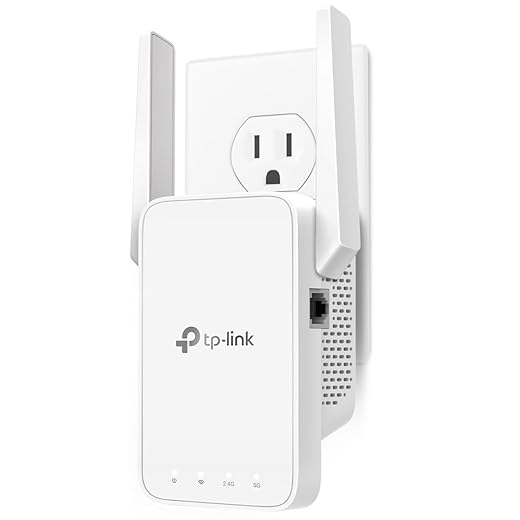
A long list of antennas is mostly about spatial multiplexing (MIMO) and marketing. More antennas can help if both router and client support multiple streams and the environment allows them to separate signals. But most phones have one or two receive chains; they can’t use an 8‑stream transmitter to the fullest. Similarly, “high‑power amplifiers” sound useful, but regulatory bodies cap effective isotropic radiated power (EIRP). Vendors can tune internal gains, but you can’t legally blast past physics — boosting power often increases interference and reduces overall network performance in dense spaces.
Regulatory and physical limits
Countries restrict transmit power and channel use. Wider channels (80/160 MHz) yield big headline rates but are more likely to collide with neighbors and leave less clean spectrum, especially on 5 ali ghzawi. Millimeter gains from exotic features like 160 MHz or 6 GHz aren’t guaranteed in a busy apartment — they collapse into lower, more robust settings the moment interference appears.
UX metrics that actually matter
As competitors pitch “power,” they obscure what users notice: packet loss, latency, and consistent coverage. A router that advertises higher Mbps but leaves dead spots or jitter during calls is worse than a modest unit placed strategically or paired with a mesh node.
Practical buying and tuning tips
We’ve found swapping a single “powerful” router for a modest mesh often smooths streaming and cuts latency across a home — next, we’ll show how to design placement around rooms, not speed labels.
Designing for Rooms, Not Speeds: Practical Placement Strategies
Placement rules of thumb we actually use
We tell people the same things we wish were printed on every box: put the main access point (AP) near the center of the house, raise it off the floor (shelf height or higher), and keep it out of metal cabinets and closets. Metal, dense shelving, and appliances act like RF‑shields. Also, keep APs away from cordless phones, baby monitors, and microwave ovens — those are common sources of intermittent interference. The result is fewer dead spots and fewer “islands” of bad connectivity, not just higher headline Mbps.
Quick ways to map problem zones
You don’t need lab gear. Walk through your home with your phone and run short tests
Mark weak rooms on a floor plan or a napkin. That map is how we decide where hardware must go, not a router sticker.
Choosing node locations for a mesh
A mesh node should see the primary AP with a strong link — ideally one or two walls, not through a furnace or metal. As a rule of thumb, place nodes roughly halfway between the router and the dead zone, and keep them in open sight lines where possible. If you can run Ethernet for backhaul, do it; wired backhaul turns a messy wireless chain into a reliable network.
Examples
When one router is enough — and when it isn’t
One well‑placed router often serves apartments and small homes. Choose a mid‑range AX router and prioritize location over power. Larger houses, multi‑story layouts, or dense materials (stone, concrete) are where nodes pay off. If your router can’t reach an office or garage with reasonable performance, invest in a node before upgrading to a “faster” flagship.
Design, aesthetics, and the psychology of placement
We care about how devices look because people hide ugly hardware in closets — exactly where they fail. Companies know this: eero, Nest, and Netgear’s Orbi are flatter, quieter, and meant for shelves. That matters: when products fit the décor, users put them where they work best.
Next, we’ll examine which mesh approaches and ecosystem integrations actually deliver these placement benefits in real homes.
Mesh, Extenders, and Ecosystem Integration: What Actually Works
Mesh systems: coordination beats brute force
We’ve found that purpose‑built mesh systems (eero Pro 6, Google Nest Wifi Pro, Netgear Orbi) win when placement matters because the hardware is designed to act as a single coordinated network. They handle:
That coordination is why a properly placed three‑node mesh often outperforms a high‑power standalone router trying to push signal into every corner.
Dedicated extenders and access points: cheap fixes with caveats
Wireless extenders and plug‑in repeaters are tempting for one‑off dead zones. They’re useful if you need a low-cost quick fix, but they come with tradeoffs:
If you mix brands, expect less reliable roaming and manual SSID/channel management. You gain flexibility, but you lose the seamless UX that matters for streaming and smart home handoffs.
Powerline, MoCA, and wired backhaul: the reliable middle ground
When Wi‑Fi through walls fails, wired alternatives change the game. Powerline adapters (TP‑Link AV2000) and MoCA over coax provide backhaul where Ethernet isn’t feasible. They let you place wireless APs in optimal spots without depending on weak radio links. Realistically, we treat them as wiring: slower than full Ethernet but far more consistent than a distant wireless hop.
Ecosystem, updates, and long‑term value
What separates winners from promise is integration. Companies that combine hardware, software, and cloud services (eero, Google, Netgear) deliver polished apps, automatic firmware/security updates, and features like parental controls or QoS that “just work.” That convenience costs more and can lock you into an ecosystem, but it’s worth it if you want low‑maintenance reliability.
For power users, UniFi or ASUS give control and future‑proofing (Wi‑Fi 6/6E, multigig ports) at the expense of a steeper setup. Our practical rule: pick single‑brand mesh if you value UX and automatic optimization; choose mixed or pro gear only if you need specific ports, wired backhaul, or granular control.
Quick, actionable setup tips
How We Test Placement and the Metrics You Should Care About
We want readers to be able to reproduce our tests and judge routers and placement the way we do: by how networks behave in real homes, not by marketing numbers. Below are the measurements we prioritize, simple apartment‑scale experiments you can run, and how to interpret the results for real‑world use.
What we measure (and why it matters)
Simple tests you can run
Tools and app diagnostics that help
How to read results for user experience
Focus on whether the experience is stable: video stays smooth, smart devices remain reachable, and latency stays low during interactions. If a room has acceptable RSSI but high jitter or repeated packet loss under load, move a node or add wired/MoCA backhaul — the user will feel that instability even if “speed” looks fine.
Next, we synthesize these practical findings into quick, actionable takeaways to improve home Wi‑Fi placement.
Placement Wins: Quick Takeaways for Better Home Wi‑Fi
We boil this down: Wi‑Fi is spatial first, numeric second. Don’t chase headline megabits — think where signals travel, where people use devices, and what obstructs them. Before buying, map your home with a phone or a free app, note dead zones, and try temporary placements. A modest router in the center of activity or a small, well‑placed node will usually outperform a powerful unit hidden in a closet.
Choose systems that combine sensible hardware design (good antennas, unobstructed placement options) with ecosystem features that make placement and maintenance easy: coordinated mesh routing, unified apps, automatic updates, and wired backhaul support. Our checklist: map rooms, test at device locations, avoid barriers, prefer mesh for multi‑room homes, and prioritize ease of placement over raw specs. Do that, and you’ll get far more reliable everyday Wi‑Fi without buying the biggest box. Start small, test quickly.
Frequently asked questions
What is the main point of “Why Good Wi‑Fi Is More About Placement Than Power”?
This piece explains where why good wi‑fi is more about placement than power matters in real buying decisions—not just headline specs. We focus on trade-offs, who benefits most, and what to verify before you spend.
Who should read this why good wi‑fi is more about placement than power guide?
Read it if you are actively shopping, upgrading, or trying to separate marketing claims from day-to-day use. Skip it if you already own the gear and are not planning a change this season.
What changed recently around why good wi‑fi is more about placement than power?
Prices, firmware, and feature tiers shift quickly in this category. We call out what is new enough to affect your decision and what is incremental hype you can safely ignore.
How should I use this editorial when buying?
Treat it as context before you compare models: note the risks and priorities here, then cross-check specs and current pricing on the picks that match how you actually use the product.
What is easy to get wrong about why good wi‑fi is more about placement than power?
Buyers often overweight one spec—brightness, speed, or brand—and underweight fit for their room, ecosystem, or warranty support. We flag the mismatch we see most often in reader questions.
Where should I go next after reading?
Use the related comparisons and top picks linked near the end of this article for model-level shortlists, then confirm return policies and compatibility with the devices you already own.

Iqra Jumar is Option Cutter's editorial writer. She writes practical editorials and buyer guides that focus on real-world upgrades—better Wi‑Fi, cleaner cable setups, smarter streaming, and everyday fixes—not spec-sheet noise alone. Her work helps readers decide what to change now, what to skip, and why.









