

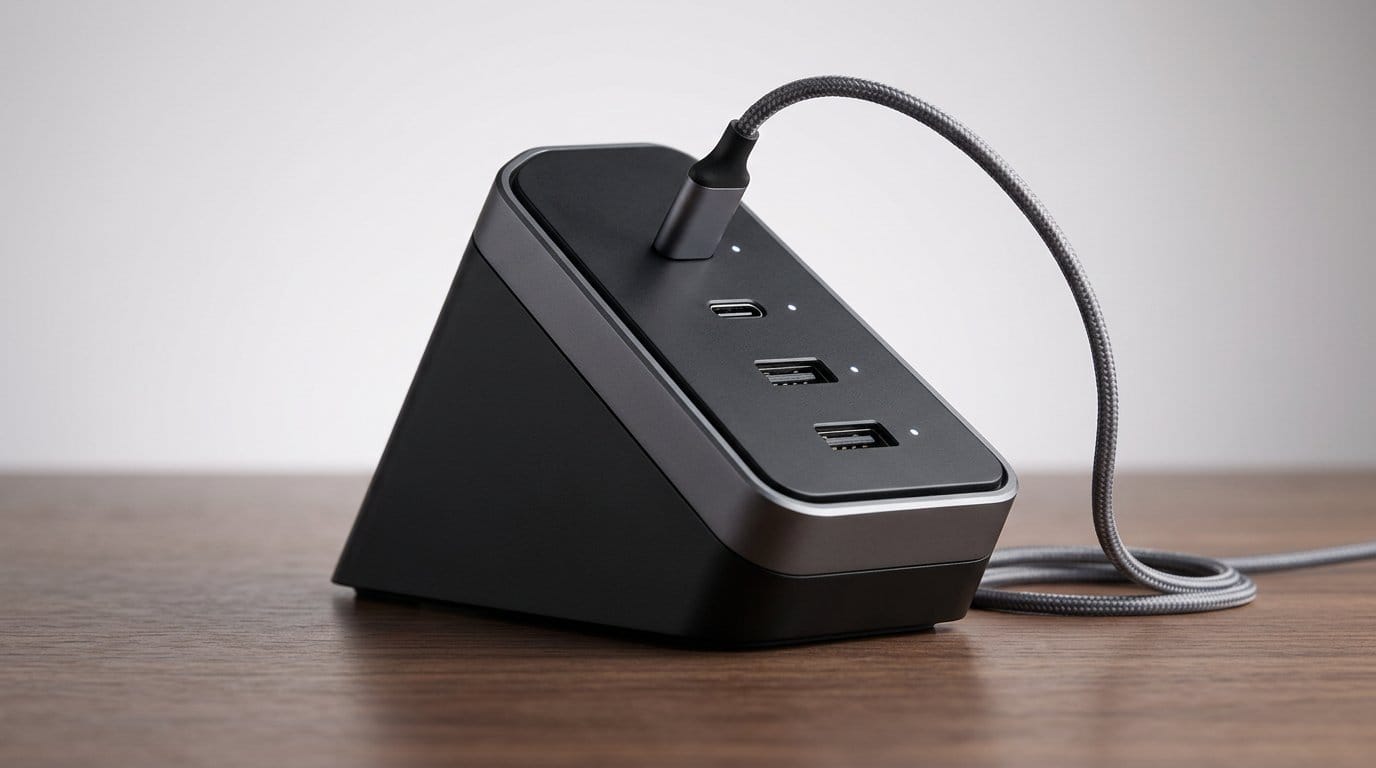

Why multi-device charging still frustrates us — and what changes that
We’ve all been there: a mound of tangled cables, a hunt for the last available outlet, and chargers that are bulky, inefficient, or slow when we plug in more than one device. In this piece we break down the upgrade that simplifies multi-device charging — the combination of smarter power-delivery standards and compact high-power hardware — and explain why it matters for everyday life.
We focus on the user experience first: fewer bricks and cables, faster top-ups, and a desk that feels less like a tech graveyard. Then we look at design trade-offs that prioritize size, heat, and convenience. We examine ecosystem integration so you know how this upgrade plays with phones, laptops, tablets, and accessories. Finally, we put it in competitive context to help decide whether to replace old chargers and rethink your setup.
This is practical analysis with an eye for real-world use. We want answers, not specs.


Sabrent 8-Port 252W Charger Review: Streamlined Multi-Device Charging
What changed under the hood: smarter power delivery and compact power
Why chargers are smarter now
The biggest technical shift isn’t flashier casings — it’s negotiation. Modern chargers and devices use updated USB Power Delivery profiles (PD 3.0/3.1 and PPS) so the charger and each gadget can “talk” and agree on the safest, fastest combination of voltage and current. That conversation happens automatically: when you plug a phone, tablet, or laptop into a USB‑C port, the two sides exchange capability tables and then settle on a voltage/current pair that optimizes charge speed without harming the battery.
That smarter negotiation also enables dynamic sharing. Instead of rigidly allocating a fixed wattage per port, a charger can shift power where it’s needed: bump a laptop to 60W while two phones trickle at 10W each, then reverse when the laptop is unplugged. For everyday users this means fewer sacrifices — you don’t have to decide which device gets the “good” charger.
This is easier to carry thanks to wide adoption of GaN semiconductors. GaN transistors switch faster and run cooler than older silicon designs, so manufacturers pack higher output into much smaller bricks. Camping and travel go from lugging multiple chargers to tucking a single 65–100W GaN hub into a bag.
Smaller bricks, cooler operation — why it matters
Compactness is more than a convenience metric. Smaller GaN-based designs produce less waste heat for a given wattage, which affects reliability, sustained charging speeds, and how the charger performs in a cramped bag or a crowded power strip. In practice that means:
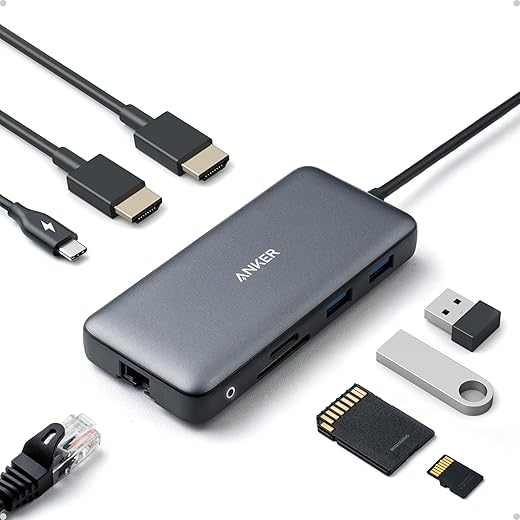
Models to compare in real life: older 65W laptop bricks from OEMs vs. modern multiport chargers like the Zendure SuperTank or the Anker Prime above. The modern units maintain higher wattage across multiple ports for longer.
Real-world caveats (and the things vendors don’t always highlight)
Manufacturers love peak numbers, but what they don’t always emphasize is simultaneous-output behavior. A charger might say “100W” but that can be the maximum from a single USB‑C port — if you plug in more devices, the per‑port maximum often drops, and the charger’s firmware decides how to allocate power. Other practical caveats:
We’ll next look at how those hardware and protocol improvements translate into daily design choices — fewer bricks and fewer cables — and what that actually looks like at your desk and in your bag.
Design and the everyday experience: fewer bricks, fewer cables, fewer headaches
Physical design: port layout, cables, and pockets
The most obvious change is that chargers finally think about our lives, not just wattage. Good multi‑port bricks arrange ports with real spacing so chunky USB‑A or oversized USB‑C connectors don’t block each other. We prefer a mix: at least one high‑amp USB‑C for a laptop, a secondary C for a tablet or phone, and a smaller USB‑A or low‑power C for accessories. Foldable prongs and a squared footprint make a charger more packable than an awkward elongated brick.
Modular vs. integrated cables is still an opinion choice. Integrated cables remove one item to forget, but they also lock you into a length and connector type. For commuters, an integrated 30–50cm cable can be perfect; for travelers who use different devices, swappable cables and clear port labels win.
Compact GaN chargers have changed packing. Instead of three bricks and five cables, we can carry one foldable 65W unit and two short, high-quality USB‑C leads. That alone simplifies airport security, the coffee shop table, and the trial‑and‑error of which cable fits which port.
Interaction design: status, prioritization, and predictable behavior
A charger’s UI is minimal but important. Chargers that use a single tiny LED leave us guessing; better models offer per‑port indicators or subtle color changes that show which port is negotiating high power vs. trickle charging. Haptic or audible cues are overkill — clarity is what matters.
Auto‑prioritization is a feature that separates thoughtful firmware from marketing. The chargers we like will boost a laptop when it wakes and drop a phone to trickle charge, then reverse without manual juggling when you unplug. Bad implementations either throttle every port aggressively when more than one device is attached, or rigidly lock wattages so a phone steals the laptop’s headroom.
We’ve seen frustrating physical designs, too: ports placed on the same short face so thick plugs block neighbors, or integrated cables that are the wrong length for a bedside outlet. Pass‑through charging (where a hub charges while being charged) and simultaneous fast‑charge handling are the features that actually change our routines — letting us use a single outlet to power a laptop, phone, and watch without babysitting.
Cable realities and travel habits
Not all cables are equal. To get advertised speeds you often need a 5A, e‑marked USB‑C cable. Cheap or worn cables introduce voltage drop, slow perceived charge speeds, and more heat. Our rule: carry one short certified 100W cable and one medium 60W cable, and replace suspect cables immediately.
Practical packing tips
These design and interaction details are where the upgrade becomes tangible — fewer decisions, fewer surprise slowdowns — and they lead naturally to the question of how well these chargers play with the devices in our bags, which we’ll examine next.
Ecosystem integration and compatibility: how well this upgrade plays with our devices
Negotiation basics: what actually happens when we plug in
When a phone, laptop, or tablet connects, they “negotiate” power using USB‑PD (Programmable Power Delivery) or a vendor protocol. PD lets devices request specific voltages and currents; PPS (a PD 3.x feature) lets them fine‑tune those values to reduce heat. In practice, that means a modern Pixel or Samsung phone can ask for exactly the volts it prefers, and a PD‑aware charger can oblige. Laptops typically ask for a fixed wattage — 45W, 65W, 100W — and will fall back to lower rates if the charger or cable can’t deliver.
Real-world gotchas: when nameplates lie
Not every fast‑charge claim translates across brands. Common issues we see
A practical example: an iPhone, Pixel, and MacBook sharing a 100W multiport brick will usually work, but only if the hub supports dynamic allocation and PPS — otherwise the phone may charge slower or the MacBook may not sustain turbo power under load.
Single‑cable docks and standardized laptop power
The upgrade shines in one place: docks. A USB-C docking station that supplies PD while driving displays, Ethernet, and USB peripherals turns a laptop into a desktop with one cable. That’s extremely convenient for mixed households — swap a MacBook and a Windows laptop and both get display and power without swapping bricks, as long as the dock meets each machine’s wattage needs.
Look for docks that explicitly list PD wattage, DisplayPort/HDMI versions, and support for your laptop’s power profile (EPR for >100W if needed). MacBooks, recent Dell XPS models, and many business laptops now expect PD compliance; older or gaming laptops may still need vendor adapters.
Software, firmware, and long‑term lock‑in
Sometimes the fix is a firmware update. OEMs have patched charging quirks via phone or laptop updates that improve PD negotiation or add PPS support. But hardware choices can create lock‑in — if your phone uses a proprietary high‑amp protocol, you’ll need that vendor’s charger to get peak speeds forever.
Practical tips to maximize compatibility
Next up, we’ll put this upgrade in market context — comparing options, price points, and when it’s worth switching over to the new generation of chargers.
Competitive context: where this upgrade fits in the market and when to switch
We zoom out and ask: who should buy these new multi‑device chargers, and when does a different solution still make more sense? Below we map real use cases to charger types and give concrete trade‑offs so you can pick for your life — not the spec sheet.
Quick market map: four charger categories
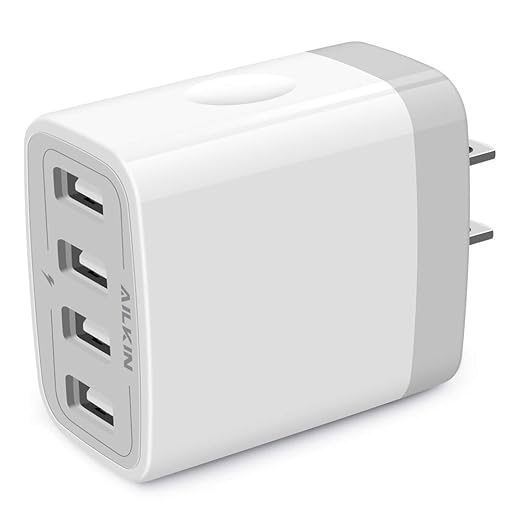
Camping trips are easier with a reliable power source like the AILKIN 4-Port 4.8A USB Wall Charger Cube.
Who should buy which
Cost vs. convenience: the trade‑offs
Practical buying checklist
If your daily routine matches the commuter or family scenarios above, a modern multi‑port PD charger is likely the smartest, simplest upgrade. If your work depends on sustained laptop performance or multiple external displays, a powered dock or dedicated high‑watt laptop brick still makes sense.
Next, we’ll summarize the practical takeaway and the small changes that make a big difference in daily charging.
Bottom line: a small upgrade with outsized impact
We see this upgrade as a practical shift: smarter power delivery and compact chargers change how we organize power, travel, and buy devices. By consolidating outputs, negotiating optimal wattage, and reducing bulky bricks, well-implemented multi-device chargers cut clutter, speed daily routines, and make mixed-device households easier to manage. That matters now because devices increasingly share USB-C power profiles and because time and space have grown more valuable than raw peak watts; integration beats isolated specs.
When deciding whether to upgrade, look for tested power negotiation (PD), sustained delivery under load, safety protections, and solid ecosystem compatibility rather than headline numbers. Avoid cheap multi-ports that overpromise wattage or lack firmware updates. If you value fewer cables, faster real-world charging across phones, tablets, and laptops, and a neater travel bag, it’s worth switching — especially when a compact charger replaces two or three old bricks — browse our how-to guides.
Frequently asked questions
What is the main point of “The Upgrade That Simplifies Multi-Device Charging”?
This piece explains where the upgrade that simplifies multi-device charging matters in real buying decisions—not just headline specs. We focus on trade-offs, who benefits most, and what to verify before you spend.
Who should read this the upgrade that simplifies multi-device charging guide?
Read it if you are actively shopping, upgrading, or trying to separate marketing claims from day-to-day use. Skip it if you already own the gear and are not planning a change this season.
What changed recently around the upgrade that simplifies multi-device charging?
Prices, firmware, and feature tiers shift quickly in this category. We call out what is new enough to affect your decision and what is incremental hype you can safely ignore.
How should I use this editorial when buying?
Treat it as context before you compare models: note the risks and priorities here, then cross-check specs and current pricing on the picks that match how you actually use the product.
What is easy to get wrong about the upgrade that simplifies multi-device charging?
Buyers often overweight one spec—brightness, speed, or brand—and underweight fit for their room, ecosystem, or warranty support. We flag the mismatch we see most often in reader questions.
Where should I go next after reading?
Use the related comparisons and top picks linked near the end of this article for model-level shortlists, then confirm return policies and compatibility with the devices you already own.

Iqra Jumar is Option Cutter's editorial writer. She writes practical editorials and buyer guides that focus on real-world upgrades—better Wi‑Fi, cleaner cable setups, smarter streaming, and everyday fixes—not spec-sheet noise alone. Her work helps readers decide what to change now, what to skip, and why.









