



Why this upgrade matters
We think most living rooms are stuck with big screens that aren’t smart in the ways people expect. Hardware has outpaced thoughtful software: fast panels meet clumsy interfaces and shallow integrations.
The upgrade we mean—a TV platform designed around usability, performance, and ecosystem interoperability—fixes that mismatch. It promises snappier interfaces, deeper device pairing, and features that respect privacy and attention.
We’ll look at design and everyday viewing, how a TV can become the home’s smart hub, real-world setup and compatibility in our editorials, and the competitive landscape. Our focus is practical: trade-offs, usability, and whether this upgrade is worth the price for most households.
We want to show when this smart upgrade really improves day-to-day life and value.

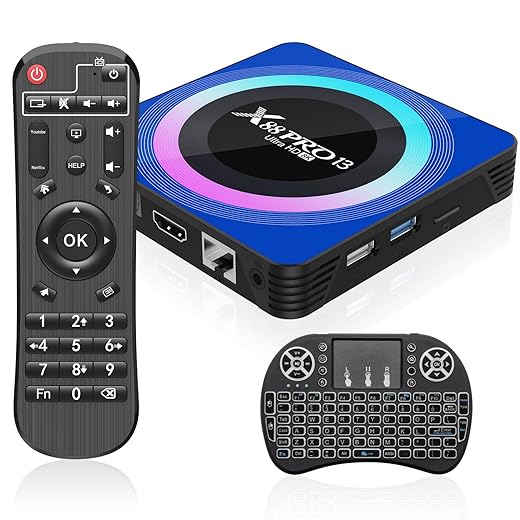
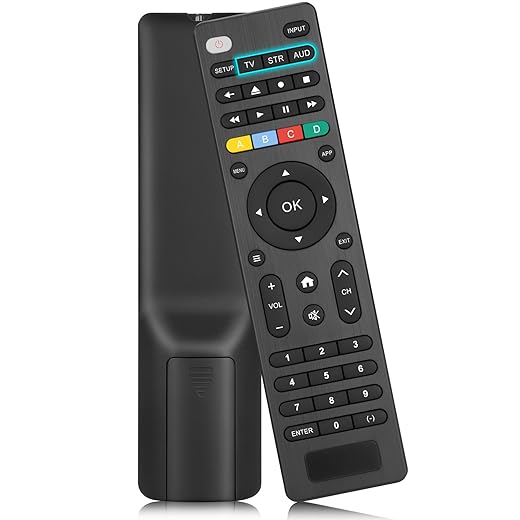
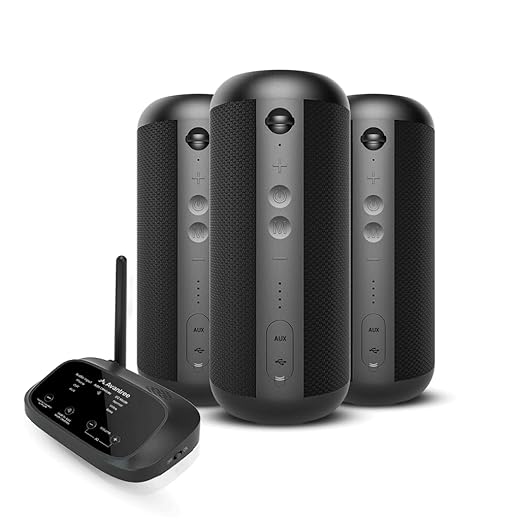
Turn Any TV into a Smart Roku TV in Minutes
What we mean by the smartest TV upgrade
Defining the upgrade in plain terms
When we talk about the “smartest” TV upgrade, we don’t mean a shinier display or a newer streaming stick. We mean moving a TV from being a passive panel that hosts a dozen uncoordinated apps into an actively managed living‑room hub. That hub combines noticeably more local compute, a consistent OS or launcher, improved input methods, and smarter A/V routing so the TV behaves predictably, quickly, and privately over years — not just until the next firmware.
Core elements, simply explained
Practical features that make the difference
These aren’t just spec bullets — they change the experience. Faster navigation means we pick shows without waiting through sluggish menus; local processing means voice commands answer instantly and without sending everything to cloud servers; coherent parental controls mean a single place to manage kids’ access across apps.
How this differs from built‑in OSes and streaming sticks
Built‑in smart TV OSes are convenient but fragmented: manufacturers abandon platforms, app updates are inconsistent, and interfaces vary wildly. Small streaming sticks (Roku Express, Fire TV Stick) are cheap and portable but limited in compute, IO, and pro‑grade audio/video plumbing. The smarter upgrade sits between them: it gives you the polish and updates of a modern OS (think Apple TV 4k or Nvidia Shield TV Pro-level polish) while offering ports, local processing, and network features mainstream sticks lack.
Quick how‑to tips
Next, we’ll dig into how design choices like remote shape, UI speed, and audio routing shape the everyday viewing experience.
Design and the everyday viewing experience
We promised to get granular about the bits people actually touch and see. Design isn’t just aesthetics — it’s the difference between a feature we use every night and one we forget after a week. Below we break down the practical trade‑offs and give concrete tips you can apply when choosing or configuring the upgrade.
Remote and input methods
The remote is the single most important interface. We look for
Voice matters, but only if it’s fast and local. Cloud‑only voice feels slow and privacy‑invasive; on‑device wake words and offline intent handling are far more pleasant. Motion controls are fun for demos but rarely beat a well‑designed remote. App‑driven control (phone/tablet) is invaluable for text entry, profile switching, and casting.
If you don’t want to swap remotes across devices, a dependable bridge like the Universal TV Remote Compatible with Major Brands can be a practical stopgap that preserves physical ergonomics while you upgrade your box.
UI information architecture
A streamlined launcher reduces search friction when it’s opinionated but customizable
Speed beats bells and whistles. A snappy UI that gets us to content in two clicks will be used daily; a flashy one that stalls will not.
Personalization and profiles
Profiles should be fast to switch — a face, PIN, or one‑tap from a phone. Cross‑device watchlists and per‑profile recommendations keep the household sane. Parental controls must be centralized and visible from the launcher, not buried inside app settings.
Hardware and living‑room pragmatics
Real‑world factors matter
Good design aligns with how families actually live in a room — predictable, quick, and unobtrusive. Next we’ll examine how these choices scale when the TV becomes the core of a wider smart‑home ecosystem.
Ecosystem integration: making the living room the smart hub
Standards and device interoperability
The real test of a “smartest” TV upgrade is how politely it plays with everything else. matter’s emergence matters because it gives us a common language for lights, locks, and thermostats — and a TV that surfaces Matter scenes is genuinely useful. HDMI‑CEC and eARC remain the practical glue for A/V gear: they let a console flip the TV into game mode or the TV send audio to a soundbar without extra apps. In practice, we favor boxes that support multiple stacks (HomeKit/Apple TV, Google Home/Chromecast, Alexa/Fire) rather than only courting one ecosystem.
Accounts, subscriptions, and unified search
Nothing grinds daily use more than account wrangling. Universal search that actually queries Netflix, Prime Video, Disney+, and local apps is a functional improvement, not a gimmick. But beware: platform owners selectively prioritize partners — you’ll see Amazon suggestions first on Fire TV and Apple services upsold on Apple TV. Practical tip: link each streaming account centrally where possible and pin your primary apps to the launcher; if a platform hides an app, sideload or switch launchers only as a last resort.
Multiroom sync and cross‑device handoff
Multiroom audio that just works (Sonos, AirPlay 2, Chromecast Grouping) transforms background music and party modes. For video, synchronized multiroom playback is still niche — we get by mostly with audio groups and casting. Cross‑device handoff — send a song, podcast, or live TV from phone to TV in one tap — is a killer feature when latency and auth are handled cleanly. If you want reliability, choose systems that do local discovery and fall back gracefully to cloud services when needed.
Patterns that help vs marketing fluff
What actually improves daily life
What’s mostly fluff
We weigh openness (flexibility, no lock‑in) against polished platform experiences (seamless handoff, curated UI). For most households, a middle path — a well‑integrated box in an open ecosystem (Matter + AirPlay/Chromecast) — delivers the fewest headaches. Next, we’ll look at the nuts and bolts: setup quirks, compatibility gotchas, and whether the cost justifies the convenience.
Setup, compatibility, and the value proposition
Upgrades often die at the installation or compatibility stage, so here’s a pragmatic roadmap for what to expect — and how to avoid ending up with an expensive paperweight.
Physical setup: ports, passthroughs, and placement
First, check the back of your TV and any receivers: do you have an HDMI labeled eARC (for high‑quality passthrough to a soundbar/AVR)? How many HDMI 2.1 ports do you need for consoles (4K/120Hz) vs streaming boxes? Look for explicit support notes for Dolby Atmos passthrough and HDR formats (Dolby Vision, HDR10+). Expect HDMI‑CEC quirks: a console can put the TV into game mode, but older TVs often misinterpret CEC commands. Our practical tip: label cables, plug the soundbar into eARC and the streaming device into a standard HDMI if your TV’s CEC is flaky, then use the soundbar’s input switching if available.
Networking expectations: Wi‑Fi vs Ethernet
For 4K HDR streams and reliable casting, wired Ethernet is ideal. If you must use Wi‑Fi, place devices on a 5GHz band and keep the router or mesh node within line of sight. On mesh systems, pin the TV or streaming box to a stable node (avoid automatic client steering during playback). Aim for 25–50 Mbps headroom per 4K stream, and enable QoS for streaming devices if your router supports it.

Software setup: accounts, apps, and updates
Start by updating firmware before migrating accounts. Centralize streaming logins where the platform allows and re‑create watchlists rather than relying on automatic imports — we’ve seen mismatched profiles cause lost recommendations. Enable app auto‑updates, set privacy and voice permissions up front, and keep a note of device serials for warranty. If you’re moving from a smart TV to a box, deauthorize the old device in services with device limits (Apple TV, Spotify, etc.).
Cost, accessories, and the replace‑vs‑augment decision
Costs run from $30–$60 for a capable stick (Roku, Chromecast) to $150–$200+ for premium boxes (Apple TV 4K, NVIDIA Shield). Factor in:
Signals that justify replacement: a dim panel, poor color accuracy, no HDR or modern audio passthrough, or hardware that won’t get security updates. Signals for augmentation: a great panel but flaky smart OS or missing codecs (AV1/HEVC) — a streaming stick fixes that cheaply. Worth paying for? Local processing for voice/privacy and hardware audio routing (eARC with multi‑speaker support) are genuinely useful; platform‑exclusive UIs are less so.
Next, we’ll put this value equation in context and look at why most homes haven’t adopted this upgrade.
Competitive landscape and why most homes haven't adopted it
We put the upgrade into market context: it’s a crowded field with plenty of incumbents that look cheaper and simpler on paper. Understanding why most living rooms still lack this smarter hub means looking at business incentives, buyer behavior, and which product strategies actually solve real problems.
Incumbents: built‑ins, sticks, consoles, and soundbars
Manufacturers have leaned into four obvious paths
Each approach solves a piece of the puzzle. But none fully replaces the idea of a dedicated, flexible living‑room compute hub that handles codecs, local media, voice privacy, and multi‑speaker routing.

Structural barriers to adoption
Several market forces slow uptake
Winners, losers, and what will scale
The strategies most likely to scale
Adoption scenarios & practical advice
Who adopts first: AV enthusiasts, cord‑cutters, home‑theater owners, and people with older TVs lacking modern codecs. Who should wait: owners of recent smart TVs with up‑to‑date apps and those just after casual streaming. Quick tips:
That market picture sets up our final recommendation in the Conclusion.
Our recommendation
We think the upgrade is worth it for people who value a tidy, intuitive living room where TV is the smart hub: families who want simple voice control and seamless streaming, apartment dwellers craving fewer remotes, and anyone invested in one of the major ecosystems. The real gains are cleaner design, faster daily navigation, and tighter integration with lights, speakers, and cameras — the sort of convenience you notice every day.
It’s not for bargain hunters or homes with heterogeneous kit that can’t be reconciled; cost, compatibility quirks, and vendor lock remain real downsides. If you’re ready, prioritize open standards, robust app support, and easy setup. Test ecosystem pairing first and avoid one-off bargains that complicate upgrades later.
Frequently asked questions
What is the main point of “The Smartest TV Upgrade Most Living Rooms Still Don’t Have”?
This piece explains where the smartest tv upgrade most living rooms still don’t have matters in real buying decisions—not just headline specs. We focus on trade-offs, who benefits most, and what to verify before you spend.
Who should read this the smartest tv upgrade most living rooms still don’t have guide?
Read it if you are actively shopping, upgrading, or trying to separate marketing claims from day-to-day use. Skip it if you already own the gear and are not planning a change this season.
What changed recently around the smartest tv upgrade most living rooms still don’t have?
Prices, firmware, and feature tiers shift quickly in this category. We call out what is new enough to affect your decision and what is incremental hype you can safely ignore.
How should I use this editorial when buying?
Treat it as context before you compare models: note the risks and priorities here, then cross-check specs and current pricing on the picks that match how you actually use the product.
What is easy to get wrong about the smartest tv upgrade most living rooms still don’t have?
Buyers often overweight one spec—brightness, speed, or brand—and underweight fit for their room, ecosystem, or warranty support. We flag the mismatch we see most often in reader questions.
Where should I go next after reading?
Use the related comparisons and top picks linked near the end of this article for model-level shortlists, then confirm return policies and compatibility with the devices you already own.

Iqra Jumar is Option Cutter's editorial writer. She writes practical editorials and buyer guides that focus on real-world upgrades—better Wi‑Fi, cleaner cable setups, smarter streaming, and everyday fixes—not spec-sheet noise alone. Her work helps readers decide what to change now, what to skip, and why.









