

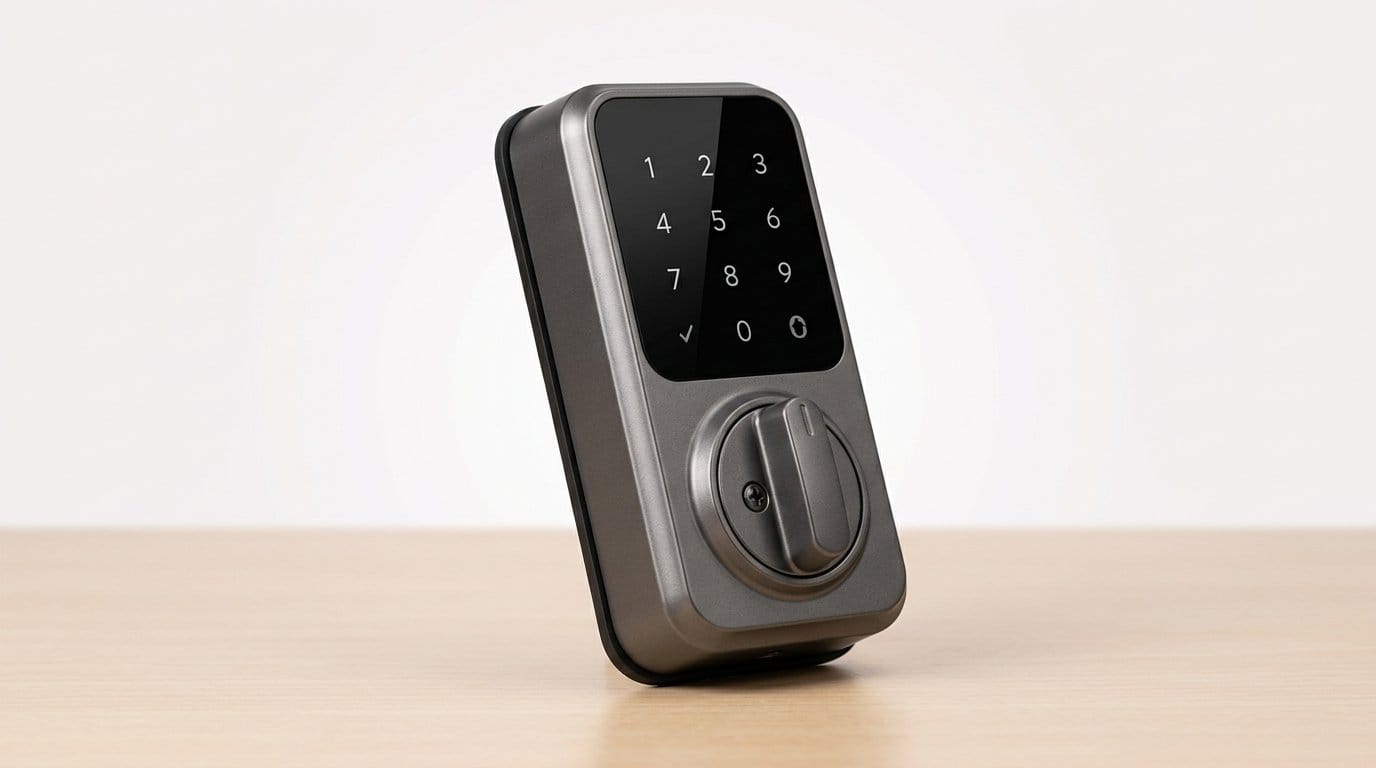

Start with something that actually changes how you live
We spend more time worrying about décor than doorways. A surprising 70% of renters say they’d choose convenience and security over nicer furniture if cost were equal. That tells us something: functional changes can reshape daily life.
The smartest first upgrade for a new apartment isn’t a lamp or a speaker — it’s a smart lock. It immediately improves security, removes key hassles, and creates routines that stick. It solves a problem, not just looks nice.
We’ll walk through why a smart lock delivers outsized value, what to prioritize — security, reliability — and how the right device plays with the apps and services you already use. We’ll also cover rental realities and the best follow-up upgrades. Think of this as a roadmap: start with a single device that changes how you live, then build a smarter home around it today.


Why a smart lock is the single best first upgrade for most apartments
The everyday impact: the door is the interaction that matters
We judge homes by sofas, but we live through thresholds. A smart lock changes the primary interaction you have with your apartment — arriving, leaving, letting people in — and that ripple is immediate. No more pat-downs for lost keys, no juggling packages, and no last-minute “I’m outside” calls. In practice we’ve seen people gain minutes every day: a few seconds saved at every door becomes real time back over a week.
Practical wins that actually improve life
Smart locks deliver features we use, not just admire:
Battery life, fallback keys, and local access matter. Pick a lock with good battery indicators, a mechanical key option, and a PIN or fingerprint fallback so you aren’t locked out when connectivity glitches.
Why it beats other popular first upgrades
Compared with upgrading lighting, speakers, or smart thermostats, a lock targets a single high-frequency interaction. Speakers are delightful; door locks change behavior. Locks are low-bandwidth, high-impact devices: they don’t require running new wires or tearing into walls, and they improve safety and convenience simultaneously. For many apartments, that’s better ROI than a smart bulb or a Hub that mostly enables novelty automations.
Apartment realities: landlords, layout, and fast installs
Most renters can install a retrofit smart deadbolt without modifying doors or frames. Our quick checklist before buying:
How to pick a durable, non-gimmicky model
Connectivity choice matters: Wi‑Fi for direct remote control, Z‑Wave/Zigbee for tighter hub integrations, Bluetooth for battery efficiency. Favor brands with proven firmware support and clear security practices (regular updates, two-factor methods). Good models to compare: August Wi‑Fi Smart Lock, Schlage Encode, Yale Assure, Ultraloq U-Bolt Pro — and the Philips built-in deadbolt if you want biometrics integrated.
What to prioritize: security, reliability, and the small details that matter
Not all smart locks are created equal. Here’s how we evaluate them so you don’t end up with a beautifully marketed paperweight on your door.
Authentication and fallback
We want multiple, sensible ways in — and realistic fallbacks for smart locks when tech fails.
Example: the August Wi‑Fi has built-in remote access; the Ultraloq U-Bolt Pro gives fingerprint and keypad alternatives with keypad-first behavior when batteries run low.
Encryption and update policy
Security depends on software as much as metal.
Battery life and low-power behavior
We expect predictable longevity and graceful degradation.
Physical robustness
A smart lock still needs to be a hard target.
Ergonomics and door fit
Small mechanical details make or break the daily experience.
Checklist — what we won’t compromise on
Next, we’ll look at how the lock fits into the rest of your apps and services — because interoperability often determines whether a great lock becomes a great smart-home experience.
Ecosystem fit: how the lock plays with the apps and services you already use
A smart lock is most useful when it lives inside a system you already rely on. We look at the integration touchpoints that turn a lock into a seamless part of daily life, not another silo on your phone.
Voice assistants and platform allegiance
Which assistant you use matters. Apple HomeKit, Google Home, and Amazon Alexa each offer different levels of control, security, and automation depth.
Native app quality and day-to-day features
A good app is where the lock earns its keep: guest codes, activity logs, easy sharing, and sensible defaults.
Remote access: cloud vs local
Remote access is convenient but comes with tradeoffs.
Cross-device automations and real-world examples
Automations are where a lock proves its value: unlock-on-arrival, disarm alarm, turn lights on when the door opens.
Open standards and vendor reliability
Don’t chase marginal specs. Prioritize locks that support common protocols matter wave. A vendor with regular security patches and long-term cloud support will keep your lock useful and secure for years, shaping how the rest of your smart home grows.
Next, we’ll walk through the realities of installing a smart lock in an apartment—landlord conversations, lease considerations, and quick wins that make the transition painless.
Installing in an apartment: landlords, policies, and quick wins
Apartment living complicates installation. Here’s a practical, lease-friendly playbook that gets a smart lock working without drama.
Check compatibility first
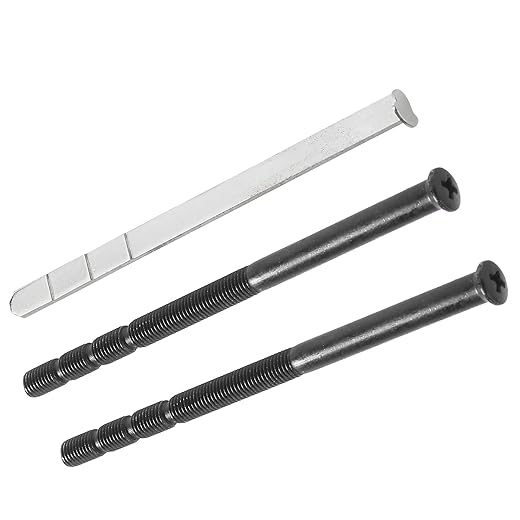
Measure before you buy. Most retrofit and replacement locks expect a door thickness of 1 3/8″–1 3/4″ and a backset of 2 3/8″ or 2 3/4″. Note whether you have a standard deadbolt, a mortise lock, or a rim cylinder—mortise and commercial-grade hardware often need a pro.
Take clear photos of the interior and exterior hardware, the bolt, and the strike plate. That documentation makes restoration painless and proves you didn’t alter things permanently.
Talking to your landlord (what to say, and why it works)
Landlords worry about security, master-key systems, and liability. We’ve found direct, concise communication disarms most concerns.
Use this permission template as a starting point
Offer facts: the lock won’t change the keyed exterior (we keep the original cylinder) and we’ll test access for any building master-keying before installing. If they insist, propose a short written addendum: we’ll restore the original lock and forfeit the smart lock on departure if requested.
Installation paths: retrofit vs full replacement
Retrofit (non-destructive): products like August, Level, or the Yale Retrofit models attach to the interior thumbturn. They’re quick (often <30 minutes), reversible, and keep your exterior key cylinder intact—best for rentals.
Full replacement: Schlage B60, Kwikset Halo, and Yale Assure replace the entire deadbolt and support more protocols. These give a cleaner look and built-in Wi‑Fi/Z-Wave but are more invasive—ask permission first.
Consider door material and frame; metal apartment doors sometimes require different screws or an extended strike plate for secure installation.
Keep move-out simple
Quick checklist (do this before buying)
Next, we’ll look at complementary upgrades that the lock makes more useful—smart lights, cameras, and routines that knit the apartment together.
What comes next: complementary upgrades and how the lock shapes your smart-home roadmap
Once the door is handled, upgrading the rest of an apartment suddenly becomes strategic instead of scattershot. The smart lock acts as the anchor for routines and alerts; everything we add after should amplify that anchor—reliably, cheaply, and in ways that survive a move.
The infrastructure first: mesh or bridge
Reliable connectivity is the multiplier. A small Wi‑Fi mesh (Eero, Netgear Orbi, or Google Nest Wifi) or a simple bridge (August Connect for bluetooth stack locks, Philips Hue Bridge for Zigbee lights) turns the lock from “neat gadget” into “always-on service.” We learned the hard way that a flaky router means missed entries and frustrated guests—spend $100–300 here before buying more smart gear.
Low-friction lighting that plays with the lock
Smart bulbs are the fastest way to make arrivals and departures feel intentional. Use scene triggers on unlock to turn on a hallway light or set a “welcome” color for evening guests. If you want cheap, Wi‑Fi bulbs avoid hubs; if you want reliability and richer scenes, Zigbee via a Hue Bridge still wins.
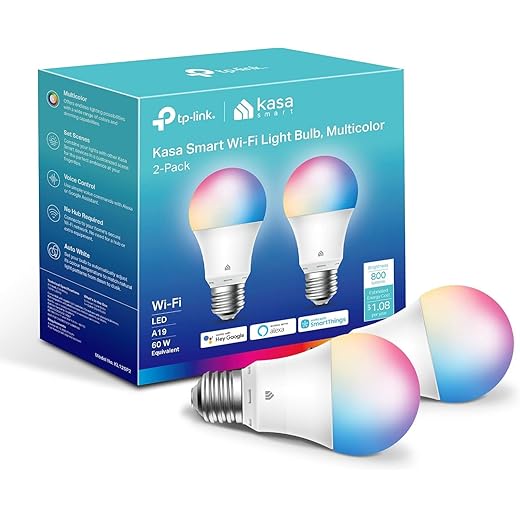
Practical picks: Philips Hue for best app/scenes, TP‑Link Kasa for no-hub simplicity, Sengled for budget Zigbee.
Sensors and small automations that actually save time
Door and motion sensors are high leverage: a contact sensor can tell the lock to auto-lock when the door closes; a hallway motion sensor can trigger lights after unlock. For renters, battery-powered Zigbee/Z‑Wave or Wi‑Fi sensors with 3M strips are ideal—no drilling, easy to take with you. Good models: Aqara contact sensors, Wyze sensors for value, or Samsung SmartThings-compatible options for flexibility.
Priorities by lifestyle
Portability and resale
Prefer standards (Matter, Zigbee, Wi‑Fi) and reversible installs. Keep receipts, original hardware, and choose devices that can be factory-reset and rehomed easily. That way the smart lock remains the permanent anchor while the rest of the system is modular and portable, ready to move with us or be sold with the apartment.
Next, we’ll wrap up with why these small, composable steps change daily life.
A small change that makes day-to-day life noticeably better
We think a smart lock is the highest-impact, renter-friendly upgrade you can make. It improves the single most frequent interaction with your apartment—entering and leaving—while delivering tangible wins in security, convenience, and automation. Design choices matter: a clean, reliable mechanism, thoughtful app flows, and solid integrations beat gimmicky features. In today’s market, the best locks are those that balance local reliability with cloud services and play nicely with the assistants and apps you already trust; that interoperability is what turns a lock into a hub for routines, delivery access, and guest management.
For most of us this is less about tech showmanship and more about smoothing daily frictions. Start with the priorities we discussed, clear any landlord hurdles, and pick a model that fits your ecosystem. Do that, and a small, affordable change will pay dividends in comfort, safety, and future-proofing. Let’s make coming home easier, safer, and smarter today.
Frequently asked questions
What is the main point of “The Smartest First Upgrade for Any New Apartment”?
This piece explains where the smartest first upgrade for any new apartment matters in real buying decisions—not just headline specs. We focus on trade-offs, who benefits most, and what to verify before you spend.
Who should read this the smartest first upgrade for any new apartment guide?
Read it if you are actively shopping, upgrading, or trying to separate marketing claims from day-to-day use. Skip it if you already own the gear and are not planning a change this season.
What changed recently around the smartest first upgrade for any new apartment?
Prices, firmware, and feature tiers shift quickly in this category. We call out what is new enough to affect your decision and what is incremental hype you can safely ignore.
How should I use this editorial when buying?
Treat it as context before you compare models: note the risks and priorities here, then cross-check specs and current pricing on the picks that match how you actually use the product.
What is easy to get wrong about the smartest first upgrade for any new apartment?
Buyers often overweight one spec—brightness, speed, or brand—and underweight fit for their room, ecosystem, or warranty support. We flag the mismatch we see most often in reader questions.
Where should I go next after reading?
Use the related comparisons and top picks linked near the end of this article for model-level shortlists, then confirm return policies and compatibility with the devices you already own.

Iqra Jumar is Option Cutter's editorial writer. She writes practical editorials and buyer guides that focus on real-world upgrades—better Wi‑Fi, cleaner cable setups, smarter streaming, and everyday fixes—not spec-sheet noise alone. Her work helps readers decide what to change now, what to skip, and why.









