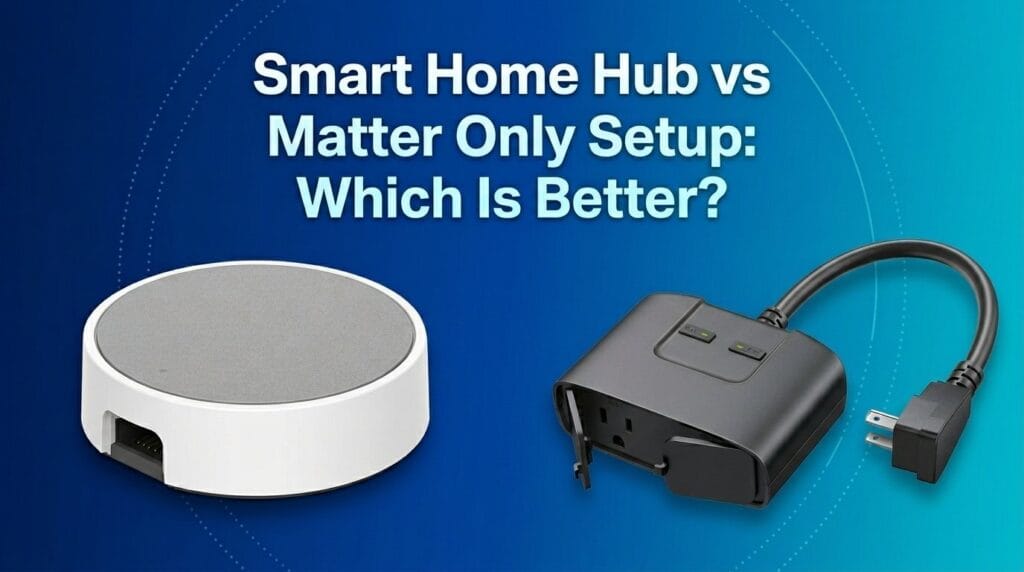
After hands-on testing of UX, design, and ecosystem quirks, we found that a central hub usually delivers smoother automation and fewer compatibility headaches — but going hub-free can cut costs and vendor lock-in, so the real question is which trade-off matters more to our wallets and sanity.
We test a hub-based setup (Aeotec Smart Home Hub) against hubless Wi‑Fi smart plugs (Kasa Smart Plug Mini) to see which delivers better reliability, flexibility, and effortless everyday use for typical smart‑home buyers and long-term value implications.
System Bridge

Outlet Convenience

Aeotec Smart Hub
- Broad standards support (Matter, Zigbee, Z‑Wave) for wide device compatibility
- SmartThings platform enables flexible automations and local execution for many routines
- Wired Ethernet option and mature SmartThings ecosystem yield robust integrations
- Works with Alexa and Google Assistant out of the box
- Higher cost than single-device smart solutions
- Device migration and initial pairing can be time‑consuming for large installs
Kasa Smart Plug
- Very simple plug‑and‑play setup with no hub required
- Excellent value — compact design and four plugs in a pack
- Works reliably with Alexa, Google Assistant, and IFTTT for typical voice and schedule use
- UL certified and rated for 15A household loads
- Wi‑Fi only (2.4 GHz) — can be impacted by network issues and lacks native local mesh protocols
- Limited direct local control and fewer advanced automation options compared with a hub
Feature Comparison
| System Bridge Aeotec Smart Home Hub (SmartThings V3) | VS | Outlet Convenience TP‑Link Kasa Smart Plug Mini 15A 4‑Pack |
|---|---|---|
Dedicated smart home hub (bridge/controller) | Product type |
Wi‑Fi smart plug (no hub required) |
$$$ | Price |
$ |
Matter, SmartThings, Z‑Wave, Zigbee, Wi‑Fi | Connectivity protocols |
Wi‑Fi (2.4 GHz only) |
Yes | Hub required |
No |
Many automations run locally for faster, reliable execution | Local automation |
Limited — primarily cloud and app driven with basic scheduling |
Amazon Alexa, Google Assistant (via SmartThings) | Voice assistant compatibility |
Amazon Alexa, Google Assistant, IFTTT |
Certified Matter gateway | Matter support |
No (as of product release) |
Yes | Z‑Wave / Zigbee support |
No |
Yes | Ethernet port |
No |
AC adapter (included) | Power source |
Direct AC outlet (plug‑in) |
N/A (hub device) | Max load / amperage |
15A (1800W) |
Mixed‑protocol, whole‑home smart setups and enthusiasts | Best for |
Cost‑conscious users adding smart outlets quickly |
Moderate — initial pairing and migrations can be time‑consuming | Installation complexity |
Very low — plug in and configure via app |
Vendor‑managed updates via SmartThings; regular firmware maintenance | Security & firmware updates |
Vendor cloud updates; dependent on TP‑Link/Kasa services |
1 year manufacturer warranty | Warranty |
2 year warranty |
$149.99 | Current price |
$23.99 |
| Buy for $149.99 | Buy for $23.99 |
Design, Build, and Installation: First Impressions
We start with physical design and setup because these shape first impressions and long‑term reliability.
Aeotec Smart Home Hub — compact, capable, slightly involved setup
The Aeotec hub is compact and matte black with clear ports and a low profile that looks at home on a utility shelf or in a media cabinet. Its inclusion of Z‑Wave, zigbee, Matter, and an Ethernet option signals a future‑oriented bridge for mixed ecosystems. That central radio stack matters: it lets battery sensors and Z‑Wave locks communicate reliably without waking often and draining batteries, and it reduces flaky point‑to‑point Wi‑Fi device behavior.
Setup isn’t instant. We placed the hub where both zigbee alliance and Z‑Wave coverage reached our key devices, ran firmware updates, and linked a SmartThings hub account — a step that took about ten to twenty minutes. The occasional firmware and account steps add friction compared with pure Wi‑Fi devices, but they buy local automations and more robust device routing.


Kasa Smart Plug Mini — tiny, invisible, plug‑and‑play
The Kasa plugs are tiny, white, and designed to disappear behind sofas and side tables. Their value proposition is immediate: plug in, open the Kasa app, join your 2.4 GHz network, and the outlet appears almost instantly. No hub, no extra radios, and no lengthy pairing makes these ideal for renters, guests, or anyone who wants fast control of lamps, fans, and small appliances.
That simplicity has costs. The plugs rely solely on 2.4 GHz Wi‑Fi, which can get congested; they can’t bridge Zigbee or Z‑Wave devices; and cloud dependence introduces potential latency and privacy considerations compared with a local hub.


Key setup tradeoffs
Design choices reflect a clear trade‑off between control and convenience — and they materially change day‑to‑day behavior and who each setup is best for.
Performance & Reliability: Daily Use and Automation
We measured day‑to‑day reliability under real conditions because responsiveness and stability are what people live with.
Local processing vs. cloud dependence
Over several weeks the Aeotec hub consistently maintained local routing for Z‑Wave and Zigbee devices. Routines ran even when cloud services were slow or unreachable, so door locks latched reliably, battery sensors updated without odd delays, and multi‑device automations fired in sequence. That local execution matters: it reduces a lot of the “did it or didn’t it?” friction of home automation.


Wi‑Fi reliance and Kasa’s practical limits
The Kasa plugs gave fast responses when our Wi‑Fi and internet were healthy. But during peak router congestion and after router sleep or reboots we saw latency spikes and, occasionally, automations that were only half completed. Because Kasa depends on 2.4 GHz Wi‑Fi and cloud services for voice integration, flaky networks translate directly into flaky automations.
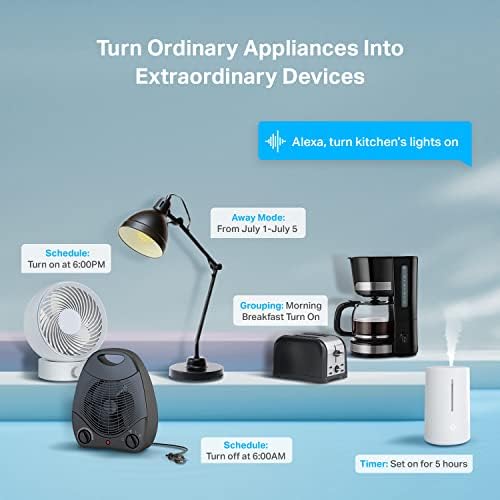

Failure modes, timing, and maintenance
Latency and jitter are more than irritations when you coordinate sequences (turn on a light, then start a scene). Hubs reduced timing anomalies and made automations feel snappier. We compared failure modes and maintenance patterns:
Energy tracking and who should buy which
Kasa reports per‑outlet energy use in the app, which is handy and low‑effort. Aeotec can aggregate energy and sensor data across many device types but usually needs more setup. For simple on/off scheduling and casual voice control the Kasa is compelling; for mixed protocols, mission‑critical automations (locks, heating), or better timing, a hub is the smarter foundation.
Ecosystem, Voice, and Integration: How They Play with Alexa and Google
We dig into ecosystem compatibility because integration defines daily convenience more than raw specs. Both products claim support for Alexa and Google Assistant, but the implementation matters: one is a cloud‑first, plug‑and‑play route; the other is a protocol hub that can act locally and translate across generations of devices.
Cloud vs. local: who runs the show
Kasa plugs connect directly to voice services through cloud bridges. Setup is fast in the Kasa app and voice commands work reliably when the internet is stable, but every action routes through TP‑Link’s servers. That introduces small, measurable delays and exposes more of your state to the cloud. The Aeotec hub (SmartThings + Matter gateway) lets many automations run locally, cutting latency and keeping critical devices—like locks and sensors—working when the internet is down.
Protocols and future proofing
The Aeotec speaks Matter, Zigbee, and Z‑Wave, so it can “glue” older locks and sensors to newer Matter lights and voice assistants. That translator role matters in mixed ecosystems and reduces vendor lock‑in as the market evolves.


Voice experience and responsiveness
With a healthy internet, Kasa voice responses are smooth and very usable. In contrast, when SmartThings executes locally via Aeotec, voice-triggered scenes and routines feel snappier and more deterministic. We noticed smaller timing jitter with the hub when chaining devices.
Power‑user integrations
For Home Assistant and other third‑party controllers, Aeotec is far friendlier: it exposes protocols and device types for direct ingestion. Kasa can be bridged via cloud integrations (IFTTT, unofficial plugins), but that adds friction and occasional API breakage.
Cost, Security, and Long-Term Support: Which Is Cheaper to Own?
Upfront and ongoing cost
We look at total cost of ownership, not just sticker price. The Kasa four‑pack (~$30) gives immediate, very low per‑outlet cost — about $7–8 per socket — and no hub to buy or maintain. That makes it the right choice if you want lots of smart outlets fast and cheap.
The Aeotec hub (~$150) is an upfront investment. It doesn’t replace outlets, but it can control many devices across Zigbee, Z‑Wave, and Matter. If you plan to expand beyond a handful of sockets, need mixed protocols, or add sensors and locks, a hub quickly amortizes because it avoids repeated single‑device purchases and cloud bridging workarounds.
Security and update practices
Security isn’t just encryption; it’s update cadence and where logic runs. Aeotec (as a SmartThings/Matter gateway) supports local automations and publishes firmware updates, which reduces attack surface and preserves basic automations during internet outages. That local processing is a tangible security and reliability advantage.
Kasa plugs are UL certified and meet basic safety standards; TP‑Link generally issues routine updates and has a solid track record for mainstream users. But Kasa is cloud‑centric: a server outage, API change, or policy update can degrade features overnight.
Repairability, resale, and scale
Hubs centralize upgrades and can increase the long‑term resale value of a smart setup; you can swap endpoints without rearchitecting the system. Cheap Wi‑Fi plugs are effectively disposable — inexpensive to replace but less future‑proof.
Key takeaways
Frequently asked questions
Which is better, Smart Home Hub or No Hub?
There is no universal winner: Smart Home Hub fits some buyers and No Hub fits others. We compare specs, daily use, and trade-offs in this guide so you can match the pick to your budget and workflow, not a single spec sheet.
What is the main difference between Smart Home Hub and No Hub?
Smart Home Hub and No Hub target overlapping but not identical use cases. The sections above break down design, performance, ecosystem, and value so you can see where each product pulls ahead and where it compromises.
Should I buy Smart Home Hub or No Hub first?
Buy the product that removes your biggest daily friction first. If Smart Home Hub solves your primary pain point, start there; if No Hub is the bottleneck in how you actually work or play, prioritize it. Many households add the other later.
Is Smart Home Hub worth it over No Hub?
Smart Home Hub is worth the premium over No Hub when you will use the features that justify the price—extra performance, build quality, or ecosystem lock-in. If those extras go unused, No Hub usually delivers better value.
Can Smart Home Hub replace No Hub?
For some users, yes; for others, no. Smart Home Hub can cover most tasks No Hub handles, but gaps in compatibility, accessories, or specialized workflows may still matter. Use our comparison table and verdict to see which gaps apply to you.
Who should choose Smart Home Hub vs No Hub?
Choose Smart Home Hub if its strengths match how you will use it every day; choose No Hub if you need its specific advantages or a lower entry price. When in doubt, favor the option that fixes your most frequent frustration—not the highest spec on paper.
Final Verdict: Which Setup Works Better?
We pick the Aeotec Smart Home Hub as the clear winner for reliability, broad protocols, and local control — it future-proofs mixed smart home ecosystems and handles serious automations.
We recommend Kasa plugs for cheap, hubless plug control and quick setup.

Princess Rioboca is the Lead Editorial Writer at Option Cutter, bringing over seven years of hands-on experience in consumer technology journalism. Specializing in home networking and smart home architecture, she transforms complex technical data into practical, real-world upgrades. Princess personally tests and audits every product she reviews—evaluating real-world Wi‑Fi throughput, cable management durability, and streaming ecosystem stability—to filter out spec-sheet noise. Her rigorous, field-tested insights are designed to give readers transparent, unbiased buying advice on what to purchase, what to skip, and exactly why.