


A tiny change that makes every device better
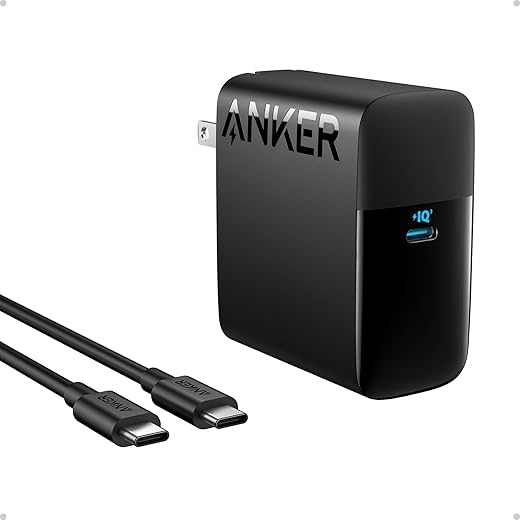
We’re tired of dead phones and a drawer full of mismatched charging bricks. The upgrade isn’t a new gadget — it’s one modern USB‑C Power Delivery charger, ideally GaN, and a couple of rated cables.
This is a hardware and systems change. GaN cuts brick size and heat. USB‑C PD standardizes voltages and handshakes so phones, tablets, laptops, earbuds, and cameras charge correctly and faster.
The payoff shows up in everyday use. We carry less, get reliable fast charging, and see less battery stress. Cross‑device compatibility reduces friction when we move between work, travel, and home.
In a market of niche fast‑charge claims in our how-to guides and proprietary adapters, this simple swap is pragmatic: small cost, big convenience, and longer‑lasting devices. We’ll explain why USB‑C PD and GaN matter now, where compatibility still trips people up, and how to pick chargers and cables that just work.


This Upgrade Makes Every Device Run Longer
One charger to replace them all: why USB‑C Power Delivery and GaN matter
What USB‑C Power Delivery actually does for you
USB‑C Power Delivery (PD) is less about the shape of a cable and more about a conversation between charger and device. Instead of forcing one fixed voltage or a “more amps is better” approach, PD negotiates the ideal voltage and current for whatever’s plugged in — from a pair of wireless earbuds to a 16‑inch laptop. That means faster top‑ups when you need speed, and gentler trickle charging when you don’t, which reduces heat and long‑term battery stress. In practice that’s fewer hot batteries, fewer degraded charge cycles, and more predictable behavior when we mix and match chargers.
Why GaN changed how chargers feel and fit into our lives
Gallium nitride (GaN) is what let manufacturers squeeze 60–100W outputs into the size of a paperback battery. GaN switches switch faster and run cooler than silicon, which translates to smaller bricks and less waste heat — the reason our travel bag now holds one compact brick instead of three. That ergonomic win is as meaningful as a charging speed increase: smaller chargers are easier to stow, use in tight airline outlets, and carry in pockets.
What’s standardized — and what vendors still tinker with
PD sets the basic rules: specific voltage rails (5V, 9V, 15V, 20V and higher via adjustments), handshakes that prevent overcurrent, and, more recently, PPS (programmable power supply) for fine‑grain voltage steps. Manufacturers still differentiate with proprietary fast‑charge schemes (historical names like VOOC, Dash/ Warp, SuperVOOC) or firmware. The result: most devices will charge at good speeds from any PD charger, but peak proprietary speeds sometimes require the manufacturer’s own adapter.
Practical takeaways — how to get the real benefits today
These are the technical shifts that actually change our daily routines — next, we’ll show how that translates into better design and less friction when you live with fewer, smaller bricks.
Design and everyday experience: smaller bricks, fewer cables, less friction
Everyday wins we actually notice
The switch to a single PD + GaN setup changes tiny daily moments. We no longer root through drawers to find three different bricks; one compact charger lives in the bag, and a couple of matched cables live on our desk. That saves small amounts of time that add up — fewer fumbling minutes before a meeting, no last‑minute scramble at the airport, and a tidier workspace that reduces cognitive friction. Charging a 13‑inch laptop and a phone at the same time used to mean a tangle of vendor adapters; now it’s a single brick powering both with predictable behavior.
Port placement and multi‑port tradeoffs
Designers often ignore how port placement changes real use. Top‑facing ports are better for stacked adapters on a desk; side ports work better when the brick lives in a power strip. Multi‑port chargers are convenient, but they introduce power‑sharing rules that affect charge speeds. Typical patterns:
How we handle this: pick a charger with a higher total wattage than the sum of our regular devices. If you routinely run a 65W laptop and a 30W phone, a 100W multi‑port unit gives headroom so neither device gets starved.
GaN, heat, and the small design details that matter
GaN lets manufacturers pack more watts into a smaller package without the heat of old silicon bricks. That enables truly pocketable high‑wattage chargers and foldable prongs that survive travel. But the small bits matter wave too: LEDs that are too bright can be distracting at night; long bulky cables make tidy desks impossible; short cables reduce voltage drop and clutter but limit flexibility. Practical rules:
These UX choices are why PD + GaN feels like a design upgrade, not just a spec one — and they set the stage for the compatibility caveats we’ll unpack next.
Ecosystem integration: how one power standard improves cross‑device harmony
Shared workflows that suddenly work
Once devices speak the same power language, new workflows appear. We can top up a laptop from a phone power bank on a long train ride, charge our earbuds and camera from the same wall brick between shoots, or run a 13‑inch laptop and an external monitor from a single desk charger. Those aren’t just conveniences; they change how we travel, work, and kit out home offices. In practice we’ve shoved a high‑capacity PD bank into a carryon and kept a laptop, phone, and headphones ticking through a red‑eye without swapping adapters.
The players and how they behave
Three groups shape this new reality: device makers, accessory makers, and platform software teams.
That interplay explains the variance you see: two USB‑C chargers might both say “100W,” but negotiation rules and firmware can change the outcome.
Practical setup tips you can use today
Market momentum and what it unlocks
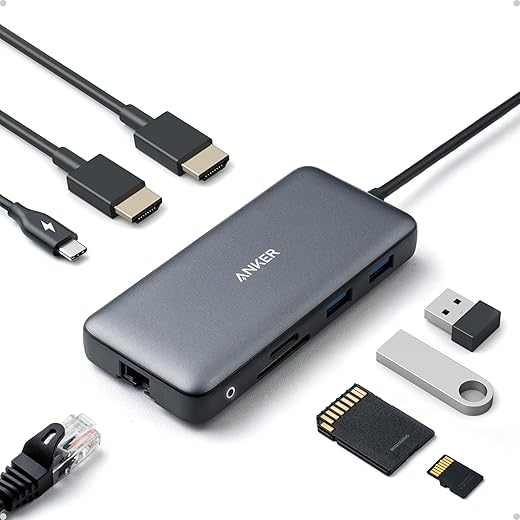
As more companies converge on USB‑C PD, accessory ecosystems expand fast—compact travel chargers, car PD ports, and sophisticated multiport hubs proliferate. That growing market means better choices and more competition, which translates into smaller, smarter chargers and fewer headaches for us. The result is not just convenience; it’s a tangible reduction in vendor lock‑in and more flexible workflows as devices finally play nicely together.
Compatibility pitfalls: what doesn't always work and how to avoid surprises
No upgrade is without caveats. Here are the common compatibility traps we run into, why they happen, what to watch for, and practical fixes so USB‑C PD actually feels reliably better.
Cable e‑marking and current limits
Why it trips us up: Not all USB‑C cables are created equal. To carry the higher currents PD uses, cables need an e‑mark chip. Cheap cables often lack it, so devices fall back to a lower safe current.
Symptoms to watch for: Slow top‑ups (phone shows “Charging slowly”), laptops that won’t reach advertised wattage, or chargers that negotiate but stay at 5–12W.
How we avoid it
PD negotiation fallbacks and older gear
Why it trips us up: PD is a handshake. If either the charger or device has buggy firmware—or the cable is marginal—negotiation can fail and default to a low‑power profile.
Symptoms to watch for: Devices charge, but very slowly; power indicators show low wattage.
How we avoid it
Proprietary fast‑charging protocols
Why it trips us up: Some phones (OnePlus Warp, OPPO VOOC, older Samsung/Qualcomm Quick Charge variants) use non‑PD methods to reach faster real‑world speeds. PD may still charge, but slower.
Symptoms to watch for: Your phone charges much faster on the OEM brick than on a universal PD charger.
How we avoid it
Multiport power split and advertised single‑port wattage
Why it trips us up: Many chargers advertise peak wattage only when a single port is used. Add a second device and the charger divides power across ports.
Symptoms to watch for: A 100W charger suddenly delivers 60W and 30W when two devices are connected.
How we avoid it
Thermal throttling and real‑world limits
Why it trips us up: Batteries and chargers reduce current when hot. Sustained laptop loads or charging in a warm car can slow rates.
Symptoms to watch for: Fast start, then plateau; device reports “charging paused to cool battery.”
How we avoid it
Next we’ll walk through concrete buying and setup steps—how to pick the charger and cables that match your devices and habits.
How to choose and set up the right charger and cables for your life
We translate the analysis into a practical buying-and-setup guide so the upgrade actually pays off. Think device mix first, then features, then the little habits that make it work every day.
Size it to your devices
Feature checklist (what actually matters)
Cable selection and care
Choose e‑marked cables for anything above 60W. For 100W charging you want a 5A/100W e‑marked cable; for PD3.1 Extended Power Range (up to 240W) seek cables rated accordingly. Match length to use: 3–6ft is versatile; short cables are faster to stow, long ones are more comfortable on the couch. Braided cables cost more but resist kinks and last longer—worth it if you travel or toss them in bags often.

Setup tips for home and travel
Quick upgrade checklist
Next: a short wrap‑up on why this small buy changes every device we own.
A small buy, a big improvement
Replacing mismatched bricks and spaghetti cables with a single, well‑specified USB‑C Power Delivery GaN charger and a few certified cables is a small purchase that changes daily life. We get smaller chargers that push more power to phones, laptops, tablets and accessories; we lose the need to hunt for proprietary adapters. Design and ecosystem convergence matters because vendors settled on shared standards, so one brick reliably unlocks fast charging, laptop boost modes and accessory passthrough while cutting clutter and e‑waste.
Do a quick audit of the chargers you own, choose one reputable GaN PD brick with the wattage and port mix you need, and buy cables rated for the power you’ll draw. The effort is low, the cost modest, and the payoff is immediate: fewer tangles, fewer carry items, and fewer moments of charging frustration. Do it once; enjoy a simpler, less stressful life.
Frequently asked questions
What is the main point of “The Simple Upgrade That Improves Every Device You Own”?
This piece explains where the simple upgrade that improves every device you own matters in real buying decisions—not just headline specs. We focus on trade-offs, who benefits most, and what to verify before you spend.
Who should read this the simple upgrade that improves every device you own guide?
Read it if you are actively shopping, upgrading, or trying to separate marketing claims from day-to-day use. Skip it if you already own the gear and are not planning a change this season.
What changed recently around the simple upgrade that improves every device you own?
Prices, firmware, and feature tiers shift quickly in this category. We call out what is new enough to affect your decision and what is incremental hype you can safely ignore.
How should I use this editorial when buying?
Treat it as context before you compare models: note the risks and priorities here, then cross-check specs and current pricing on the picks that match how you actually use the product.
What is easy to get wrong about the simple upgrade that improves every device you own?
Buyers often overweight one spec—brightness, speed, or brand—and underweight fit for their room, ecosystem, or warranty support. We flag the mismatch we see most often in reader questions.
Where should I go next after reading?
Use the related comparisons and top picks linked near the end of this article for model-level shortlists, then confirm return policies and compatibility with the devices you already own.

Iqra Jumar is Option Cutter's editorial writer. She writes practical editorials and buyer guides that focus on real-world upgrades—better Wi‑Fi, cleaner cable setups, smarter streaming, and everyday fixes—not spec-sheet noise alone. Her work helps readers decide what to change now, what to skip, and why.









