


Why our Bluetooth audio often sounds worse than it should
We open with a bold fact: most consumer Bluetooth links transfer less data than a single CD track. We’ve all noticed wireless headphones that make music sound thin, smeared, or unbalanced. It’s not one failure but a stack of trade‑offs—radio limits, codecs, tiny DACs and amps, latency, interference, and product strategy—that decide what we hear.
In the sections that follow we unpack the physics and limits of wireless audio, the codecs that compress sound, the analog chain in tiny devices, latency and buffering, radio interference, and ecosystem design. We’ll explain why companies accept these compromises and what to look for when choosing gear.
By the end we’ll show practical buying advice and explain which trade-offs matter most in real life.
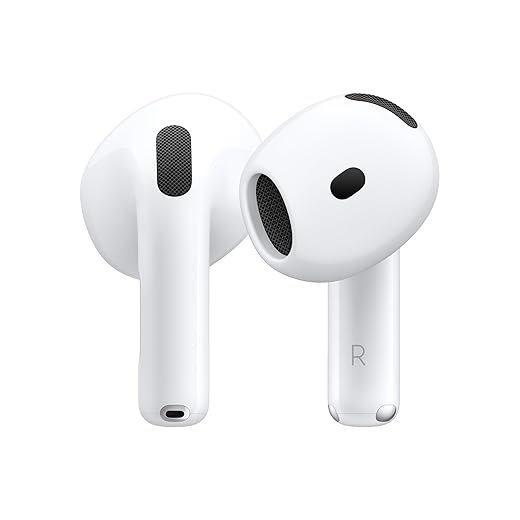


The physics and limits of wireless audio: what Bluetooth can and can’t carry
Radio bandwidth is surprisingly small
We assume “wireless” means freedom, but the radio pipe for Bluetooth audio is narrow. Typical Bluetooth audio profiles move a few hundred kilobits per second—not tens of megabits like Wi‑Fi or a wired analog cable. That cap forces codecs to compress: lower bitrates mean less headroom for nuance, dynamic range, and wide frequency content. In practice, that’s why a complex orchestral track can sound thinner over earbuds than through a USB DAC or a wired headphone jack.
Packetized delivery and error recovery
Bluetooth sends audio in little packets with tight timing requirements. Packets lost to interference can’t be retransmitted without audible gaps, so devices either conceal errors (smear or repeat nearby audio) or drop resolution to reduce packet size. Error correction exists, but it costs bandwidth and latency—two things device makers often won’t sacrifice for fidelity.
Devices prioritize connection stability and battery life
Phones juggle Wi‑Fi, cellular, GPS, and Bluetooth. Earbuds run off tiny batteries and heat-sensitive chips. The outcome: manufacturers tune stacks to avoid dropouts and long battery drains rather than chase perfect fidelity. That’s why even expensive true wireless models sometimes choose lower-bitrate, lower‑latency modes by default.
What we can do right now
Understanding these constraints helps us make smarter purchases and expectations: Bluetooth trades perfect fidelity for convenience, and those engineering choices are baked into every product we use.
Codecs and compression: the short list of what actually moves audio over the air
Codecs at a glance
When we talk about Bluetooth sound quality, we’re mostly arguing about codecs—the algorithms that squeeze audio into the tiny radio pipe. The common players are SBC (mandatory baseline), AAC (Apple’s preferred format), Sony’s LDAC, Qualcomm’s aptX family (standard, HD, Adaptive), and a few newer entrants (LHDC/HWA). Each promises different bitrates and priorities: stability, battery life, or fidelity. In practice, ecosystems drive adoption: iPhones will prioritize AAC and Apple’s stack; many Android phones expose LDAC or aptX options.
How compression actually changes what we hear
This isn’t about numbers on a spec sheet so much as how music feels. Heavy compression can:
A track that sounds alive over wired USB can feel flatter, duller, or “veiled” over SBC or a poorly implemented AAC chain.
Why manufacturers pick lower‑complexity codecs
Battery, heat, and compatibility win more design meetings than audiophile fidelity. Complex codecs need more CPU and power on tiny earbuds and must interoperate with countless phones. Licensing and chipset support also matter: Qualcomm’s aptX requires different hardware and fees; LDAC support depends on both phone and headphone vendor. That’s why a high-bitrate codec on paper may never benefit us—either it’s turned off by default or implemented inconsistently.
Practical tips to get the most out of codecs
Next, we’ll look at the analog side—how DACs, amps, and tiny speaker drivers finish the story once those bits arrive.
The analog chain in tiny packages: DACs, amplifiers, and speaker performance
Tiny DACs and amps: the unsung bottleneck
Once the bits arrive, they hit hardware that’s been shoehorned into millimeter‑scale housings. The digital‑to‑analog converter (DAC) and the amplifier determine noise floor, channel balance, and how cleanly transients are reproduced. In earbuds, vendors often pick low‑power DAC/amp combos to preserve battery and limit heat — and that choice changes the sound. We’ve heard the same AptX stream rendered with punchy clarity on a pair of Sony WF‑1000XM4s and as anemic on cheaper buds using the same codec simply because the analog stage was inferior.
Drivers and enclosures: mechanical limits matter
Small drivers can’t move as much air as over‑ear cups, so manufacturers resort to tuning: larger bass ports, venting, or boosted low frequencies to give a sense of warmth and loudness. That “fun” bass on many consumer earbuds is a deliberate trade‑off for perceived impact, not neutral accuracy. Premium models like Sennheiser Momentum TW or Bose QuietComfort Earbuds II do better, but even they can’t erase the physics of tiny diaphragms.
Active processing: EQ, compression, and ANC
To compensate for hardware limits, makers use DSP: EQ, multiband compression, and ANC. These can improve clarity in noisy places or boost perceived loudness, but they also squash dynamics or add ringing if overdone. Transparency modes, adaptive EQ (like Apple’s Spatial Audio tuning), and user presets are often more important to real‑world listening than raw hardware specs.
How we pick and what you can try
Next we’ll move from how it sounds to how it syncs—why latency and buffering shape the listening experience.
Latency, buffering, and the experience of audio in sync
Latency vs buffering: the core tension
We expect Bluetooth to be invisible — the sound should match the screen or the game controller. But invisible work happens behind the scenes: devices either prioritize low latency (keep the delay between source and ears small) or robust buffering (hold more audio data to avoid dropouts). Low latency is essential for gaming and lip‑sync in video; big buffers protect against jitter and RF hiccups. Manufacturers pick one based on use case, battery budget, and ecosystem priorities, and that choice is audible.
This is where trade-offs become practical: aptX Low Latency and proprietary 2.4GHz dongles aim for sub‑40ms delays, while general AAC or SBC stacks may float around 100–200ms depending on phone and codec negotiation. Apple tightly couples AirPods with iOS to minimize latency and switching pain; generic AAC on some Android phones can feel laggier even though the codec nominally supports similar quality.
What we hear when things are pushed too far
Practical advice you can use now
Next we’ll look at another invisible factor: the radio environment — how your couch and neighbors shape that same audio experience.
Radio environment and interference: why your living room matters
A crowded spectrum, and why it’s audible
We often assume Bluetooth behaves the same in a lab as it does on our couch. It doesn’t. Bluetooth shares the 2.4 GHz band with Wi‑Fi, microwaves, Zigbee bulbs, baby monitors, and the neighbor’s dog‑walkers’ headphones. When that airspace gets busy, packets get delayed, dropped, or repaired with heavy error‑correction — and the result is audible: stutters, smeared transients, or codec fallbacks that trade fidelity for robustness. In an apartment with six visible Wi‑Fi SSIDs, wireless audio survives by compromising somewhere.
Placement, orientation, and hidden design trade‑offs
Proximity matters more than codec spec sheets. A phone tucked in a back pocket, a laptop under a desk, or a speaker behind a TV attenuates RF and forces retransmits. Antenna placement inside our devices is a product-design choice: slim metal frames, tiny earcup cavities, or waterproof seals constrain antenna size and position. That’s why an AirPods pairing on an iPhone in hand can behave differently than the same buds when the phone is in your lap. Headsets with external antenna cavities or dongle options (gaming gear) often outperform ultra‑thin mainstream models in messy environments.
Quick, practical fixes we can use now
Our living rooms — dense with routers, smart bulbs, and neighbors — are a far cry from controlled tests. Understanding that radio reality helps us pick gear and habits that actually deliver better sound where we live.
Ecosystem choices and product design: why a headset’s sound is a strategic decision
Design trade‑offs we live with
When we pick earbuds or headphones we’re not just buying drivers — we’re buying a prioritized set of engineering decisions. Makers trade off battery life, chip cost, ANC performance, and tiny speaker enclosure physics. That’s why a slim pair that promises 40‑hour battery life and active noise canceling will usually sound different from a bulkier audiophile model that sacrifices run time for a larger driver and more generous amplification. In practice, that trade changes the sound signature more than any single “hi‑res” marketing badge.
Platform partnerships and feature gating
Ecosystems shape what actually works for us. Some vendors optimize for iPhones with seamless pairing, spatial audio, and call handoff; others lean into Android with aptX/LDAC support or ship a USB dongle for game‑grade low latency. Operating systems can enable or block codecs, limit sample rates, or prioritize mic streams during calls, so a headset may sound great with one phone and compromised with another. We’ve seen premium headsets drop back to SBC or mono‑voice modes depending on OS policies — a reminder that specs don’t equal experience.

How to choose for what matters to you
Interoperability and consistent implementation usually matter more than a headline bitrate. Armed with these checks, we can pick hardware that matches how we actually use audio — and then evaluate candidates sensibly as we move toward the final takeaways.
What we should take away when wireless audio disappoints
We’ve shown that bad Bluetooth sound isn’t a single flaw but the result of trade-offs across limited radio bandwidth, codec choices, tiny DACs and amps, latency buffering, real-world interference, and strategic product decisions. That matters today because makers prioritize battery life, cross-device simplicity, or low latency for gaming differently — and those choices shape what you actually hear.
When choosing gear, focus on priorities not specs: pair within the same ecosystem, test for your primary use (music, video, calls), prefer codecs and devices matching your phone, and accept battery/latency trade-offs. Quick checklist: same-ecosystem pairing, codec support, real-world listening test, battery vs. latency balance. Make choices that match you.

Chris is the founder and lead editor of OptionCutter LLC, where he oversees in-depth buying guides, product reviews, and comparison content designed to help readers make informed purchasing decisions. His editorial approach centers on structured research, real-world use cases, performance benchmarks, and transparent evaluation criteria rather than surface-level summaries. Through OptionCutter’s blog content, he focuses on breaking down complex product categories into clear recommendations, practical advice, and decision frameworks that prioritize accuracy, usability, and long-term value for shoppers.








