


We put portable SSDs and NVMe enclosures head‑to‑head to see which actually feels faster in real use — and why cooling, enclosure design, and platform support matter more than raw benchmark numbers.
We pit a ready-made portable SSD against a high‑performance NVMe enclosure — SABRENT USB4 EC‑U4TN vs SABRENT USB‑C EC‑PNVO — to see which is faster, more practical, and better integrated into workflows when real‑world limits bite and when each matters.
Pro Workstation
We see this as the go-to option when raw throughput matters — especially for on-location video work or moving multi-gigabyte project files. Its active cooling and USB4/Thunderbolt compatibility mean it preserves Gen4 NVMe speeds in a portable package, though that performance comes at a premium and with some fan noise.
Everyday Backup
We view this as the pragmatic pick for users who want fast external NVMe performance without breaking the bank. It won’t match USB4/TB throughput, but its aluminum body and thermal pad keep speeds respectable for everyday transfers and portable workflows.
Sabrent EC-U4TN Enclosure
Sabrent EC-PNVO Enclosure
Sabrent EC-U4TN Enclosure
Sabrent EC-PNVO Enclosure
Sabrent EC-U4TN Enclosure
Sabrent EC-PNVO Enclosure
Real-World Throughput: Benchmarks and Bottlenecks
Peak vs sustained numbers
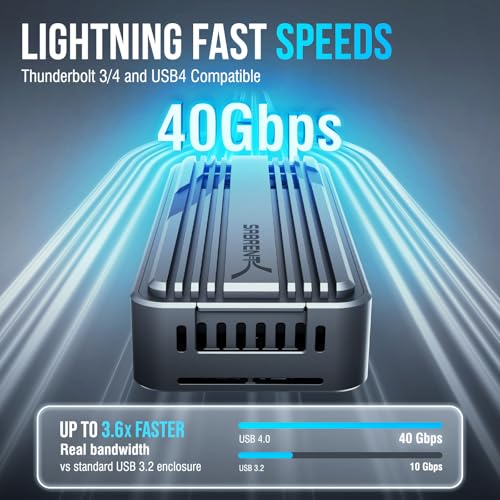
We start by separating headline throughput from what you’ll actually see. The EC‑U4TN advertises up to 3,900 MB/s over USB4 (roughly 2,700 MB/s over Thunderbolt 3/4). The EC‑PNVO tops out at 10 Gbps USB 3.2 Gen 2 — about 1,000 MB/s in the best case. Those peaks matter, but they’re only part of the story for large video files, multi-file backups, or working live from an external drive.

Host, cable, and drive selection
We’ve seen faster enclosures starved by older hosts or cheap cables. To approach 3,900 MB/s you need a USB4 host or a true Thunderbolt 4 port and a drive that can feed PCIe Gen4 x4 speeds (for example, top-tier NVMe like a Rocket 4 Plus). On most laptops, TB3 tops out closer to 2,700 MB/s; many USB‑C ports are still 10–20 Gbps and limit you to the EC‑PNVO’s ceiling regardless.
Thermal limits and sustained transfers
Sustained throughput isn’t just about bandwidth — it’s about heat. The EC‑U4TN includes an active fan and aluminum chassis to keep Gen4 drives from throttling during long copies. The EC‑PNVO uses a thermal pad and aluminum top; it’s efficient for short bursts and steady 10 Gbps work, but without active cooling it can step down under heavy sustained loads.
We factor host port, cable quality, NVMe choice, and enclosure cooling — those four variables determine whether headline numbers translate into faster real‑world transfers.
Side-by-Side Feature Comparison

Design, Thermals, and Usability
Build and drive installation
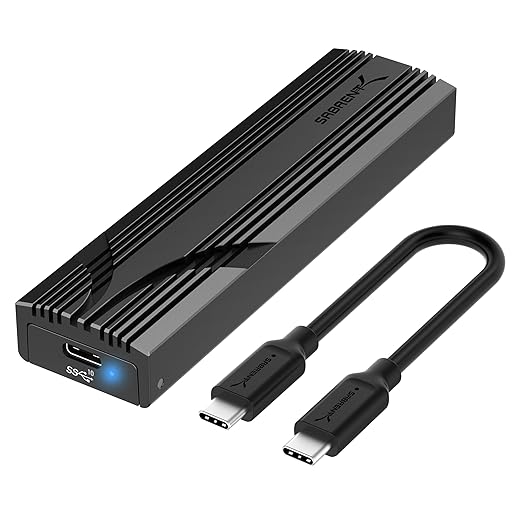
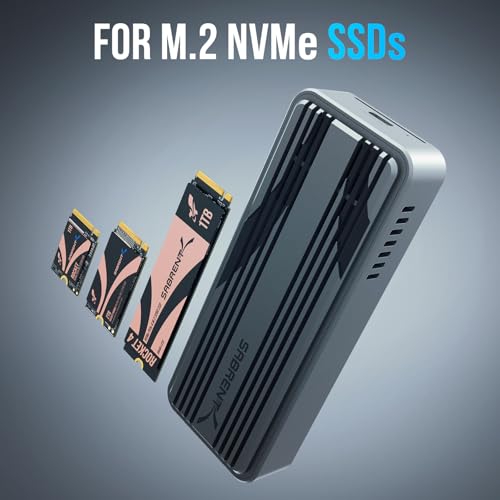
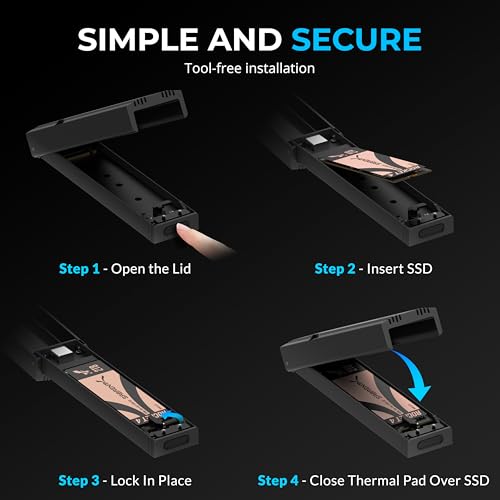
Both enclosures favor speed and convenience: we can install 2230–2280 NVMe sticks without tools in seconds. The EC‑U4TN uses a snug tool‑free tray that locks a drive in place and feels more robust for frequent swaps; the EC‑PNVO uses a flip‑open top that’s faster for occasional use and travel. In practice, the EC‑U4TN’s heavier ABS + aluminum shell feels more like a pro tool, while the EC‑PNVO is slim and pocketable.

Cooling under real workloads
Thermals are where these designs diverge. The EC‑U4TN pairs an aluminum body with an integrated active fan to chase the heat Gen4 x4 drives generate under sustained copies — that active cooling is what lets the enclosure approach advertised USB4/Thunderbolt numbers without repeated throttle events. The EC‑PNVO presses a thermal pad to the SSD under an aluminum top; it’s very effective for 10Gbps workloads but will let a hot Gen4 drive back off during long, heavy writes.
Cables, noise, and everyday ergonomics
Cable choice matters: to get the EC‑U4TN’s full potential you need a certified USB4 or TB3/TB4 cable and the right host — otherwise you’ll be limited to the EC‑PNVO’s ~1,000 MB/s ceiling. The fan in the EC‑U4TN is audible under sustained load; it’s acceptable for short sessions but noticeable in quiet rooms. Neither listing highlights advanced status LEDs or diagnostics, so we rely on host tools for drive health and transfer feedback.
Compatibility and Ecosystem Integration
Host support and futureproofing
We look at platform support first. The EC‑U4TN targets modern machines: USB4 and Thunderbolt‑3/4 hosts can unlock near‑native PCIe speeds (up to the enclosure’s ~3,900 MB/s ceiling), which matters for 4K/8K editing and large VFX transfers. That futureproofing pays off if your MacBook Pro or high‑end Windows laptop has TB3/TB4 ports. The EC‑PNVO prioritizes universality: any USB‑C port with USB 3.2 Gen 2 will give reliable 10Gbps performance across a far wider set of devices.
Plug‑and‑play, drivers, and cables
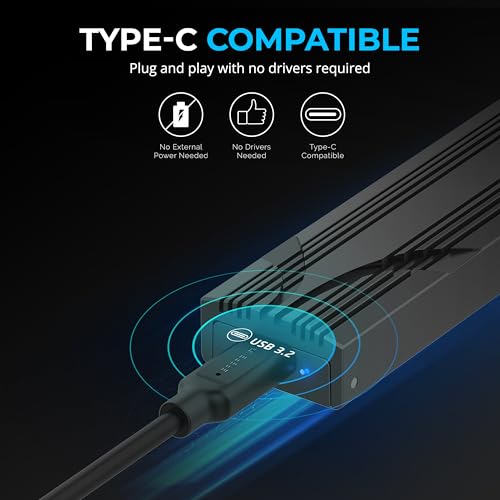
Both enclosures are driverless on macOS and Windows for standard NVMe mounts, so everyday use is seamless. The practical difference is cable and host expectations: the EC‑U4TN needs a certified USB4 or TB3/TB4 cable (and a compatible host) to reach its speed tier — otherwise you’ll fall back to lower USB modes. The EC‑PNVO just wants a USB‑C cable and behaves predictably at Gen2 speeds.

Multi‑host workflows and drive migration
For teams that move SSDs between workstations, the EC‑U4TN is ideal when both ends support Thunderbolt/USB4 — think on‑set editing rigs and color bays where scratch speed matters. For imaging, backup, or swapping drives into laptops, the EC‑PNVO is simpler and more forgiving: it’ll work with older USB‑C docks, gaming handhelds, and cloning stations without special cabling.
How each fits into common setups
Value, Use Cases, and Competitive Context
Value framed by use case
We frame value by what you do day‑to‑day. The EC‑U4TN’s USB4/Thunderbolt compatibility unlocks near‑native PCIe Gen4 speeds (up to ~3,900 MB/s) and sustained performance thanks to active cooling — that’s meaningful if you edit multi‑cam 4K/8K, run scratch disks, or shuttle multi‑gigabyte project folders between workstations. The EC‑PNVO’s 10Gbps USB 3.2 Gen 2 ceiling (~1,000 MB/s practical) is plenty for backups, photo libraries, game installs, and quick clones — and it costs a fraction of the USB4 model.
Choose the EC‑U4TN if you:
Choose the EC‑PNVO if you:
Budget, upgrade paths, and resale
Price matters: roughly $90 for the EC‑U4TN versus about $20 for the EC‑PNVO. The premium buys headroom — upgrade to faster Gen4 SSDs and keep benefiting — but only if your host supports TB/USB4 and you use proper cables. The Gen2 enclosure caps performance regardless of drive upgrades, but its low cost makes drive+enclosure bundles a flexible, low‑risk way to expand storage.
How these Sabrent choices fit the market
Final Verdict
We pick the EC-U4TN as the outright winner for users with Thunderbolt 3 and 4 or USB4 hosts — it delivers PCIe 4.0 speeds, futureproofing, and a premium ecosystem fit.
If you lack Thunderbolt or prioritize affordability, the EC-PNVO is our practical runner-up — solid thermal design, broad USB compatibility, and reliable day-to-day NVMe performance. Which will you pick today?

Chris is the founder and lead editor of OptionCutter LLC, where he oversees in-depth buying guides, product reviews, and comparison content designed to help readers make informed purchasing decisions. His editorial approach centers on structured research, real-world use cases, performance benchmarks, and transparent evaluation criteria rather than surface-level summaries. Through OptionCutter’s blog content, he focuses on breaking down complex product categories into clear recommendations, practical advice, and decision frameworks that prioritize accuracy, usability, and long-term value for shoppers.









