






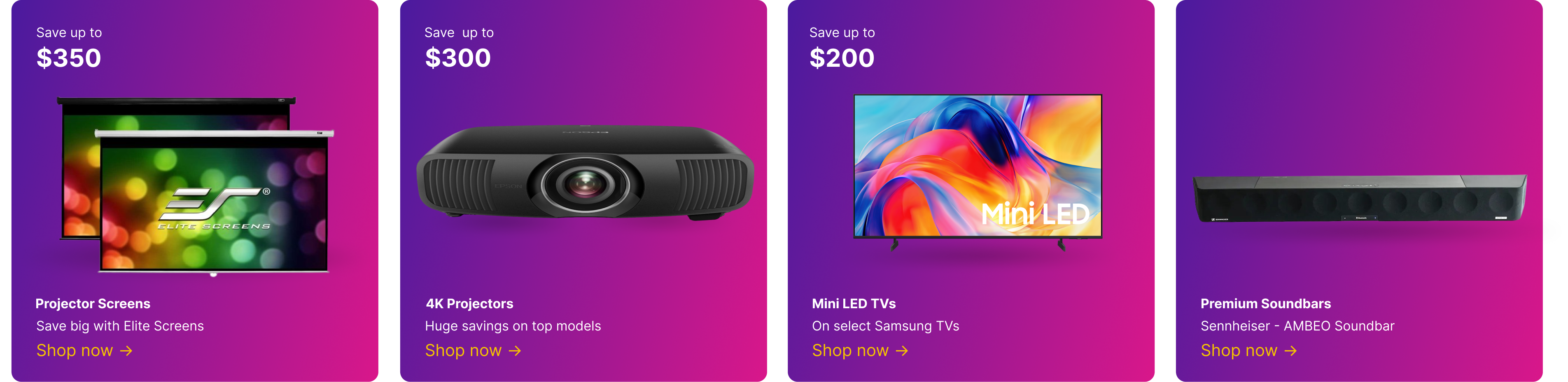

If you are replacing a TV or building a first home theater, start with room size and light, not brand hype on a showroom wall tuned for demos. In a dark den, OLED TVs deliver the deepest blacks and natural film tone; in a bright living room, QLED TVs and Mini-LED TVs hold detail in windows and lamps without washing out sports scores.
Streaming apps on the TV are convenient, but a dedicated box often updates faster and lasts longer than built-in firmware stuck on last year’s chip when new services launch. Roku is the simplest family pick; Apple TV fits iPhone households and AirPlay habits; Amazon Fire TV suits Prime members who live in Alexa routines.
Most shoppers hear dialogue poorly on thin TV speakers long before they notice resolution gaps on a spec sheet during a quiet drama scene. A sound bar is the fastest fix under the screen; a home theater system adds true surround when you have side and rear placement and can run wire cleanly along baseboards.
Wall mounting changes daily comfort more than specs on paper when glare from a west-facing window hits the panel every afternoon. Full-motion TV mounts let you angle the panel for glare and off-center seats; fixed TV mounts or tilting TV mounts keep a clean profile when viewing height is already perfect.
Projector shoppers are usually chasing size per dollar, movie nights, sports walls, or backyard screens where a flat panel cannot scale without dominating the room. 4K projectors stay sharp on large throws; pair a home projector with a projector screen for a controlled image instead of fighting wall texture, paint sheen, and light bleed from hallways.
Cord-cutters still want local news and sports without a cable box, start with a TV antenna, then add Roku or Google Chromecast for on-demand libraries that update faster than aging TV apps stuck on old security patches.
Enthusiasts building a reference room should compare premium TVs and premium projectors & screens after basics like seating distance, light control, and speaker placement are set. Premium audio and dedicated speakers outperform TV drivers for music and films.
Disc collectors and audiophiles buy physical media for stability: no license rotation, full HDR, and lossless audio tracks streaming compresses on busy Wi-Fi nights when the whole house is online. A 4K Blu-ray player delivers the signal streaming throttles; Blu-ray players cover mainstream libraries at lower cost.
OLED is usually the best TV panel type for dark rooms because each pixel can turn off completely for true black levels. Start with OLED TVs if you watch movies at night, prefer accurate shadows, and want letterbox bars to disappear. Mini-LED can still be excellent, but even strong local dimming can show some glow around bright objects on dark scenes. Pay attention to reflection handling if lamps or windows sit across from the screen. Choose the panel that fits your room lighting first, then compare size, HDMI ports, and warranty coverage.
A 65-inch TV works best for many living rooms where the main seat is about eight to ten feet from the screen. Browse 65-inch TVs when you want an immersive picture without overwhelming a standard media wall. Move to 75 inches if your seating is deeper, your room is wide, or you watch a lot of movies and sports. A smaller screen can still be smarter when windows, shelves, or a narrow console limit placement. Measure the wall, seating distance, and stand width before choosing the diagonal.
Buy a 65-inch TV for a balanced living room setup, and choose 75 inches when you have enough distance and wall space for a more theater-like image. Compare 75-inch TVs if your sofa is around nine feet away or farther and you do not want to wish you had gone bigger. The larger size helps sports, subtitles, and split-screen gaming feel easier to see. It also makes delivery, mounting, and furniture width more important. Pick the biggest size that fits the room comfortably without forcing viewers to turn their heads.
Mini-LED is often better for bright everyday rooms, while OLED is stronger for deep contrast in darker spaces. Look at mini-LED TVs if daytime sports, bright windows, and high HDR highlights matter more than perfect black levels. Mini-LED uses many dimming zones, so quality varies by model and processor. OLED has wider viewing angles and cleaner dark scenes, but it may not get as bright in the same price range. Match the panel to your room first, then judge motion, gaming support, and reflections.
The most important gaming TV features are low input lag, 120 Hz support, variable refresh rate, and enough HDMI 2.1 ports for your consoles or PC. Start with gaming TVs when you want models built around fast response and modern console features. Auto low latency mode is useful because the TV switches into game settings without digging through menus. Good HDR brightness also matters because many games use bright highlights and dark shadow detail at the same time. Choose a model that supports the games and devices you actually play, not just the longest spec sheet.
Frame TVs are worth it when design matters as much as screen size and you want the TV to look less like electronics when idle. Compare Frame TVs if art mode, slim wall mounting, and optional bezel colors fit your living room plan. They are especially helpful above consoles, in open rooms, and in spaces where a black rectangle would dominate the decor. Picture quality still needs to be judged like any other TV, including brightness, contrast, and viewing angle. Buy one for the blend of design and display, not only for the art feature.
An 8K TV is worth buying only for very large screens, close seating, or shoppers who want a premium flagship panel regardless of native 8K content. Explore 8K TVs if you are considering an 85-inch or larger setup and want advanced processing. Most streaming, cable, disc, and gaming content still tops out at 4K for practical use. The benefit today is usually the TV's overall build quality, upscaling, brightness, and processor. Spend on 8K only after you are already satisfied with size, panel quality, audio, and room setup.
A smart TV platform should be fast, easy to update, and compatible with the streaming apps your household uses every week. Review smart TVs when you want built-in apps, voice search, and fewer separate boxes near the screen. Check whether the remote has the buttons and microphone controls you prefer. Also consider privacy settings, app storage, and how often the brand updates older models. Choose the platform you find easiest to live with, because menus matter every time you watch.
Samsung TVs often emphasize bright QLED and mini-LED performance, while LG is strongly associated with OLED contrast and simple webOS navigation. Compare Samsung TVs when you need high brightness, vivid HDR, and strong daylight performance. LG is a natural cross-shop if you prioritize black levels, wide viewing angles, or OLED gaming features. Both brands sell several performance tiers, so brand alone does not tell you which model is better. Compare the exact series, screen size, ports, and room lighting fit before choosing.
Buyers choose Sony TVs for home theater because Sony is known for natural processing, strong motion handling, and accurate color in movie modes. Look through Sony TVs if you watch films, sports, and streaming content where clean upscaling matters. Sony models often pair well with PlayStation consoles, but the best choice still depends on the exact series. OLED lines favor dark-room contrast, while LED and mini-LED lines can better handle brighter rooms. Choose Sony when processing quality and a balanced picture are more important than chasing the lowest price.
TCL TVs can be a very good value for first-time upgrades because they often offer larger sizes and modern smart features at lower prices. Compare TCL TVs if you are moving up from an older 1080p set or a smaller screen. Higher TCL tiers usually add better brightness, local dimming, and gaming features than entry models. The difference between series can be significant, so do not judge the whole brand by one bargain unit. Choose the model that gives you the panel quality and warranty confidence you need for daily use.
Hisense TVs are popular with value shoppers because they often combine big screen sizes, strong brightness, and competitive sale pricing. Review Hisense TVs if you want a large 4K or mini-LED option without premium-brand pricing. Many models perform well in bright family rooms, especially when HDR brightness is a priority. Motion handling, viewing angles, and software speed can vary by series. Pick a Hisense TV by comparing the specific model's panel type, dimming system, and return policy.
Get a sound bar if you want a clean, fast upgrade, and choose a full home theater system if you want true surround sound and expandability. Start with sound bars when dialogue clarity, simple setup, and fewer cables matter most. A receiver with separate speakers gives you better placement, stronger dynamics, and easier upgrades later. Sound bars with wireless subwoofers and rear speakers can bridge the gap for many rooms. Choose based on how much space, wiring, and future flexibility you want to manage.
You do not need Dolby Atmos on a sound bar, but it can make movies and shows feel more spacious when the room supports it. Many sound bars include Atmos processing, upward-firing drivers, or virtual height effects for compatible content. The effect is strongest with flat ceilings, centered seating, and streaming apps that actually deliver Atmos tracks. A non-Atmos sound bar can still be a major upgrade for dialogue and bass. Prioritize clear center-channel performance before paying extra for height effects.
Buy a receiver instead of a sound bar when you want separate speakers, multiple HDMI sources, stronger amplification, and room to expand. Compare receivers and amplifiers if you plan to build a 5.1 or larger system over time. A receiver lets you upgrade speakers, add subwoofers, and tune levels for your room. It also keeps sources organized when you have consoles, disc players, and streamers. Choose a sound bar for simplicity, but choose a receiver for control and long-term growth.
Choose TV speakers by deciding whether your room needs better dialogue, wider stereo sound, or full surround effects. Browse speakers after you know whether you are using a receiver, powered speakers, or a compact amp. A center channel is especially important for voices in movies and sports. Bookshelf speakers fit many living rooms, while towers need more floor space and careful placement. Match speaker size to the room and leave budget for a subwoofer if bass matters.
A 4K projector is better than a large TV when you want a truly cinematic screen size and can control room light. Compare 4K projectors if your room has enough throw distance, a proper screen, and space for separate audio. A large TV is easier to use in daylight and usually delivers stronger contrast without setup work. Projectors are more sensitive to wall color, ambient light, and placement accuracy. Choose a projector for theater scale, and choose a TV for everyday brightness and simplicity.
Portable projectors are best for casual outdoor movie nights, patio gatherings, camping, and temporary screens where a fixed TV would not make sense. Look at portable projectors if you need easy carrying, quick setup, and flexible placement. They work best after sunset because even bright portable models lose contrast in ambient light. Battery life, speaker volume, and streaming support matter more outside than in a dedicated theater. Plan for a stable surface, external audio, and a real screen for the best backyard result.
Plan a projector screen size that matches seating distance, projector throw, ceiling height, and how much wall space you can dedicate. Compare projector screens once you know your target diagonal and aspect ratio. Bigger is not always better if viewers sit too close or the projector cannot fill the screen brightly. Screen gain and material affect contrast, viewing angle, and brightness. Choose the largest size that still looks sharp, comfortable, and evenly lit from your main seats.
Choose Roku if you want a simple app grid, and choose Fire TV if your household already uses Amazon services and Alexa. Start with Roku streaming devices when ease of navigation and a straightforward remote are top priorities. Fire TV can be convenient for Prime Video, smart home voice control, and Amazon account integration. App availability overlaps heavily, so the interface and remote style often decide the choice. Pick the streamer your household can use quickly without calling you for help.
Apple TV is the better streaming box when your household uses iPhones, iPads, AirPods, HomeKit, or Apple services every day. Compare Apple TV if you want fast menus, strong app support, AirPlay, and long software support. It is also a good fit for buyers who care about clean interface design and reliable performance. The higher price makes less sense if you only need one or two basic streaming apps. Choose Apple TV when ecosystem integration and speed are worth more than the cheapest hardware.
A Chromecast is a good fit for Android users, Google Assistant households, and anyone who likes casting from a phone or tablet. Consider Google Chromecast when you want Google TV recommendations, voice search, and easy mobile control. It can modernize an older TV whose built-in apps feel slow or unsupported. Storage can be limited if you install many streaming services, so check the exact model. Choose Chromecast when Google integration feels natural for the way your household already watches.
Streaming sticks are compact devices that hide behind the TV, while boxes usually offer faster hardware, more ports, and better cooling. Browse streaming sticks if you want an inexpensive way to add current apps to an older screen. Boxes are better for heavy streaming, wired Ethernet, advanced audio, or households that keep many apps installed. Sticks can struggle behind wall-mounted TVs if Wi-Fi is weak or power is awkward. Choose the form factor that fits your network, speed expectations, and available HDMI space.
You need a full-motion TV mount when the screen must swivel toward different seats, pull out for cable access, or angle away from glare. Compare full-motion TV mounts when your room has sectional seating, corner placement, or a shared kitchen viewing angle. These mounts put more stress on studs than fixed brackets, so weight rating and anchoring matter. Cable slack is also important because the TV moves after installation. Choose full-motion only when the viewing flexibility is worth the extra depth and installation care.
Tilting TV mounts are worth it above a fireplace when the screen sits higher than ideal and needs to angle down toward seated viewers. Look at tilting TV mounts if you want a simpler bracket than full-motion but still need better viewing comfort. The mount will not solve excessive heat, poor cable routing, or a screen that is far too high. Check wall temperature while the fireplace is operating before installing electronics there. Choose a tilt mount only after confirming heat clearance, stud placement, and comfortable neck angle.
Use a TV stand instead of wall mounting when you rent, want storage, or need an easier setup with fewer wall holes. Compare TV stands if you need shelves for consoles, streamers, speakers, or disc players. A stand also makes it easier to change equipment and move the TV later. Wall mounting looks cleaner but requires studs, cable planning, and a confident installation. Choose the option that keeps the screen stable, centered, and at a comfortable seated height.
You need an HDMI cable rated for the bandwidth your TV, source, and content require for stable 4K HDR. Start with 4K HDMI cables when connecting modern consoles, 4K players, receivers, or sound bars. Premium High Speed is usually enough for 4K at 60 Hz, while Ultra High Speed is safer for 4K at 120 Hz. Long cable runs are more likely to fail if the cable is poorly made. Buy certified cables in the shortest practical length for the cleanest signal.
Universal remotes simplify a home theater by putting TV, sound, streaming, and disc controls into one consistent layout. Browse universal remotes if your household is tired of switching between several remotes for one movie night. Activity buttons can turn on the right devices and inputs together when programmed well. Compatibility matters, especially with Bluetooth streamers and older infrared gear. Choose a remote that every regular viewer can understand without memorizing a complicated routine.
A TV antenna can still help cord cutters by receiving free local broadcasts without adding another monthly subscription. Compare TV antennas if you want local news, major network shows, sports, or weather alerts. Reception depends on tower distance, building materials, terrain, and whether the antenna is indoor, attic, or outdoor. A channel scan after setup is required, and rescanning can reveal new stations later. Choose the antenna location before judging performance, because placement often matters more than price.
Use a surge protector to reduce the risk of voltage spikes damaging TVs, receivers, streamers, consoles, and subwoofers. Look at surge protectors when you are connecting several expensive devices in one media area. Joule rating, clamping voltage, outlet spacing, and warranty terms are worth checking. Some units also add coax or Ethernet protection for connected equipment. Replace a protector after a major surge or when the manufacturer says its protection life is over.
Blu-ray is still better than streaming for many movies because discs can deliver higher bitrates, steadier dark scenes, and lossless audio. Compare 4K Blu-ray players if you own favorite films and want the best picture your TV can show. Streaming is convenient, but compression can soften grain, shadows, and fast motion. Discs also keep working when internet speeds dip or a title leaves a service. Use streaming for convenience and discs for the movies you care about most.
A standard Blu-ray player still makes sense in 2026 if you own DVDs and HD Blu-ray discs but do not buy 4K UHD titles. Browse Blu-ray players if you need an affordable player for a bedroom, guest room, or older disc library. Many models upscale to 4K, though they cannot match true UHD disc quality. A 4K player is better if your main TV is large and you collect new releases. Buy the format that matches the discs you actually own.
A premium TV for home theater fans combines excellent contrast, controlled brightness, accurate color, strong processing, and enough HDMI bandwidth for modern sources. Compare premium TVs when you want fewer compromises across movies, sports, games, and streaming. The best models handle dark scenes without crushing detail and bright scenes without washing out. Build quality, remote design, anti-reflection coating, and warranty support also matter at this price. Spend more when the improvement is visible in your room, not only on a spec chart.
Look at premium projector setups when you are building a dedicated theater or media room with controlled lighting and serious screen size goals. Explore premium projectors and screens if you want lens shift, high contrast, quiet operation, and screen materials matched to the projector. These systems usually need careful mounting, cable runs, calibration, and separate audio. They are less practical for bright living rooms that host casual daytime viewing. Choose premium projection when the room is planned around the theater experience.
Top TV deals usually offer the best prices during major holiday sales, Super Bowl promotions, and model-year transitions. Watch top TV deals when prior-year premium models begin dropping below their launch prices. The best deal is not always the cheapest screen, because panel type, brightness, HDMI support, and warranty still matter. Compare the same series and size across sale periods to spot a real discount. Decide your must-have size and features before prices start moving.
TVs under five hundred dollars usually focus on screen size, basic 4K resolution, and built-in streaming at a friendly price. Compare TVs under $500 for bedrooms, apartments, dorms, and casual family viewing. You may give up premium brightness, advanced local dimming, wide viewing angles, or full HDMI 2.1 gaming features. Some budget sets are excellent values when expectations are realistic. Choose the model with the best panel quality and return policy within your size target.
A 55-inch TV is enough for most bedrooms when the viewing distance is about six to eight feet. Browse 55-inch TVs if you want a screen that feels immersive without making the room look crowded. It is easier to mount, move, and fit on furniture than many larger sizes. Glare from lamps and windows can matter more in a bedroom than the extra inches. Choose 55 inches when comfort, sight lines, and wall space all line up.
An 85-inch or larger TV is best for wide rooms, deep seating, and buyers who want theater scale without a projector. Compare 85-inch TVs if your wall, viewing distance, and delivery path can handle the size. These screens make sports, movies, and group viewing feel more immersive. They also require serious mounting hardware, a strong stand, and enough help for setup. Choose this size only when the room supports it physically and visually.
A 43-inch TV is a good size for many small apartments because it fits tight walls, bedrooms, and multipurpose living areas. Review 43-inch TVs when a 55-inch screen would crowd furniture or dominate the room. This size works well at shorter seating distances and is easier to move between rentals. You may need a compact sound bar because smaller TVs often have weaker speakers. Choose a size that leaves room for walking paths, storage, and comfortable viewing height.
Prioritize a TV that handles HDR well overall before focusing on a single HDR format logo. Compare 4K TVs by brightness, contrast, tone mapping, and support for the services or discs you use. HDR10 is the common baseline, while Dolby Vision and HDR10+ add dynamic scene-by-scene information when content supports them. A dim panel will not make HDR look impressive even if the format list is long. Choose the TV that makes your regular movies, shows, and games look balanced.
HDMI eARC sends higher-quality audio from your TV to a sound bar through one HDMI connection. Many sound bars use eARC to receive formats like Dolby Atmos from TV apps, consoles, and disc players when the full chain supports it. It also helps the TV remote control volume without extra wiring. Both the TV and sound bar need compatible ports and settings turned on. Use eARC when you want cleaner wiring and better audio than optical connections can carry.
Find studs for a heavy TV mount with a reliable stud finder, small confirmation holes, or by locating fasteners behind the drywall when appropriate. Choose TV mounts only after confirming the mount supports your TV size, weight, and VESA pattern. Full-motion mounts especially need secure anchoring because the extended arm increases leverage. Avoid relying on drywall anchors alone for large televisions. When in doubt, hire an installer who can verify structure before the TV goes on the wall.
The best way to hide home theater cables is to plan safe power routing, separate low-voltage signal cables, and leave enough slack for service. Use HDMI cables that are rated for the resolution, refresh rate, and in-wall use case you need. In-wall cable kits, raceways, and media boxes can all look clean when installed correctly. Label both ends before closing anything up because troubleshooting gets harder later. Keep safety and access ahead of appearance when routing power and signal lines.
A bright sunlit room usually needs a QLED or mini-LED TV with high brightness and strong reflection handling. Compare QLED TVs if windows, skylights, or daytime sports make glare a regular issue. OLED can still look excellent at night, but direct sunlight and bright reflections can reduce its advantage. Anti-reflective coatings and peak brightness matter more than brand name in this setting. Choose a TV that stays clear in your brightest viewing conditions.
Pick OLED for a dedicated dark theater room because it delivers true black levels and precise contrast without backlight blooming. Start with OLED TVs if you watch films with the lights low and care about shadow detail. The wide viewing angles also help when several seats face the screen from different positions. Brightness is less of a concern when the room is controlled. Choose OLED when cinematic contrast matters more than maximum daytime brightness.
Plan large TV delivery by measuring doors, stairs, elevators, hallways, and the final path to the room before ordering. Use the TV & Home Theater hub to compare sizes only after confirming the box can reach the installation area. Keep the TV upright, inspect the packaging, and have the mount or stand ready before the delivery date. Large panels can flex or crack when handled casually, so extra help is worth arranging. Buy the size your home can receive safely, not just the size your wall can display.
Extended warranties can be worth buying on expensive TVs when repair costs, panel risk, or long ownership plans make extra coverage valuable. Review premium TV accessories if you are also planning protection, mounts, cables, and power accessories around a premium setup. Read the warranty terms carefully for burn-in, accidental damage, shipping, labor, and in-home service. For lower-cost TVs, the warranty price may be too close to replacement cost. Buy coverage only when the terms match the risks you actually want covered.
Smart TVs usually use very little electricity on standby, but quick-start modes, voice listening, and network wake features can raise usage. Compare smart TVs with Energy Guide labels if power cost matters in your home. Screen size and brightness affect active viewing power much more than normal standby. Turning off always-on features can reduce idle draw without changing picture quality. Choose efficient settings that do not make the TV frustrating to use every day.
Yes, many TVs can be controlled with voice assistants for power, volume, app launching, input switching, and search. Look at smart remotes if you want voice control that can also manage multiple devices. Compatibility depends on the TV platform, assistant, remote, speaker, and account linking. Voice control works best when devices have clear names and the home network is reliable. Keep a physical remote nearby for privacy, guests, and times when voice commands miss the mark.
Cast from your phone by using AirPlay, Chromecast, Miracast, or an app's built-in casting button on the same Wi-Fi network. Compare streaming devices if your TV's built-in casting is unreliable or missing the platform you need. Apple phones generally work best with AirPlay, while Android devices often pair naturally with Chromecast. Updating apps, phone software, and TV firmware can reduce dropouts. Use a dedicated streamer when casting is part of your daily viewing routine.
The easiest way to start a home theater upgrade is to improve the display size and dialogue clarity before adding complex surround gear. Use the TV & Home Theater hub to compare TVs, sound bars, mounts, streamers, and accessories in one place. A better TV and a clear sound bar solve the most common complaints quickly. After that, add a subwoofer, better streaming box, or receiver if the room calls for it. Start with the change you will notice every time you sit down to watch.
Parental controls on smart TVs use PINs, profiles, app restrictions, ratings locks, purchase controls, and account settings. Compare smart TVs if family controls and profile management are important shopping criteria. The TV controls should work alongside streaming service settings, because apps often have their own maturity filters. Voice search and casting permissions may need separate attention. Choose a platform whose controls are easy enough to manage consistently.
Closed captions, dialogue enhancement, clear voice modes, and stronger center-channel levels can help viewers with hearing loss. Many sound bars include speech modes that make voices easier to follow without raising explosions and music as much. Some TVs also support audio descriptions, Bluetooth headphones, or hearing-aid compatible accessories. HDMI eARC can help preserve higher-quality audio when using a sound bar. Choose equipment that improves speech clarity at normal listening volume.
Mount the TV so the center of the screen sits close to seated eye level whenever the room allows it. Compare fixed TV mounts if every seat faces the screen directly and you want the cleanest low-profile installation. Fireplace placements often push TVs too high, which can cause neck strain during long viewing. Painter's tape on the wall can help you preview the screen outline before drilling. Choose a height that feels comfortable from your main seat, not one based only on wall symmetry.
It can be safe to mount a TV above a fireplace only if heat, soot, clearance, and viewing height are all under control. Use tilting TV mounts when a higher placement needs a downward viewing angle. Check the TV manufacturer's temperature limits and measure the wall during real fireplace use. Cable routing and power access also need to meet local code. Choose another wall if the fireplace makes the screen too hot or too high.
Renters usually do best with sturdy TV stands, low furniture with wide support, or landlord-approved mounting solutions. Compare TV stands when you need storage and stability without permanent wall changes. Anti-tip straps can improve safety while still avoiding major wall work if allowed. Removable cable channels can make the setup cleaner without opening drywall. Choose a solution that respects the lease and keeps the TV secure.
Open-box or refurbished TVs can be smart buys when the discount is meaningful and the return policy is clear. Watch top TV deals to compare those savings against new sale prices on similar models. Inspect for screen uniformity, missing accessories, damaged stands, and remaining warranty coverage. Refurbished units should come from a reputable seller that explains testing and support. Buy only when the savings justify the extra uncertainty.
Most home viewers should be aware of OLED burn-in but not scared away if they watch varied content. Compare OLED TVs if you want top-tier contrast and can avoid leaving static logos or game HUDs on for very long sessions. Modern OLEDs include pixel refresh, logo dimming, and screen shift features to reduce risk. News channels, sports tickers, and static menus are the main concerns when shown for hours daily. Choose another panel type for constant static use, but OLED is reasonable for normal mixed viewing.
You do not need professional calibration on every new TV, but it can improve premium models in controlled rooms. Compare premium TVs if you care enough about accuracy that calibration might be part of the plan. Many modern TVs have excellent movie or filmmaker modes that get close without paid service. Calibration is most valuable when you watch films in consistent lighting and want reference color. Start with the best built-in picture mode before spending extra.
HDMI CEC lets connected devices send basic control commands over HDMI, such as power, volume, and input switching. It can be useful with receivers and amplifiers because one remote may control the TV and audio system together. The downside is that different brands sometimes interpret CEC commands inconsistently. If devices turn on unexpectedly or switch inputs at the wrong time, disable CEC on the problem device. Enable it when it simplifies daily use, and turn it off when it creates confusion.
HDMI 2.1 matters for PS5 and Xbox because it supports features like 4K at 120 Hz, variable refresh rate, and faster response on compatible displays. Compare gaming TVs if you want those console features without guessing which ports are capable. Not every HDMI port on a TV has the same bandwidth, so read the port labels and manual. You also need certified cables that can carry the required signal. Match the TV to the games you play most, especially fast shooters, racing, and sports titles.
Amazon Fire TV built-in sets can be good buys for households that already use Prime Video, Alexa, and Amazon account features. Compare Amazon Fire TV if you like the interface but also want to consider a separate streaming device. Built-in Fire TV models reduce clutter and make voice search convenient. Picture quality still depends on the specific television panel, not the software alone. Choose one when the display quality and Amazon interface both fit your needs.
Built-in Roku TV models are good for simple streaming, guest rooms, and households that want an easy app-first interface. Browse Roku TVs when remote simplicity and quick access to major services matter. They reduce the need for a separate streaming box and keep inputs straightforward. Performance still varies by TV brand, panel, and processor. Choose a Roku TV when ease of use is just as important as picture specs.
You still need a DVD player at home if you own discs, have kids' movies, watch older releases, or keep family recordings on physical media. Compare DVD players if you need an inexpensive way to keep that library usable. Many modern TVs no longer include older analog inputs, so check HDMI compatibility. A Blu-ray player may be a better choice if you also own HD discs. Keep a DVD player only if your disc collection still gets real use.
Upgrade to premium audio gear when your current system is clear but lacks scale, dynamics, bass control, or surround realism. Explore premium audio if you are ready for better speakers, amplification, room correction, or subwoofer performance. Premium gear is most noticeable in larger rooms and dedicated theaters. It also rewards listeners who watch films, concerts, and games at higher quality settings. Upgrade when the room and source quality are good enough to reveal the difference.
Mount a sound bar under the TV by matching the bar's bracket system to either the wall, the TV mount, or the television's VESA pattern. Compare sound bar mounts when you want the bar centered and moving with a full-motion TV arm. Leave clearance for controls, cables, and upward-firing Atmos drivers if the bar has them. Run HDMI eARC or optical cables before the final lift so you are not reaching behind a mounted screen later. Keep the sound bar close to ear level and centered with the picture for the most natural dialogue.
A home projector can handle limited ambient light, but image contrast drops quickly as the room gets brighter. Compare home projectors if you can dim lamps, control windows, and use a proper screen. Bright laser models and ambient-light-rejecting screens help, but they do not turn a projector into a daylight TV. Dark scenes suffer first because stray light raises black levels. Choose projection when you can control the room, and choose a TV for bright all-day viewing.
Target projector brightness based on screen size, room light, screen gain, and the type of content you watch. Browse 4K projectors when you need sharper detail on a large screen and enough output for HDR highlights. Larger screens and rooms with some light need more lumens than small dark theaters. Published brightness can be measured in modes that are less color accurate, so reviews matter. Choose enough brightness for your actual screen rather than chasing the biggest number.
Home theater furniture improves comfort and wiring when it supports proper seating distance, cable access, ventilation, and device storage. Compare home theater furniture if you need media consoles, theater seating, or cabinets designed around AV gear. Look for rear cable openings, adjustable shelves, and enough airflow around receivers and consoles. Seating should align viewers with the screen center without blocking speakers. Choose furniture that makes the room easier to use and maintain, not just better looking.
A smart remote can replace multiple remotes when it supports your TV, audio system, streamer, lighting, and source devices. Browse smart remotes if your setup requires several button presses before anything plays. The best models combine activities, touch controls, voice features, or app control in one place. Compatibility with infrared, Bluetooth, and Wi-Fi devices should be checked before buying. Choose a smart remote when it will make the system easier for everyone in the house.
Pick a balanced mid-tier budget for a first home theater so the display, audio, mount, cables, and power protection all receive attention. Watch top TV deals to stretch your money toward a better screen without ignoring sound. A huge TV with weak audio often feels less satisfying than a slightly smaller TV with a strong sound bar. Leave room for a streamer or better remote if the built-in platform feels slow. Spend where you will notice improvement every night.
Choose a replacement remote by matching the TV brand, model number, control type, and the buttons you use most. Compare replacement remotes when the original remote is lost, worn out, or no longer sold. Original-style remotes are easiest for app shortcuts and TV menus, while universal remotes may control more devices. Check whether your TV needs infrared, Bluetooth, or voice pairing. Buy the remote that restores daily control without losing important menu functions.
A ceiling projector mount should fit the projector's weight, mounting holes, throw position, and lens alignment needs. Compare projector mounts after checking the projector manual for offset, throw distance, and adjustment range. Fixed mounts work in planned rooms, while adjustable mounts help when joists or ceiling height limit placement. Cable routing and power access should be planned before the projector goes up. Choose a mount that allows precise alignment without leaving the projector unstable.
A 70-inch TV can be a good middle size for dens that feel too large for 65 inches but not roomy enough for 75 inches. Compare 70-inch TVs if your seating distance is around eight to nine feet and your furniture width supports it. The size works well for sports, family movies, and casual gaming. Model selection may be narrower than the more common 65 and 75 classes. Choose 70 inches when the physical fit is exact and the specific model has the features you want.
A 50-inch TV is a practical condo size when walls, elevators, media consoles, and viewing distances are modest. Browse 50-inch TVs if a 55-inch set feels just a little too wide for the room. This size can work well in open kitchen-living layouts without overpowering the space. Check stand feet spacing because some 50-inch models still need a surprisingly wide console. Choose the model that fits the room cleanly before chasing a larger diagonal.
A 32-inch TV is the right secondary screen for kitchens, guest rooms, RVs, dorms, offices, and exercise spaces with short viewing distances. Compare 32-inch and smaller TVs when portability and simple placement matter more than theater impact. Smart app support, HDMI count, and viewing angle are still worth checking. Some smaller sets are 720p or 1080p rather than 4K, which is usually fine at this size. Choose a compact TV when convenience matters more than immersion.
Premium streaming players improve older TVs by adding faster menus, newer apps, better Wi-Fi, stronger upscaling, and broader audio format support. Compare premium streaming players when the panel still looks good but the built-in apps feel slow or unsupported. They can also improve voice search, remote quality, and smart home integration. Some support Ethernet for more reliable high-bitrate streaming. Upgrade the streamer before replacing the TV if picture quality is still satisfying.


