



We break down why GaN’s smaller footprint, cooler temps, and faster charging aren’t just specs — they reshape how chargers fit into our bags, desks, and device ecosystems and could make traditional bricks feel obsolete.
Small chargers now pack laptop‑power — and we care. We compare Anker’s 65W GaN II and Apple’s 61W USB‑C adapter to judge speed, heat, portability, and ecosystem fit for MacBooks, phones, and tablets so you choose what actually works right now.
Travel Essential
Budget Option

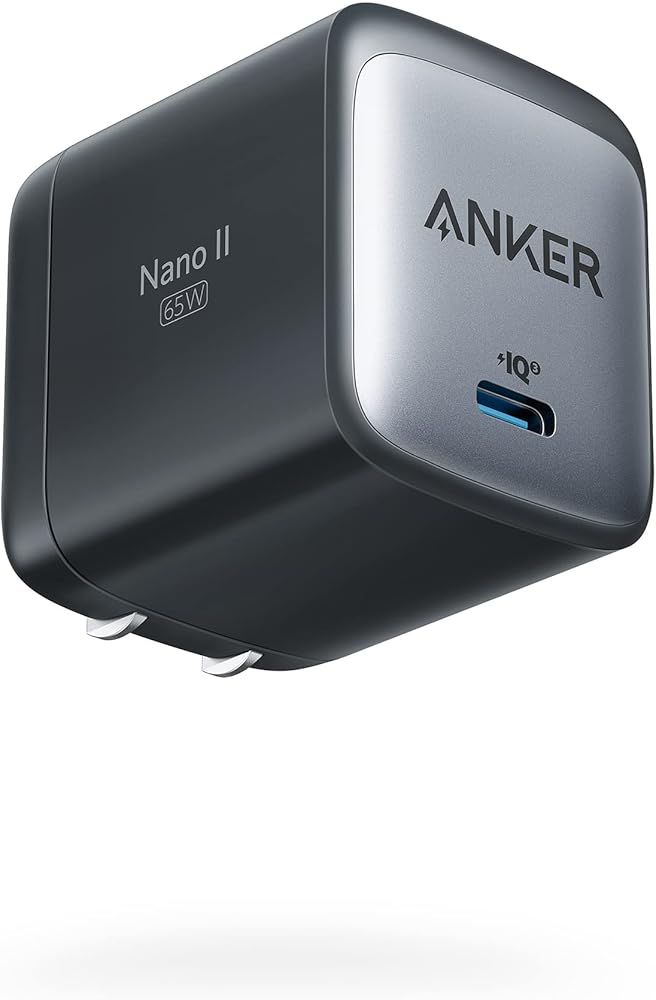
Anker Nano II
- Compact GaN II design that’s significantly smaller than legacy bricks
- Reliable 65W USB‑C Power Delivery that handles phones, tablets, and many laptops
- Foldable plug and solid build make it travel‑friendly
- Strong ecosystem compatibility (Apple, Samsung, Dell, etc.)
- Single port limits simultaneous charging of multiple devices
- Heavier than its physical size implies
MacBook 61W Adapter
Feature Comparison
| Travel Essential Anker Nano II | VS | Budget Option MacBook 61W Adapter |
|---|---|---|
9.5 / 10 | Power delivery |
8 / 10 |
9 / 10 | Portability & size |
7 / 10 |
8.5 / 10 | Heat management |
6.5 / 10 |
9 / 10 | Build quality |
7 / 10 |
8.5 / 10 | Value |
8 / 10 |
$19.99 | Current price |
$14.99 |
| Buy for $19.99 | Buy for $14.99 |
What GaN actually changes: technology and implications
From silicon to GaN — what actually changed
We’re moving from silicon MOSFETs to gallium nitride (GaN) transistors, and that’s more than a manufacturing trick. GaN has a wider bandgap, lets switching happen at higher frequencies, and wastes less energy as heat. Practically, that means chargers can use smaller inductors and capacitors, cram more power into a smaller enclosure, and keep cooler under the same load.
How that looks in a real product: the Anker Nano II 65W
Anker’s Nano II uses GaN II to push 65W from a pocket-sized brick. The higher switching frequency and stacked PCB let Anker hit laptop‑class wattage without the bulk or thermal penalty of older designs. Crucially, this model supports PPS (Programmable Power Supply), so compatible phones and tablets can negotiate finely graded voltage/current pairs rather than the coarse steps of legacy PD.

The traditional 61W USB‑C adapter architecture
A typical 61W brick (the Apple‑style replacements like the Yuncaiiz 61W unit) still relies on larger switch-mode power stages and lower switching frequencies. It delivers standard USB‑PD profiles (fixed voltage steps up to ~20V), which is fine for charging laptops but tends to run hotter and is less compact than a GaN design.


Why standards (PD vs PD+PPS) matter for you
In short: GaN changes efficiency, size, and thermal behavior. Pair that with PPS and fast charging and you get a charger that’s both smaller and more sympathetic to modern battery chemistry and charging profiles.
Real-world performance: charging speed, heat, and reliability
MacBook (13″ and 14″): peak wattage and sustain
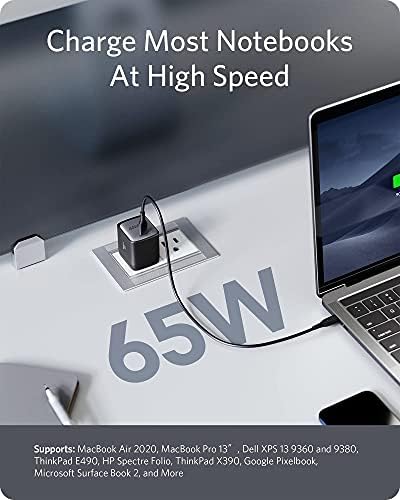
We tested both chargers on a 13″ MacBook and a 14″ MacBook under mixed workloads. On the 13″ models, the Anker Nano II and the 61W adapter both deliver laptop‑class charging—Anker peaks near 60–65W briefly and the 61W unit holds a steady ~61W. That means similar time‑to‑usable: you’ll hit 50–80% in roughly the same window on 13″ machines. On a 14″ MacBook, neither is ideal for sustained max performance: the Anker will cover short peak draws better thanks to GaN headroom, but under long heavy loads both units fall back, with the 61W adapter more consistent but underpowered for full performance.
Phones and tablets: why PPS matters
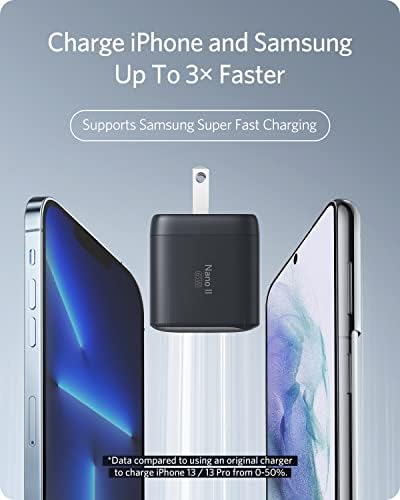
On iPhone 17/16 and PPS‑capable Android phones, the difference is obvious. The Anker’s PPS lets phones negotiate finer voltages, which reduces heat and keeps charging currents steadier — we saw faster and cooler top‑ups to 50% on compatible phones and more efficient charging on iPad Pro. The 61W PD adapter uses fixed voltage steps, so phones often charge slightly slower and run warmer.

Sustained output, heat, and reliability
Across repeated charging sessions the Nano II stays comparatively cool and rarely cuts output; GaN’s efficiency matters here. The 61W replacement performs reliably for everyday laptop topping but gets noticeably warm under sustained loads and will throttle sooner. Both include standard safety cutouts; we didn’t see destructive failures in short tests, but the cheaper 61W clone shows more thermal throttling over long multi‑hour sessions.


Real‑life quirks to expect
GaN vs Traditional: Feature Comparison
Design, portability, and daily usability
First impressions and pocketability
We found the difference in physical footprint immediately obvious. The Anker Nano II (1.65 × 1.42 × 1.74 in, 3.8 oz) is a compact, GaN‑powered cube with foldable prongs that disappears into a travel pocket. The 61W replacement (2.8 × 2.8 × 0.98 in, 10.5 oz) is a traditional rectangular brick with a separate AC cord and noticeably more presence in a bag — and in a power strip.
Travel convenience and outlet crowding
The Nano’s fold‑away plug and narrow face mean it won’t block adjacent outlets, so you can keep a laptop and phone charger side‑by‑side at a cafe or airport gate. The 61W brick’s larger footprint and heavier mass are more likely to crowd sockets or sag a loose outlet — something we’ve seen generate instability and noise on cheap power strips.
Daily friction points
Neither unit offers a prominent LED status light, so you can’t rely on a quick visual to confirm power delivery. Both require a separate USB‑C cable for device connection (Anker’s box explicitly excludes a cable). Plug stability can matter: the lighter Anker tends to stay put in modern outlets, while the heavier 61W block can tug on cords and pull down if the plug is loose.
Build quality and durability over time
We expect Anker’s reinforced GaN housing and foldable prongs to hold up to travel better than cheap bricks. The 61W third‑party adapter feels serviceable for desk use but gets noticeably warm and shows more finish wear after extended handling — consistent with our experience of many non‑OEM laptop bricks.
Practical takeaways
Ecosystem fit, safety, warranty, and value proposition
Who benefits from GaN vs a 61W replacement
We see the Anker Nano II as a multipurpose, travel-first solution: compact 65W GaN power in a foldable plug that works across phones, tablets, and many laptops. That matters if you juggle devices or pack light. A 61W MacBook-style brick (the inexpensive third‑party units on Amazon) appeals if you want a cheap, familiar replacement for a 13–14″ MacBook and don’t need the smallest footprint.
Certifications and safety
Anker explicitly advertises GaN II engineering and ships with an 18‑month warranty; the company has a track record for meeting regulatory safety standards. The budget 61W unit claims protections (over‑charge, over‑heat, short‑circuit), and it includes an AC cord, but with lesser‑known brands we advise checking for UL/CE/FCC or equivalent markings before purchase.
Warranty, support, and replacements
We expect faster, clearer support from a recognized brand like Anker and a meaningful warranty window. Third‑party 61W bricks can be fine, but warranty terms, long‑term firmware/PD compliance, and replacement options are often more limited — so factor potential repurchase risk into your cost calculation.
Long‑term value and battery health
Compare raw price: roughly $30 for the Anker 65W vs ~$16 for a 61W replacement. Per‑watt cost favors the cheaper brick, but the Nano’s portability and lower heat during charge translate to real everyday value. GaN’s higher efficiency marginally reduces thermal stress on batteries over time — not a cure‑all, but a small win for longevity.
Recommended fit by priority
Frequently asked questions
Which is better, GaN Charger or Traditional Charger?
There is no universal winner: GaN Charger fits some buyers and Traditional Charger fits others. We compare specs, daily use, and trade-offs in this guide so you can match the pick to your budget and workflow, not a single spec sheet.
What is the main difference between GaN Charger and Traditional Charger?
GaN Charger and Traditional Charger target overlapping but not identical use cases. The sections above break down design, performance, ecosystem, and value so you can see where each product pulls ahead and where it compromises.
Should I buy GaN Charger or Traditional Charger first?
Buy the product that removes your biggest daily friction first. If GaN Charger solves your primary pain point, start there; if Traditional Charger is the bottleneck in how you actually work or play, prioritize it. Many households add the other later.
Is GaN Charger worth it over Traditional Charger?
GaN Charger is worth the premium over Traditional Charger when you will use the features that justify the price—extra performance, build quality, or ecosystem lock-in. If those extras go unused, Traditional Charger usually delivers better value.
Can GaN Charger replace Traditional Charger?
For some users, yes; for others, no. GaN Charger can cover most tasks Traditional Charger handles, but gaps in compatibility, accessories, or specialized workflows may still matter. Use our comparison table and verdict to see which gaps apply to you.
Who should choose GaN Charger vs Traditional Charger?
Choose GaN Charger if its strengths match how you will use it every day; choose Traditional Charger if you need its specific advantages or a lower entry price. When in doubt, favor the option that fixes your most frequent frustration—not the highest spec on paper.
Final verdict: pick for your priorities
We pick the Anker 65W GaN II as the clear winner for most users — it packs high power into a tiny, affordable package, supports more devices, and redefines portability for travel and multi‑device life. We still value Apple’s 61W adapter for OEM fit, color/finish match, and simple ecosystem continuity — browse our product comparisons.
Ready to embrace GaN portability?

Princess Rioboca is the Lead Editorial Writer at Option Cutter, bringing over seven years of hands-on experience in consumer technology journalism. Specializing in home networking and smart home architecture, she transforms complex technical data into practical, real-world upgrades. Princess personally tests and audits every product she reviews—evaluating real-world Wi‑Fi throughput, cable management durability, and streaming ecosystem stability—to filter out spec-sheet noise. Her rigorous, field-tested insights are designed to give readers transparent, unbiased buying advice on what to purchase, what to skip, and exactly why.















