



We weigh whether an eGPU’s modular flexibility still beats a fresh laptop’s cohesive design — and why that choice now shapes our workflows, battery life, upgrade path, and ecosystem lock‑in more than raw FPS.
Torn between keeping an older laptop with an eGPU or buying a new Razer Blade? We cut through specs and marketing to compare real‑world gaming, creative workflows, portability, and long‑term value so you can decide which upgrade actually matters today.
Competitive Gaming
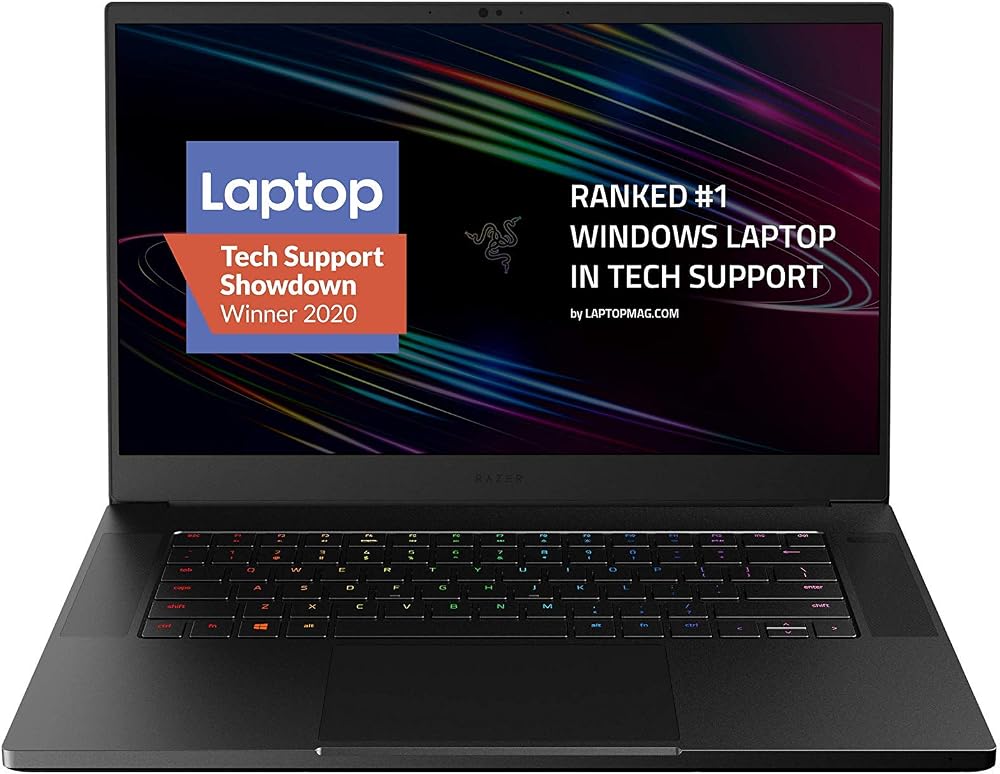
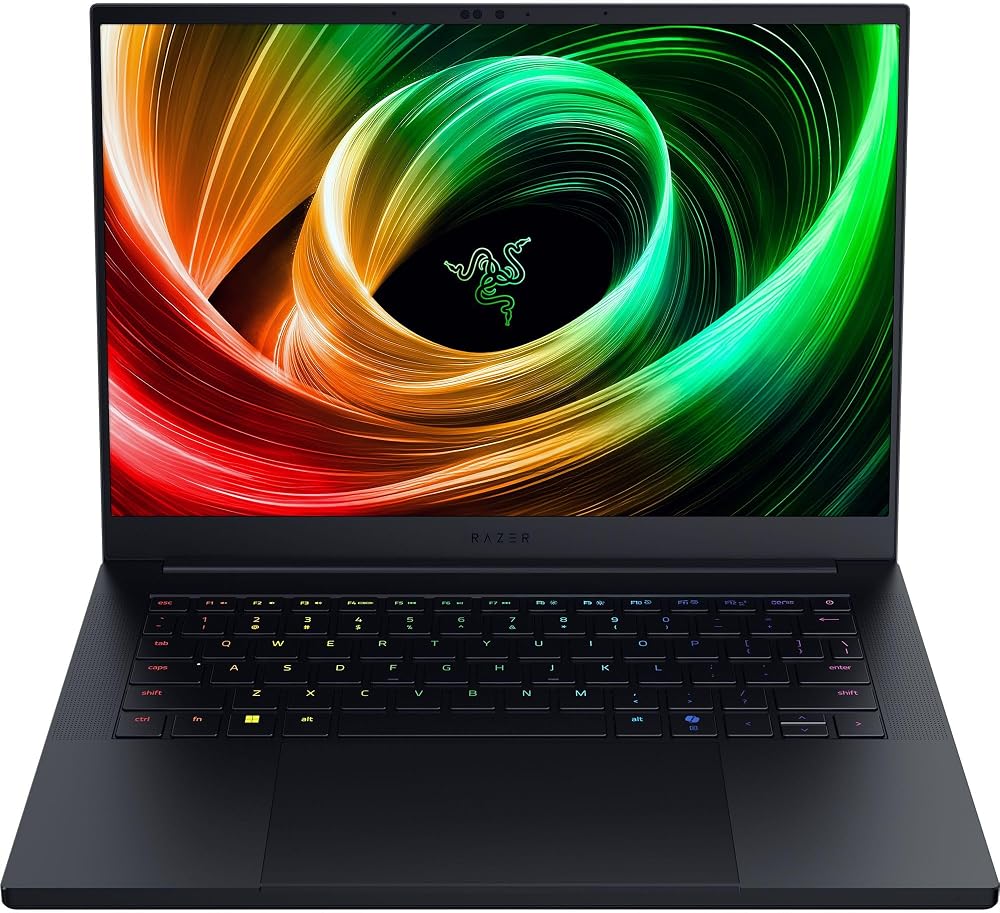
Portable Power
Blade 15
- Solid CNC-aluminum build with premium feel
- High-refresh 300Hz FHD panel for competitive gaming
- Strong 10th‑gen Intel CPU and RTX 2070 Max‑Q for its generation
- Advanced vapor‑chamber style cooling for a thin chassis
- Thunderbolt 3 and multiple USB ports for peripherals
- Battery life is mediocre compared with modern ultrathin gaming laptops
- GPU and platform are a generation behind current RTX 40/50‑series features
- Heavier and thicker than newer ultraportable gaming designs
Blade 14
- Significant generational performance with RTX 5070 and Ryzen AI
- Exceptionally compact and light for a high‑end gaming machine
- Vivid 3K OLED 120Hz display with pro‑grade color profiles
- Long battery life and fast charging for real‑world portability
- Modern I/O (USB4, Wi‑Fi 7) and improved audio for daily use
- Premium price puts it at the high end of the market
- LPDDR5X RAM likely soldered — limited upgradeability
Feature Comparison
| Competitive Gaming Blade 15 | VS | Portable Power Blade 14 |
|---|---|---|
7.5 / 10 | Raw Performance |
9.2 / 10 |
6.5 / 10 | Portability |
9 / 10 |
7 / 10 | Display Quality |
9.5 / 10 |
5 / 10 | Battery Life |
8.5 / 10 |
7 / 10 | Thermal Management |
8.8 / 10 |
$2,118.33 | Current price |
$3,315.99 |
| Buy for $2,118.33 | Buy for $3,315.99 |
Desktop RTX 5080 vs Thunderbolt 5 eGPU vs Laptop RTX 5080: The Ultimate Showdown
Performance: Real‑world Gaming and Productivity
How we measure real use
We look past peak benchmark charts and judge sustained frame rates, eGPU dock thermals, and workflow throughput — the things that decide whether a laptop actually feels faster after an hour of play or a long render. That means checking minimum frame rates in multiplayer, render/export times in content apps, and how RAM/SSD influence large projects.
Gaming: esports vs high‑fidelity single‑player
The 2020 Blade 15’s i7‑10875H + RTX 2070 Max‑Q laptop was a solid combo for its time, but it’s constrained by Max‑Q TGP limits and older platform thermals. In fast multiplayer shooters it can hit high frame rates on 1080p/300Hz panels, but sustained clocks dip under long sessions, which raises lows and input‑sensitive lag.
The Blade 14 (2025) with Ryzen AI 9 365 and an RTX 5070 laptop gives noticeably higher sustained raster and ray‑tracing performance — the GPU can run at up to ~115W TGP and stay there longer thanks to a new vapor‑chamber and thermal hood. That advantage shows up as higher minimums and smoother 3K/120Hz play, and DLSS 4 further widens the gap in ray‑traced scenes.


Productivity, AI, and creative apps
For creators, more RAM and faster SSDs matter. The Blade 14’s 32GB LPDDR5X and 1TB NVMe plus an NPU (up to 50 TOPS) speed up multitasking, GPU‑accelerated exports, and AI features like upscaling or generative tools. The Blade 15’s 16GB/512GB and older NVMe/DDR4 combo will feel more limiting on large projects and heavy multitasking.
eGPU over Thunderbolt 3: practical limits
An external GPU on the Blade 15 via Thunderbolt 3 is viable but not identical to an internal GPU. Expect a 10–30% bandwidth/latency hit, occasional driver quirks, and less consistent minimum frame rates — fine for desktop‑style GPU boosts, worse for low‑latency esports or latency‑sensitive input. In short: eGPU narrows the gap, but native RTX 50‑series silicon + modern cooling delivers a clearer, longer‑lasting performance advantage.
Portability, Display, and Design Experience
We look at how design choices shape everyday use: the Blade 15’s CNC aluminum chassis and 15.6″ FHD 300Hz panel versus the Blade 14’s thin‑and‑light 3K 120Hz oled.
Size, weight, and how they move with you
The 2020 Blade 15 is solid and dense — CNC aluminum, 0.7″ thin, about 4.4 lb — it feels premium but isn’t what we’d call ultraportable. The Blade 14 rethinks that tradeoff: ~0.62″ thin and a 3.59 lb target weight, so it lives comfortably in smaller bags and airline carry-ons. That difference matters when you travel daily.
Display: high refresh vs OLED color and contrast
The Blade 15’s 15.6″ 1080p 300Hz panel is built for esports — ultra‑low latency and very high frame ceilings at 1080p. The Blade 14’s 3K 120Hz OLED prioritizes color, contrast, and resolution; it’s a better fit for single‑player immersion and creative work. In practice, we prefer the Blade 14 if color accuracy or UI clarity matter; keep the Blade 15 for ultra‑competitive shooters where above‑144Hz matters.


Thermals, battery, and daily comfort
Both use vapor‑chamber cooling, but the Blade 14’s newer thermal hood and efficiency gains (LPDDR5X, Ryzen AI) let sustained clocks run higher with lower fan noise. Battery life is a practical divider: expect the Blade 14 to deliver multi‑hour mixed‑use (Razer quotes up to ~11 hours); the 2020 Blade 15’s older platform delivers far less endurance under modern loads.
Input feel and ecosystem
Keyboards and glass trackpads are both excellent; the Blade 14’s updated speakers and lighter chassis make the whole laptop feel more refined. Chroma RGB remains the ecosystem glue — profile syncing across mice, keyboards, and laptops is a real quality‑of‑life gain.
Carrying an eGPU dock
An eGPU adds bulk, weight, and a dedicated power brick — effectively a second desktop component. If you prioritize portability, an internal RTX 50‑series Blade 14 is the clearer, simpler choice.
Upgradeability, Ecosystem Integration, and Longevity
Internal upgrades: what we can actually change
The 2020 Blade 15 uses a more traditional Intel/DDR4 design and—depending on SKU—typically offers user‑accessible storage and RAM slots, so you can reasonably add SSD space or upgrade to 32GB DDR4 down the line. The 2025 Blade 14, with 32GB LPDDR5X and a wafer‑thin chassis, trades that modularity for density: RAM is likely soldered and not user‑replaceable, though the NVMe SSD may be serviceable in some configurations. Bottom line: the older Blade 15 gives more DIY upgrade options; the Blade 14 gives higher baseline specs but less flexibility.
eGPU tradeoffs: modular vs. practical
An eGPU enclosure buys you modular GPU upgrades: swap the card when a new generation lands. But Thunderbolt 3/USB4 caps bandwidth (roughly the equivalent of a slower x8 PCIe link), which reduces GPU gains versus internal GPUs. You also inherit driver complexities—hot‑plug quirks, external display vs. internal display performance penalties, and occasional vendor–driver mismatch. An eGPU is a long‑term lab‑style solution; if you want portable, consistent performance, a modern internal RTX 50‑series laptop wins.
Memory, storage, AI, and real longevity
For creative workloads, 32GB LPDDR5X + 1TB SSD (Blade 14) is a meaningful productivity upgrade over 16GB/512GB (Blade 15). The Blade 14’s Ryzen AI NPU and DLSS 4 support add hardware acceleration for editing, upscaling, and Copilot+ features—practical benefits that extend day‑to‑day usefulness beyond raw frame rates.
Ecosystem and resale
Razer Synapse/Chroma works across both models, so peripherals and lighting profiles transfer. But resale tells the same story: current‑gen silicon, AI accelerators, and higher RAM/SSD will hold value better over 2–4 years than a 2020 Blade with older CPU/GPU—unless you’ve upgraded it with an eGPU and kept it in top condition.
Value, Use Cases, and Practical Recommendations
We translate specs and tests into clear buying guidance. For competitive players chasing 240–300Hz on a budget, an eGPU tied to a capable chassis (or a well‑equipped older Blade 15) can make sense; for creators, streamers, and anyone who wants a compact, future‑ready machine, the Blade 14 (2025) usually delivers better out‑of‑the‑box value with its RTX 5070, 32GB RAM, and 1TB SSD.
Scenario recommendations
Cost and convenience tradeoffs
We weigh total cost (enclosure + GPU + potential adapter hassles) against the Blade 14’s single‑purchase simplicity. If portability, AI features, and long‑term resale matter to you, we lean toward the new Blade 14; if you already own a capable chassis and want modular GPU upgrades on a budget, an eGPU can be a pragmatic stopgap.
Frequently asked questions
Which is better, eGPU or New Laptop?
There is no universal winner: eGPU fits some buyers and New Laptop fits others. We compare specs, daily use, and trade-offs in this guide so you can match the pick to your budget and workflow, not a single spec sheet.
What is the main difference between eGPU and New Laptop?
eGPU and New Laptop target overlapping but not identical use cases. The sections above break down design, performance, ecosystem, and value so you can see where each product pulls ahead and where it compromises.
Should I buy eGPU or New Laptop first?
Buy the product that removes your biggest daily friction first. If eGPU solves your primary pain point, start there; if New Laptop is the bottleneck in how you actually work or play, prioritize it. Many households add the other later.
Is eGPU worth it over New Laptop?
eGPU is worth the premium over New Laptop when you will use the features that justify the price—extra performance, build quality, or ecosystem lock-in. If those extras go unused, New Laptop usually delivers better value.
Can eGPU replace New Laptop?
For some users, yes; for others, no. eGPU can cover most tasks New Laptop handles, but gaps in compatibility, accessories, or specialized workflows may still matter. Use our comparison table and verdict to see which gaps apply to you.
Who should choose eGPU vs New Laptop?
Choose eGPU if its strengths match how you will use it every day; choose New Laptop if you need its specific advantages or a lower entry price. When in doubt, favor the option that fixes your most frequent frustration—not the highest spec on paper.
Final Verdict: When to Buy New vs. Invest in an eGPU
We pick the Razer Blade 14 (2025) as the clear winner: its RTX 5070 + Ryzen AI 9, 32GB RAM, and 3K OLED deliver a compact, future‑ready package with far fewer thermals, connectivity, and software compromises than pairing an older Blade chassis to an eGPU. In our tests, integrated performance, battery and display quality translate to a better everyday experience and longer useful life — which matters now as GPU updates accelerate and mobile AI features become mainstream.
An eGPU still has a place: choose it only if you own a Thunderbolt‑capable Blade chassis, need a specific desktop GPU unavailable in laptops, or must add desktop‑class GPU power to an existing workflow without buying a new machine. If you travel often or value design and ecosystem integration, buy the Blade 14. If you keep one desktop setup and chase GPU headroom, consider an eGPU. Which path fits your daily workflow?

Princess Rioboca is the Lead Editorial Writer at Option Cutter, bringing over seven years of hands-on experience in consumer technology journalism. Specializing in home networking and smart home architecture, she transforms complex technical data into practical, real-world upgrades. Princess personally tests and audits every product she reviews—evaluating real-world Wi‑Fi throughput, cable management durability, and streaming ecosystem stability—to filter out spec-sheet noise. Her rigorous, field-tested insights are designed to give readers transparent, unbiased buying advice on what to purchase, what to skip, and exactly why.















