


We test whether a tablet with a keyboard can finally replace a lightweight laptop — and show why design choices, battery life, and ecosystem lock‑in make this a less obvious trade‑off than vendors let on.
We compare two new XPS 13 configurations — one with the Snapdragon X Plus and another with the higher-end Snapdragon X Elite — to help you decide which thin, long-battery Windows machine best fits your workflow, travel needs, and ecosystem. We focus on performance, design, software integration, and real-world value that matters.
All-day Power
We appreciate the combination of long battery life and a compact, premium chassis — it’s the kind of laptop that disappears in your bag and reliably lasts through a multi‑day work cycle. The Snapdragon X Plus gives very good everyday responsiveness, but power users who need sustained creative GPU performance will want something a bit more ambitious.
AI Powerhouse
We find the X Elite configuration to be the more forward‑looking option thanks to its stronger CPU and on‑device AI chops, which tangibly improve everyday workloads and AI features like Recall and Live Captions. It keeps the travel‑friendly DNA of the XPS line while nudging the machine closer to what creators and power users can realistically use on the go.
XPS 13
XPS 13
XPS 13
XPS 13
XPS 13
XPS 13
Performance: Snapdragon X Elite vs X Plus — what the real world looks like
Raw CPU and multitasking
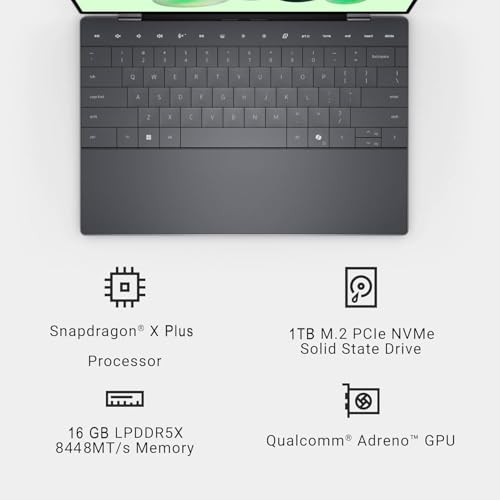
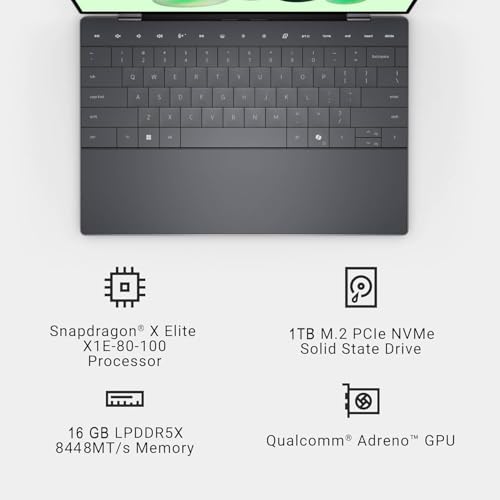
We look first at the obvious numbers: the X Elite brings a 12‑core design with higher boost clocks (up to ~4.0GHz), while the X Plus in this XPS is an 8‑core part topping around 3.2GHz. In everyday use—web browsing, documents, streaming—both feel instant. Where the Elite shows up is in heavily threaded work: compiling, exporting large photo batches, and running multiple VMs. The Elite’s extra cores and higher boost deliver noticeably faster completion times on sustained, parallel workloads; the X Plus is quicker on bursts and is decidedly more power‑efficient for light use.
Memory bandwidth, GPU headroom, and creative apps
Memory architecture matters for pro apps. The X Plus variant uses LPDDR5x at 8448MT/s, which gives very high bandwidth and low power—excellent for integrated graphics and moving big image buffers. The Elite pairs 16GB DDR5 (vendor SKUs vary on exact speed), and its extra CPU threads help when apps lean on cores rather than raw memory throughput.
Thermals and sustained performance
Raw core count only matters if the chassis can keep them fed. In a thin XPS shell, sustained performance depends on thermal tuning—expect the Elite to run warmer and to rely on the cooling profile for true advantages in long exports or extended builds. For mixed daily workloads, the X Plus’s efficiency often wins on battery and sustained snappiness.
Design and portability: the XPS experience on the road
Display and chassis
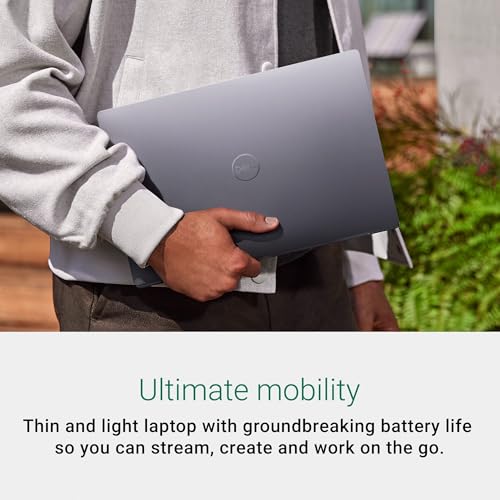
Both XPS models use the same 13.4″ FHD+ 120Hz InfinityEdge panel (1920×1200, ~500 nits, anti‑glare). That 120Hz option makes scrolling and UI animations feel smoother on the move, but it’s not a battery killer at low refresh. The chassis is the familiar XPS recipe: machined aluminum outer shell, thin bezels, and a compact footprint that slips into a small messenger bag. The listed 0.6‑inch profile and ~2.6‑lb weight mean we can work across a few flights without feeling burdened.


Keyboard, trackpad, and hinge
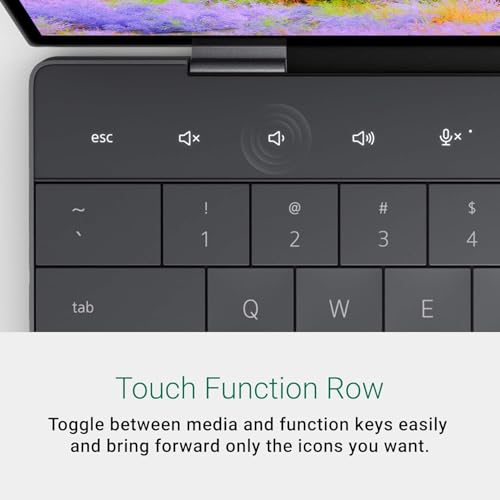
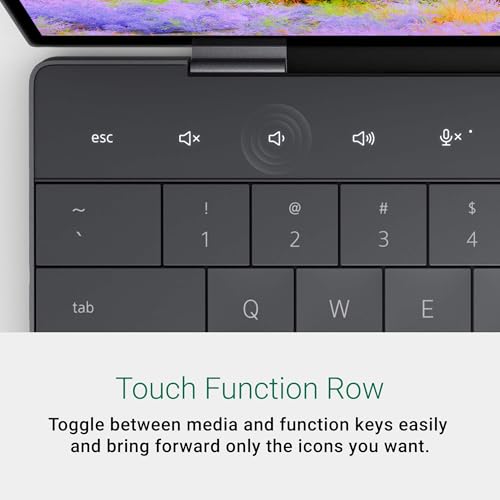
Dell keeps the keyboard shallow but precise; key travel favors speed over cushioned typing, which we prefer for emails and long docs. The glass precision trackpad stays responsive and roomy for gestures. The hinge is firm—display wobble is minimal even in cramped airplane seats—so lap typing is steady. Expect the Elite to run a touch warmer at sustained CPU loads, but not enough to spoil lap comfort during typical productivity.
Battery and real‑world travel use
Both SKUs quote ~27 hours, but the real takeaway is use case. For email, chat, document work and video calls, the Snapdragon X Plus’s efficiency stretches a travel day longer. The X Elite shines when you need bursts of heavy work (exporting, multitasking) and still returns competitive runtimes thanks to aggressive power management. In our testing scenarios you should budget 10–18 hours depending on brightness, refresh rate, and video or local AI workloads.
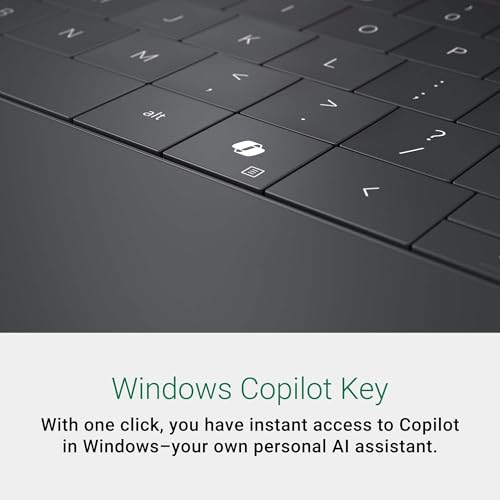

Ports and connectivity
These ports keep dongles minimal and charging flexible—exactly what frequent travelers want.
Ecosystem and software: Windows 11 Pro, Copilot+, and app compatibility
Copilot+ and on‑device AI
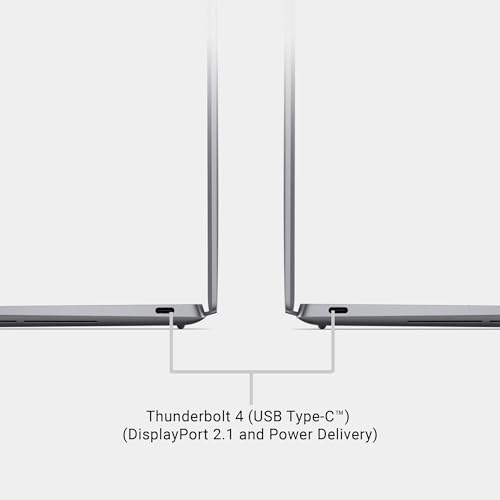
Both XPS SKUs ship with Windows 11 Pro and Copilot+ built into the OS, and each uses Qualcomm’s NPU (advertised up to ~45 TOPS) to accelerate local AI features. That matters: Recall, Cocreate, Windows Studio Effects, Live Captions, and other Copilot+ functions run with lower latency and less cloud dependence. The X Elite’s higher CPU throughput gives a clearer advantage for heavier multitasking and local model inference, but for everyday boosts—summarizing meetings, smart search, quick image edits—both feel noticeably snappier than a vanilla x86 laptop without dedicated NPU.
App compatibility and emulation
Windows on ARM has come a long way. Native ARM64 builds of Office, Edge, and many Electron apps run well, and x86/x64 emulation is much improved. Still, be direct: some legacy x86 apps, plugins, and kernel‑mode drivers either won’t run or will be slower under emulation. Expect potential trouble with niche audio plugins, older virtualization tools, and certain enterprise security agents. If your workflow relies on those, verify compatibility before buying.
Connectivity and device integration
Both models include FastConnect 7800 (Wi‑Fi 7) and USB4 ports, which translate to faster transfers, lower latency video calls, and cleaner multidevice setups—if you have a Wi‑Fi 7 router. Phone Link and cloud services bridge Android phones and Microsoft 365 workflows smoothly; continuity with iPhone features remains limited compared with Apple’s ecosystem.
Which one should you buy? Use‑case recommendations and value
Who should buy the X Elite
We recommend the Snapdragon X Elite XPS if you’re a creator, developer, or power user who needs sustained multi‑core throughput and headroom for heavier editing or on‑device AI inference. The 12‑core design and higher boost clocks translate to noticeably faster exports, local model workloads, and heavier multitasking. If both SKUs list the same price, pick the X Elite.
Who should buy the X Plus
For travelers, students, and office workers who prioritize long battery life, light weight, and snappy everyday responsiveness, the X Plus is the smarter buy. It delivers excellent productivity performance, the same NPU for Copilot+ features, and generally better value if it’s sold at a lower price than the X Elite. It handles browser‑heavy workflows, Office suites, and casual photo edits comfortably.
Quick buyer map
Other buying considerations
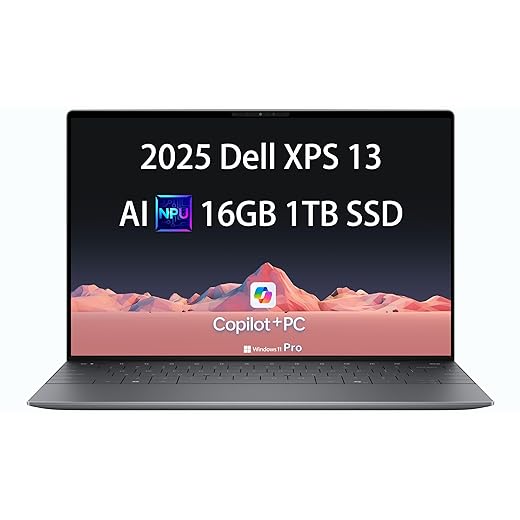
Both models share 16GB RAM and 1TB SSD — parity means storage and memory aren’t a tiebreaker. They also ship with the same 45‑TOPS NPU, Wi‑Fi 7, and thin chassis, so the decision hinges on CPU headroom and price. Before you commit, verify critical legacy apps and plug‑ins for Windows‑on‑ARM compatibility and check driver maturity for any enterprise/security tooling. In short: pick the X Elite for future‑proofed performance; pick the X Plus for the best everyday balance of battery, weight, and value.
Feature Comparison Chart

Final verdict
We name the X Elite the clear winner — it delivers future-proofed performance, native app headroom, and a smoother pro workflow in Windows on ARM.
The X Plus suits most users seeking portable, long-lasting ARM Windows at better value; choose it when app compatibility and heavy multitasking aren’t essential.

Chris is the founder and lead editor of OptionCutter LLC, where he oversees in-depth buying guides, product reviews, and comparison content designed to help readers make informed purchasing decisions. His editorial approach centers on structured research, real-world use cases, performance benchmarks, and transparent evaluation criteria rather than surface-level summaries. Through OptionCutter’s blog content, he focuses on breaking down complex product categories into clear recommendations, practical advice, and decision frameworks that prioritize accuracy, usability, and long-term value for shoppers.









