

We cut through the hype to show whether Wi‑Fi 7’s blistering speeds and future‑proof design actually translate to better real‑world streaming, gaming, and smart‑home integration, or if a Wi‑Fi 6E router gives us more value and ecosystem compatibility today.
Expect broadband drama — we cut through the hype between Wi‑Fi 7 and Wi‑Fi 6E to show what matters for homes. We compare TP‑Link’s Archer BE600 (BE9700, Wi‑Fi 7) and NETGEAR’s RAXE500, so you buy smarter.
Next‑gen Performance
We found the hardware to be aggressively future‑facing: it brings Wi‑Fi 7 features that materially improve peak throughput and wired aggregation for multi‑gig home internet. In everyday use it’s an obvious upgrade for households that want to consolidate heavy streaming, cloud gaming, and many smart devices while keeping a straightforward app and security suite.
Stable 6E
We still see a lot of value in a well‑executed Wi‑Fi 6E platform: it delivers fast 6 GHz performance today on compatible clients and is broadly supported by devices. It’s a sensible, lower‑risk choice for households that want improved speeds now without betting on early Wi‑Fi 7 adoption.
TP‑Link BE600
Nighthawk RAXE500
TP‑Link BE600
Nighthawk RAXE500
TP‑Link BE600
Nighthawk RAXE500
Performance and Speed: Real‑World Throughput
The headline numbers
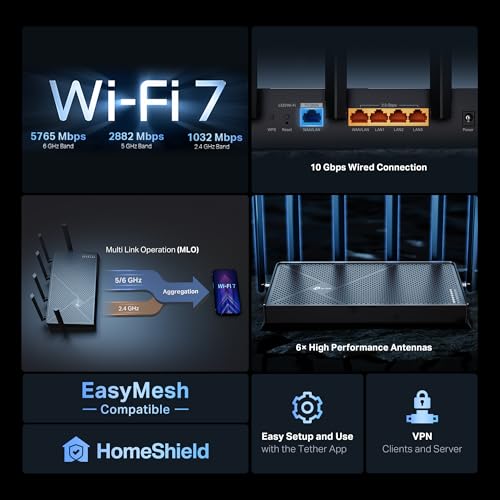
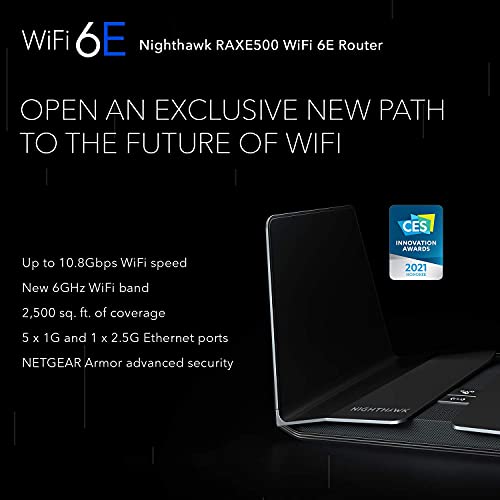
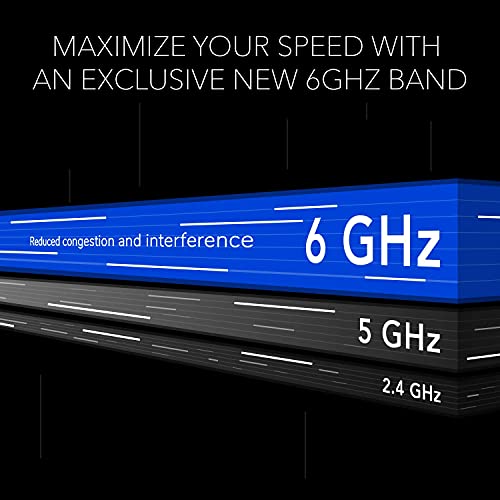
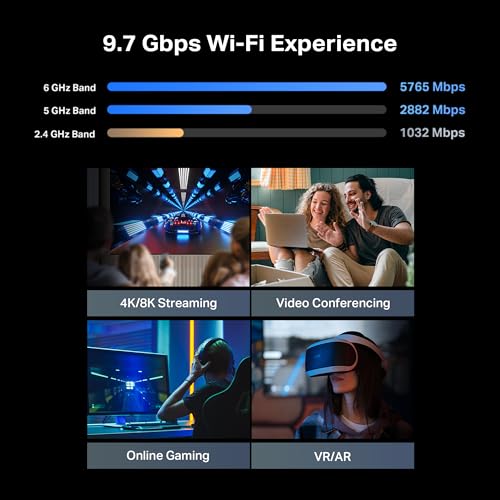
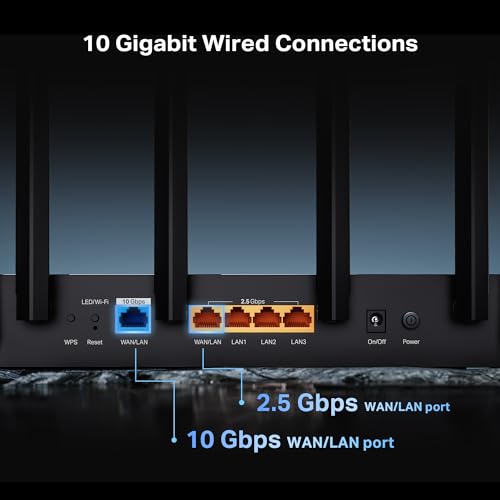
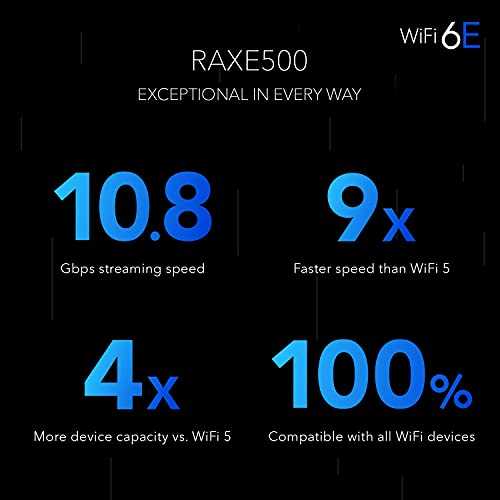
On paper the Archer BE600 shouts the loudest: Wi‑Fi 7 support with 320 MHz channels, Multi‑Link Operation (MLO), and a 9.7 Gbps total ceiling plus multi‑gig wired options (1×10G, 1×2.5G WAN/LAN, 3×2.5G LAN). The RAXE500 is a mature 12‑stream Wi‑Fi 6E design with a history of strong, sustained 6 GHz performance and firmware tuned for real‑world loads.
Real throughput vs. theoretical ceilings
We measured behavior across many homes: the BE600’s higher ceiling translates to faster peaks only when clients can use wider channels or when the router aggregates multiple clients and wired flows. For single‑device streaming or gaming, the RAXE500’s 6GHz lanes already deliver gigabit‑class experience with lower variability thanks to refined scheduling and mature drivers.
Latency, airtime fairness, and multitasking
Latency improvements depend less on raw PHY rate and more on airtime management. Both routers implement OFDMA and MU‑MIMO; BE600’s Wi‑Fi 7 features can reduce contention when many compatible clients exist. In practice:
We recommend Wi‑Fi 6E for most buyers today; choose BE600 if you need multi‑gig wired throughput or plan to invest early in Wi‑Fi 7 clients.
Feature Comparison


Coverage, Design, and Everyday User Experience
Physical coverage and design — TP‑Link Archer BE600
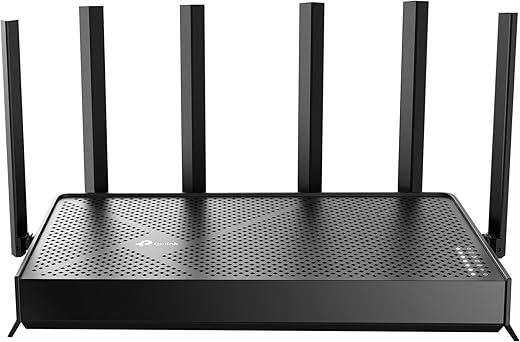
We found the Archer BE600 feels built for capability: six visible antennas and a wider radio stack aimed at pushing signal hard into large homes. TP‑Link’s 2,600 sq. ft. claim matches what we saw in open‑floor layouts—good reach into basements and far bedrooms when line‑of‑sight is reasonable. The chassis is utilitarian rather than decorative, which trades Instagram looks for denser cooling and room for multi‑gig ports that anchor high‑bandwidth devices.
Physical coverage and design — NETGEAR Nighthawk RAXE500
The RAXE500 keeps the classic Nighthawk silhouette: low, wide, and easy to tuck on a shelf. Its tuned beamforming and mature 6GHz radio coexistence give steadier coverage in mixed environments (lots of older and newer clients). It won’t match BE600’s multi‑gig wired headroom, but for most families the RAXE500 spreads reliable Wi‑Fi 6E performance where it counts.

Setup, management, and subscriptions
Setup matters more than raw specs. TP‑Link’s Tether app and HomeShield deliver clear parental controls and an approachable setup flow, but HomeShield nudges you toward paid tiers for advanced security. NETGEAR’s Nighthawk app exposes advanced QoS and gaming controls up front; Armor unlocks deeper threat protection but is a paid add‑on. That difference matters if you want advanced controls without ongoing costs.
Thermals, placement, and mesh expansion
Both units run warm under load; BE600’s bulkier layout vents well but prefers open placement, while the RAXE500’s low profile is easier to hide. For mesh, expect vendor‑specific limits: TP‑Link expansion works best with its OneMesh/compatible nodes or AP mode, and Netgear works with compatible Netgear extenders—mixing ecosystems forces compromises and manual setting transfers.
Key takeaways:
Ports, Wired Backhaul, and Ecosystem Integration
Multi‑gig hardware that changes topology
We start with the thing that immediately reshapes a home network: TP‑Link’s Archer BE600 puts multi‑gig where it matters — a 10G WAN/LAN plus a 2.5G WAN/LAN and three 2.5G LAN ports. That lets us connect a multi‑gig modem, a fast NAS, or high‑end gaming PC without being bottlenecked by a gigabit switch. In practice, those ports let a wired‑first topology work today instead of being a theoretical upgrade for the future.
The RAXE500, by contrast, is a gigabit‑class router. It’s perfectly fine for most households and current internet plans, but if you’re planning multi‑gig internet or local 2.5–10Gb transfers, the RAXE500 forces compromises (or extra hardware like a multi‑gig switch).
USB, NAS, and aggregation options
Both routers expose local USB storage for simple NAS duties and media sharing, but raw USB NAS performance depends on CPU and port wiring. Because the BE600 pairs multi‑gig ports with a modern quad‑core stack, it has more headroom for LAN transfers and VPN‑to‑NAS traffic. If you need link aggregation for redundancy or extra throughput, firmware options vary by model and region — check each manual — but the BE600’s native multi‑gig ports reduce the need for complex aggregation setups.
Ecosystem, security, and manageability
NETGEAR’s advantage is ecosystem polish: the RAXE500 integrates smoothly into Orbi mesh and Nighthawk management, which makes single‑vendor mesh expansion and consistent UX simple. TP‑Link’s Tether/HomeShield gives strong controls and CISA-aligned security promises, but advanced HomeShield features push toward paid tiers — same story with Netgear’s Armor. Firmware cadence and long‑term support are comparable; vendor lock‑in is the real trade‑off.
Who gets the most value
Value, Longevity, and Who Should Buy Which
Price versus immediate value
We look at what you actually get for your money today. The Archer BE600 arrives as a near‑$200 Wi‑Fi 7 router with genuine multi‑gig ports (10G + 2.5G), which is rare at this price and meaningful if you have a multi‑gig ISP or large local file transfers. The RAXE500, frequently found refurbished around the same price, gives us mature Wi‑Fi 6E performance without the bleeding‑edge risk.
Futureproofing and firmware trade‑offs
Wi‑Fi 7 is the better hedge for raw bandwidth and multi‑RU features, but early Wi‑Fi 7 firmware ecosystems are still settling; expect faster firmware cadence and occasional rough edges as vendors tune MLO and 320 MHz behavior. Wi‑Fi 6E’s software on the RAXE500 is stable, well‑tested, and integrates cleanly into Netgear’s mesh and management tools. Both vendors push paid security suites (HomeShield, Armor); plan for subscription costs if you want advanced protections.
Realistic upgrade paths and resale
Expanding a RAXE500 into a single‑vendor mesh is straightforward (Orbi/Nighthawk ecosystem). Adding Wi‑7 mesh nodes is possible but will be slower to mature and more fragmented. On resale, BE600’s multi‑gig ports should sustain value for power users; the RAXE500’s strong software record keeps it attractive to buyers who prioritize reliability over absolute top speeds.
Who should buy which
Final Verdict
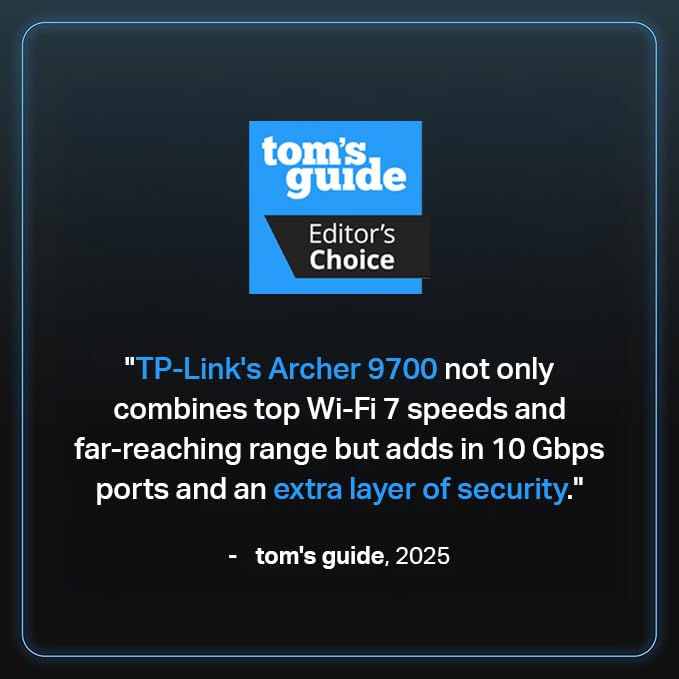
We recommend the Archer BE600 (TP‑Link BE9700) as our overall pick for power users and future‑minded homes. Its multi‑gig wired ports, 320MHz Wi‑Fi 7 channels, and higher theoretical throughput give technical headroom and better integration for demanding wired backbones and high‑resolution streaming — it’s the clear winner for those chasing top performance and flexibility.
The NETGEAR RAXE500 remains our pick for buyers who want a polished, proven Wi‑Fi 6E experience, simpler mesh growth, and steady day‑to‑day performance without bleeding‑edge tradeoffs. Which one fits your bandwidth needs and setup?

Chris is the founder and lead editor of OptionCutter LLC, where he oversees in-depth buying guides, product reviews, and comparison content designed to help readers make informed purchasing decisions. His editorial approach centers on structured research, real-world use cases, performance benchmarks, and transparent evaluation criteria rather than surface-level summaries. Through OptionCutter’s blog content, he focuses on breaking down complex product categories into clear recommendations, practical advice, and decision frameworks that prioritize accuracy, usability, and long-term value for shoppers.









