

Why Your Smart TV Apps Feel Slower Every Year
We notice it: an app that used to open instantly now stutters, menus lag, and streaming starts feel slower. This piece is a practical, evidence-minded look at why that happens. We’ll unpack six layered causes — cheap, long-lived hardware; feature creep and app bloat; fragmented OSes and slow updates; background work and cloud integration; ecosystem economics; and design choices that trade speed for polish — and show why each matters for buyers and power users.
We argue the problem is systemic, not accidental. Along the way we’ll give clear takeaways you can use when buying a TV, choosing a streaming stick, or troubleshooting a slow device. We’ll also explain trade-offs manufacturers make regularly.


Do Automatic Updates Slow Down Smart TVs?
Cheap, Long-Lived Hardware: Why TV SoCs Aren’t Keeping Pace
SoCs built for price, not performance
We’re used to phones getting faster every year; TVs don’t. Manufacturers pick system-on-chips that hit aggressive price and power targets: modest ARM cores, lightweight GPUs, single-channel memory controllers, and often eMMC flash instead of faster UFS. That hardware is perfectly adequate for a lean launcher and a few video codecs, but it leaves almost no headroom when apps add animations, background syncing, or richer interfaces.
Thermals and longevity over burst speed
TVs run silently in slim, fanless aluminum or plastic frames. That makes for elegant living-room products, but it forces sustained workload throttling: chips are clocked conservatively so they won’t cook the set over a 7–10 year lifespan. Contrast that with a phone or a streaming stick that can sacrifice longevity for short bursts of speed — TVs are engineered to avoid those trade-offs.
Real-world bottlenecks and what you’ll notice
Common constraints translate to predictable user pain points:
We see this as slow app launches, choppy menus when switching apps, and long “Updating…” screens after OTA patches.
Practical steps we can take now
These hardware realities set the stage for the next problem: as software balloons, those tight hardware budgets make every new feature feel heavier.
Feature Creep and App Bloat: How Software Growth Outruns Device Capacity
From player to platform
We’ve watched streaming apps evolve from a simple “play this file” task into full living-room platforms: personalized homescreens, search across services, live channel grids, downloads, and targeted ads. That’s great for engagement, but every new surface adds code, assets, and background work — and TVs aren’t getting proportionally beefier.
Concrete sources of bloat
Many of the usual suspects pile up quickly:
Those additions aren’t abstract — they translate into larger binaries, more threads, frequent garbage collection pauses, and heavy disk I/O on budget flash.
The perceptual toll
What we notice in daily use is subtle but maddening: menus that stutter when a background fetch runs, sluggish grid scrolling, longer cold starts as apps initialize SDKs, and app relaunches when RAM gets trimmed. A polished animation can hide a 200–400ms lookup delay; polish without performance feels like lipstick on lag.
Practical fixes we can try
These choices buy smoother experiences today — and they make the next problem, slow OS updates and fragmentation, even more consequential.
Fragmented OSes and Slow Updates: The Development and Maintenance Problem
A fractured landscape
We live in a world where TVs ship with dozens of different runtimes: Samsung’s Tizen, LG’s webOS, Google’s Android TV / Google TV, Amazon’s Fire OS, Roku OS, and a raft of proprietary Linux skins on budget sets. That variety sounds like choice, but it’s a maintenance nightmare. Each platform exposes different APIs, graphics drivers, and memory behaviors, so an app that feels snappy on an Apple TV 4K may stutter on a 2019 Samsung QLED or an entry-level TCL set running a forked Android build.
Why updates stall
Manufacturers often deprioritize long-term OS maintenance. Reasons are practical: supply-chain complexity for millions of SKUs, expensive re-certification with DRM and streaming partners, and little direct revenue for continuing software support on cheaper TVs. The result: sets frequently boot on older runtimes and drivers long after APIs are deprecated or accelerated libraries improve.
Developer trade-offs that slow apps
Faced with fragmentation, developers follow three slowing strategies:
Each choice reduces optimization opportunities and increases runtime bloat, so apps become more tolerant of slow hardware — and less likely to push vendors to improve it.
What we can do when OS support is thin
Practical moves for users and pros:
As we explore next, those stale runtimes interact poorly with always-on background services and cloud features, making sluggishness feel systemic rather than incidental.
Background Work and Cloud Integration: When Always-On Services Hurt Responsiveness
Background tasks steal the spotlight
We expect a TV to be instant: pick a show, press play. But many sets are quietly busy the moment we walk into the UI. Background synchronization — metadata updates, recommendation indexing, and telemetry uploads — competes with an app launch for the same CPU, RAM, and Wi‑Fi that our streaming app needs. The result: a spinner or stutter right when we expect speed. That’s especially noticeable on older or budget TVs where SoCs and wireless stacks are already constrained.
Streaming setup and remote analysis add seconds
Playbacks aren’t just about pixels. Adaptive streaming (HLS/DASH) needs manifest and segment negotiation; DRM systems (Widevine, PlayReady) require license handshakes; some services run cloud-based scene analysis or pre-roll targeting that must complete before smooth playback. We’ve seen apps on midrange Android TV boxes pause longer than an external streamer because of these extra round-trips.
Local processing vs cloud offload: trade-offs
Offloading heavy work to the cloud can make a cheap TV feel capable on paper — less on‑device CPU is needed — but it also makes responsiveness hostage to network latency and server queues. Conversely, doing more locally reduces dependency on network speed but demands better hardware and more memory. Business choices increasingly favor continuous personalization and ad-targeting pipelines in the cloud, which trades raw responsiveness for richer, targeted experiences.
Practical steps you can take now
These background behaviors are fundamentally design and business choices; next we’ll look at how UX patterns and polish further shape that trade-off between speed and spectacle.
Ecosystem Economics: Who Benefits When Apps Get Heavier and Slower
Who gets paid — and how
When we step back from CPU cycles and UX flows, the story becomes financial. Platform owners (Roku, Google/Android TV, Amazon, Apple) sell reach and placement; TV OEMs sell cheap hardware and take licensing or revenue-share deals; streaming services chase subscriptions and growth; ad and analytics vendors monetize attention. Those payment routes — promoted tiles, referral fees, ad impressions, and telemetry contracts — shape engineering priorities more than pure performance metrics.
Why streaming services skip low-end TVs
For a streamer, the marginal value of optimizing for a $150 off‑brand TV is often low. We see the most polish on platforms with large or lucrative user bases (Apple TV, Fire TV, Roku flagship boxes). Mobile and web apps reach more users and are easier to iterate on; premium hardware partners get special attention because they drive subscriptions and PR. That leaves budget TVs as “good enough” targets: apps will run, but not be tuned to squeeze every millisecond out of cheap SoCs.
Ad SDKs and analytics: an arms race
Third‑party SDKs — ad servers, viewability trackers, personalization engines — are lucrative but heavy. Each one adds background threads, network calls, and memory pressure. Because many SDK vendors promise better monetization for more data, developers often include multiple SDKs rather than invest engineering time to slim them down. The result: apps become data pipelines that tax hardware the moment they launch.
Marketplace winners and losers
Exclusive deals, white‑label platforms (TCL using Roku OS, Hisense on Google TV), and affiliate referral payments concentrate attention. If a platform or OEM writes the bigger checks, they get prioritized updates and performance tuning; low‑margin devices are left on autopilot.
Practical steps we can take now
Next, we’ll look at the UX and design choices that make TVs look polished — and often slower.
Design Choices That Trade Speed for Polish: UX Patterns That Make TVs Feel Sluggish
Heavyweight animations and splash screens
We love polished motion as much as anyone — a smooth parallax or a branded splash can feel premium. The problem: TVs usually run on slow SoCs and limited RAM, so heavyweight compositing and full‑screen animated splashes add seconds to cold starts. On cheap sets, a 2–3 second animation can double perceived wait time. Good design uses subtle motion; bad design uses theatre.
Aggressive recommendation overlays and promoted content
Overlays that preload video thumbnails, autoplay trailers, and surface recommendations immediately are great for engagement, terrible for responsiveness. Each promoted tile often pulls multiple streams of metadata, DRM checks, and ad SDKs. That’s why budget TVs feel choppier when you land on the home screen compared with a lean launcher like Roku’s.
Layered onboarding and permissions
Asking for account sign‑ins, personalization, and permissions in separate modals may improve data quality, but it interrupts common flows (play a show, change inputs). Designers sometimes split these into staged dialogs to maximize conversions — at the cost of extra clicks and waiting for network validation.
Perceived performance: microinteractions and skeletons
We can mask latency without lying to users. Practical rules we follow:
Wirecutter‑style guidance
For designers and PMs: set a measurable performance budget — e.g., cold start <3s, nav latency <300–500ms, first frame of video <2s — and make it part of the release checklist. Audit third‑party SDKs, defer nonessential network calls, and replace full‑screen animations with microtransitions.
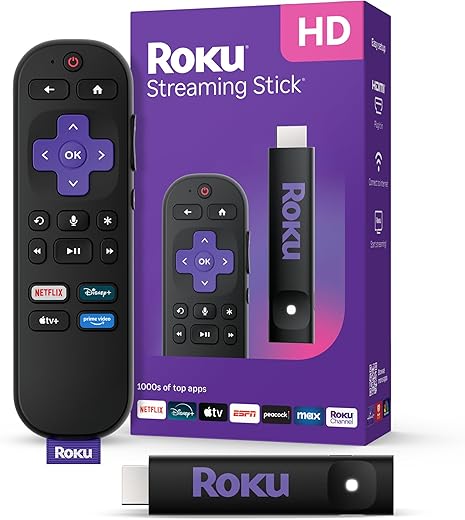
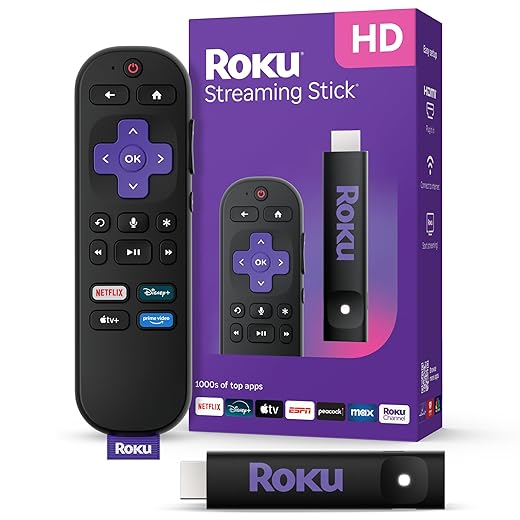
For consumers: prefer platforms with consistent updates (Roku, Apple TV), disable autoplay previews and personalization, and consider using a lightweight external streamer if your TV UI feels sluggish.
Next, we’ll pull these threads together and outline what manufacturers and users can do systemically.
What We Can Do — and What Manufacturers Should Change
We’ve shown that yearly slowdowns are predictable: cost-driven SoCs, software bloat, fragmented platforms, and business incentives stack against speed. That matters because sluggish TVs degrade the living-room experience and shift value from hardware to cloud economics. For users, we recommend buying sets with more RAM and flash, using external streaming sticks for demanding apps, and turning off unnecessary background services and automatic updates.
For industry, manufacturers and platform owners should commit to longer update windows, publish performance budgets, prioritize lean native apps for constrained devices, and offer clear upgrade paths or modular hardware. Until incentives change, our best defense is smarter buying and holding makers accountable for sustained performance.

Chris is the founder and lead editor of OptionCutter LLC, where he oversees in-depth buying guides, product reviews, and comparison content designed to help readers make informed purchasing decisions. His editorial approach centers on structured research, real-world use cases, performance benchmarks, and transparent evaluation criteria rather than surface-level summaries. Through OptionCutter’s blog content, he focuses on breaking down complex product categories into clear recommendations, practical advice, and decision frameworks that prioritize accuracy, usability, and long-term value for shoppers.








