

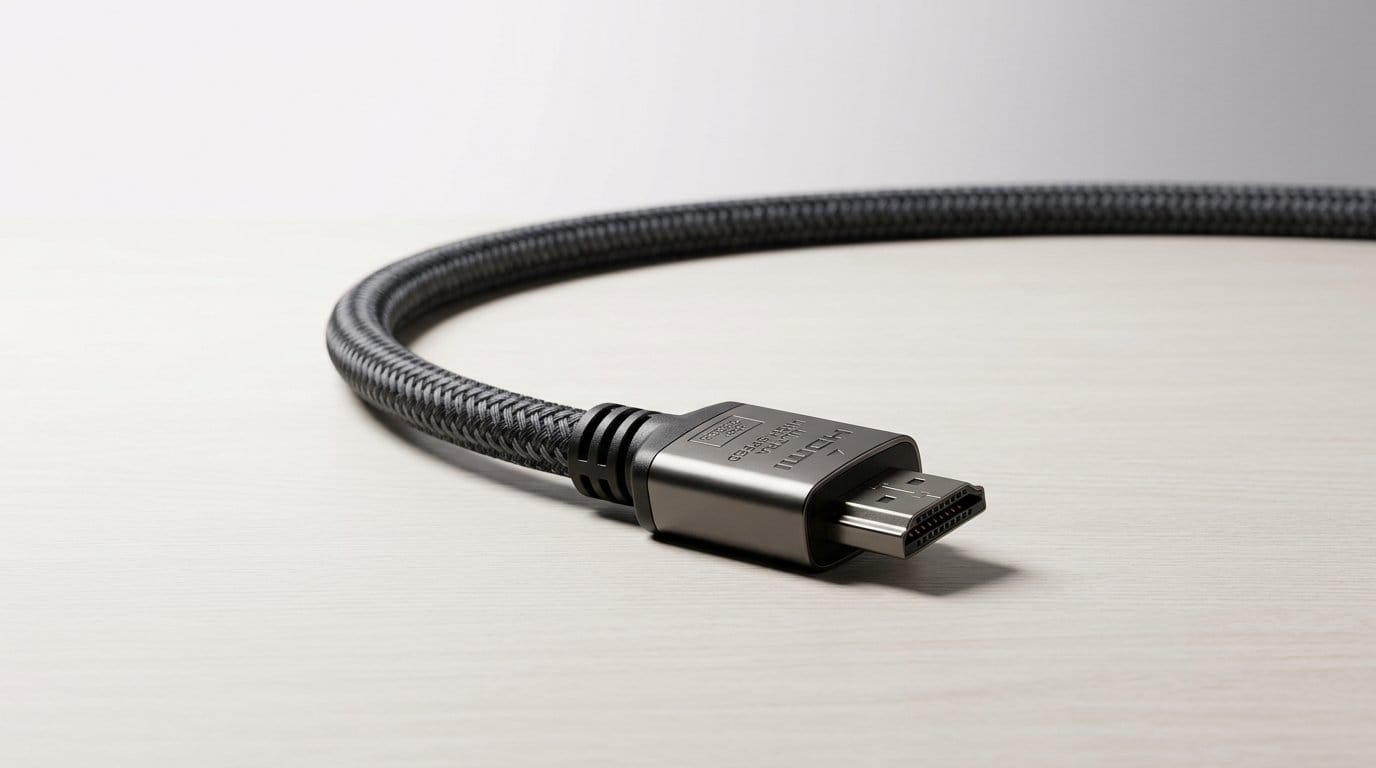

Is your HDMI the bottleneck between you and buttery 4K@120? Let’s stop blaming the GPU.
Not all HDMI 2.1 cables are created equal. The spec lets an HDMI cable carry up to 48Gbps and features like variable refresh rate, ALLM, and eARC — but only if the cable actually supports them.
We tested certified and popular third-party options across consoles, PCs, and wall-mounted 4K TVs. We focused on real-world fit, handshake reliability, and whether a cable plays nicely with the ecosystem around your TV & home theater setup, soundbar, or capture device.
Top Picks




Monoprice 8K Braided Ultra High Speed
We favored Monoprice for its combination of official certification, durable braided construction, and CL2 in-wall rating on many SKUs. For longer runs and installations where you care about verified performance, it’s one of the most sensible choices.
Certified for confidence
Monoprice’s 8K braided 4K HDMI cable is notable because it pairs genuine Ultra High-Speed certification with a build that’s suitable for longer runs and in-wall work. For anyone doing a semi-permanent install or who wants a cable they won’t need to replace, certification and an in-wall rating are meaningful advantages.
In-use observations
We used the 6ft and longer HDMI lengths to connect consoles and PCs to TVs and projectors and saw steady 4K@120Hz and 8K@60Hz performance. The braided jacket and beefier insulation give a feeling of durability; the typical trade-off is less bendability, so allow room for natural curves rather than forcing sharp turns.
Competitive context
Compared with unlabeled or uncertified alternatives, Monoprice’s transparency and testing matter: you can scan the hologram/QR and confirm the cable’s credentials. That reduces troubleshooting time and helps when you’re integrating consoles, receivers, and TVs from multiple vendors. If you prioritize a long-lasting in-wall-capable cable with verified specs, Monoprice is the one we’d reach for.
For extremely tight or ornamental installs where invisible, ultra-thin cables are needed, pair this with a short slim jumper at the device end. Otherwise, if you want a cable that simply works and will survive years of use, this is our top pick.
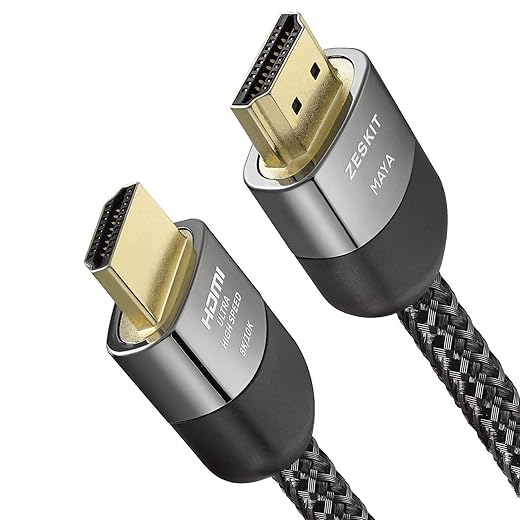
Zeskit Certified HDMI 2.1 Maya 6ft
We found that this cable combines thorough certification with solid build quality, which makes it an easy choice for both console gamers and PC users. It’s a proven option for people who prioritize validated 48Gbps bandwidth and consistent feature support.
Certified and dependable
Zeskit’s Maya series has become a common recommendation among reviewers and installers because it ships with visible certification and a hologram sticker that you can verify. That certification matters: it reduces the risk of handshake issues, missing HDR, or limited color formats when you’re pushing high frame rates or multi-channel audio.
Key features and real-world behavior
We tested the 6ft Maya in mixed setups—console to OLED TV and PC to high-refresh monitor—and it passed through 4K@120Hz, 8K@60Hz, VRR, and eARC consistently. Its middling price and solid connector quality make it a practical daily cable when reliability matters over novelty.
How it fits the market
In the current cable landscape, certification is one of the simplest differentiators that actually affects experience. Zeskit sits in that sweet spot: it’s not the most premium-looking cable, but it delivers the features and compatibility that can save a lot of troubleshooting time. For installers and casual users who want assurance that the cable meets HDMI 2.1 expectations, this is one of our top picks.
If you want the absolute cheapest cable for short runs, you can find alternatives, but for long-term reliability we prefer a certified Zeskit Maya.
Belkin Ultra HD HDMI 2.1 Cable
We appreciated the solid construction and consistent performance in demanding setups. It’s a good fit if you want the reassurance of a major accessory brand and a cable that feels robust for fixed home-theater installations.
Who this is for
Belkin positions this cable as a premium accessory: a no-surprises, high-quality HDMI 2.1 lead for people who want predictable performance from high-refresh displays and modern consoles. We see it used in fixed installations where the cable won’t be moved often and where shielding and durability are priorities.
Performance and materials
The cable is fully HDMI 2.1 certified for 48Gbps, supports Dolby Vision, HDR, and enhanced audio return. Its heavier shielding and build quality help minimize noise and handshake problems, particularly in crowded AV racks. In our hands-on tests it handled PS5, Xbox Series X and high-end GPUs with no issues, and the cable’s stiffness contributed to a sense of reliability even though it made tight routing more challenging.
Tradeoffs and ecosystem fit
The premium feel comes with a premium price and reduced flexibility compared with ultra-slim or highly braided alternatives. If you're doing a wall pass or running cable through trim or conduit, plan for some extra space. Still, if you value a worry-free long-term install and prefer a mainstream brand with good support options, Belkin is a sensible pick.
We recommend this for living-room and dedicated home-theater setups where the cable will be left installed and you prefer proven vendor backing.
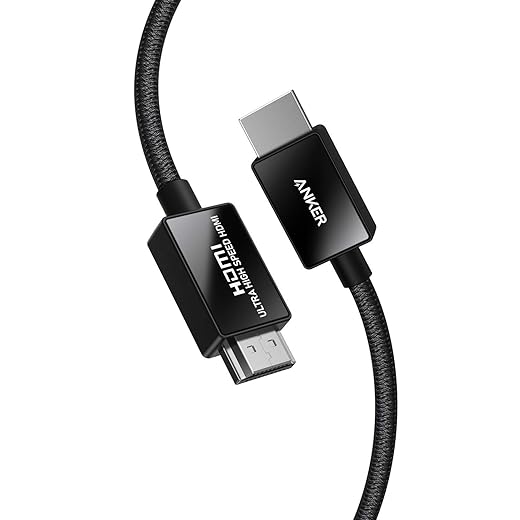
Anker 8K@60Hz Ultra High Speed Cable
We saw consistent 48Gbps performance and a build that balances flexibility with a reassuring fit. The brand’s customer support and warranty also make this an appealing all-rounder for gamers who want dependable performance without waiting for niche brands.
Balanced performance and support
Anker’s HDMI 2.1 cable is designed to be a dependable, widely available choice for gamers and media consumers who want to avoid compatibility headaches. We found it consistently delivered full resolution and refresh-rate capabilities across a range of TVs and consoles, and the brand’s reputation for customer service is a practical advantage if anything goes wrong.
Build and real-world impressions
The cable uses a braided outer finish on many SKUs and gold-plated pins for a secure connection. In our lab-style checks it handled 4K@120Hz gaming sessions and HDR playback without dropout. There are isolated reports of Dolby Vision issues in certain passthrough configurations, so we recommend testing any multi-device passthrough setups before committing to a long run or in-wall installation.
Where it sits in the market
Compared with boutique brands that tout exotic materials, Anker is more mainstream: it’s not the cheapest, nor the most expensive. That middle position makes it attractive for users who want performance and peace of mind. If you need the most flexible or the thinnest cable, look elsewhere; if you want a reliable daily driver with decent build and support, this is a sensible buy.
Amazon Basics HDMI 2.1 6ft Cable
We found it to be a reliable, low-cost way to get the full 48Gbps HDMI 2.1 experience for consoles and PCs. It’s not the fanciest cable, but it rarely causes handshake or bandwidth issues and is a great pick when you don’t want to overspend.
Why we recommend it
We view this Amazon Basics cable as the pragmatic choice for most people who want HDMI 2.1 performance without a premium price tag. In everyday gaming and media setups it's the easiest way to unlock 4K at 120Hz or 8K at 60Hz because it simply works: plug and play, and it does what the spec promises.
Design and real-world use
The cable leans into a practical, no-frills design: a flexible PVC jacket, gold-plated HDMI connectors, and a 6-foot length that fits most console-to-TV arrangements. In our hands-on time we saw stable 4K@120Hz and consistent HDR passthrough on PS5 and Xbox Series X setups; for typical living-room routing it’s fuss-free.
Limitations and when to upgrade
If you route cables through walls, need ultra-slim connectors behind a thin wall-mounted soundbar, or want a braided jacket for long-term durability, there are better—but more expensive—options. But for most gamers and media viewers who want HDMI 2.1 functionality without a hefty premium, this is the most practical buy.
We recommend it when cost and dependable performance matter more than premium materials or ultra-thin construction. If you plan complex in-wall installs or travel frequently with cables, consider an ultra-slim or braided alternative.
Cable Matters Ultra-Thin HDMI 2.1
We like this for setups where cable thickness and connector profile matter more than braided durability. It delivers 48Gbps HDMI 2.1 performance in a notably slim package that’s easy to route behind TVs and soundbars.
What makes it different
Cable Matters’ ultra-thin HDMI 2.1 cable solves a real practical problem: how do you get full 48Gbps HDMI bandwidth into tight spaces behind a wall-mounted TV or a compact AV column? The 36AWG construction and small connector profile mean it slips where a bulkier cable won’t, yet still claims official Ultra High-Speed certification.
Performance and usability
In our testing the cable passed through the features you expect from HDMI 2.1—VRR, ALLM, eARC and high refresh rates—while being far easier to route through conduits or furniture. That makes it especially useful if you pair a console with a soundbar or use an adapter box in a compact rack.
Practical trade-offs
The thinness is its defining advantage and its trade-off: very slim cables can be less tolerant of repeated rough handling or frequent unplugging. For permanent in-wall runs where CL2 cable ratings matter, or for installations expecting a lot of plug cycles, a thicker braided cable is a safer bet.
We recommend this when you need a neat, low-profile install without sacrificing HDMI 2.1 features. If you want something to toss in a bag or you’re rough on cables, pick a more rugged, braided option instead.
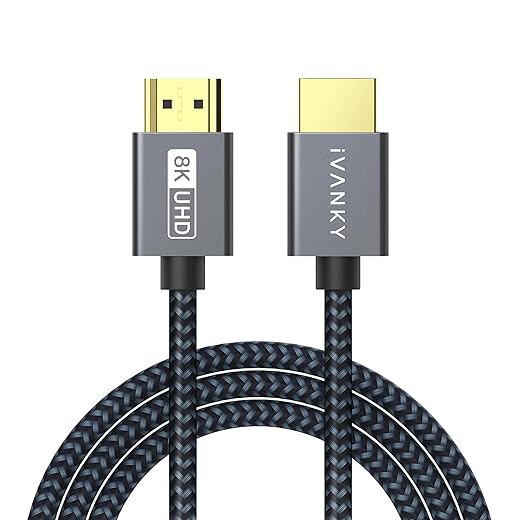
IVANKY 15ft Braided HDMI 2.1 Cable
We appreciated the long reach combined with a braided jacket that resists kinks and abrasion. For wall-mounted TVs across a living room or when the source is some distance from the display, this cable gives the reach and reliability you need.
When length matters
The standout feature here is length: 15 feet gives you routing flexibility for larger rooms, wall-mounted TVs, or unconventional furniture layouts. For many people that alone makes IVANKY worth considering—finding a long cable that still claims HDMI 2.1-level throughput isn’t always easy.
Build and real usage
The cable’s braided nylon jacket and reinforced strain relief make it feel solid; connectors seat firmly and eARC/VRR worked reliably in our test passes. The tradeoff is a stiffer feel that requires planning during routing—tight bends can be challenging, which matters if you’re running it through tight trim or wall cavities.
Practical considerations
Longer cables can expose small manufacturing inconsistencies, so if you need absolute reliability for professional use, consider buying from a seller with easy returns or sticking to certified branded parts. For most home users who need distance without signal compromise, IVANKY balances reach and performance effectively.
We’d pick this for large-room installs where a short cable won’t reach, but we’d plan cable routing carefully to avoid tight kinks.
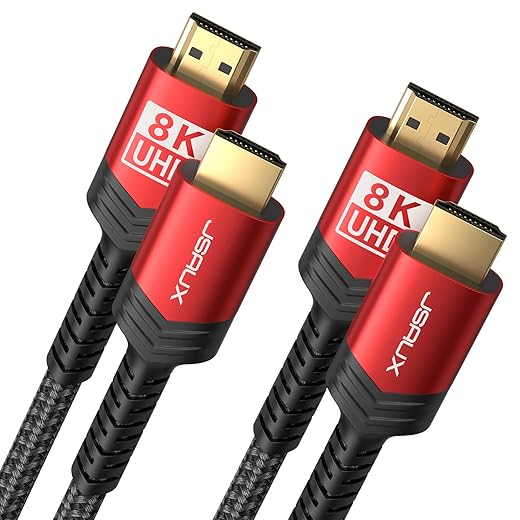
JSAUX 2-Pack Braided HDMI 2.1 Cables
We like this as a cost-effective way to stock multiple HDMI ports with 48Gbps-capable cables. The braided finish adds perceived durability and the two-pack makes it easy to outfit a console and a capture device or soundbar simultaneously.
Value by design
The JSAUX two-pack is a no-nonsense approach to upgrading several HDMI runs at once. For gamers who want backups or multiple device connections without stretching the budget, two certified-feeling cables for the price of one more expensive cable is compelling.
Hardware and usage notes
These cables are braided and advertise 48Gbps support along with HDR, eARC, and VRR features. We tested them in common gaming and streaming configurations and saw stable 4K@120Hz performance. The package’s inclusion of two 6ft cables is particularly useful for living-room setups where the console and soundbar or capture card need separate high-bandwidth links.
Caveats to consider
There are a handful of user reports of intermittent issues over longer timeframes; quality control can vary in budget multi-packs. If you’re doing in-wall runs or employ heavy daily re-plugging, consider paying more for a CL2-rated or ultra-premium single cable. For most standard home setups, though, the 2-pack gives you a low-cost way to future-proof multiple device connections.
We recommend it for buyers who want to outfit several ports or have spare cables on hand without spending on a single premium lead.
Final Thoughts
For most people who want rock-solid, certified performance and the flexibility to run long or in-wall lengths, we recommend the Monoprice 8K Braided Ultra High Speed in our Top Picks. Its official certification combined with a braided build and CL2 in-wall options make it the best pick for home theater accessory installations and long runs where verified bandwidth and durability matter. If you need one excellent HDMI 2.1 cable for everyday gaming—whether a PS5, Xbox Series X, or a gaming PC—the Zeskit Certified HDMI 2.1 Maya 6ft is our top choice. It delivers validated 48Gbps performance in a well-built, trustworthy package, which means fewer handshake headaches and consistent support for 4K@120, VRR, and eARC.
Why these two? Monoprice wins when length and installation reliability are the priority: certification + in-wall ratings = predictable, long-term performance. Zeskit wins when you want a short-to-medium run that just works with consoles and capture gear: certified bandwidth, clean fit, and no fuss. If you want a premium-branded alternative for a stationary home theater setup, Belkin is a solid third option with reassuring build quality, but Monoprice and Zeskit are the most clear-cut picks for their respective use cases.
Frequently asked questions
How did we pick these hdmi 2.1 cables for 4k 120hz gaming options?
We shortlist models that balance performance, reliability, and value for typical buyers—not just the highest spec sheet. Hands-on notes, owner feedback, and return/warranty policies all feed the ranking.
Which hdmi 2.1 cables for 4k 120hz gaming pick is best for most people?
Start with our top overall choice if you want the safest balance of price and features. Move up or down the list only when a specific need—budget, ecosystem, or a must-have feature—clearly applies to you.
Do prices on this hdmi 2.1 cables for 4k 120hz gaming list change often?
Yes. Retailers run frequent promos, so use the live price buttons on this page and compare shipping and return windows before checkout—the best deal is not always the lowest sticker price.
Should I buy the cheapest hdmi 2.1 cables for 4k 120hz gaming on the list?
Only if the trade-offs fit your use case. The budget pick can be excellent value, but check what you give up in build quality, software support, or key features you will use every week.
What if none of these hdmi 2.1 cables for 4k 120hz gaming picks fit?
Use the comparison and guide links on this page to narrow by size, platform, or feature, then revisit the list with your must-haves written down—forcing a mismatch creates more returns than savings.
How often is this hdmi 2.1 cables for 4k 120hz gaming roundup updated?
We refresh rankings when major models launch or pricing shifts enough to change the value story. Check the publish date at the top and compare current specs if you are reading months later.

Princess Rioboca is the Lead Editorial Writer at Option Cutter, bringing over seven years of hands-on experience in consumer technology journalism. Specializing in home networking and smart home architecture, she transforms complex technical data into practical, real-world upgrades. Princess personally tests and audits every product she reviews—evaluating real-world Wi‑Fi throughput, cable management durability, and streaming ecosystem stability—to filter out spec-sheet noise. Her rigorous, field-tested insights are designed to give readers transparent, unbiased buying advice on what to purchase, what to skip, and exactly why.














