



We weigh whether OLED’s image‑retention risk or Mini‑LED’s haloing will actually shape your living‑room choices—because beyond specs it’s about longevity, picture fidelity, and how each fits into today’s streaming, gaming, and smart‑home ecosystems.
We test how oled burn‑in and Mini‑LED blooming affect real life, comparing the LG 65″ OLED evo C5 (2025) and Samsung 65″ Neo QLED QN90B (2022) so we can recommend which fits our viewing habits, setup, and long‑term ownership needs in this comparison.
Cinematic Blacks

Bright Rooms

LG C5 OLED
- Truly infinite contrast and exceptional black levels
- Excellent out-of-the-box picture processing and AI upscaling
- Very low motion blur and top-tier gaming responsiveness
- Slim industrial design with minimal bezel and good built-in audio options
- Higher long-term burn-in risk compared with emissive-free designs
- Less peak HDR brightness than top-tier mini‑LEDs in very bright rooms
Samsung QN90B QLED
- Extraordinary peak brightness and punchy HDR for bright-room viewing
- Excellent color volume and precise local control with Mini‑LED
- Low risk of image retention or burn-in, making it friendly for static UI use
- Strong gaming feature set and refined smart platform
- Mini‑LED blooming/haloing can be visible on high-contrast scenes
- Slightly lower absolute black level fidelity versus OLED in dark-room viewing
Feature Comparison
| Cinematic Blacks LG C5 OLED | VS | Bright Rooms Samsung QN90B QLED |
|---|---|---|
9.8 / 10 | Contrast & Black Levels |
9 / 10 |
8.6 / 10 | Peak Brightness & HDR |
9.6 / 10 |
9.2 / 10 | Uniformity / Bloom Control |
7 / 10 |
6 / 10 | Burn-In Risk / Long-term Durability |
9.6 / 10 |
$1,399.00 | Current price |
$899.00 |
| Buy for $1,399.00 | Buy for $899.00 |
Is OLED Burn-In Really a Problem?
How OLED Burn‑In and Mini‑LED Blooming Happen — The Technical Differences
OLED: organic pixels and differential ageing
olenders panels like the LG OLED65C5PUA use self‑emissive organic diodes — each pixel generates its own light and color. That gives us perfect blacks and pixel‑level contrast, but it also introduces a wear mechanism: organic emitters age with use. If a small group of pixels displays the same bright UI elements or game HUD for thousands of hours, those pixels dim faster than surrounding pixels. Over time that differential ageing shows up as permanent “burn‑in” or ghost images.


Mini‑LED: local dimming, zone control, and blooming
Samsung’s QN65QN90BAFXZA uses a dense Mini‑LED backlight array behind an LCD panel. Rather than per‑pixel light, thousands of tiny LEDs are grouped into local dimming zones controlled to boost contrast. Because those zones aren’t infinitely small, very bright objects on a dark background can illuminate neighboring zones — creating halos or “blooming.” It’s not permanent; it’s an optical artifact caused by light spread, zone transitions, and the LCD’s liquid crystal response.


Why the mechanisms matter to buyers
Real‑World Picture Performance: Brightness, HDR, Motion, and Artifact Visibility
HDR highlights and peak brightness
When we watch hdr movies and bright highlights, the QN90B’s Neo Quantum / Mini‑LED stack wins sheer punch. Its higher peak brightness and aggressive zone boosting make specular highlights — explosions, sun flares, specular reflections — jump off the screen in a way the LG C5 can’t quite match.
The LG C5, however, keeps advantage where it matters for contrast: its self‑emissive pixels deliver absolute blacks and micro‑detail in shadowed scenes that Mini‑LED can’t fully replicate without local dimming transitions.


Contrast, shadow detail, and motion
For night‑time movie watching we prefer the LG’s infinite contrast: black levels are perfect, so small bright details look cleaner and more natural. For bright‑room viewing, the Samsung’s extra brightness and anti‑glare handling keep images readable without crushing hdr, inc. detail.
Motion is another place the C5 feels snappier. OLED’s near‑instant pixel response yields crisper panning and less perceived blur for fast sports and gaming. Samsung’s processing and higher refresh-rate handling reduce judder and tearing, but the LCD response and zone switching can make very fast motion look slightly softer.
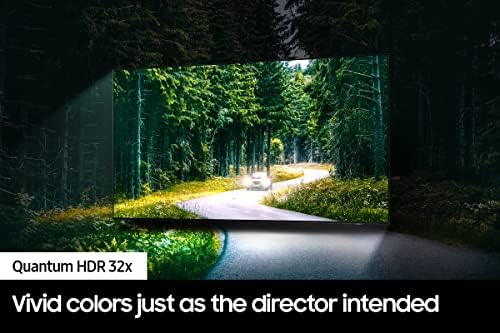

Artifact visibility by content: movies, sports, news tickers, and gaming
Longevity, Mitigation, and Ownership Costs: Warranty, Settings, and Real‑World Risk
Permanent vs transient risk
We see OLED burn‑in on the LG C5 as a low‑probability but permanent failure mode if you routinely display static elements (HUDs, news tickers, score boxes) for thousands of hours. The Samsung QN90B’s mini‑LED blooming is transient — annoying while visible, but it disappears when the content changes and won’t scar the panel.
Manufacturer mitigations
Both TVs include active measures that matter in daily use.
Warranty, service, and real costs
Neither manufacturer typically treats user‑caused burn‑in as a covered “defect” under a standard warranty, so replacement for heavy static use often falls to the owner. Extended or retailer warranties sometimes cover panel failures; check terms closely for image retention exclusions. Repair or replacement costs for a 65‑inch panel are significant and will often exceed the cost of an extended protection plan.
Practical settings to reduce risk (without killing picture)
What this means for buyers
For typical households and most gamers we recommend the QN90B if you want zero long‑term replacement anxiety. For enthusiasts who prize absolute blacks and superior motion (and accept careful habits), the C5 delivers unique picture quality — but with a resale and replacement risk premium if misused.
User Experience, Design, and Ecosystem: Which TV Fits Your Setup?
Physical design & ergonomics
We like the C5’s near‑invisible bezel and lightweight chassis (about 40.8 lb); it reads as a living‑room art piece and is easier to wall‑mount. The QN90B is sturdier and heavier (about 69 lb) with a rounded back and Neo Slim profile—it sits confidently on a console and tolerates brighter rooms better. In short: LG is sleeker, Samsung is built for presence.
Smart OS, remote, and day‑to‑day use
webOS 25 on the LG is fast, curated, and leans into AI upscaling and content discovery. Tizen on Samsung is more mature, integrates SmartThings, and exposes more voice‑assistant choices (Bixby/Google/Alexa). The Magic Remote’s point‑and‑click on LG feels more intuitive for browsing; Samsung’s OneRemote is pared down and reliable across devices. For Apple users we favor the LG (AirPlay/HomeKit cues); for SmartThings or multi‑assistant households, the QN90B fits better.
Sound, inputs, and gaming ergonomics
Both ship with useful built‑ins: LG offers Dolby Atmos and Wow Orchestra-style multi‑speaker support, while Samsung has Object Tracking Sound+ and Q‑Symphony compatibility for seamless soundbar pairing. For gaming, the C5’s advertised 0.1ms response, native 120Hz (and headroom up to 144Hz for PC), VRR, and four HDMI 2.1 ports give us confidence for high‑frame‑rate setups. The QN90B is no slouch—low lag, ALLM and VRR support—but the LG targets competitive gamers and PC users more aggressively.
Why this matters more than artifacts
Ecosystem and UI determine whether a TV feels effortless every day. App availability, remote ergonomics, voice‑assistant choice, and soundbar pairing often matter more than the low‑probability annoyance of burn‑in or transient blooming.
Frequently asked questions
Which is better, OLED Burn-In or Mini-LED Blooming?
There is no universal winner: OLED Burn-In fits some buyers and Mini-LED Blooming fits others. We compare specs, daily use, and trade-offs in this guide so you can match the pick to your budget and workflow, not a single spec sheet.
What is the main difference between OLED Burn-In and Mini-LED Blooming?
OLED Burn-In and Mini-LED Blooming target overlapping but not identical use cases. The sections above break down design, performance, ecosystem, and value so you can see where each product pulls ahead and where it compromises.
Should I buy OLED Burn-In or Mini-LED Blooming first?
Buy the product that removes your biggest daily friction first. If OLED Burn-In solves your primary pain point, start there; if Mini-LED Blooming is the bottleneck in how you actually work or play, prioritize it. Many households add the other later.
Is OLED Burn-In worth it over Mini-LED Blooming?
OLED Burn-In is worth the premium over Mini-LED Blooming when you will use the features that justify the price—extra performance, build quality, or ecosystem lock-in. If those extras go unused, Mini-LED Blooming usually delivers better value.
Can OLED Burn-In replace Mini-LED Blooming?
For some users, yes; for others, no. OLED Burn-In can cover most tasks Mini-LED Blooming handles, but gaps in compatibility, accessories, or specialized workflows may still matter. Use our comparison table and verdict to see which gaps apply to you.
Who should choose OLED Burn-In vs Mini-LED Blooming?
Choose OLED Burn-In if its strengths match how you will use it every day; choose Mini-LED Blooming if you need its specific advantages or a lower entry price. When in doubt, favor the option that fixes your most frequent frustration—not the highest spec on paper.
Final Verdict — Which Artifact Is Worse for Most Buyers?
We think OLED burn‑in is the worse artifact for most buyers because it’s permanent and cumulative; heavy news, sports, or gaming sessions with static HUDs create long‑term risk. That makes the Samsung 65″ Neo QLED QN90B the safer pick for households, bright rooms, and gaming where longevity matters. The LG 65″ OLED evo C5 remains the choice for cinephiles and gamers who value perfect blacks, superior contrast, and next‑gen processing — provided they accept active precautions.
To live with OLED safely, keep brightness moderate, use pixel‑refresh, enable logo dimmers, and vary content schedules; use the LG when you mostly stream movies and play varied games. If you watch long‑running channels with static logos or need a bright living‑room set and minimal artifact risk, pick the Samsung and fine‑tune local‑dimming, HDR tone mapping, and contrast to tame blooming. For most buyers we’d choose the QN90B for peace of mind; are you willing to trade permanence for the last stop on black levels?

Princess Rioboca is the Lead Editorial Writer at Option Cutter, bringing over seven years of hands-on experience in consumer technology journalism. Specializing in home networking and smart home architecture, she transforms complex technical data into practical, real-world upgrades. Princess personally tests and audits every product she reviews—evaluating real-world Wi‑Fi throughput, cable management durability, and streaming ecosystem stability—to filter out spec-sheet noise. Her rigorous, field-tested insights are designed to give readers transparent, unbiased buying advice on what to purchase, what to skip, and exactly why.















