



The hidden threat in your wall outlet
We plug dozens of chargers into our lives without a second thought. Cheap chargers save a few dollars up front, but they seed a cascade of problems that show up as heat, slower charging, and unpredictable device behavior.
We tested units, measured currents, and examined user impact across phones, laptops, and accessories. Our approach mixes hands-on testing, UX analysis, and ecosystem context in our product reviews to show why the savings are false economy.
Below we preview five areas where cut‑price chargers quietly undermine devices and owners: safety, battery health, standards confusion, poor build and interference, and ecosystem lock‑in. Each one matters to daily use and long‑term ownership. We aim to give practical guidance in our product reviews so readers can choose chargers that protect devices and wallet.

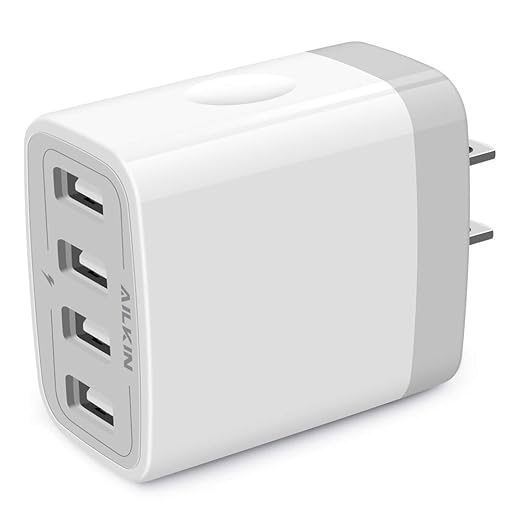

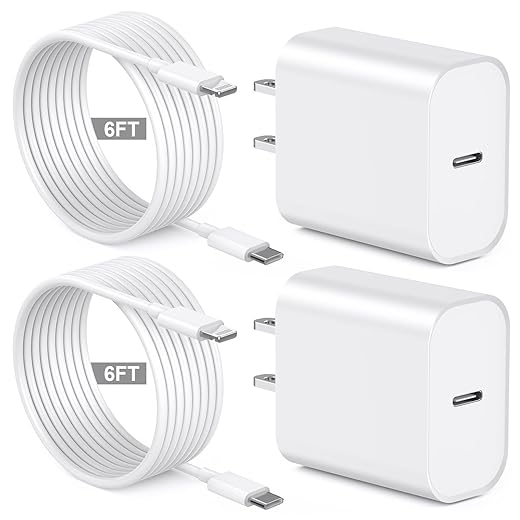
Are Cheap Phone Chargers Dangerous? Tips from Mobilise Tech
Safety first: heat, shorts, and why cheap chargers cause real damage
Why components and thermal design matter
We tend to treat a wall charger like a passive box, but inside it are switching power supplies, capacitors, transformers, and safety barriers that must play nice under heat and load. Low-cost chargers skimp on grade-A capacitors, PCB spacing, thermal pads, and insulation. That shortcut turns a device meant to live at room temperature into a small oven during a long charge — accelerating insulation breakdown, cracking solder joints, and eroding protective coatings.
Everyday failure modes you’ll notice
When those parts fail, the effects aren’t abstract: we see swollen batteries, melted plastic around ports, fried charging ICs, and in rare cases, smoke or fire. For the end user this looks like:
A teammate once experienced a phone that would only charge intermittently; inspection revealed a scorched charging circuit tied to a cheap third‑party wall brick — a single $8 charger that led to a $200 repair.
How manufacturer priorities and patchwork regulation drive risk
Manufacturers focused on lowest cost will remove safety margins that established brands keep. Certifications — UL, ETL, CE — mean something only if the test house and enforcement are meaningful. Enforcement is uneven worldwide, and counterfeit or mislabelled units slip through marketplaces. That makes consumers the last line of defense: if the label looks official but the build doesn’t, it might be a fake.
Practical signs and fixes (what we do)
Look for these immediate red flags and actions
Prefer chargers from reputable vendors (Anker, Belkin, Apple, Samsung) or well-reviewed specialty brands, buy from authorized sellers, and avoid ultra-cheap no-name units on auction sites. When in doubt, trade a few dollars for peace of mind — and inspect chargers periodically for cracks, loose prongs, or unusually warm cases.
The slow creep: charging inefficiency and long-term battery degradation
Peak claims vs. sustained reality
Marketing loves a big number: “65W” or “100W” looks great on a product page. But negotiated fast charging isn’t one-shot bragging rights—it’s a profile over time. Cheap chargers will often deliver a high burst for a few seconds or only at a single port, then fall back as components heat up. That means your laptop or phone thinks it’s getting fast power, but in practice the charge takes longer and stresses the battery differently than a steady, spec‑compliant source.
Why unstable delivery hurts lithium cells
Lithium-ion batteries live and die by voltage, current, and temperature. Proper chargers follow a CC/CV (constant-current, then constant-voltage) profile with a controlled charge-cycle taper as the cell nears full. Low-cost bricks can produce:
Those effects compound: more SEI growth means higher internal resistance, which raises temperature on subsequent charges and accelerates capacity loss. In plain terms, the battery loses usable milliamp-hours faster.
How degradation shows up for users
We notice the consequences quickly in everyday life
This is more than an annoyance. For people who expect full-day uptime for work or travel, it changes device choice and behavior — and often pushes users toward battery replacements or new devices sooner than necessary.
Practical steps we follow
Next, we’ll unpack the standards and power profiles that make those recommendations meaningful — and why compatibility is rarely as simple as “it fits the cable.”
Standards, power profiles, and the illusion of compatibility
Why “it fits” isn’t the same as “it works”
We plug a USB‑C cable in and assume the wall brick and phone will politely agree on a fast charge. In reality they have a short conversation — a handshaking process — before power flows. That negotiation decides voltage, current, and whether the charger can change those values dynamically. When manufacturers only half‑implement a standard, that conversation breaks down and the user experience degrades.
Key terms, in plain language
What cheap chargers get wrong
Partial or incorrect implementations are common in bargain bricks
Real consequences: a phone that should hit 25W sits at 7.5W, a laptop refuses to charge while under load, or a device reboots because the charger briefly presents an out‑of‑spec voltage.
Practical checks and quick wins
When vendors invest in full, certified implementations, devices behave consistently across ecosystems. When they don’t, the result is consumer confusion, fragmented accessory markets, and a steady stream of “this charger doesn’t work” complaints — which brings us to how build quality and interference further erode the user experience.
Build quality, interference, and the unnoticed UX costs
Electromagnetic noise and the invisible disruption
Cheap power bricks often cut corners in their switching designs and shielding. The result isn’t just an inefficient charger — it’s a noisy one. We’ve seen inexpensive adapters produce a high‑frequency whine in earbuds, introduce packet loss on nearby Wi‑Fi, and on rare occasions upset Bluetooth headsets mid‑call. These are classic radio‑frequency interference (RFI) symptoms: poor EMI/RFI suppression, absent ferrite beads, or thin PCB grounding that lets switching noise leak into the air.
A real example: during field testing, a handful of sub‑$10 chargers caused intermittent dropouts on a 2.4 GHz network in a small apartment, while a well‑shielded, name‑brand charger left throughput unchanged. For anyone on a video call, that difference is immediately palpable.
Connector and cable durability: the everyday frictions
The tactile side of charging matters more than we admit. Flimsy plugs that wiggle in a port, loose USB‑C connectors that lose orientation tolerance, and cables with minimal strain relief all create daily friction. We’ve seen brittle plastic housings crack after a few months, and cheap moldings that let pins misalign — leading users down a detective game of “is it the cable, the charger, or the phone?”
Physical upgrades to look for

The support layer: warranties, returns, and accessory ecosystems
After‑sales support is part of the UX product. A good warranty, transparent specs, and a healthy accessory ecosystem save hours of troubleshooting. Cheap no‑name gear often ships with opaque specs, short or non‑existent warranties, and sparse replacement parts — so the moment something goes wrong you’re stuck buying another mystery brick. By contrast, brands that participate in USB‑IF, offer clear documentation, and sell matching cables reduce cognitive overhead for users.
Practical next steps (what we do)
These everyday design and service choices don’t just protect hardware — they make charging disappear into the background. Up next, we’ll trace how these decisions feed into larger market strategies and ecosystem lock‑in.
Design choices, ecosystem lock-in, and the competitive stakes
We step back here to look at why different players — device makers, accessory brands, and retailers — pick very different charger strategies. Some treat chargers as a tightly controlled part of the product experience; others push ultra‑cheap commodity bricks to win on price. Those choices shape what we expect when we unbox a device, and they shape how long that device actually performs well.
Chargers as a deliberate product lever
Brands use power delivery as a design tool. Make your charger proprietary or certified, and you get tighter control over speed, safety, and the “out‑of‑box” experience; loosen that control, and you open margins (and risk). Think of Apple and MagSafe’s ecosystem play, or laptop makers that certify only certain high‑watt chargers for full performance. That’s not just lock‑in — it’s a business decision to trade openness for predictability.
Warranties, support, and the implied value of trust
After‑sales care is a competitive weapon. Clear warranty terms, fast RMA processes, and documented compatibility reduce friction for users and make higher upfront prices easier to stomach. Conversely, cheap no‑name suppliers routinely ship with ambiguous specs and scarce support. A practical tip: before you buy, glance at the warranty and look for phrases about accessory‑caused damage — some manufacturers explicitly reference third‑party chargers in their service policies.
The race to the bottom and why it hurts us all
When retailers commoditize chargers, margins shift toward disposability. That downward spiral cuts testing, documentation, and long‑term support — and increases failure rates, interference, and e‑waste. The financial win for one purchase often translates to repeated replacement costs (and frustrated users) over the life of a device.
A simple decision framework we use
Use this framework to turn price into a system‑level judgement: not “cheap vs expensive,” but “cheap now versus reliable over three years.” With that perspective in place, we can move to practical buying rules that keep cost down without sacrificing long‑term value.
How we choose chargers that don’t cost us more
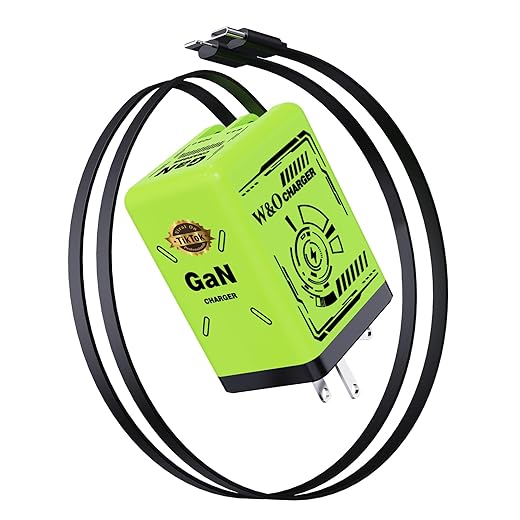
We pick chargers by checking safety markings (UL/ETL/TUV), vendor certification (USB-IF, PD, GaN), and clear power-delivery profiles — not marketing. Prefer chargers that report proper voltages, have thermal protection, and solid construction: robust cables, grounded plugs, and good EMI shielding. Spend more for multi‑port PD hubs or GaN units that consolidate gear and reduce long-term replacement costs.
Regulators and makers should standardize labeling, certify cross‑brand profiles, and enforce testable safety metrics so average buyers don’t shoulder technical risk. For now we shop like systems designers: prioritize verified behavior over price, and protect devices — and wallets — by choosing chargers that behave like part of our ecosystem, not disposable accessories.
Frequently asked questions
What is the main point of “Why Cheap Chargers Are Secretly Ruining Your Devices”?
This piece explains where why cheap chargers are secretly ruining your devices matters in real buying decisions—not just headline specs. We focus on trade-offs, who benefits most, and what to verify before you spend.
Who should read this why cheap chargers are secretly ruining your devices guide?
Read it if you are actively shopping, upgrading, or trying to separate marketing claims from day-to-day use. Skip it if you already own the gear and are not planning a change this season.
What changed recently around why cheap chargers are secretly ruining your devices?
Prices, firmware, and feature tiers shift quickly in this category. We call out what is new enough to affect your decision and what is incremental hype you can safely ignore.
How should I use this editorial when buying?
Treat it as context before you compare models: note the risks and priorities here, then cross-check specs and current pricing on the picks that match how you actually use the product.
What is easy to get wrong about why cheap chargers are secretly ruining your devices?
Buyers often overweight one spec—brightness, speed, or brand—and underweight fit for their room, ecosystem, or warranty support. We flag the mismatch we see most often in reader questions.
Where should I go next after reading?
Use the related comparisons and top picks linked near the end of this article for model-level shortlists, then confirm return policies and compatibility with the devices you already own.

Iqra Jumar is Option Cutter's editorial writer. She writes practical editorials and buyer guides that focus on real-world upgrades—better Wi‑Fi, cleaner cable setups, smarter streaming, and everyday fixes—not spec-sheet noise alone. Her work helps readers decide what to change now, what to skip, and why.









