

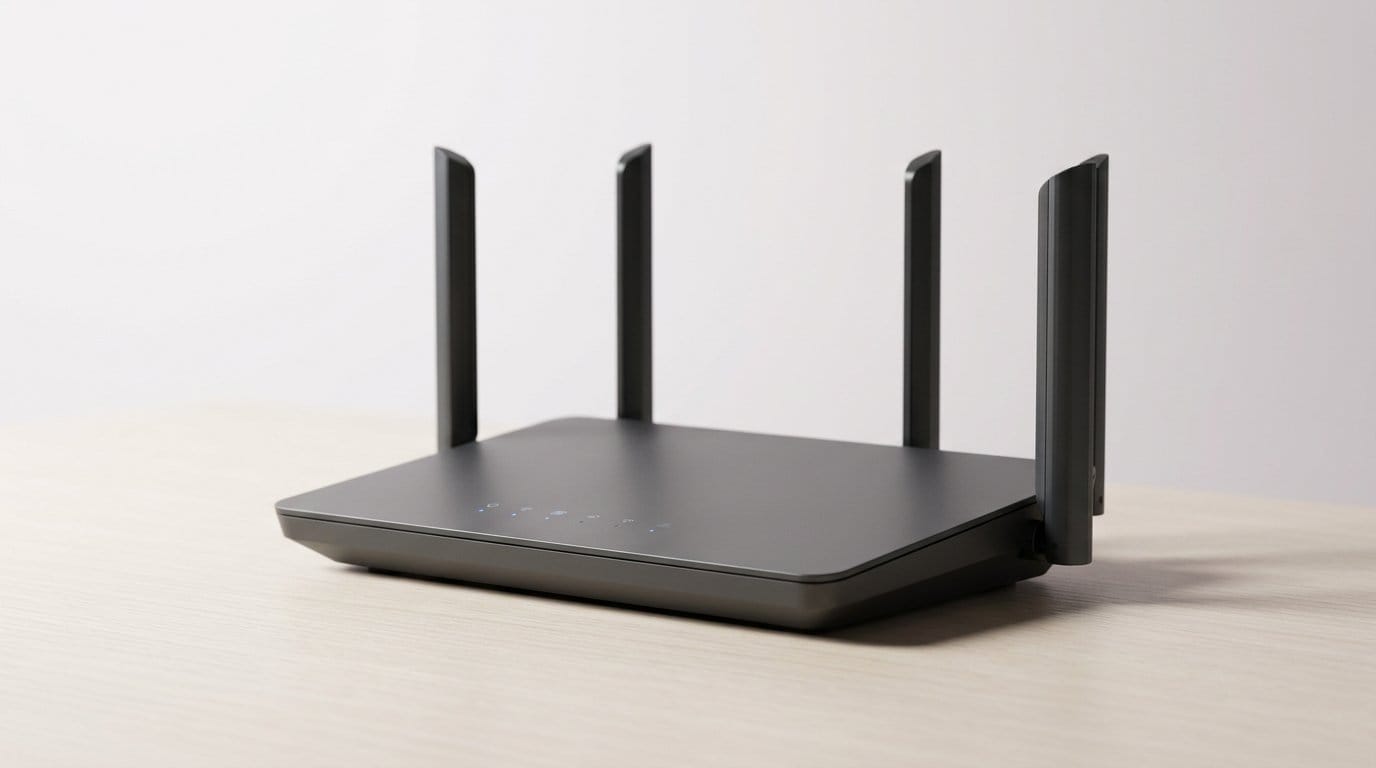

Why we almost always pay more for Wi‑Fi than we should
We walk into the Wi‑Fi market with sensible goals — fast, reliable home internet — and walk out paying for router features we neither need nor use. The industry blurs real improvements and marketing noise: ISPs bundle mediocre gateways, makers trumpet headline speeds that don’t match homes, and subscriptions add recurring fees to one‑time purchases. We choose by specs, not by how devices perform in our homes.
This matters because user experience depends on placement, wiring, and software, not the biggest number on the box. In a market focused on convenience and ecosystem lock‑in in our editorials, we must learn to spot true value. This article shows traps — how to get coverage.


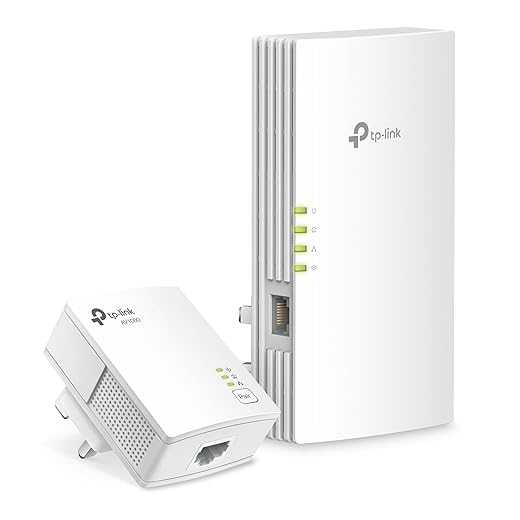
Save Big on WiFi: 3 Hacks That Actually Work
The specs arms race: headline numbers that don’t reflect our daily experience
The noise: headline specs vs. what we actually use
Manufacturers shout multi‑gig aggregate speeds, extra bands, and alphabet soup like AX or Wi‑Fi 7. We see 11,000 Mbps and assume our Netflix, Zoom, and game downloads will rocket. In practice, those numbers come from lab sums across multiple radios and channels. Most of our phones and laptops are 2×2 or 3×3 clients that can’t use the router’s peak all at once — so the box’s “11 Gbps” means very little for browsing from the couch.
Real‑world bottlenecks that matter more
Three limits usually dominate
A concrete example: we’ve seen homes with a $400 tri‑band router still get 100–200 Mbps in rooms behind two drywall walls — the router’s headline simply can’t overcome physics.
UX costs of chasing specs
Chasing top-tier numbers often buys us bulkier hardware, higher power draw, and complex router apps with dark patterns to push add‑ons. High‑end models — think RAXE or GT‑AXE class routers — deliver lab numbers but also more heat, firmware quirks, and marginal real‑world gains for most households.
How to choose for the home that actually exists
Pick for sustained throughput and coverage where you live, not peak lab figures. Quick checks
Those simple tests cut through the marketing noise faster than any spec sheet.
How ISP rentals and gateways disguise the true cost of connectivity
The convenience tax
ISPs bundle modem and router into one “gateway” and sell us a single‑box, plug‑and‑play promise. That’s handy — until we add up rental fees. Many providers charge $8–15 a month for that convenience, which compounds to $100–$200 a year. Over three years that’s often more than a decent third‑party modem plus router. Beyond dollars, the real cost is control: locked‑down firmware, limited configuration, and vendor‑specific UX that steers us toward the ISP’s paid services.
Designed for broad support, not great Wi‑Fi
From a product perspective, ISP devices are optimized for predictability. Antennas tucked behind plastic, one‑size GUIs full of upsell modules, and firmware support package pushed on a slow schedule — all reduce support calls and liability for the carrier. That’s fine for basic connectivity, but it means mediocre coverage and fewer tuning options for advanced home networks. ISPs trade hardware control for predictable repair costs and recurring revenue; competition on device quality rarely follows because the business model rewards standardization over innovation.
The real tradeoffs if we replace ISP gear
When we swap the gateway for a separate modem and third‑party router, we usually get
But we also take on
Quick criteria to decide
We’ll get more granular on how to test and shop for that gear in the next section.
Mesh systems sell simplicity — but we pay a premium for convenience
Mesh networking fixed real problems: one SSID across the house, fewer dead spots, and an app that makes setup painless. We love that polished experience — and vendors know it. The same UX that removes friction also packages value into hardware, software, and ongoing services, and that bundle is why mesh kits cost more than a router plus a cheap extender.
What mesh actually solves (and how)
Mesh answers roaming hiccups and multi‑room handoffs with coordinated radios and automatic band steering. It hides complexity: firmware ota. For a family that wants “set it and forget it,” that’s priceless — we’ve seen households where adding a single satellite cured a flaky smart TV and stabilized video calls on three floors.
Why the convenience carries a markup
The premium isn’t just antennas. It’s
When to pay for mesh — and when not to
Buy mesh if you have
Skip mesh and save if you can
Quick tip: if you’re unsure, start with one mesh node and test coverage before buying a whole kit — many problems can be solved incrementally without paying for the full convenience package.
The subscription shift: paying for features we used to get for free
Why vendors are moving to subscriptions
We’re seeing a clear pivot: companies that used to sell a router and be done with it now layer recurring fees on top. Recurring revenue smooths income, funds ongoing cloud services, and makes valuations look better to investors. From a UX perspective, subscriptions let vendors push polished analytics, remote management, and automatic threat blocking that are hard to monetize as a one‑time purchase. But that business logic changes our relationship with hardware — and our wallets.

What we actually get (and what we don’t)
Common subscription features include
Those do feel modern. The tradeoff: some features are “cloud‑only” so you lose them if you opt out, and vendors often lock nicer bits behind tiers — free basics, pay for polish.
How subscriptions change the lifetime cost
A $5–15 monthly fee compounds quickly. A $120 router with a $6/month plan adds $432 over six years, tripling our effective cost. Subscriptions also incentivize shorter firmware life: companies can sunset devices or force upgrades to keep users paying for new features.
A quick checklist to decide if it’s worth it
If the subscription replaces hours of troubleshooting, gives family safety we’ll actually use, or bundles antivirus we’d otherwise buy separately, it can be a rational purchase. Otherwise, treat it like any ongoing household bill — optional, and worth negotiating or avoiding.
What we often ignore: wiring, placement, and cheaper physical fixes
Start with the house, not the hype
Before we reflexively buy a pricier router or mesh kit, walk the space. Little structural changes often yield the biggest UX wins: elevating a router off the floor, centering it in the house, or rotating antennas toward problem rooms can turn a flaky connection into a usable network. These are design decisions, not feature wars — and they matter because wireless range and reliability are governed by physics, not marketing copy.
Affordable fixes that punch above their price
Alternatives to buying another Wi‑Fi box
Powerline adapters and MoCA offer wired backhaul without invasive cabling. Their real-world performance depends on your home wiring and outlets — but in many houses they outperform wireless-only fixes, especially for streaming and game latency.
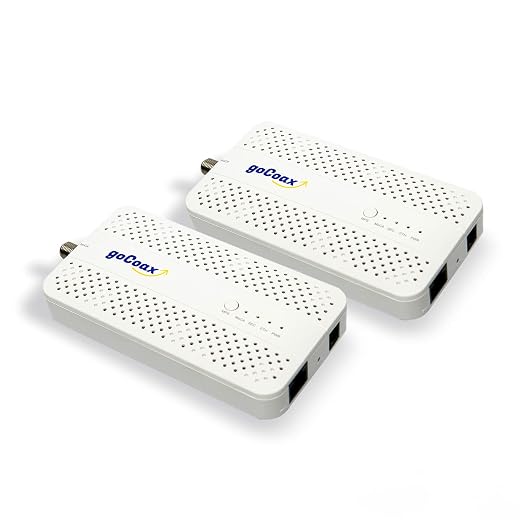
MoCA tends to be most reliable where coax is present and in good condition; powerline is convenient where outlets are clean and on the same circuit. Try one adapter pair before upgrading an entire mesh system: it’s cheap, reversible, and often solves the problem.
A quick field test plan
Vendors quietly downplay these tactics because they don’t sell new boxes. For shoppers willing to do a little measuring and a short DIY task, the payoff is better reliability and a much lower total cost — a practical bridge into smarter purchasing decisions we’ll outline next.
Buying smarter: a needs‑first checklist and market‑savvy shopping tactics
We’ve walked the house and tried simple fixes. Now we buy with intent. Below is a compact, needs‑first framework so we stop overpaying for features we won’t use.
Start with a short checklist
Measure, then pick
Run a few quick tests: one‑room speed test with Ethernet (if available), a walk‑through Wi‑Fi test with a phone, and a single‑day swap of equipment or placement. If a wired backhaul is possible, that often changes which wireless kit makes sense.

Prioritize software and real costs
We favor devices whose vendors publish firmware lifecycles and let us host local features. Check for
Market‑savvy shopping tactics
Futureproof without gold‑plating
Buy modularly: start with a single capable router or a two‑node mesh and expand to targeted satellites where we actually need them. Prioritize devices with strong software lifecycles over the highest raw spec, and reserve premium purchases for the one or two rooms where the difference is obvious.
Next, we’ll pull these threads together so we spend deliberately, not reflexively.
Spend deliberately, not reflexively
The Wi‑Fi market is noisy, but most extra cost comes from predictable places: marketing specs that don’t match experience, ISP‑owned gateways, convenience premiums, and recurring subscriptions. We argue that focusing on actual device needs, room‑by‑room coverage, and simple physical fixes (better placement, wired backhaul, or a single access point) gives better performance for less money and fewer vendor lock‑ins.
Start by auditing coverage and devices, question rental and subscription fees, and prefer modular buys that scale. When premium features truly solve a real problem, buy them; otherwise, keep it simple and spend deliberately. Cut the markup.
Frequently asked questions
What is the main point of “Why Most People Are Overpaying for Their Wi-Fi Setup”?
This piece explains where why most people are overpaying for their wi-fi setup matters in real buying decisions—not just headline specs. We focus on trade-offs, who benefits most, and what to verify before you spend.
Who should read this why most people are overpaying for their wi-fi setup guide?
Read it if you are actively shopping, upgrading, or trying to separate marketing claims from day-to-day use. Skip it if you already own the gear and are not planning a change this season.
What changed recently around why most people are overpaying for their wi-fi setup?
Prices, firmware, and feature tiers shift quickly in this category. We call out what is new enough to affect your decision and what is incremental hype you can safely ignore.
How should I use this editorial when buying?
Treat it as context before you compare models: note the risks and priorities here, then cross-check specs and current pricing on the picks that match how you actually use the product.
What is easy to get wrong about why most people are overpaying for their wi-fi setup?
Buyers often overweight one spec—brightness, speed, or brand—and underweight fit for their room, ecosystem, or warranty support. We flag the mismatch we see most often in reader questions.
Where should I go next after reading?
Use the related comparisons and top picks linked near the end of this article for model-level shortlists, then confirm return policies and compatibility with the devices you already own.

Iqra Jumar is Option Cutter's editorial writer. She writes practical editorials and buyer guides that focus on real-world upgrades—better Wi‑Fi, cleaner cable setups, smarter streaming, and everyday fixes—not spec-sheet noise alone. Her work helps readers decide what to change now, what to skip, and why.









