

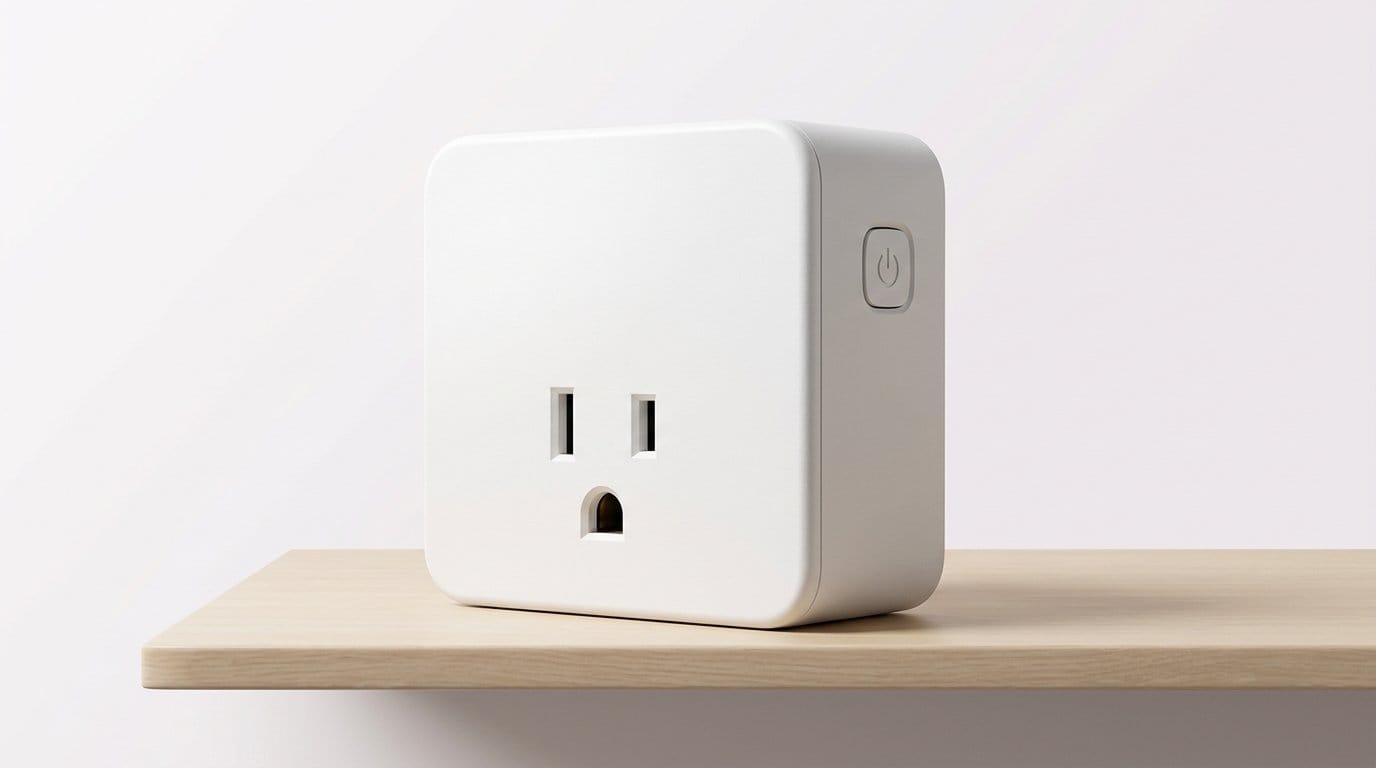

Which tiny outlet will run your smart home — and which will just blink at you?
Smart plugs are the easiest upgrade that actually saves time, energy, and sanity. They tuck behind lamps, trigger routines, and—when they measure watts—give us real data to cut costs.
We tested Matter-ready models, HomeKit-first plugs, and bargain four-packs. We focused on real user experience: setup friction, design that fits real outlets, how well each one plays with Alexa/Google/HomeKit/Matter in our Top Picks, and whether energy monitoring actually changes how you automate.
Top Picks





Kasa Matter Plug with Energy Monitoring
We appreciate how this model bridges modern interoperability with actionable energy data. It reduces friction in multi‑vendor networks while giving useful consumption readouts that matter for practical savings and automation decisions.
What sets it apart
This Kasa plug pushes the conversation from brand-locked automation to cross-platform compatibility. With Matter certification and local‑LAN control, we can build routines that work across Apple Home, Google, Amazon, and SmartThings without duplicate apps and brittle cloud dependencies. The inclusion of energy monitoring turns it from a simple on/off device into a source of usage intelligence.
Key features and benefits
For households that are already invested in multiple smart platforms, Matter is not just a convenience—it reduces setup friction and increases resilience when internet outages or cloud changes happen. The energy metrics are practical: we used them to see which lamps, chargers, or holiday displays were actually worth automating and which were quietly wasting power.
Practical trade-offs
In short, this plug is forward-looking. It’s one of the easier ways to future-proof a mixed ecosystem while getting tangible value in the form of consumption data and more reliable local control.
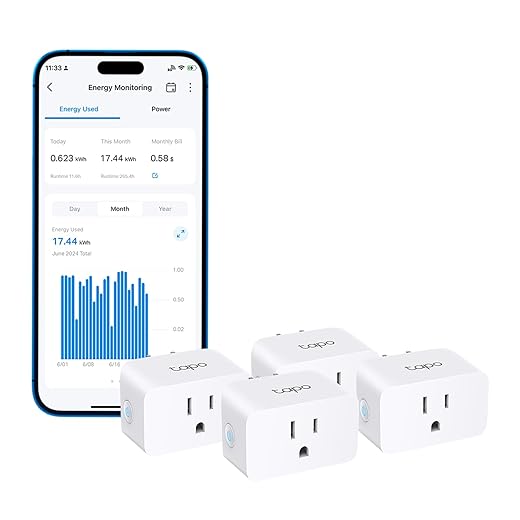
TP-Link Tapo P115 — Energy Monitoring Plug
We found the energy monitoring and scheduling features particularly well executed—useful charts and charge guards make it more than a simple on/off device. It’s small, smart, and very practical for tracking costs.
Why energy monitoring matters
The Tapo P115 is notable because it treats the smart plug as a source of data, not just a switch. We used its consumption logs to troubleshoot high-usage appliances and to set up charge-guard limits that automatically cut power when a device finished charging. Those features let automation pay for itself in months on some loads.
Key strengths
Setup is straightforward once you understand the initial Bluetooth pairing handoff to Wi‑Fi, and the app does a good job of visualizing power draw. We particularly liked the ability to program relative schedules (for example, turn on one hour before sunset), which is a more realistic approach to lighting automation than fixed clock times.
Practical caveats
For anyone trying to reduce bills or get empirical insights from their automation, the Tapo P115 is a strong, cost-effective tool. It combines useful analytics with everyday reliability in a tidy package.
meross Matter Plug with Energy Monitoring
We like that this model targets the new standard: Matter over Wi‑Fi with energy tracking and a privacy-forward design. For mixed ecosystems and users who want measurable savings, it’s a strong, modern option.
Modern protocol, practical features
This meross plug is a forward-looking device that brings Matter interoperability and energy metering together. We appreciated the privacy-first messaging: Matter enables direct local control in many scenarios, which reduces reliance on cloud services and speeds up routine execution.
What we liked in testing
For households that run mixed assistants and smart hubs, Matter simplifies the chore of adding new devices: you can pair once and then use whichever certified control surface you prefer. The energy monitoring is more than a novelty—when combined with automated schedules, it helps pinpoint devices that are worth automating and those that should remain manual.
Things to consider
In short, this is one of the better all‑round choices if you want interoperability today and the ability to measure the benefits of automation in dollars and watts.
meross Smart Plug Mini — HomeKit Support
We value meross for bringing reliable HomeKit compatibility at a price point that’s accessible. When properly set up with a HomeKit hub, these plugs respond quickly and integrate cleanly into Apple-centric automations.
Why meross stands out for Apple users
Meross has made a practical niche: HomeKit compatibility without the premium price. We found these plugs to be consistently quick to react inside the Home app, and automations that rely on local HomeKit routing tend to be more stable than cloud-dependent alternatives.
Features and real-world benefits
In our experience, once the HomeKit pairing steps are followed closely and any firmware updates are applied through the meross app, the plugs behave like first-class HomeKit devices. That means instant Siri control, quick automations, and local scene execution when your Apple hub is on the local network.
Practical caveats
If you’re building around Apple’s ecosystem, these are one of the most pragmatic ways to make ‘dumb’ devices part of your HomeKit routines without spending on higher-end accessories.
Kasa Smart Plug Mini — 15A 4-Pack
We found this plug to be a pragmatic balance of reliability, size, and price. It’s the kind of device that disappears into the background and mostly just works—exactly what you want for mass deployment around the house.
Why we recommend it
The Kasa Smart Plug Mini trades flash for consistency. We like its small footprint—two typically fit in a single duplex outlet—and reliable controls through TP-Link’s Kasa ecosystem. For people who want a straightforward way to start automating lamps, fans, and holiday lights, this feels like the easiest and most repeatable option.
What it does well
The Kasa app gives you the basic building blocks—schedules, timers, and remote on/off—that matter for everyday automation. In practice we appreciated how simple it is to bulk-roll these out: set one up, then clone the workflow across the rest. The 15A rating makes it safe for a wide range of household devices, and UL certification is a reassuring touch for long-term installs.
Limits and trade-offs
Overall, this is a dependable, low-friction plug that’s ideal when you want to add dozens of smart outlets without fuss. It’s not the most feature-rich device in this roundup, but for many households the combination of size, price, and ecosystem maturity is exactly what matters.
Amazon Basics Smart Plug — Alexa Only
We found the experience to be almost zero-friction when you live inside Amazon’s ecosystem. If Alexa is your primary assistant, these plugs are fast to set up and simple to include in routines.
Ideal audience
If your smart home is primarily Alexa-based, this Amazon Basics plug is the most friction-free option. We like that you can choose to link devices to an Alexa account at checkout and have them show up ready to use when they arrive—handy for mass deployment or gifts.
Practical strengths
The appeal here is simplicity. We tested routines and voice calls and found responsiveness to be snappy. That responsiveness is part product design and part the advantage of deep platform integration: Alexa doesn’t need to translate or relay across multiple vendor clouds for basic commands.
Watch-outs
All told, this is the default pick if Alexa is your hub and you want a set-it-and-forget-it experience without additional apps or services.
Govee Smart Plug Four-Pack — App Control
We liked the Govee plug for reliable day-to-day automation and a clean app experience. It’s a solid mid-tier pick for people who want dependable scheduling and voice control without hub overhead.
The case for Govee
Govee positions these plugs as a reliable, well-supported choice for typical home automation tasks. We found the app to be polished and the voice integrations into Alexa and Google Assistant to be straightforward—good for users who want a consistent interface across lights, sensors, and plugs from the same brand.
Everyday features that make a difference
Performance in our tests felt consistent: commands from the app and voice assistants were executed promptly and schedules ran reliably. The combination of app polish and a larger ecosystem of Govee devices makes this plug a convenient choice if you already use the brand.
Considerations
Overall, this is a well-rounded option for people who want an approachable app, dependable controls, and the flexibility to add more Govee devices to the same management surface.
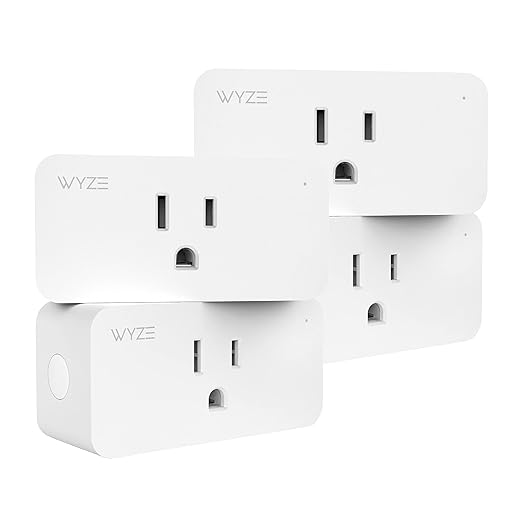
Wyze Plug Four-Pack — Budget Smart Outlet
We like the price-to-feature ratio, especially for rooms where you want simple automation without spending a lot. However, spotty Wi‑Fi reliability in some environments keeps it from being our top pick for mission‑critical devices.
Where it fits
Wyze built a smart plug that’s designed to be cheap and easy to deploy in bulk. We see this working best in secondary rooms—guest rooms, holiday lighting, or wherever you need inexpensive remote control rather than industrial‑grade uptime.
Features we care about
In everyday use we found the app straightforward and the plugs responsive most of the time. The lack of a hub keeps setup minimal, and the compact size makes them a good default for plugging into power strips and tight outlets. If you have a stable 2.4 GHz network they’ll mostly behave well.
Caveats
For folks starting small or buying a four-pack for decorative lights and simple timers, this is a pragmatic choice. If you need rock-solid uptime or deeper power analytics, consider moving up to a device with monitoring and stronger network behavior.
GHome Standard Smart Plug — 4-Pack
We found it to be a practical budget pick for straightforward automations, especially if you want an inexpensive way to distribute voice control around the house. It’s sensible, though not feature-packed.
Why we’d pick it for straightforward setups
The GHome standard plug focuses on dependable connectivity and affordable scale. For people who want to add remote controls to many outlets without a complex ecosystem, this provides a clear path: set up in the app, link to your voice assistant, and manage schedules.
Functionality that matters
In practice we liked how quickly additional units could be added once you’ve done the first one. The hybrid connection model improves initial pairing success in tricky network environments. The trade-off is that deeper telemetry and advanced platform features are limited compared with higher-end models.
Limitations
This plug is a sensible choice when you want consistent on/off control in many places at a low price. It’s a good workhorse for lights and low-power appliances, but skip it for heaters, large pumps, or appliances that need energy reporting.
GHome Smart Plug Mini — 4-Pack
We see a lot of value here for price‑sensitive deployments and for users who want basic voice and app control. It’s dependable for everyday convenience but shows its budget origins with a few usability quirks.
Who should consider it
GHome (formerly sold under other labels like Gosund/Tuya variants) is targeted at shoppers who want the essentials without paying for extras. We recommend it for casual automation: lamps, fans, or devices you want remote access to but don’t need energy telemetry for.
Notable features
In our hands the setup was straightforward once the 2.4 GHz network behavior is understood, and day-to-day controls are responsive. The app may ask for an account, and setup will require you to connect through the vendor app before exposing the device to Alexa or Google. That extra step is common at this price point.
Trade-offs and practical notes
For anyone building a low-cost, voice-enabled setup in living spaces or seasonal displays, this plug is a practical, wallet-friendly choice—but if you need advanced features or enterprise-grade robustness, budget models like this one will show their limits.
Final Thoughts
Our top pick is the Kasa Matter Plug with Energy Monitoring. It nails the two trends that matter right now: interoperability and useful telemetry. Matter support removes the vendor lock-in that used to make smart-home expansion painful, and the built-in energy readouts aren’t just for show—they let us identify standby drains and build automations that save money. If you want one smart plug that will play nicely in a mixed ecosystem and give you meaningful consumption data, this is it.
For Apple-first households, we recommend the meross Smart Plug Mini — HomeKit Support. It’s the fastest, most seamless HomeKit-native option we tested. When paired with a HomeKit hub it responds reliably, fits tight spaces, and integrates cleanly into scenes and automations without extra cloud steps. If you live in Apple’s ecosystem and want minimal fuss, this is the pragmatic choice.
Frequently asked questions
How did we pick these smart plugs for home automation options?
We shortlist models that balance performance, reliability, and value for typical buyers—not just the highest spec sheet. Hands-on notes, owner feedback, and return/warranty policies all feed the ranking.
Which smart plugs for home automation pick is best for most people?
Start with our top overall choice if you want the safest balance of price and features. Move up or down the list only when a specific need—budget, ecosystem, or a must-have feature—clearly applies to you.
Do prices on this smart plugs for home automation list change often?
Yes. Retailers run frequent promos, so use the live price buttons on this page and compare shipping and return windows before checkout—the best deal is not always the lowest sticker price.
Should I buy the cheapest smart plugs for home automation on the list?
Only if the trade-offs fit your use case. The budget pick can be excellent value, but check what you give up in build quality, software support, or key features you will use every week.
What if none of these smart plugs for home automation picks fit?
Use the comparison and guide links on this page to narrow by size, platform, or feature, then revisit the list with your must-haves written down—forcing a mismatch creates more returns than savings.
How often is this smart plugs for home automation roundup updated?
We refresh rankings when major models launch or pricing shifts enough to change the value story. Check the publish date at the top and compare current specs if you are reading months later.

Princess Rioboca is the Lead Editorial Writer at Option Cutter, bringing over seven years of hands-on experience in consumer technology journalism. Specializing in home networking and smart home architecture, she transforms complex technical data into practical, real-world upgrades. Princess personally tests and audits every product she reviews—evaluating real-world Wi‑Fi throughput, cable management durability, and streaming ecosystem stability—to filter out spec-sheet noise. Her rigorous, field-tested insights are designed to give readers transparent, unbiased buying advice on what to purchase, what to skip, and exactly why.














