


After hands‑on testing, we found one option delivers cleaner ergonomics, better design integration, and fewer compatibility headaches — but which is truly worth the premium for most of us: a full standing desk or a budget‑friendly converter?
We compare the VariDesk Pro Plus 48 and Pro Plus 36 to help you pick the best desk converter for your workspace, workflow, and budget. We focus on real‑world use, build and design, ergonomics, and how each fits your setup.
Large Workspaces

We appreciate the Pro Plus 48 for delivering a roomier, confidence-inspiring standing-converter experience — it’s the kind of product that makes standing work feel deliberate rather than precarious. The extra surface and stout build improve multi-monitor workflows and integrate well with Vari’s broader lineup, but its size and cost make it best for dedicated desks rather than cramped home setups.
Compact Spaces

We found the Pro Plus 36 to be the best compromise if you want Vari’s build and lift system without committing to the bulk of the 48-inch unit. It’s easier to place on smaller tables and is competitive on price, though those who need expansive monitor real estate will want the larger model.
VariDesk Pro 48
VariDesk Pro 36
VariDesk Pro 48
VariDesk Pro 36
VariDesk Pro 48
VariDesk Pro 36
Electric vs. Crank vs. Converter: Which Standing Desk Is Best for You?
Side‑by‑side snapshot: core differences and who they suit
A concise comparison of the two models: the Pro Plus 48’s wider surface for multi‑monitor or full‑keyboard setups versus the Pro Plus 36’s compact footprint for tighter desks and laptop‑centric workflows. We highlight dimensions, usable surface area, and immediate tradeoffs so readers can quickly map each model to common use cases.
Pro Plus 48 — more room, less compromise
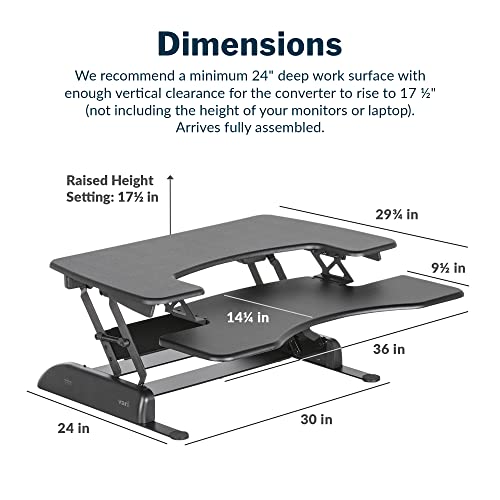
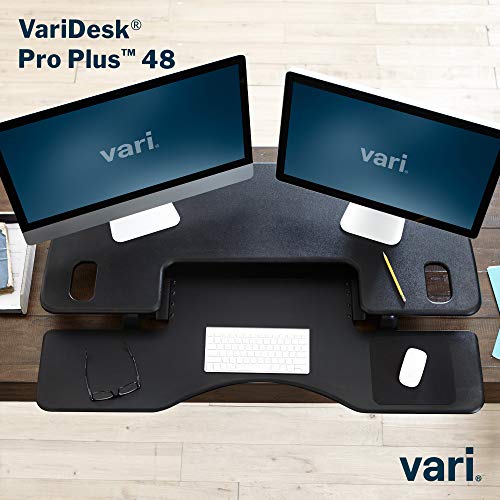
The 48 gives you a true full‑width upper shelf (48″ x 13.25″) and a heavy, stable base. That extra surface means two monitors plus peripherals and some room to reposition speakers or notes without crowding. It’s heavier and takes more desk real estate, but we’d pick it when monitor placement and desk layout matter more than squeezing into a small workspace.

Pro Plus 36 — compact, desk‑friendly
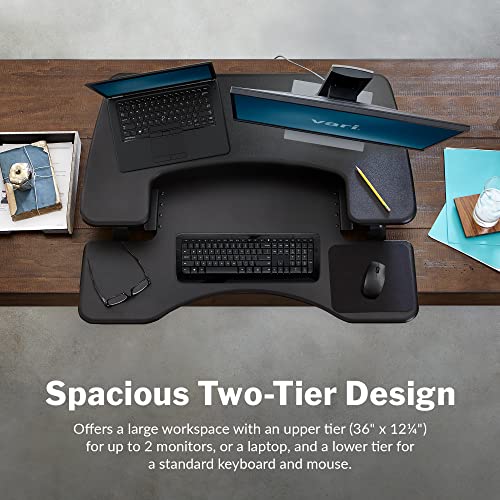
The 36 trims the width to 36″ x 12.25″ while keeping the same two‑tier, spring‑assisted lift and build quality. You lose a bit of lateral room for ultra‑wide monitors or full‑sized drawing tablets, but you gain a much better fit on narrower desks and easier compatibility with existing furniture.
Who we’d recommend each for:
Feature Comparison
Design and build: materials, mechanics, and daily feel
We examine construction, finish, and the spring‑loaded lift that both models use. This section covers keyboard tray depth, monitor shelf depth, edge profiles, weight capacity, and perceived stability. We call out wobble and vibration at different heights, cable management features, and the impact of each model being fully assembled—explaining not just what’s different but why those differences matter for long‑term comfort and durability.
Materials and finish
Both converters use thicker powder‑coated steel frames and a laminated top that resists scratches and edge wear — the same conservative, office‑grade aesthetic you expect from Vari. The Pro Plus 48 offers a 48″ x 13.25″ upper shelf; the Pro Plus 36 uses a 36″ x 12.25″ shelf. Those extra inches matter when you need space for dual monitors or to push a monitor farther back for better eye distance.

Mechanics: spring lift and daily operation
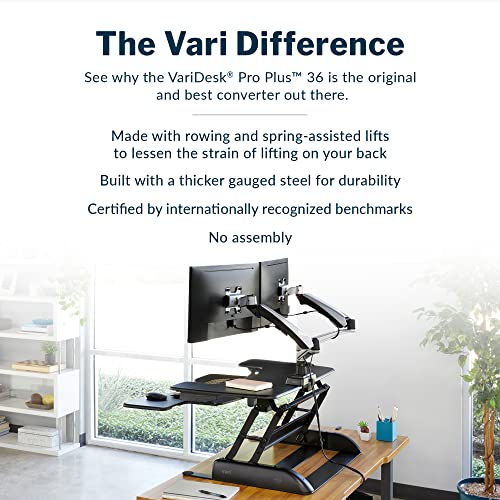
Vari’s rowing, spring‑assisted lift and 11 height stops are identical across both models. The handles are foam‑wrapped and the motion is smooth and near‑silent; the spring reduces strain on the mechanism, which should extend lifespan vs. cheap gas‑spring designs.
Keyboard tray, edges, and usable surface
The lower tray consistently accommodates a full‑size keyboard and a mouse without awkward overhang. Edges are laminated and finished to avoid sharpness; you won’t scrape your wrists during transitions.
Stability, wobble, and weight capacity
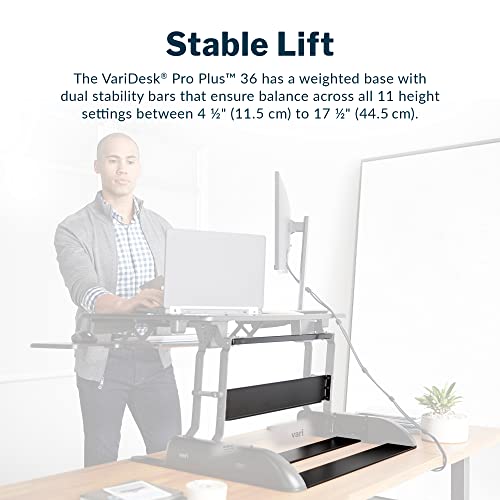
Both are rated for roughly 45 lb of load and use dual stability bars and a heavy base. In practice:
Cable management & assembly
Neither model has integrated cable channels — routing happens behind or under the unit — so plan clips or ties. Both arrive fully assembled; that convenience preserves factory tolerances and reduces setup errors, but it also means the 48 is heavy to reposition.
Ergonomics and performance in actual workflows
Height range and what the numbers mean
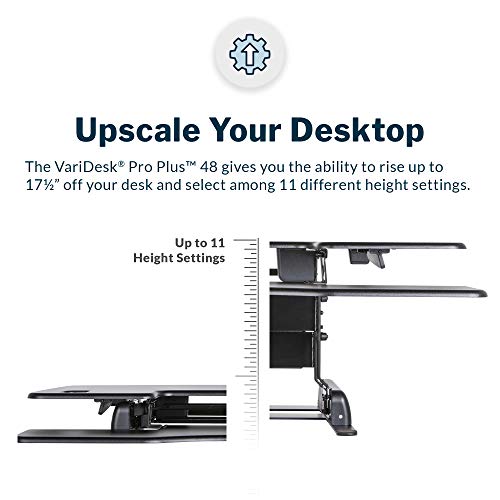
Both Pro Plus models use the same spring‑assist and 11 height stops. The riser sits low at roughly 4.5 inches and reaches about 17.5 inches at the tallest stop (the 48″ lists a 44.5 cm max). That gives us roughly 1.2–1.4 inches of change between settings — fine‑grained enough to dial eye level without awkward intermediate gaps. In practice this range covers most seated-to-standing transitions for people between about 5’0″ and 6’4″ using typical desk chairs and monitor stands.
Monitor alignment and keyboard ergonomics
Because the upper shelf rises independently of the keyboard tray, we can get a monitor to eye level while keeping the keyboard near elbow height — the basic standing‑desk ergonomics we expect. The keyboard tray stays essentially flat (no negative tilt), so wrist comfort depends on keyboard height more than tray angle. That means a low-profile mechanical keyboard or a small wrist rest helps at standing heights.
Transition speed and smoothness
The spring‑loaded “rowing” lift is fast and near‑silent. Adjustments happen in one motion and the 11 stops feel deliberate; we didn’t need to fight the mechanism. It’s easier and quicker than crank desks or fiddly gas lifts — useful for people who like frequent micro‑breaks.
Stability under load and real‑world tasks
Both units are rated ~45 lb. In real use:
Usage scenarios:
Ecosystem fit, value, and buying recommendations
Value vs buying a full standing desk
We see these Vari converters as a pragmatic middle ground. Compared with entry‑level electric desks, the Pro Plus models cost less up front, require zero assembly, and let you keep an existing tabletop. What you give up: motorized height control, integrated cable routing, and the slightly wider height range of many electric desks. For anyone not ready to replace a desk, converters are the cheaper, faster route to sit/stand.
Compatibility with existing desks and accessories
We test for fit, not theory. Make sure your tabletop is at least ~24″ deep and solidly anchored — the 48 is heavy and can overload flimsy laminates. Both models share Vari’s spring lift and a ~45 lb load guideline, so:
Resale, upgrade paths, and practical buying guidance
Converters retain resale value and are easy to move between homes or desks — useful if you expect change. If you’re planning to upgrade later to a motorized desk, a Vari converter is a low‑risk interim purchase.
Choose the 48 if you:
Choose the 36 if you:
Final verdict
We pick the Vari Pro Plus 48 as the winner for most users. Its wider platform delivers a true desktop‑like standing experience, comfortably holding a full keyboard plus one or two monitors; the spring‑loaded lift and solid build feel more stable when you swap posture throughout the day. In the current market where compact standing desks and converters compete on stability and simplicity, the 48 hits the sweet spot for people who prioritize multi‑monitor workflows, cable management and a persistent desktop layout. For most home offices, it’s the better, more versatile pick.
Choose the Pro Plus 36 if your desk real estate is tight, you primarily use a laptop, or you want a lighter footprint with the same dependable mechanics—it’s cheaper, simpler to position on small tables, and still gives clean transitions between sitting and standing. If you anticipate frequent dual‑monitor expansion, heavy peripherals, or long‑term ergonomics beyond a converter’s limits, invest in a full adjustable desk instead.

Chris is the founder and lead editor of OptionCutter LLC, where he oversees in-depth buying guides, product reviews, and comparison content designed to help readers make informed purchasing decisions. His editorial approach centers on structured research, real-world use cases, performance benchmarks, and transparent evaluation criteria rather than surface-level summaries. Through OptionCutter’s blog content, he focuses on breaking down complex product categories into clear recommendations, practical advice, and decision frameworks that prioritize accuracy, usability, and long-term value for shoppers.









