

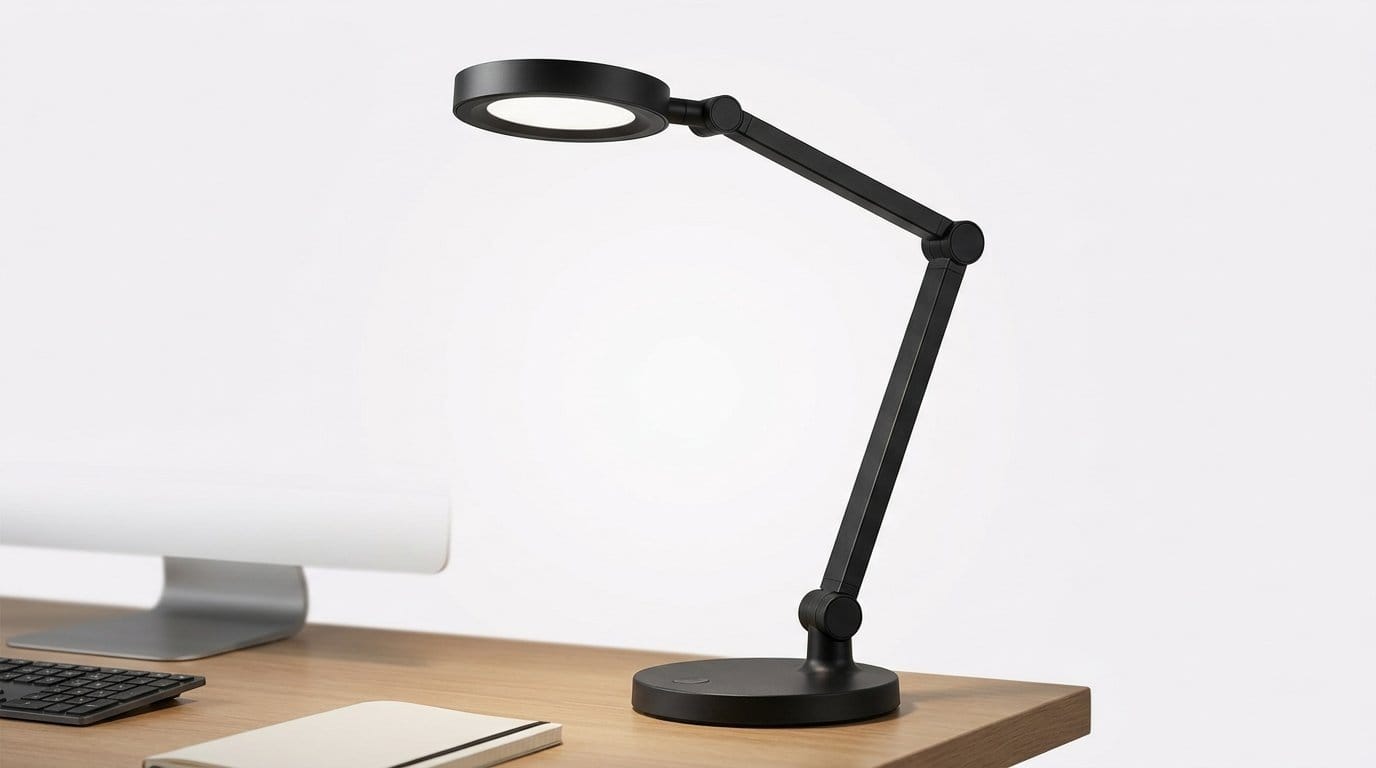

Why the Light on Your Desk Deserves More Thought
We usually obsess over monitors, chairs, and keyboards, but desk lighting quietly shapes how we work and feel. Advances in LED tech, ubiquitous screens, and smart ecosystems have turned a minor design detail into a core part of our setup. Lighting now influences focus, eye comfort, color accuracy, and how devices behave.
In this piece we explain what changed in our desk setup and why it matters now. We’ll walk through the science that affects productivity, the ergonomics of good fixtures, performance metrics that matter, and how lights join our tech stacks. Then we give practical picks for coders, creators, and casual users so you can match light to workflow and budget. We favor practical, evidence-backed advice over hype, and clear buying guidance today.


Transform Your Desk with Powerful Lighting: Elevate Your Home Office
Light, focus, and health: the hidden effects of desk lighting
Why lighting matters beyond aesthetics
We often think a lamp is a prop. In practice, it’s an ergonomic tool that shapes error rates, fatigue, and our sleep. Studies link underlit workstations to faster visual fatigue and slower reading speed; overbright, poorly placed fixtures create glare that makes us squint, mis-click, or lean forward. We want lighting that supports sustained attention without making evenings miserable.
Brightness: how bright is bright enough?
Aim for 300–500 lux at the desktop for general tasks; bump toward 750–1,000 lux for detailed visual work like drawing or color correction. Measure with a phone lux app (calibrate expectations) or pick lamps that publish desk-lux numbers. If your monitor is very bright, add bias lighting behind it (~10% of peak screen luminance) to reduce contrast strain.
Color temperature and circadian cues
Blue-enriched light (5,000–6,500K) raises alertness and short-term performance during the day. But the same spectrum late in the evening suppresses melatonin and delays sleep. Our practical rule: use cool light while ramping up in the morning and switch to 2,700–3,000K at least 2–3 hours before bed. Tunable lamps (Philips Hue White Ambiance, BenQ ScreenBar) let us automate that shift.
Flicker, glare, and spectral quality
Look for “flicker-free” or low modulation (<3–5%)—cheap LEDs that use aggressive PWM produce invisible flicker that contributes to headaches. For accurate color work, prioritize CRI >90 (and attention to R9 reds). Position fixtures to avoid direct reflections on glossy screens; monitor-mounted bars and asymmetrical desk lamps are good design choices.
Quick setup checklist
What good desk lighting actually looks like: design and ergonomics
Fixture types and mounting options
Good lighting starts with the right fixture for the job, not just the fanciest finish. Common choices:
Directional vs. diffuse: controlling shadows and reflections
We think in terms of beam geometry. Narrow, directional beams give crisp task illumination but create hard shadows; diffuse panels soften shadows but reduce contrast for detail work. Asymmetric monitor bars shine mostly on the desk, not the screen—ideal for glossy displays. Practical rule: mount lights off to the side opposite your dominant hand to avoid casting typing shadows (right-handed → left side), unless you use a monitor-mounted asymmetric bar.
Articulation, materials, and thermal design
A premium silhouette is nice, but articulation range, joint tension, and cable routing determine usability. Look for:
Practical setups (quick patterns)
These choices change how we work day-to-day: pick the form factor that solves your glare, reach, and shadow problems first—finishes and aesthetics come next.
Tech under the hood: LEDs, controls, and performance metrics we actually care about
Metrics that actually map to real use
Marketing loves lumens.
Controls, tunable white, and why those specs matter now
Tunable white (2700–6500K) paired with high CRI lets creators match ambient conditions and edit colors reliably. For most people, linear dimming (not just “steps”) and smooth curves are more useful than gimmicky presets.
What we test — and what to trust
In our lab we measure lux at the actual desk angle, capture SPD, log flicker with an oscilloscope, take thermal images, and verify dimming linearity. Buyer’s checklist: lux at task plane, CRI+R9, SPD plot or “full spectrum,” SDCM ≤3, flicker % or PWM frequency, and thermal/lifetime spec. Modern LED binning has moved many of these into midrange products — meaning solid performance is no longer a premium-only feature.
Next, we’ll look at how these lamps integrate into the rest of your workspace — controls, hubs, and automation.
Smart integration: how desk lighting joins your workspace ecosystem
How lights actually connect
Lighting is no longer a stand‑alone lamp — it’s a networked endpoint. Connections fall into four practical categories we see in the wild:
Each has trade‑offs in range, reliability, and privacy.
UX: app controls vs knobs — why speed beats features
We care most about predictable, fast controls. An app with dozens of sliders is fun to explore, but when we need to dim quickly at 2 a.m., a physical tilt or a single‑tap button wins. Onboarding matters: the fewer steps between out‑of‑box and “lights on,” the less frustrated we are.
Good heuristics

Ecosystem trade-offs and reliability
Tightly integrated ecosystems (Hue + HomeKit + Alexa) give synchronized scenes and complex automations. But they can lock you in: swapping brands may break scenes. Cloud‑dependent systems offer remote access and voice control, but introduce privacy and uptime risks — outages happen, and so do large batches of metadata flowing to third parties.
Future‑proofing checklist
When we pick lamps, we look for
Choose what fits your tolerance for vendor lock‑in: if you want peace of mind, prefer devices with robust local control and an open‑standard path forward.
Choosing for your use case: recommendations for coders, creators, and casual users
One size doesn’t fit all. Below we map common workflows to the lighting features that actually improve the day — and give practical picks across three budgets.
Coders (deep focus, long sessions)
What matters: glare control, neutral CCT (~3500–4500K), low flicker, smooth stepless dimming, readable contrast on screens.

Acceptable compromise: slightly lower CRI (<90) is fine if you get even, non‑glaring illumination. Non‑negotiable: visible flicker or harsh hotspots.
Creators & streamers (video, color-critical)
What matters: high color accuracy (CRI ≥ 95), tunable CCT, even soft light to avoid shadows, app/control for quick matching with camera white balance.
How it fits: desk lamps should be fill/light accents — they don’t replace softboxes but should match temperature and CRI to avoid skin-tone mismatches on camera.
Casual users, gamers & hybrid workers
What matters: tunable white for day→night, responsive local controls, optional RGB accents and low-latency dimming for mood or streaming.
Acceptable compromise: trade some CRI for richer RGB effects if color fidelity isn’t mission‑critical. Non‑negotiable: lack of local override, persistent lag, or unstable smart integrations.
Choose features that solve your daily friction — not the marketing specs you won’t use.
Value, sustainability, and future-proofing: what to pay for and when to upgrade
Calculate the true cost
Buying a desk lamp is an investment in our daily environment, so we look past sticker price. Check
Build, repairability, and future-proofing
We treat build quality and modularity as proxies for long-term value. Look for replaceable mounts, user‑replaceable LED modules or drivers, and clear firmware. Brands that document update schedules and provide changelogs are less likely to abandon features you rely on.

Sustainability signals to watch
Sustainable choices are easier to spot now: aluminum bodies (recyclable), minimal mixed plastics, FSC-certified packaging, take-back programs (Philips does this), and ENERGY STAR or EPEAT listings. Higher initial cost can be justified when a product uses fewer virgin plastics or has an established recycling pathway.
When to upgrade — and when to tweak
Upgrade when a lamp directly fixes a persistent problem
Try small, inexpensive fixes first
These decisions are practical: pay more for features that remove real friction, and defer upgrades when cheap, reversible adjustments will do. Next, we’ll pull these threads into a single practical takeaway about treating light as part of our workspace product ecosystem.
A practical takeaway: light is part of the product ecosystem
We’ve argued desk lighting is as much a user-experience and ecosystem decision as a design choice. The right lamp reduces fatigue, improves accuracy, and folds into the tools we use — which matters because devices and services reward interoperability. We should prioritize placement and glare control, then demand meaningful metrics (lux, CRI, low flicker) that predict real comfort.
Start by fixing placement and eliminating reflections; next, match features to workflow and tolerance for complexity or vendor lock-in. Small, targeted changes to lighting deliver outsized returns in comfort, accuracy, long-term value.
Frequently asked questions
What is the main point of “Why Your Desk Lighting Matters More Than You Think”?
This piece explains where why your desk lighting matters more than you think matters in real buying decisions—not just headline specs. We focus on trade-offs, who benefits most, and what to verify before you spend.
Who should read this why your desk lighting matters more than you think guide?
Read it if you are actively shopping, upgrading, or trying to separate marketing claims from day-to-day use. Skip it if you already own the gear and are not planning a change this season.
What changed recently around why your desk lighting matters more than you think?
Prices, firmware, and feature tiers shift quickly in this category. We call out what is new enough to affect your decision and what is incremental hype you can safely ignore.
How should I use this editorial when buying?
Treat it as context before you compare models: note the risks and priorities here, then cross-check specs and current pricing on the picks that match how you actually use the product.
What is easy to get wrong about why your desk lighting matters more than you think?
Buyers often overweight one spec—brightness, speed, or brand—and underweight fit for their room, ecosystem, or warranty support. We flag the mismatch we see most often in reader questions.
Where should I go next after reading?
Use the related comparisons and top picks linked near the end of this article for model-level shortlists, then confirm return policies and compatibility with the devices you already own.

Iqra Jumar is Option Cutter's editorial writer. She writes practical editorials and buyer guides that focus on real-world upgrades—better Wi‑Fi, cleaner cable setups, smarter streaming, and everyday fixes—not spec-sheet noise alone. Her work helps readers decide what to change now, what to skip, and why.









