



We test how a 27-inch’s pixel-perfect desk fit stacks against a 32-inch’s cinematic immersion—so you can decide which size actually improves our workflow, gaming, and living space in today’s cramped, multi-device setups.
Size matters — pick wisely, not just bigger. We break down how a 27-inch (4k)Dell and a 32-inch LG stack up in real workflows, design, and ecosystem fit so you can decide what size actually helps you get work done.
Professional Precision
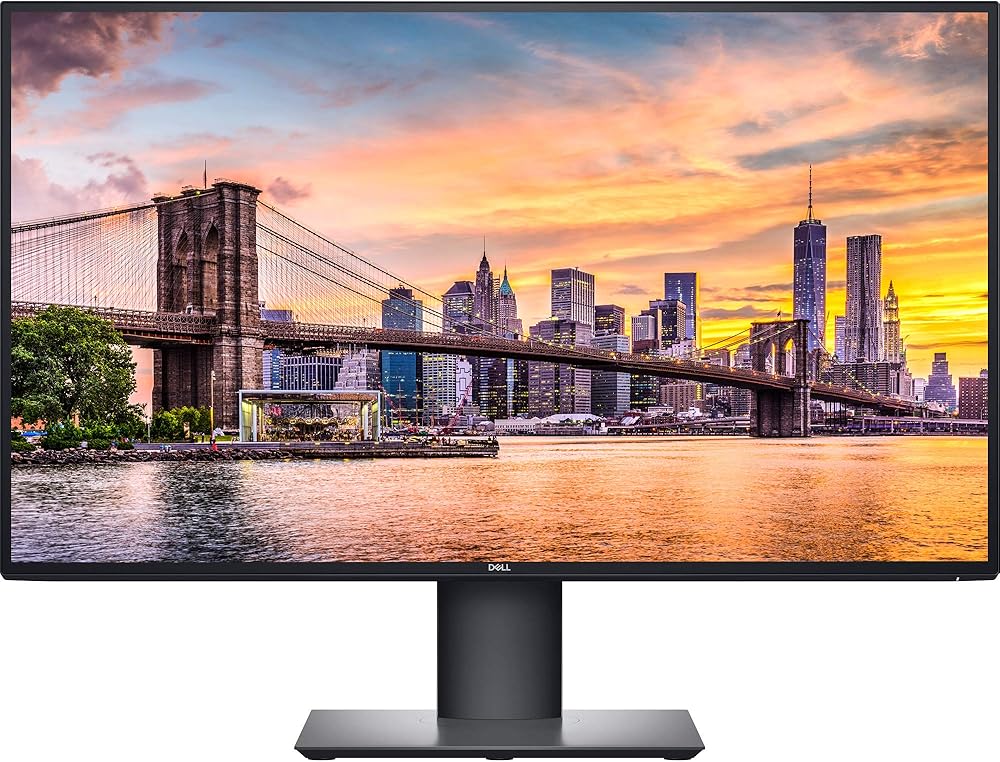
Ergonomic Workstation

Dell U2720Q Monitor
- Sharp 4K IPS panel with narrow bezels for multi-monitor setups
- Strong out-of-box color performance and factory calibration
- USB-C with up to 90W power delivery keeps a laptop charged
- Versatile ergonomic stand (tilt, swivel, pivot) and VESA support
- USB-C is not Thunderbolt — bandwidth limits downstream USB speeds at 4K@60Hz
- HDR performance is modest compared with modern HDR-capable displays
LG 32UN880K Monitor
- Huge 32-inch 4K canvas that helps productivity and multitasking
- Best-in-class Ergo clamp arm gives fluid, space-saving adjustability
- USB-C with 90W PD and a handy built-in USB hub for tidy setups
- Strong color performance and useful workflow features for creators
- 60 Hz refresh rate limits appeal for serious gamers
- HDR is present but delivers only incremental improvements over SDR
Feature Comparison
| Professional Precision Dell U2720Q Monitor | VS | Ergonomic Workstation LG 32UN880K Monitor |
|---|---|---|
8.5 / 10 | Image Quality |
8.3 / 10 |
8.6 / 10 | Color Accuracy |
8 / 10 |
8.4 / 10 | Ergonomics & Adjustability |
9.4 / 10 |
7.5 / 10 | Connectivity & Features |
9 / 10 |
– | Current price |
$569.00 |
| View price at Amazon.com | Buy for $569.00 |
27-Inch vs 32-Inch: The Best Monitor Size for You
Everyday use and workspace fit: how size shapes productivity
Reading and text clarity
We start with numbers because they matter. A 27-inch 4K panel like the Dell U2720Q gives roughly 163 pixels per inch; the 32-inch LG drops to about 138 PPI. That higher density on the Dell translates to noticeably crisper text, denser UI chrome, and less need for aggressive OS scaling at typical desk distances (roughly 20–28 inches). For anyone doing pixel-accurate work—reading long docs, coding, or UI design—that extra clarity reduces eye fatigue and makes small type legible without resorting to heavy scaling.


Multitasking and window management
The LG’s larger 32-inch canvas gives you more usable real estate at native scaling: spreadsheets, side-by-side editors, and multiple browser windows fit without overlapping. That’s a real productivity win for heavy multitaskers and people who keep video calls pinned while working. The trade-off: you either sit farther back (we recommend 28–36 inches for comfortable viewing) or increase scaling so UI elements don’t look too big. In short, the LG favors space over pixel density.


Who benefits most
Right now many of us juggle browser tabs, local apps, and video calls simultaneously — pick the size that matches how you sit and how many windows you keep open, not just the biggest screen you can fit.
Design and ergonomics: Dell’s minimalist stance vs LG’s ergonomic arm
Dell: compact, professional, and predictable
We found the U2720Q’s design unapologetically conservative — thin bezels, a low-profile round base, and a solid metal-and-plastic build that disappears into a multi-monitor setup. The stand offers tilt, swivel and pivot plus VESA compatibility if you want a separate arm. Dell puts DisplayPort, HDMI, USB-A hub and a USB-C upstream port (up to ~90W PD) on the rear, which makes a tidy single-cable laptop dock possible. Takeaway: it’s easy to position on smaller desks and won’t fight standard monitor arms, but the USB-C is not Thunderbolt — it will carry power and 4k.


LG: an Ergo arm that changes how you use a monitor
The 32UN880K-B centers everything on its Ergo arm. Clamp it to the desk, then pull, tilt, swivel or rotate to portrait smoothly; the arm hides and routes cables, and frees up desk real estate that a standard base would eat. The display itself is larger and heavier, so the arm’s range and stability matter — this one is among the best we’ve used. LG also offers USB-C with 90W PD and an onboard hub, so a single-cable workflow is just as tidy but far more flexible for frequent repositioning or shared workspaces.


Quick ergonomics snapshot
Image quality and performance: color accuracy, HDR and real-world media
We break down color reproduction, hdr. Both are 4K IPSS panels, but they serve different priorities: the Dell emphasizes factory calibration and neutral presentation for color-critical photo and design work; the LG brings HDR10 support and a wider DCI‑P3-ish gamut that’s useful for video editors and creatives wanting punchier playback. Neither is a high-refresh gaming panel — both cap at 60Hz — so we frame their strengths for creators and media consumers rather than competitive gamers. We also cover brightness, uniformity, and how each handles HDR content and creative color workflows in real apps.
Color and gamut
The Dell U2720Q ships closer to a neutral, calibrated sRGB target (Dell quotes ~99% sRGB). That means less tweaking for photographers and designers who deliver for web and prints — skin tones and midtones will be predictable across devices.


The LG 32UN880K pushes wider coverage (about 95% DCI‑P3 per LG). Colors feel punchier and more cinematic out of the box, which helps when you’re previewing video or DCI‑P3 content, but you’ll want color management and profile switching if your final output is sRGB.


HDR and brightness
LG’s panel supports HDR10 and lists ~350 cd/m² peak — enough to deliver brighter highlights than the Dell in typical rooms. Neither has local dimming or display-class HDR brightness, so HDR is mostly tone-mapped: more pop, not dramatic specular highlights. Dell’s HDR is more conservative, better for editing SDR imagery but less convincing for cinematic HDR previews.
Motion and real-world media
Both panels run at 60Hz with typical IPS response characteristics (LG lists 5ms). Video playback and casual gaming are smooth; competitive gaming is where you’d miss higher refresh rates and faster pixel driving. For creatives, the takeaway is simple: Dell for color-critical, calibrated workflows; LG for more vivid video previews and multitasking on a larger canvas.
Ecosystem, compatibility and value: who gets the most for the money?
Ports, docking and daily convenience
We look first at how each monitor becomes the hub of a desk. Both the Dell U2720Q and LG 32UN880K offer USB‑C with up to ~90W power delivery and built‑in hubs, so a single cable can handle display, charging and peripherals. The practical difference is form factor: the Dell is a compact UltraSharp that effectively acts as a tidy laptop dock while fitting easily into dual‑monitor setups. The LG gives the same single‑cable convenience but pairs it with a full Ergo arm that reclaims desk real estate and makes sit/stand transitions frictionless.
Platform fit and scaling headaches
Mac users: we find a 27″ 4K like the Dell hits macOS scaling sweet spots — crisp UI at native/Retina scaling with fewer DPI quirks.
Windows users: the extra real estate of the LG’s 32″ 4K is tempting, but Windows scaling can be uneven in some apps on a larger 4K canvas, so expect occasional font or UI sizing workarounds.
Value, resale and real‑world tradeoffs
Price-wise they sit close (Dell ~$642; LG ~$698). The Dell delivers pro‑grade color, a smaller footprint and strong resale potential — good if you re‑sell or run multi‑monitor setups. The LG commands its premium for the Ergo arm and larger workspace; for standing desks or shared workspaces that ergonomic lift is a tangible, daily productivity win that can justify the cost.
Alternatives to consider
If you want the LG’s size without the Ergo price, cheaper 32″ 4K panels exist but lack the arm and often have weaker color calibration. If you want a 27″ with Thunderbolt, look at newer TB4‑equipped monitors — they simplify very high‑speed docking for modern laptops.
Frequently asked questions
Which is better, 27-Inch or 32-Inch Monitor?
There is no universal winner: 27-Inch fits some buyers and 32-Inch Monitor fits others. We compare specs, daily use, and trade-offs in this guide so you can match the pick to your budget and workflow, not a single spec sheet.
What is the main difference between 27-Inch and 32-Inch Monitor?
27-Inch and 32-Inch Monitor target overlapping but not identical use cases. The sections above break down design, performance, ecosystem, and value so you can see where each product pulls ahead and where it compromises.
Should I buy 27-Inch or 32-Inch Monitor first?
Buy the product that removes your biggest daily friction first. If 27-Inch solves your primary pain point, start there; if 32-Inch Monitor is the bottleneck in how you actually work or play, prioritize it. Many households add the other later.
Is 27-Inch worth it over 32-Inch Monitor?
27-Inch is worth the premium over 32-Inch Monitor when you will use the features that justify the price—extra performance, build quality, or ecosystem lock-in. If those extras go unused, 32-Inch Monitor usually delivers better value.
Can 27-Inch replace 32-Inch Monitor?
For some users, yes; for others, no. 27-Inch can cover most tasks 32-Inch Monitor handles, but gaps in compatibility, accessories, or specialized workflows may still matter. Use our comparison table and verdict to see which gaps apply to you.
Who should choose 27-Inch vs 32-Inch Monitor?
Choose 27-Inch if its strengths match how you will use it every day; choose 32-Inch Monitor if you need its specific advantages or a lower entry price. When in doubt, favor the option that fixes your most frequent frustration—not the highest spec on paper.
Final verdict: pick by workspace and workflow, not just size
We pick the Dell U2720Q as the best choice for most users: its compact 27-inch 4K panel, high pixel density and USB‑C integration give a cleaner desktop, laptop docking, and sharper text for productivity.
Choose the LG 32UN880K‑B when you need a larger canvas and the Ergo arm’s exceptional ergonomic range for multi‑window layouts or creative work. Both are excellent; match screen real estate and arm flexibility to your setup.

Princess Rioboca is the Lead Editorial Writer at Option Cutter, bringing over seven years of hands-on experience in consumer technology journalism. Specializing in home networking and smart home architecture, she transforms complex technical data into practical, real-world upgrades. Princess personally tests and audits every product she reviews—evaluating real-world Wi‑Fi throughput, cable management durability, and streaming ecosystem stability—to filter out spec-sheet noise. Her rigorous, field-tested insights are designed to give readers transparent, unbiased buying advice on what to purchase, what to skip, and exactly why.















