

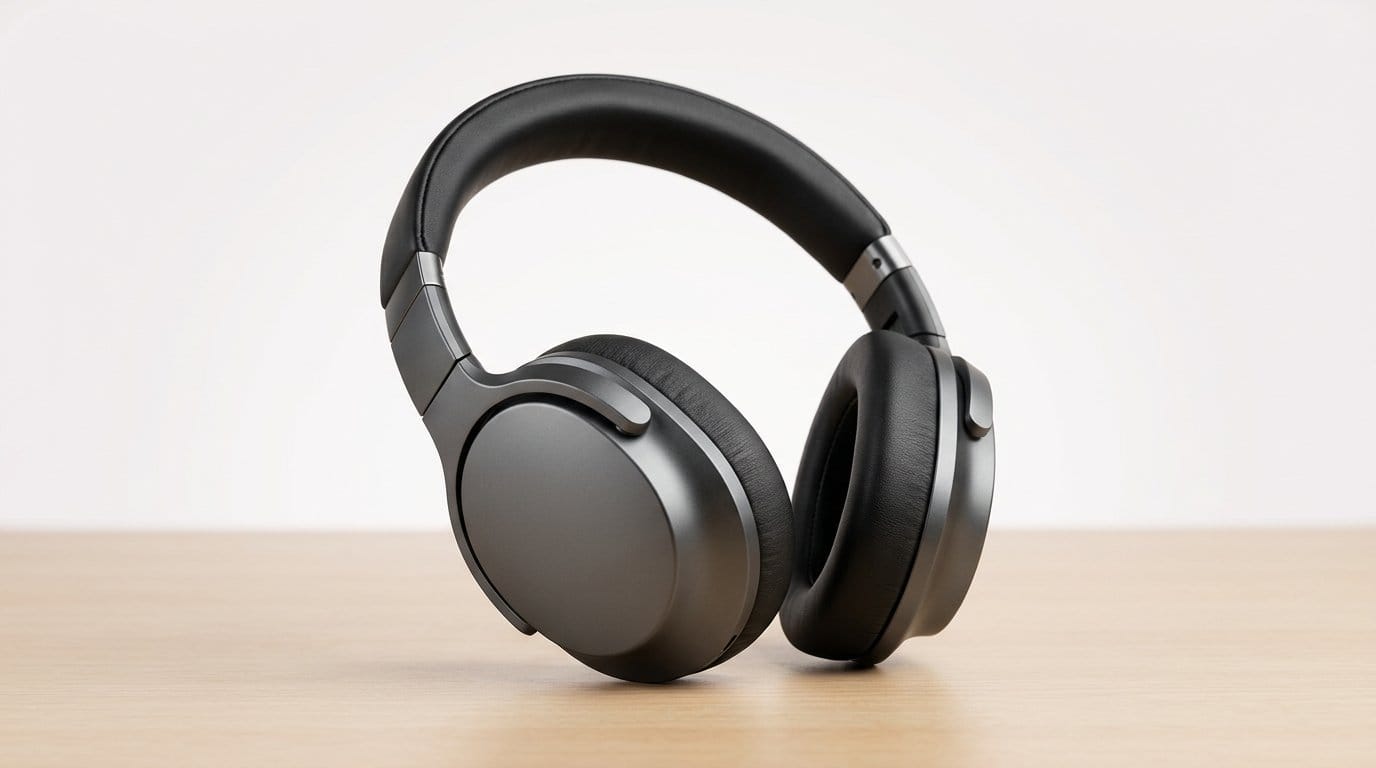

One Upgrade, a Better Feeling
We think premium is not a price tag. It’s the small, consistent moments that make a device feel like it belongs in your hand. A confident first look, fluid interactions, and surfaces that respond as if by intention.
Across many budget devices, one upgrade — a coordinated hardware and software leap — repeatedly changes that feeling. It sharpens first impressions, elevates design cues, and unlocks features that depend on pixel quality. Our analysis focuses on user experience, build, ecosystem fit, and the trade-offs makers make in a crowded market.
Below we examine how that single upgrade scales across perception, performance, and value. We’ll measure practical impact, not specs — how choices feel every day, and where compromises bite.


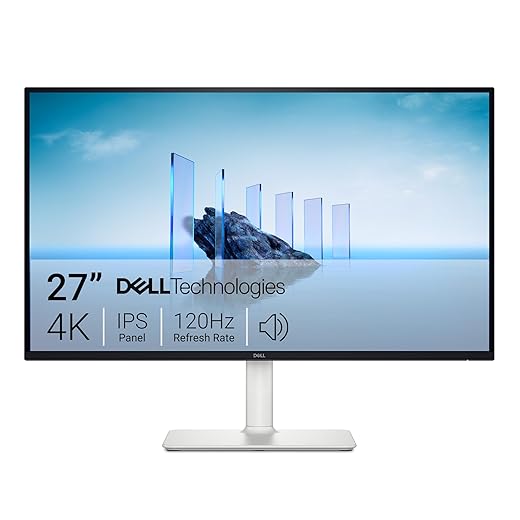

What We Mean by Premium — and How Small Changes Scale
Premium, from our point of view
When we say a device feels premium, we mean three things the user notices immediately and repeatedly: initial impressions (look and feel), ongoing pleasure in use (smoothness, clarity), and durable value (updates and compatibility). A phone with a crisp, color-accurate screen and snappy scrolling makes you forgive cheaper plastic edges; a tablet that wakes instantly and keeps apps behaving predictably keeps you reaching for it every day. Those are the moments that add up into “premium,” not a spec sheet alone.
The levers manufacturers pull
There are three practical, psychological levers that reliably change perception:
Think about a midrange phone like the Google Pixel 6a versus a more expensive model: the Pixel 6a’s clean software and good oled colors often make it feel more refined than a pricier phone saddled with sluggish skin and washed-out color. Conversely, a cheap laptop with an IPS display and a well-tuned touchpad can outclass a glossier, more expensive machine that stumbles in everyday workflow.
How a single improvement reframes everything
Humans judge holistically. Upgrade one sensory, latency, or predictability metric and the rest of the design seems upgraded by association. A higher-refresh display makes animations buttery, which makes the OS feel faster; better color makes photos look like they’ve been upgraded, which makes the camera itself seem better; faster touch response masks minor CPU throttling. That reframing is why manufacturers invest in targeted improvements to “punch above their price.”
Practical buying cues
When we recommend upgrades, we look for measurable, user-facing specs: peak brightness (600 nits+ for outdoors), 90–120Hz refresh for smoother scrolling, OLED/IPS for contrast, and two years minimum of OS/security updates. Quick checks in-store — open a web page and scroll, play a bright HDR clip, and try a few taps — tell you more than any spec list.
Next, we’ll show why the display often produces the biggest immediate display uplift in perceived quality, and how that single component cascades into design and ecosystem benefits.
Why the Display Is the Upgrade That Changes First Impressions
We don’t mean to overstate it: plenty of components matter. But the display is the one upgrade that every user sees the second they pick up a device. It’s sensory, immediate, and hard to ignore. Below we break the key attributes down and show why each one registers as “premium” the moment you look at the screen.
Contrast and black levels
Deep blacks and strong contrast make content pop and surfaces feel denser. An OLED phone or a high-contrast IPS laptop gives text a crisp, printed-on-paper quality; shadows in photos actually read as detail instead of muddy gray. In low-light or dimly lit UIs, contrast is what convinces us the device is made of better materials — it’s a tactile perception translated through the eyes.
Color accuracy and calibration
Colors that land where they should make images believable. Accurate calibration prevents skin tones from going neon and preserves the intent of a photographer or filmmaker. We notice this in everyday moments: a friend’s photo, an app icon, or a map that no longer looks washed out. Color fidelity is a credibility cue — it says “this product respects visual craft.”
Peak brightness and HDR handling
Brightness affects readability outdoors and the wow factor of HDR video. A display that hits 600 nits and handles HDR highlights can make a midday subway commute doable and a streaming session feel cinematic. Try playing an HDR clip on a budget screen versus a properly bright one — the difference is instant and visceral.
Refresh rate and motion clarity
Higher refresh rates (90–120Hz) and low persistence reduce trailing and make scrolling feel tactile. Swiping through long feeds or pinching an image becomes a physical pleasure rather than a chore. That smoothness is one of the fastest ways a cheap device will feel expensive, because responsiveness is felt more than measured.
Reduced bezels and edge treatment
Thinner bezels and a clean edge profile yield a modern silhouette. A smaller frame-to-screen ratio makes a device look sleeker on a desk and in your hand — it’s a design shorthand for value. Edge treatment is small detail work that reads as care: chamfers, uniform gaps, and anti-reflective coatings all compound into an immediate premium impression.
How this compares to chips or RAM: a faster CPU helps under the hood, but it’s often invisible until you run a demanding app. Display upgrades deliver instant, repeatable returns on perception. If you want the single change that elevates first impressions, start with the screen.
How a Better Screen Redefines Design and Build
A nicer panel doesn’t stop at prettier pixels. When we upgrade the screen, it ripples through the whole industrial design process — and that cascade is where a budget device can suddenly feel premium.
Slender bezels and perceived solidity
Shrinking bezels is cheap to describe but expensive to execute. Tighter tolerances, more precise glue lines, and better frame alignment are needed to avoid wonky gaps. The result is worth it: a smaller frame-to-screen ratio makes the chassis read as denser and more refined in the hand. As a practical tip, when shopping, hold a device by its edges — if the screen visually dominates the face and the frame feels uniform, that’s craftsmanship you can feel.
Panel tech, thickness, and weight
Different panel constructions change the phone’s center of gravity. OLED stacks can be thinner than traditional IPS because they don’t need a backlight, which lets designers shave millimeters and reduce weight. But certain LCDs with local dimming or added layers for brightness push thickness back up. For buyers: prioritize thin OLEDs if you want a lighter device; expect IPS to be marginally thicker unless the vendor pays for a premium engineering trade-off.
Glass, lamination, and tactile feedback
Full lamination — bonding glass to panel without an air gap — shortens perceived distance between touch and image. It makes swipes feel instantaneous and gives glass a satisfying, solid click when tapped. The downside: laminated displays are often harder and pricier to repair. When handling devices in-store, we tap across the screen to sense whether a display is laminated and whether the glass finishing feels smooth or plasticky.
Trade-offs and how to mitigate them
Upgrading the display brings trade-offs: battery strain, higher manufacturing cost, and reduced repairability. Smart mitigations we look for in well-designed phones include:
Small complementary upgrades that compound the effect
Display polish is amplified by small details: stronger haptics that match scroll inertia, oleophobic coatings that keep fingerprints at bay, and uniformly chamfered frames that make the transition from screen to body seamless. These are low-cost touches that, when paired with a good panel, make the device feel thought-through.
Next, we’ll show how those pixels unlock more than looks — how software and ecosystem features leverage display quality to deliver genuinely premium experiences.
Ecosystem and Software: When Pixel Quality Unlocks Premium Features
A better panel is only as good as the software that drives it. We’ve seen cheap phones get a new OLED and still feel off—because pixels without polish are just prettier problems. The gap between “nice screen” and “premium experience” is almost always filled by thoughtful OS, app, and ecosystem integration.
Adaptive refresh that actually matches what you see
High refresh hardware is only half the story. The OS needs to coordinate animation timing, touch sampling, and app frame rates so motion feels smooth and consistent. When refresh scaling is tied to UI states—scrolling at 120Hz, static pages at 60Hz—we notice less microstutter and better battery life. Conversely, a panel running apps locked to 60Hz on a 120Hz display results in an odd disconnect: the spec looks impressive on paper, but the device doesn’t feel responsive in use.
Color management and HDR pipelines
Panel colorimetry only becomes reliable when the system enforces an accurate color pipeline. OS-level color management and per-app HDR negotiation ensure that Netflix, Disney+, and even the web don’t display wildly different color or contrast. We can instantly tell the difference between devices that honor Dolby Vision/HDR metadata and those that simply crank saturation. Ecosystems with tighter control—think mature platforms that ship calibrated profiles and True Tone–style ambient adaptation—deliver a consistent viewing experience across apps.
Camera preview fidelity
Nothing dents premium perception faster than a camera preview that lies. If the on-screen preview is oversharpened or undersaturated compared with the final processed image, we feel cheated. Devices that integrate their ISP and display pipeline to show a near-final image in the viewfinder (common on well-tuned flagships) give users confidence — especially when shooting in mixed lighting or handheld video.
Why cross-device consistency matters
For people who move content between phone, tablet, and laptop, matched calibration across an ecosystem removes friction. Creators, photo-sharers, and multi-device households benefit when colors and contrast stay stable from device to device; it’s why we forgive few inconsistencies in ecosystems that promise seamlessness.
Quick, actionable checklist for buyers
These software and ecosystem layers are what turn an improved panel into something that feels intentionally premium.
The Market Trade-offs and How We Recommend Buyers Prioritize
Manufacturers have a finite pot to spend, and the choices they make show up as trade-offs. When budgets tighten, companies often shave costs in cameras, speakers, chassis materials, or battery capacity — things that are expensive but easy to market around with megapixel counts or “fast charging” badges. We’ve repeatedly found that reallocating a modest slice of that budget to the display delivers more daily uplift than the same spend on a slightly better camera sensor or thinner bezels.
Where makers usually cut — and why the display wins
Camera modules, stereo speakers, and high-capacity batteries are common casualties because they add cost and complexity. A phone with a mediocre 50MP camera but a bright, color‑accurate OLED will feel better to use all day: scrolling, reading, watching, and even previewing photos. We’re not saying cameras don’t matter — they do — but for most people the screen is the interface. Better pixels make everything else feel more refined.

Practical shopper priorities — what to demand
When you’re evaluating a budget device in store or online, start with the display checklist below. These are the specs and behaviors that deliver the most perceptible value:
Acceptable compromises — and when to spend up
If you must compromise: accept a mono speaker (use headphones) or a smaller battery if the display is bright and efficient. Don’t settle for fake HDR, poor brightness, or a 120Hz spec that the OS never uses. Spend more when you need pro-level photography, sustained high-frame-rate gaming, or color-critical work — those use cases require better sensors, faster SoCs, and consistent color pipelines that go beyond the display alone.
Future-proofing: what keeps its value
Invest in display traits that will still matter in two years: accurate color, adaptive refresh that the OS supports, and sustained peak brightness. Avoid chasing ultra-high resolutions or headline refresh rates that aren’t backed by system integration — those are often fads.
Next, we bring these ideas together and explain how one upgrade can lift the whole experience in everyday use.
A Simple Upgrade, a Better Everyday Experience
We’ve argued that a better display is the single upgrade that most reliably shifts budget devices into premium territory: it improves perceived build, surfaces refined software, and changes first impressions the moment you pick the device. In today’s market of thin margins and spec races, the screen is where design, image processing, and ecosystem polish converge — and users notice.
Practically, we’d spend a limited extra budget on panel quality, color calibration, and adaptive software rather than chasing megapixels or raw CPU headroom. That trade-off delivers the biggest uplift in daily satisfaction today.
Frequently asked questions
What is the main point of “The Upgrade That Makes Budget Tech Feel Premium”?
This piece explains where the upgrade that makes budget tech feel premium matters in real buying decisions—not just headline specs. We focus on trade-offs, who benefits most, and what to verify before you spend.
Who should read this the upgrade that makes budget tech feel premium guide?
Read it if you are actively shopping, upgrading, or trying to separate marketing claims from day-to-day use. Skip it if you already own the gear and are not planning a change this season.
What changed recently around the upgrade that makes budget tech feel premium?
Prices, firmware, and feature tiers shift quickly in this category. We call out what is new enough to affect your decision and what is incremental hype you can safely ignore.
How should I use this editorial when buying?
Treat it as context before you compare models: note the risks and priorities here, then cross-check specs and current pricing on the picks that match how you actually use the product.
What is easy to get wrong about the upgrade that makes budget tech feel premium?
Buyers often overweight one spec—brightness, speed, or brand—and underweight fit for their room, ecosystem, or warranty support. We flag the mismatch we see most often in reader questions.
Where should I go next after reading?
Use the related comparisons and top picks linked near the end of this article for model-level shortlists, then confirm return policies and compatibility with the devices you already own.

Iqra Jumar is Option Cutter's editorial writer. She writes practical editorials and buyer guides that focus on real-world upgrades—better Wi‑Fi, cleaner cable setups, smarter streaming, and everyday fixes—not spec-sheet noise alone. Her work helps readers decide what to change now, what to skip, and why.









