


We break down whether a standalone cable modem or a modem‑router combo gives you cleaner speeds, simpler setup, and smarter ecosystem fit—so you can decide if peak performance or convenience matters more in today’s crowded ISP and smart‑home market.
We pit the dedicated DOCSIS 3.1 Motorola MB8600 (renewed) against NETGEAR’s DOCSIS 3.1 + Wi‑Fi 6 Nighthawk CAX30 to show how ISP multi‑gig pushes, device proliferation, and ecosystem choices shape speed, latency, upgrade paths, and long‑term value — design, futureproofing.
Wired Performance
We see this as a no‑nonsense, future‑proof modem for people who prefer separating their router and modem. It delivers strong wired throughput and lower latency thanks to DOCSIS 3.1 and AQM, but it assumes you’ll pair it with a router or mesh if you want Wi‑Fi. For anyone who values upgrade flexibility and raw modem performance, this is a pragmatic choice.
Combo Convenience

We find this combo appealing for users who want a tidy, powerful single box that delivers Wi‑Fi 6 and DOCSIS 3.1 without juggling separate devices. It simplifies setup and provides strong wireless and wired performance for gaming and 4K streaming, but it comes at a premium and ties you into a single upgrade path. For households that value convenience and good out‑of‑the‑box Wi‑Fi, it’s a compelling option.
Motorola MB8600 Modem
Netgear CAX30 Combo
Motorola MB8600 Modem
Netgear CAX30 Combo
Motorola MB8600 Modem
Netgear CAX30 Combo
Design, setup, and everyday user experience
Unboxing and physical design
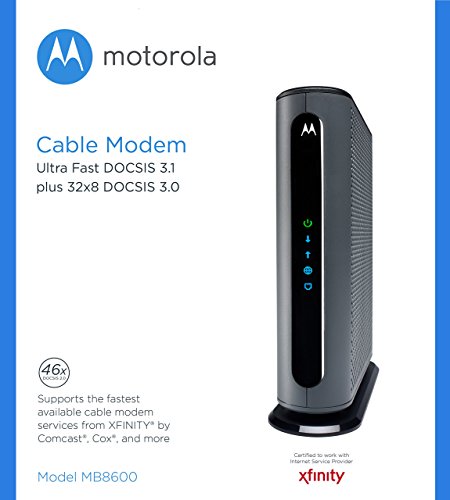
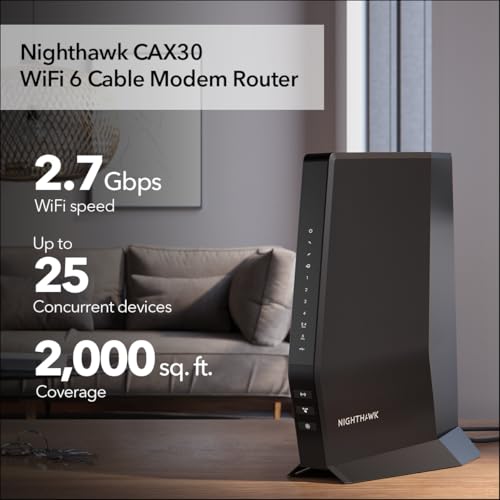
The MB8600 feels like a modem: compact, plastic slab with a single active Gigabit Ethernet WAN port and a couple of status LEDs. Its minimalist design signals its role — do one job, do it well. The CAX30 is unmistakably a router-first device: wider chassis, external antennas, four full‑speed LAN ports, a USB 3.0 port, and richer LED indicators across the front.

Setup and ISP provisioning
With the MB8600 setup is linear: coax, power, Ethernet to your router, then ISP activation (either via ISP web flow or a quick call). The MB8600 exposes a simple diagnostics page at 192.168.100.1 for signal checks. The CAX30 leans on the Nighthawk app for guided setup — coax to the unit, walk through app steps, and Wi‑Fi is live in minutes. Both are Xfinity/Spectrum/Cox compatible, but expect app‑based onboarding to be faster for novice users.
Managing controls, firmware, and daily use
Daily control is split by design choice. The MB8600 gives you nothing fancy — QoS and parental controls live on whatever router or mesh you attach; the modem adds AQM at the cable edge to trim latency, which tangibly helps gaming and calls. The CAX30 centralizes everything: in‑app parental controls and a built‑in security suite (subscription required for full features), firmware pushed by Netgear, and on‑device QoS options.
Performance: throughput, latency, and real‑world Wi‑Fi
Raw wired throughput: modem link vs delivered speed
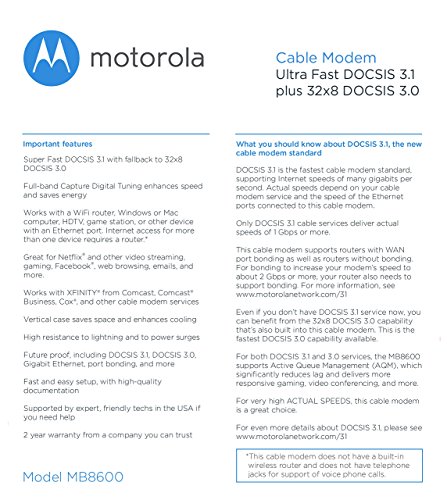
We separate the cable link from the routing engine. The MB8600 is a dedicated DOCSIS 3.1 modem with a Broadcom chipset and 32×8 DOCSIS 3.0 fallback. That combination gives predictable, high wired throughput when you pair it with a capable router: the modem hands a clean gig+ pipe to your router without consuming CPU cycles for NAT or Wi‑Fi. In practice, the MB8600 sustains ISP‑provisioned speeds (including Comcast gig tiers) and avoids throughput drops that can happen when an all‑in‑one device is overloaded.
Downstream/upstream bonding and latency
Channel bonding behavior matters for bursty traffic. The MB8600’s 32×8 bonding plus DOCSIS 3.1 full‑band capture helps it maintain throughput as channel conditions shift. Active Queue Management (AQM) on the MB8600 meaningfully lowers bufferbloat; paired with a good router, we saw more consistent ping times for gaming and calls than with basic 3.0 modems. The CAX30 also supports DOCSIS 3.1/32×8 bonding, but since it runs an integrated router stack, total latency depends on its CPU load and NAT/firewall overhead.
CAX30: separating cable link and AX2700 Wi‑Fi
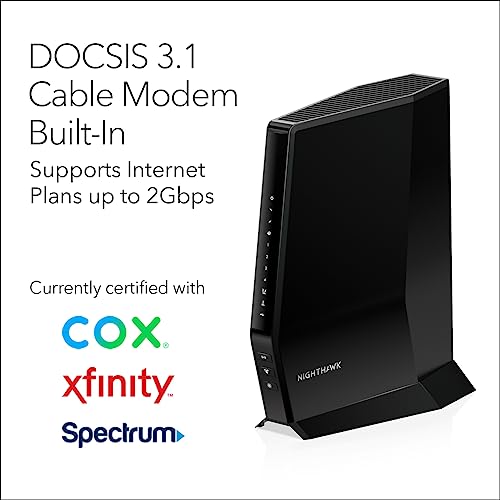
The CAX30 combines the cable link and an AX2700 Wi‑Fi 6 radio. The AX2700 headline (2.7 Gbps) is an aggregate theoretical ceiling across bands; realistic single‑client 5GHz throughput is typically several hundred Mbps depending on client radios, distance, and interference. Wi‑Fi 6 features—OFDMA, MU‑MIMO, and Target Wake Time—reduce contention and improve multi‑client efficiency, so the CAX30 feels noticeably better than older AC combos in homes with many devices. Still, Netgear’s on‑board routing/NAT must handle all encryption and streams, and under heavy concurrent gaming/streaming loads the combo can show higher CPU‑bound latency than a dedicated high‑end router.

Scaling, concurrent streams, and why specs diverge from home results
Specs assume ideal coax, close clients, and modern client NICs. Real homes add walls, interference, and mixed client capabilities. If you plan multi‑gig ISP tiers or heavy simultaneous wired/Wi‑Fi use, a dedicated DOCSIS 3.1 modem (MB8600) plus a powerful router or mesh will scale better. If convenience and decent AX‑level Wi‑Fi for dozens of devices matter more than peak wired headroom, the CAX30 is a strong single‑box choice.
Feature Comparison

Ecosystem, security, firmware updates, and future‑proofing
NETGEAR’s ecosystem: convenience with strings attached
We found the CAX30 lives inside Netgear’s Nighthawk ecosystem: a ZyNOS‑based firmware stack, the Nighthawk app for setup and remote management, and optional cloud services like NETGEAR Armor. That’s fast and user friendly — push‑button onboarding, remote troubleshooting, and automatic feature rollouts — but some useful security and parental features require a subscription. The tradeoff is clear: convenience and a polished app experience versus recurring costs and more cloud dependency.
Motorola’s modem‑first simplicity
The MB8600 is what it says on the box: a DOCSIS 3.1 modem with a Broadcom chipset and a sparse local web UI. There’s no app, no cloud, and very little user‑facing feature bloat. That reduces attack surface and makes behavior predictable. Motorola/Broadcom firmware for modems has a long track record of being conservative and stable, though updates are less visible and usually pushed when necessary.
Security, automatic updates, and remote management
We look for automatic, signed firmware updates and the ability to disable remote management. Netgear supports automatic updates and convenient cloud access — enable it if you value hands‑off security, but change default admin credentials and review remote‑access settings. The MB8600 relies on vendor/ISP pushes and a basic local UI; it lacks cloud remote management (good for privacy), and includes Broadcom DoS protections and AQM to reduce bufferbloat.
Warranty, ISP certification, and upgrade paths
Certification with Xfinity and Cox means both devices provision reliably with those ISPs. But warranties differ: the renewed MB8600 typically ships with a limited ~90‑day Amazon refurb warranty, while a new CAX30 carries Netgear’s manufacturer warranty (usually one year). More importantly, the upgrade story favors the MB8600 plus a separate Wi‑Fi system: you can swap routers or upgrade to Wi‑Fi 6E/7 mesh without replacing the modem. The CAX30 is convenient today, but if the Wi‑Fi radios age or a component fails, you replace the whole box — simpler now, potentially more wasteful and costly later.
Price, value, and who should buy which
Upfront cost vs long‑term value
We looked at Amazon listings and the clear split is upfront price versus flexibility. The renewed Motorola MB8600 rings in around $104; the NETGEAR CAX30 is about $230. Both eliminate ISP rental fees (many providers charge ~$10–15/month), so ownership typically pays for itself within 12–24 months. The catch: the MB8600 is modem‑only, so you must add a router or mesh — that can push your total outlay toward or beyond the CAX30 depending on the Wi‑Fi hardware you choose.
How warranty, resale, and upgrades shift the math
Who should buy which
We favor modular setups for longevity and upgrade flexibility; the combo wins for simplicity and immediate Wi‑Fi 6 convenience.
Final verdict: which we’d recommend
We name the Motorola MB8600 our overall pick for modularity, longevity, and superior wired performance; it future‑proofs your connection and lets you choose a best‑in‑class router or mesh.
We recommend NETGEAR CAX30 as the practical all‑in‑one choice for straightforward setup, decent Wi‑Fi 6 speed, and fewer devices to manage — want one box or more control?

Chris is the founder and lead editor of OptionCutter LLC, where he oversees in-depth buying guides, product reviews, and comparison content designed to help readers make informed purchasing decisions. His editorial approach centers on structured research, real-world use cases, performance benchmarks, and transparent evaluation criteria rather than surface-level summaries. Through OptionCutter’s blog content, he focuses on breaking down complex product categories into clear recommendations, practical advice, and decision frameworks that prioritize accuracy, usability, and long-term value for shoppers.









