

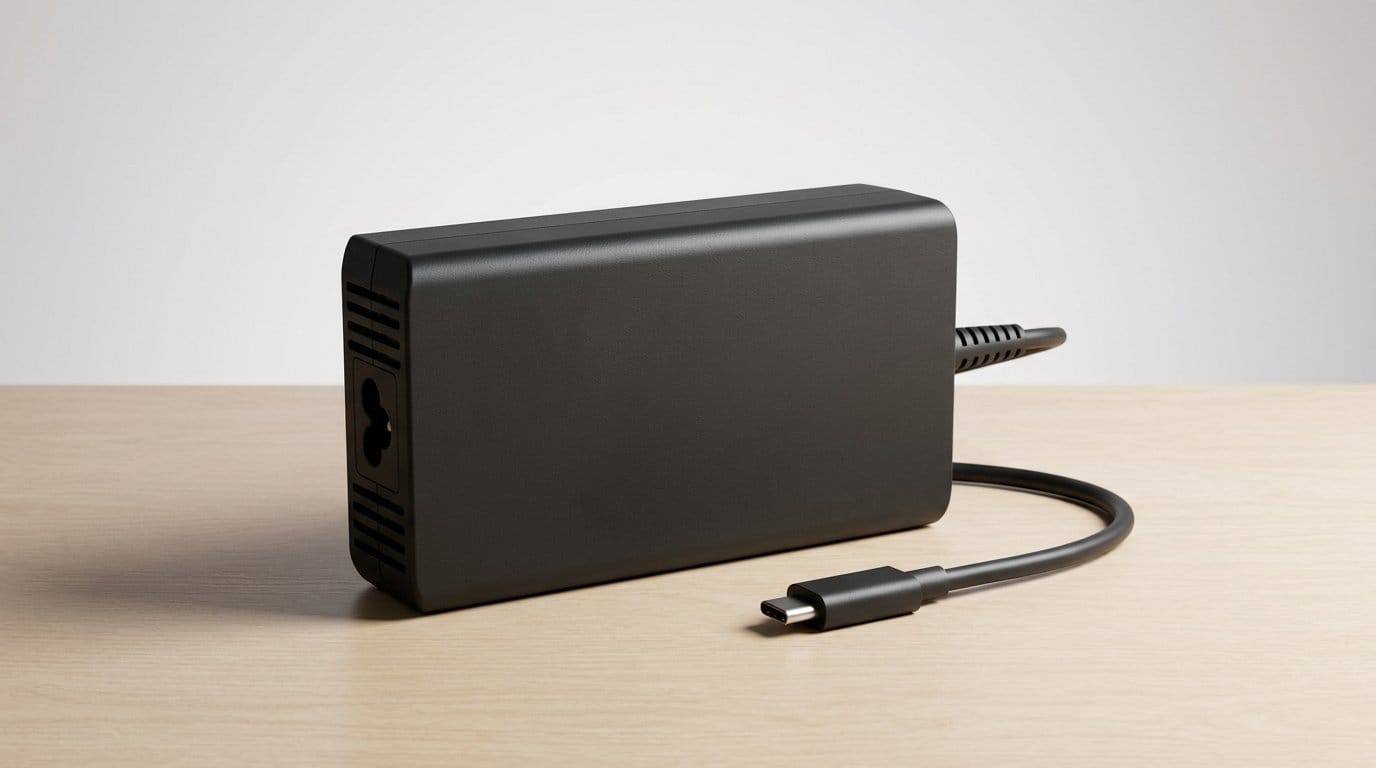

Why our laptop charger might be falling short
We assume the charger that came with our laptop will be enough. But in our testing and daily use we find that’s often not true. Modern components, higher refresh-rate screens, and faster SSDs push power demands beyond the spec sheet.
Symptoms are familiar: slow charging, batteries that drain while plugged in on a laptop, thermal throttling under sustained load. Those problems show up even with chargers rated for similar wattage because real-world delivery depends on voltage, efficiency, and handshake protocols.
The reasons are as much about design and ecosystem choices as raw watts. Thin chassis, conservative thermal limits, and mixed USB-C standards all shape whether a charger actually keeps up. We’ll show what to do.


Modern laptops demand more than the spec sheet implies
How busy internals turn into higher, unpredictable power draw
We used to add up CPU TDP + GPU TDP and call it a day. That model breaks down now. Modern CPUs and GPUs boost aggressively for short periods, NVMe SSDs and DRAM draw spikes during heavy I/O, and high-refresh displays continuously use more power than 60 Hz panels. Put those together and you get both higher sustained load (video editing timelines, compiling, VM work) and sudden peaks (ray-traced frames, exporting, background indexing) that legacy charger assumptions didn’t account for.
A practical example: a 14-inch laptop with a 65 W adapter might handle light browsing fine, but when we fire up a 4k timeline on a performance laptop in Premiere while running Slack, a browser, and wired external displays, power draw jumps. The system starts stealing from the battery or throttling performance despite the charger’s rated wattage.
Why vendors often ship conservative chargers
Manufacturers tune chargers and power limits for three reasons: thermals, battery health, and cost/portability. A slimmer chassis can’t shed extra heat that a higher-wattage charging profile would create, so OEMs cap sustained charging to avoid hot batteries or noisy fans. Similarly, limiting charge current preserves battery longevity over years—useful for marketing longevity claims but frustrating for power users.
Different laptop classes have different expectations
How this affects real-world tasks (and what to do now)
When we game, edit video, or run VMs, we expect consistent performance. If the charger is undersized, you’ll see throttling, battery drain while plugged in, or slower charge times. Our immediate, practical advice in these cases is simple: choose a charger with headroom for your workload, prefer PD chargers that support higher voltages/PPS, and match the OEM’s recommended wattage for sustained workflows. We’ll dig into concrete charger choices and configuration tips next.
What charger ratings don’t tell you: volts, amps, efficiency and negotiation
Wattage is a headline, not the whole story
We see a charger stamped “65W” and assume it will give 65 watts to the laptop. In practice, charging is the product of three moving parts: voltage × current × the chain’s efficiency. PD chargers negotiate a voltage (5V, 9V, 15V, 20V and, more recently, higher ranges) and a current limit. A 65W label just tells you the maximum the brick can deliver under ideal conditions—not what will reach the battery or the CPU when everything else is busy.
Losses that eat into that labeled power
There are unavoidable losses between the wall and the battery.
Those losses mean a 65W charger might effectively supply 55–60W at the battery under real workloads. Pair that with a thermally constrained laptop and you’ll see the system either pull from the battery or reduce performance.
Power-delivery negotiation and why it sometimes fails
USB Power Delivery is a conversation, not a blunt instrument. When you plug in, charger and laptop exchange supported voltages and currents. If any step hesitates—old firmware, a non‑PD-compliant cable, or a charger that supports only fixed rails rather than PPS—the laptop will pick a conservative profile.
Proprietary limits are another wrinkle. Some OEMs intentionally limit third‑party chargers via firmware support package profiles to protect thermals, guarantee battery longevity, or drive accessory sales. That’s why a higher-rated third‑party brick doesn’t always unlock faster charging on every model.
Practical signals to watch and quick fixes
What to try now
Design compromises: thinness, thermal limits, and the form-factor trade-offs
When manufacturers chase razor-thin silhouettes, a lot gets sacrificed behind the scenes. We’ve seen laptops that look impossibly sleek on the show floor but throttle on everyday tasks because there simply isn’t room for big heat pipes, fans, or beefy power delivery circuits. That design choice doesn’t just change aesthetics — it changes how much power the chassis can safely accept and dissipate over time.
Thin chassis = limited thermal headroom
A slim aluminum unibody gives us a premium feel, but it also reduces internal airflow and surface area for heat spread. Fanless machines (think some ultraportables and thin ARM notebooks) will cap charging rates or divert CPU power to keep skin temperatures comfortable and batteries healthy. Even thin-but-fanned laptops (XPS 13, MacBook Pro 13) limit sustained inlet power to avoid loud fans or hot keyboard decks during charging.
Batteries and long‑term health trade-offs
Integrating large-capacity batteries into thin frames leaves less room for charging electronics and thermal isolation. Manufacturers often program conservative charge curves to reduce cell stress and slow capacity loss — you might see slower charge above ~80% or built-in “optimized charging” modes that stretch a charge over hours. That’s on purpose: it preserves battery life at the cost of peak charging speed.
Charger form-factor matters, too
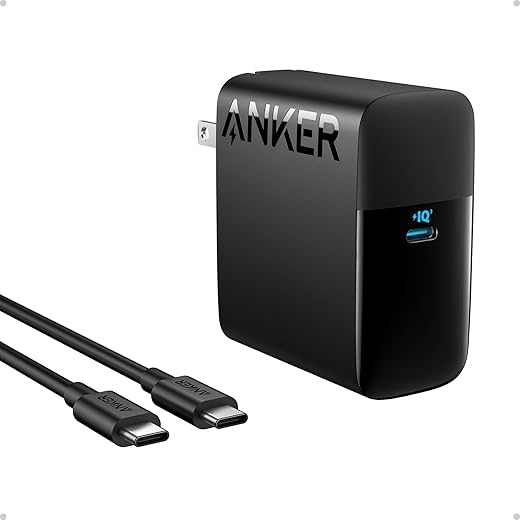
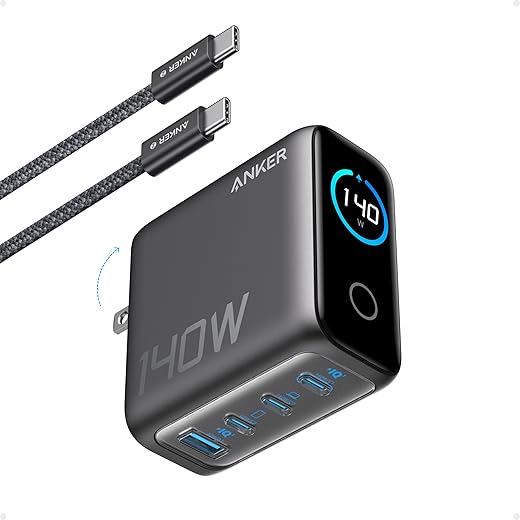
Small GaN bricks pack high wattage, but tiny size constrains cooling and connector layout. Bricks without ventilation or with tight internals may thermal‑throttle under sustained loads; bricks with displays or active cooling run cooler but are larger. Connector choice matters: a single USB‑C port forces negotiation and can be simpler, while multiport bricks give flexibility but split power across devices.
Practical tips we use and recommend
Design is a negotiation: aesthetics, acoustics, and longevity all push manufacturers to dial back charging aggressiveness. That’s why we sometimes reach for a chunkier charger — it’s less glamorous, but more reliable when the laptop’s thermals and our workflow demand steady power.
Ecosystem friction: ports, standards, and vendor choices shape what works
Standards are tidy on paper; messy in our bags
USB‑C Power Delivery promised a single cable to rule them all — but PD is a family of versions, profiles, and optional features (PD 2.0, PD 3.0, PD 3.1, PPS). A charger that lists “USB‑C PD” can mean anything from a 60W single‑voltage rail to a 240W PPS beast that negotiates variable voltages. That negotiation is where compatibility surprises happen: a laptop may cap draw to a lower PD profile, or a charger may refuse higher‑voltage rails because it doesn’t implement the same optional PD features.
Proprietary ports and business incentives
Some manufacturers keep control by using unique connectors or firmware checks. Think Surface Connect, Apple’s MagSafe variants, Lenovo Slim Tip, or Dell’s authentication on some docks. Those choices aren’t just about shape — they preserve performance guarantees, accessory revenue, and after‑service predictability. The trade‑off for us is clear: better integration versus universal convenience.

How that friction plays out day to day
Practical steps we use to reduce surprises
Ecosystem alignment often matters more than raw wattage: a 100W charger that negotiates correctly will beat a 140W brick that the laptop down‑rates. In the next section we’ll turn these realities into concrete advice on picking chargers and cables that actually keep up with our machines.
What we recommend: choosing and using a charger that actually keeps up
We boiled this down to practical steps we actually use: read specs in context, match the right cable, choose OEM or a vetted third‑party when it matters, and use software to tune real‑world behavior. Small choices here change whether a charger keeps a laptop at 100 percent under load — or barely treads water.
Read the spec sheet like a human
Look beyond “USB‑C PD” and hunt for the voltage and current combinations (for example, 20V @ 5A = 100W). Check whether the charger advertises PD 3.1 or PPS, and whether the cable is an e‑marked 5A cable. If a charger lists only “100W max” but omits the voltage/current pairings, assume it may not sustain what your laptop needs under heavy load.

When to buy higher‑watt or vendor‑supplied chargers
Buy up when your workflow demands it. If you use sustained heavy CPU/GPU loads (video editing, compiles, games) or drive multiple monitors from a dock, a higher‑watt charger or OEM adapter is worth the size and weight. OEM chargers often include firmware/authentication that third parties don’t, which matters for mission‑critical use. For travel, a high‑quality third‑party GaN brick (Anker, Satechi, RAVPower) usually delivers excellent size‑to‑power tradeoffs — but keep an OEM spare for long sessions.
Use settings and cables to close the loop
Battery conservation modes, “optimized charging,” and performance profiles change the math. If you enable battery‑health mode, devices will charge slower and stop earlier to preserve longevity. For best steady‑state charging:
Trade‑offs and a few ground rules
Portability vs sustained charge is the main trade‑off: tiny GaN bricks are great for planes but may thermal‑throttle under constant heavy draw. Third‑party chargers risk firmware quirks or warranty issues — keep OEM adapters for critical workflows. For multi‑device households, a quality multiport charger (one high‑watt USB‑C port plus a few lower‑watt ports) and a spare cable solve most friction points.
We’ve used these rules across laptops, docks, and hotel desks — and they consistently reduce surprises and extend battery life. Next, we’ll pull this advice into a few buying rules that make chargers a deliberate part of your purchase decision.
Make chargers a part of the purchase decision
We should stop treating chargers as afterthoughts. A power adapter is a deliberate design choice that shapes performance, thermals, and how a laptop fits into our day. When thin chassis, aggressive power curves, and multiple ports collide, the spec-sheet wattage becomes a simplification. Understanding peak draw, voltage negotiation, and vendor limits helps us choose chargers that sustain turbo speeds, avoid battery stress, and reduce annoying slowdowns in real use.
Practically, that means evaluating chargers and cables alongside the laptop: pick higher headroom for demanding workloads, prefer standards-compliant USB‑C PD with clear voltage ranges, and keep an eye on ecosystem compatibility. If we buy with power in mind, we get the real-world experience manufacturers promise—not just numbers. Choose wisely, avoid surprises.
Frequently asked questions
What is the main point of “Why Your Laptop Charger Is Not Powerful Enough”?
This piece explains where why your laptop charger is not powerful enough matters in real buying decisions—not just headline specs. We focus on trade-offs, who benefits most, and what to verify before you spend.
Who should read this why your laptop charger is not powerful enough guide?
Read it if you are actively shopping, upgrading, or trying to separate marketing claims from day-to-day use. Skip it if you already own the gear and are not planning a change this season.
What changed recently around why your laptop charger is not powerful enough?
Prices, firmware, and feature tiers shift quickly in this category. We call out what is new enough to affect your decision and what is incremental hype you can safely ignore.
How should I use this editorial when buying?
Treat it as context before you compare models: note the risks and priorities here, then cross-check specs and current pricing on the picks that match how you actually use the product.
What is easy to get wrong about why your laptop charger is not powerful enough?
Buyers often overweight one spec—brightness, speed, or brand—and underweight fit for their room, ecosystem, or warranty support. We flag the mismatch we see most often in reader questions.
Where should I go next after reading?
Use the related comparisons and top picks linked near the end of this article for model-level shortlists, then confirm return policies and compatibility with the devices you already own.

Iqra Jumar is Option Cutter's editorial writer. She writes practical editorials and buyer guides that focus on real-world upgrades—better Wi‑Fi, cleaner cable setups, smarter streaming, and everyday fixes—not spec-sheet noise alone. Her work helps readers decide what to change now, what to skip, and why.









