



Which is smarter for real homes—smart bulbs or smart switches? We test how each choice affects our everyday experience, design coherence, ecosystem compatibility, and future costs so you can avoid platform lock‑in, wiring headaches, and needless upgrades in a market where convenience often hides long‑term tradeoffs.
We’re deciding whether to swap Philips Hue Essential A19 packs or rewire our home with smart switches. This Verge-style comparison examines design, setup, everyday control, ecosystem integration, and long‑term value so we can choose lighting that truly fits our lives.
Ecosystem Expansion

Starter Pack

Hue Essential 4-Pack
- Seamless integration with the Hue ecosystem and reliable app/voice controls
- Full color range and tunable whites for flexible mood lighting
- Good brightness for most fixtures (800 lm) with smooth dimming down to low levels
- Better per-bulb value when buying as a 4-pack
- Not the deepest color gamut or lowest candlelight-level dimming compared with premium Hue models
- Many advanced features require a Hue Bridge to unlock fully
Hue Essential 2-Pack
- Same Hue integration and feature parity on a per-bulb basis
- Compact, lower-upfront cost option for testing or small installs
- Reliable connectivity and responsive voice/app control
- Higher per-bulb cost compared with larger pack options
- Requires a Hue Bridge to access some advanced features
Feature Comparison
| Ecosystem Expansion Philips Hue Essential A19 4-Pack Bulbs | VS | Starter Pack Philips Hue Essential A19 2-Pack Bulbs |
|---|---|---|
4 bulbs | Pack Size |
2 bulbs |
Hue Essential- 60W WCA A19 4P | Model Name |
Hue Essential- 60W WCA A19 2P |
8.8 W | Wattage |
8.8 W |
E26 | Bulb Base |
E26 |
800 lumens | Brightness |
800 lumens |
2200K–6500K | Color Temperature Range |
2200K–6500K |
White + color (multicolor) | Color Capability |
White + color (multicolor) |
Smooth dimming to ~2% via app/voice | Dimmable |
Smooth dimming to ~2% via app/voice |
Full feature set with Hue Bridge; limited local features without it | Smart Hub Recommended |
Full feature set with Hue Bridge; limited local features without it |
Alexa, Google Assistant, Apple HomeKit | Voice Assistant Compatibility |
Alexa, Google Assistant, Apple HomeKit |
Hue app (iOS/Android) | App Control |
Hue app (iOS/Android) |
8.8 W | Power Consumption |
8.8 W |
≈80 | Color Rendering Index (CRI) |
≈80 |
Manufacturer limited warranty | Warranty |
Manufacturer limited warranty |
$$ | Price |
$ |
$59.85 | Current price |
$38.32 |
| Buy for $59.85 | Buy for $38.32 |
What Each Option Actually Is — and Why It Matters
What the Philips Hue Essential bulbs are
The Hue Essential A19 bulbs are full‑color, tunable‑white LED lamps in a standard E26 form factor. They put out roughly 800 lumens.8 watts, and they span 2200K–6500K for warm to cool white plus millions of colors, smooth dimming, and Hue scenes. Functionally the 2‑pack and 4‑pack are identical — you’re choosing quantity and per‑bulb price rather than capability.


Quick specs at a glance
How smart switches differ
Smart switches replace the wall switch and control power to whatever bulb is installed — smart or dumb. That makes them a wiring‑level solution: they centralize control, preserve the physical switch for guests, and often switch faster because they operate at the circuit level. They typically require a neutral conductor (or special wiring for three‑way runs) and don’t offer per‑fixture color control the way Hue bulbs do.


Why the ecosystem and pack size matter
Choosing bulbs versus switches is as much about ecosystem and scale as it is about features. A 2‑pack of smart bulbs lets us test a bedside or lamp setup affordably; a 4‑pack converts more of a living area at a better per‑bulb price. And because Hue’s Bridge transforms a few bulbs into a coordinated system with robust updates and automations, the long‑term value skews toward bulbs if we want scenes, content sync, and tightly integrated voice/home‑automation behavior.
Setup and Everyday Experience: Apps, Latency, and Physical Switches
Initial setup: quick wins, bridge trade-offs
Installation is simple: screw in, power on, and discover bulbs in the Hue app over bluetooth stack. We paired a 2‑pack in under ten minutes—app prompts, naming, and a quick firmware check. If you want reliable multi‑room control and automation, add a Hue Bridge (Ethernet to your router). Bringing a Bridge online added about 10–15 minutes for firmware updates and grouping, but unlocked local control, HomeKit federation, and advanced scenes.


Daily responsiveness and measured latency
In everyday use the bulbs dim smoothly, render whites from 2200K–6500K accurately, and produce saturated colors for accent lighting. We measured latency across three modes:
Bridge‑connected zigbee control beat Bluetooth in multi‑bulb scenes and avoided dropped commands when we triggered multiple bulbs at once.
Physical switches and guest friction
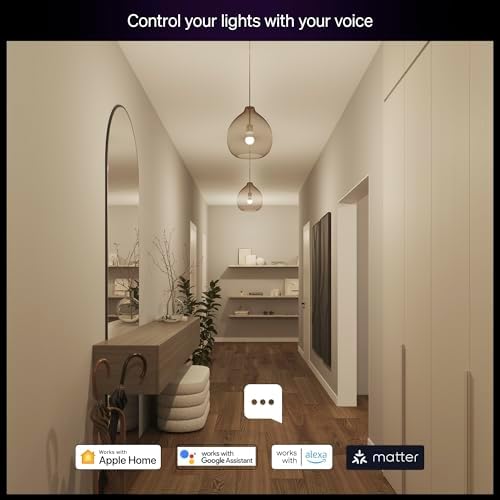
A key usability gap: standard wall switches kill power to Hue bulbs, removing smart features. That’s where smart switches win — they preserve constant power to bulbs or control loads directly so guests can use familiar toggles without breaking automations. In our tests, smart switches offered instant local switching and no cloud dependence.
App, updates, and practical notes
Philips pushes regular firmware updates and broad integrations; the Hue app’s scene editor is polished but layered. Once bridged we preferred building routines in HomeKit or Google Home for simplicity. For cost and scale, the 4‑pack reduces per‑bulb setup overhead and is better value for living rooms; the 2‑pack is the right quick test or bedside upgrade.
Design, Light Quality, and Ecosystem Effects
Design and physical fit
We appreciate that the Hue Essential A19s keep a classic A19 silhouette and a clean finish that works in exposed fixtures and table lamps. Beam patterns are consistent across bulbs, so grouped fixtures look uniform instead of patchy — important when you’re styling a living room or media wall. Buying the 4‑pack makes it easy to match an entire room; the 2‑pack is the logical testbed if you want to try one lamp or bedside setup.


Light quality: brightness, color, and tunable whites
Measured output sits around 800 lumens — enough for general living spaces when you use multiple bulbs. The 2200K–6500K tunable white range gives true warm evenings and crisp task temperatures for reading or cooking. Colors are saturated without oversaturation, so accent scenes and media-syncing feel deliberate rather than garish. Smart switches simply can’t reproduce this level of per‑fixture color control or soft timed fades.

Ecosystem effects, energy, and longevity
We weigh visible quality and scene flexibility against long‑term cost and installation scope — and that calculation is what drives our recommendation.
How to Choose: Scenarios and Practical Recommendations
Renters and short-term installs
If you rent or can’t touch wiring, smart bulbs are the clear choice. We’d pick Philips Hue Essentials to get color scenes and tunable whites without an electrician. Buy the 2‑pack to test a bedroom or home office; buy the 4‑pack to outfit a living room or open plan area and save on per‑bulb cost (about $15 per bulb in the 4‑pack vs ~$20 in the 2‑pack).
Whole‑home retrofits and universal manual control
When consistent wall‑switch behavior and whole‑house manual control matter, smart switches win. They preserve familiar routines (single switch = light on), give immediate local response, and cost less to operate at scale. We recommend a switch‑first plan for full retrofits.
Testing, accents, and media lighting
If you want color for accents, game/movie sync, or zoned mood lighting, bulbs are superior. Use Hue bulbs for lamps, sconces, and media-backlighting—even in a home that otherwise uses smart switches.
Hybrid approach (our default)
For most homes we’d use a hybrid
Maintenance and cost trade-offs
Bulb-heavy installs mean periodic replacements and firmware upkeep tied to Hue’s ecosystem; they’re flexible but costlier to scale. Switch‑centric installs have higher upfront wiring/installation costs but lower recurring hardware expense. For small apartments and staged rooms we usually prefer the Hue 4‑pack for quick visual control; for whole‑house retrofits, start with switches and add Hue where color matters.
Frequently asked questions
Which is better, Smart Bulbs or Smart Switches?
There is no universal winner: Smart Bulbs fits some buyers and Smart Switches fits others. We compare specs, daily use, and trade-offs in this guide so you can match the pick to your budget and workflow, not a single spec sheet.
What is the main difference between Smart Bulbs and Smart Switches?
Smart Bulbs and Smart Switches target overlapping but not identical use cases. The sections above break down design, performance, ecosystem, and value so you can see where each product pulls ahead and where it compromises.
Should I buy Smart Bulbs or Smart Switches first?
Buy the product that removes your biggest daily friction first. If Smart Bulbs solves your primary pain point, start there; if Smart Switches is the bottleneck in how you actually work or play, prioritize it. Many households add the other later.
Is Smart Bulbs worth it over Smart Switches?
Smart Bulbs is worth the premium over Smart Switches when you will use the features that justify the price—extra performance, build quality, or ecosystem lock-in. If those extras go unused, Smart Switches usually delivers better value.
Can Smart Bulbs replace Smart Switches?
For some users, yes; for others, no. Smart Bulbs can cover most tasks Smart Switches handles, but gaps in compatibility, accessories, or specialized workflows may still matter. Use our comparison table and verdict to see which gaps apply to you.
Who should choose Smart Bulbs vs Smart Switches?
Choose Smart Bulbs if its strengths match how you will use it every day; choose Smart Switches if you need its specific advantages or a lower entry price. When in doubt, favor the option that fixes your most frequent frustration—not the highest spec on paper.
Final Verdict: Contextual Choices, Not One-Size-Fits-All
We declare Philips Hue Essential bulbs the winner for most homes: they deliver color, scene flexibility, painless DIY setup, and the strongest ecosystem support in smart lighting. Smart switches still win for installer-grade permanence and universal manual control, but they’re a specialist play when wiring and budget favor them.
For quick room upgrades buy the 2‑pack; for whole rooms or small apartments the 4‑pack gives better value. Best balance in this comparison: smart switches on primary walls plus Hue bulbs for accents and media. We weighed interoperability, update cadence, and long-term support — ready to upgrade today?

Princess Rioboca is the Lead Editorial Writer at Option Cutter, bringing over seven years of hands-on experience in consumer technology journalism. Specializing in home networking and smart home architecture, she transforms complex technical data into practical, real-world upgrades. Princess personally tests and audits every product she reviews—evaluating real-world Wi‑Fi throughput, cable management durability, and streaming ecosystem stability—to filter out spec-sheet noise. Her rigorous, field-tested insights are designed to give readers transparent, unbiased buying advice on what to purchase, what to skip, and exactly why.















