

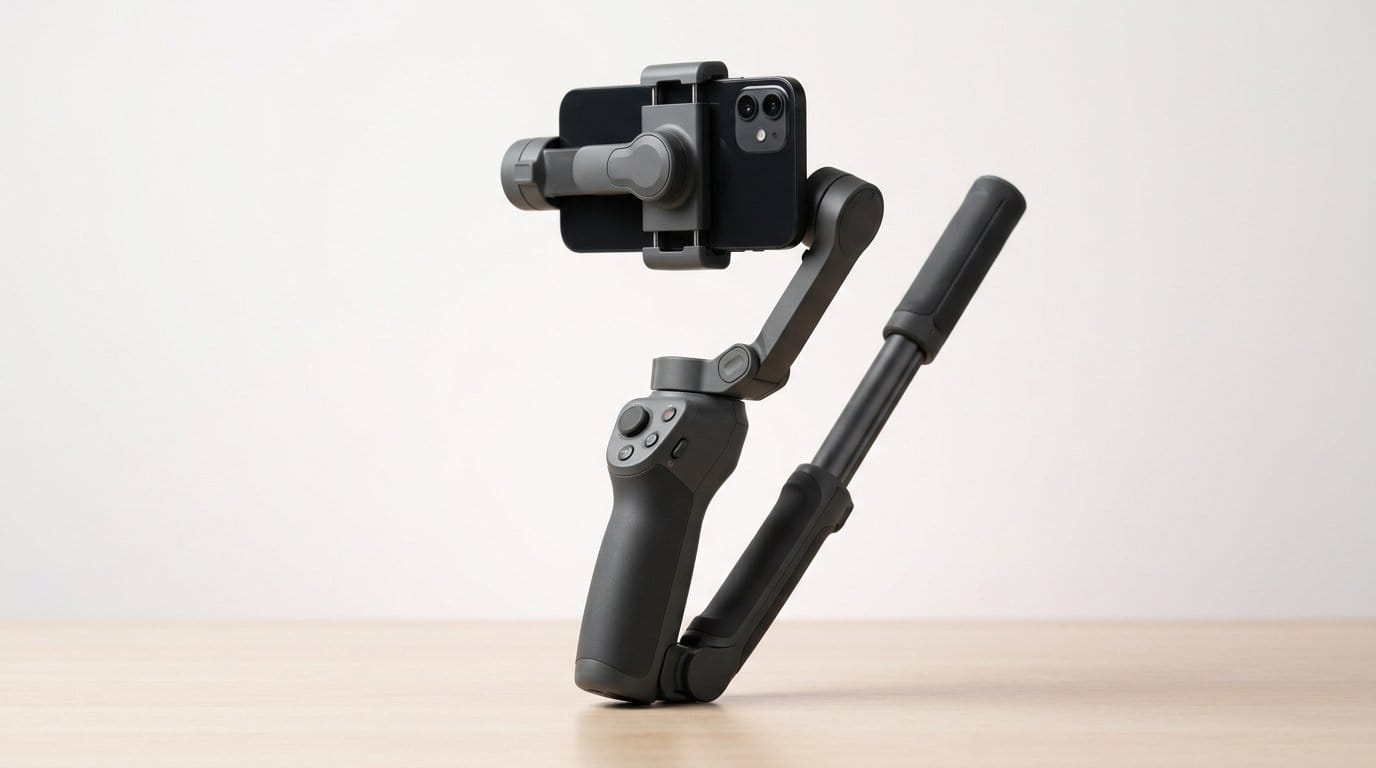

Because shaky footage is SO 2015 — which gimbal actually saves your shoot?
Shaky footage ruins a good story. We’ve all been there: sprinting after the perfect shot, juggling a phone and a latte, and watching the clip wobble into embarrassment. A steady gimbal rig fixes that immediately.
Good phone gimbals do more than stabilize. They fold into our workflow — tracking subjects, adding light, capturing audio, and lasting through long 4K vlogging sessions. The newest models push integration and battery life, and that matters: fewer accessories, faster setups, and more time actually shooting.
Top Picks






All‑In‑One Gimbal with Multifunction Module
We think the integrated multifunction module — combining tracking, lighting, and audio reception — elevates the workflow for creators who want fewer accessories. The gimbal's tracking and polish make it a top pick for serious mobile content work.
Where it fits in the market
We see this model as DJI’s most full‑featured consumer gimbal: it’s engineered for creators who want an integrated, polished toolset rather than cobbling together microphones, lights, and mounts. The multifunctional module simplifies setup for livestreaming and vlogs.
Design, tracking, and ecosystem integration
The gimbal’s ActiveTrack is responsive and benefits from dual‑lens support on modern phones. The built‑in rod and tripod reduce the number of items we carry while the USB‑C phone charging and 10‑hour runtime mean fewer mid‑shoot interruptions. Pairing with DJI Mimo unlocks ShotGuides and one‑tap editing that speed production.
Why it matters and practical implications
This isn’t the lightest, cheapest option — but the integrated design saves time and reduces friction in real shoots. The result is a faster setup and fewer compatibility headaches between third‑party mics and lights. App quirks persist on some Android phones, so we recommend testing your phone pairing before a critical shoot.
For creators who film frequently and want a single, cohesive toolchain, this phone gimbal significantly reduces friction and raises the quality bar for mobile video.
Compact 3‑Axis Gimbal with Extension Rod
We appreciated how the built‑in extension rod and improved tracking make everyday vlogging and travel footage feel more cinematic. The package balances portability with features photographers and casual creators both want.
Design and purpose
We see this gimbal as DJI’s attempt to make movie‑style stabilization approachable for everyday users. It pares down bulk: the OM 5 folds to a palm‑size shape yet keeps that signature three‑axis motor performance. The built‑in extension rod is the headline feature — it gives instant reach for group selfies, lower‑angle pet shots, and small dolly‑like moves without an extra monopod.
Key features and real‑world benefits
In practice the OM 5 delivers predictable, smooth footage for walking shots and vlogs. The app’s ShotGuides and ActiveTrack 4.0 are useful when we want to shoot quickly and still get a composed result.
We found the magnetic clamp makes repeated mounting fast, though you should still balance for heavier phones. The motor is quiet and responsive; the system tolerates standard camera apps and exports to the phone’s native gallery.
Limitations and practical context
The OM 5’s compact motors are a tradeoff: they work extremely well with modern mid‑weight phones but can show vibration or struggle with the largest flagships plus thick cases or add‑ons. Battery life sits around an hour to slightly over depending on usage; that’s fine for a day of short shoots but limiting for extended live streams.
If you travel light with a mobile rig, want easy setup, and value smart tracking and creative templates, this is a strong pick. If you plan to hang large accessories or shoot non‑stop all day, a larger gimbal will serve better.
Versatile 4‑in‑1 Gimbal for Cameras and Phones
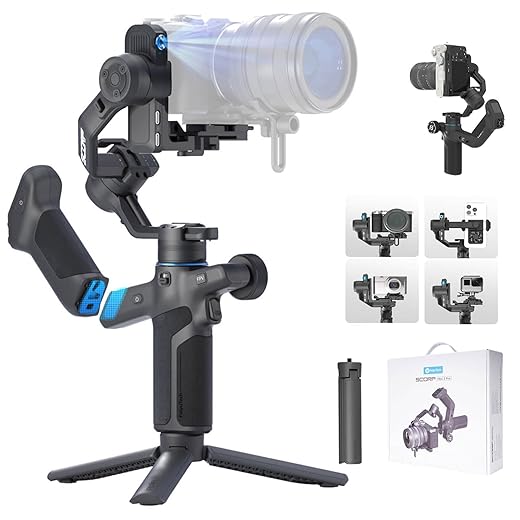
We value its ability to support mirrorless cameras, compact cameras, and phones with a high payload. The modular design and fast tracking make it a strong choice for creators who switch platforms regularly.
Who should consider this gimbal
We recommend this model to hybrid shooters who need one device to handle phones, action cams, and lightweight mirrorless cameras. Its 2kg payload and modular plate let us reconfigure rigging quickly between setups.
Performance and creative capabilities
The gimbal’s AI tracking is fast and reliable for scripted sequences and live demos. The detachable handle that doubles as a remote is especially useful for single‑operator shoots where you need distance control or want to mount the gimbal on a tripod while still operating it remotely.
Real‑world tradeoffs
Balancing a mirrorless camera and lens takes practice; we spent time dialing in the quick‑release plate to avoid drift. The unit is heavier, so it’s less suited to all‑day hand‑held roaming unless you prefer that build. Battery life and stabilization algorithm, however, are more than capable for run‑and‑gun shoots.
If you want to consolidate gear and occasionally use a camera rather than only a phone, this gimbal offers a sensible upgrade path without forcing you to invest in multiple stabilizers.
Pro‑Oriented 3‑Axis Gimbal with App Control
We found the Smooth 5 balances strong motors, a thoughtful control layout, and long battery life to suit serious mobile filmmakers. The learning curve is steeper, but the payoff is professional‑grade footage and flexible accessories.
Design and audience
We see this gimbal as Zhiyun’s answer to creators who treat their phone as a primary vlogging camera. The Smooth 5’s chassis and rear‑mounted motor free up the camera’s field of view and enable low‑angle moves that some rivals can’t pull off without interference.
Features and creative workflow
The Smooth 5 pairs a tactile control surface with a real adjustment wheel so we can pull focus and control pan/tilt with more nuance than a basic joystick. In our testing the magnetic accessory ecosystem (lights, filters) adds practical on‑camera options without complicating balance excessively.
Competitive context and practical tips
This gimbal isn’t aimed at absolute beginners. We recommend spending time with balance and firmware. Battery life is generous; on long shoots we appreciated the ability to treat this as a near‑all‑day tool rather than a quick‑trip gadget.
If you’re upgrading from entry‑level stabilizers or regularly use wider lenses or cases, the Smooth 5 gives you headroom and control that matters in a professional workflow.
Mini 3 Gimbal with AI Tracking and Cooling
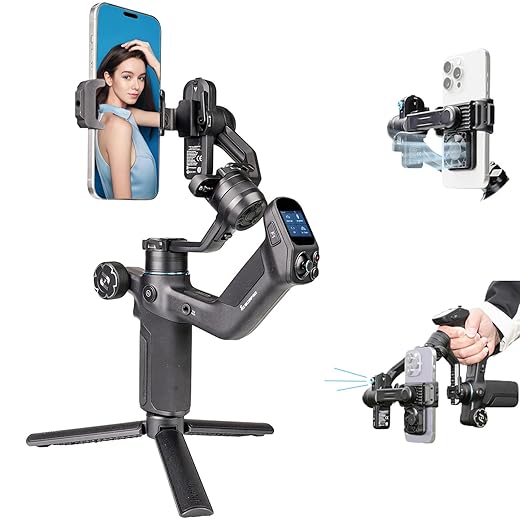
We were impressed with the lightning‑fast AI tracking and the integrated cooling fan which helps during long 4K sessions. The touchscreen and strong stabilization make it a powerful option for mobile filmmakers who need responsiveness and endurance.
Product positioning and primary strengths
We consider this unit a compact powerhouse aimed at creators who need fast, dependable tracking and extended recording times. The integrated AI tracking module reacts with minimal latency, and the small cooling fan is a practical boon for intensive shooting sessions where phones tend to throttle.
Day‑to‑day workflow and ergonomics
The large onboard touchscreen turns the gimbal into a self‑contained controller: we can change modes, monitor battery, and trigger recording without reaching for the phone. The grip ergonomics and lockable axes speed transitions between low and high angles.
Competitive context and practical tips
Compared with other mini gimbals, this one leans toward prosumer use: it carries more features and a slightly higher weight penalty. If you do long vlogs, event coverage, or frequent 4k captures, the cooling fan and robust stabilization reduce interruptions and improve consistency.
If you want advanced tracking and a self‑contained interface on a compact chassis, this gimbal hits a strong mix of features that matter.
Magnetic Mount Handheld 3‑Axis Stabilizer
We like how the magnetic quick‑mount and compact fold make it a low‑friction choice for casual creators. Its features are robust for the price, though it's an older model and lacks some refinements of newer units.
Who this is for
We recommend this model to people who want dependable gimbal stabilization without a steep learning curve. It’s designed for vloggers and social creators who value rapid setup — attach the magnetic clamp and go.
What stands out in daily use
The magnetic ring holder concept is the standout convenience: swapping phones or stashing a gimbal in your bag is noticeably faster. The Mimo app offers Story Mode templates and DynamicZoom for quick cinematic effects, and the included tripod is handy for static interviews and timelapses.
Tradeoffs and ecosystem notes
Because this is an earlier generation, tracking and motor torque aren’t as sophisticated as recent releases. That means you may need to remove thick cases or counterweight external lenses. Compatibility quirks on some Android phone models are also worth checking before purchase.
If you’re price‑sensitive and want a capable, compact stabilizer that plugs into a familiar app ecosystem, this remains a solid value. For heavier phones or pro workflows we’d look at more recent models with higher payloads.
Lighted Combo Gimbal with App Modes
We appreciated the built‑in touch‑sensitive fill light and lightweight profile — helpful for on‑the‑go shooting. It’s ideal for vloggers who want a simple, affordable stabilizer with enough features to make creative videos.
What we like about this combo
We think this gimbal is a sensible pick for creators who prioritize portability and built‑in lighting. The foldable design and touch‑sensitive fill light remove the need to tote separate accessories for short shoots or quick social clips.
Performance in the field
Stabilization is solid for walking shots, vlogging, and social content. SmartFollow and Gesture Control make hands‑free recording workable for solo creators, and ZY Cami’s creative modes let us try slow‑motion and inception effects without extra equipment.
Practical caveats
The unit we tested shows that inexpensive gimbals sometimes have QC hiccups: some users reported faulty locking mechanisms or pairing struggles. We recommend checking return policies and firmware updates. Also, if you regularly use external lenses or heavy cases, the gimbal can reach its torque limits.
For shoppers on a budget who want a travel‑friendly stabilizer with built‑in lighting, this is a compelling, cost‑effective option — just expect to spend a little time learning balancing and app features.
Feature‑Rich Stabilizer with Focus Control
We liked the comprehensive control set — follow focus, zoom, and menu buttons — which reward time invested learning the device. It’s a cost‑effective way to access pro‑style controls, though the app experience can be mixed depending on your phone.
Rationale and audience
We think this gimbal appeals to people who want physical control over cinematic moves without spending a premium. Its focus wheel and control panel let us mimic camera‑style adjustments that feel tactile and precise once you master them.
How it behaves in practice
The stabilization is solid for walking and medium‑pace moves. Where this unit shines is in hands‑on control: the follow focus and zoom functions remove the need to tap the phone screen, which keeps motion smoother in final footage. The kit can also act as a two‑way charging hub for longer shoots.
Caveats and practical advice
There’s a bit of a learning curve: balancing properly and understanding the app unlocks the best results. Android users may find feature parity lacking compared with iOS, so check compatibility for your phone model before committing.
If you’re willing to invest time to learn its controls, this gimbal offers pro‑leaning tools and cinematic modes at a sensible price — a great bridge between entry‑level and pro rigs.
Portable Gimbal with Detachable Remote Control
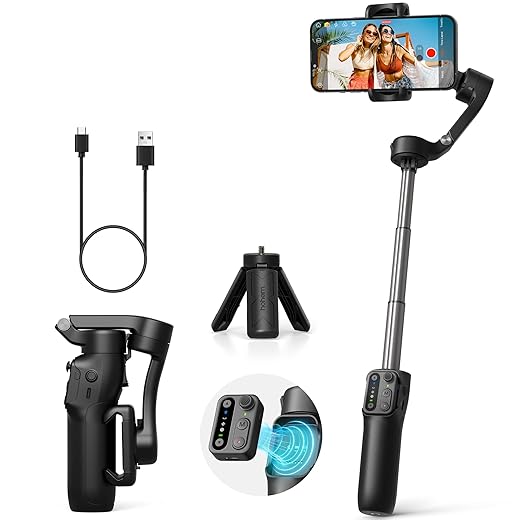
We liked the detachable remote — it makes solo shooting and group selfies much easier. It’s an affordable, compact stabilizer with a sensible feature set for vloggers and hobbyists, though build quality is not flagship level.
Design and intended users
We position this gimbal for solo creators who want a simple, portable tool that still offers advanced control. The detachable remote control is the defining feature — it expands creative possibilities when shooting hands‑free or operating the gimbal from a distance.
How it performs day‑to‑day
In our routine use we found pairing straightforward and tracking reliable for typical vlogging scenarios. The control layout makes switching between portrait and landscape painless, and the battery life comfortably covers a day of intermittent shooting.
Practical notes and tradeoffs
A few reviewers reported hardware duds out of the box; while the company’s support replaced units in our sample, expect some variability in QC. Zoom and focus controls are handy, though the silky‑smoothness of physical controls can differ between units.
For creators who value a compact, remotely operable gimbal at a modest price, this is a well‑rounded choice. If you need premium build or maximum payload, consider stepping up to a higher‑end model.
Feature‑Packed Stabilizer with Ultra‑Wide Mode
We were impressed by the ultra‑wide‑angle mode and long battery life, which add practical versatility for travel and run‑and‑gun shoots. The motors are competent, but the app experience and occasional balancing quirks show this is a value play rather than a premium tool.
Product positioning and design
We view this stabilizer as a budget‑minded tool built to stretch what a smartphone can do without a big investment. Its standout idea — an ultra‑wide mode to avoid motor interference — is practical for users who switch between wide and tele photo setups.
Everyday use and features we value
In the field, the iSteady Mobile Plus holds a steady frame for walking shots and timelapses. The Hohem Joy app offers prebuilt Moment templates and creative modes like CloneMe and Dolly Zoom, which help us produce attention‑grabbing clips quickly.
Limitations and tips
The most frequent complaints relate to app discovery and stability; we advise scanning the manual QR to get the correct app. Balancing is the usual friction point — plan for a few minutes of setup if you add cases or filters. Overall, for people who want a lot of functionality on a tight budget, this is a hard to beat package.
Final Thoughts
We recommend the All‑In‑One Gimbal with Multifunction Module as our top pick. Its integrated tracking, fill lighting, and on‑board audio reception meaningfully cut down on gear and setup time. The tracking is polished, the motors and battery life suit longer shoots, and the ecosystem focus (built‑in tools instead of juggling attachments) is exactly what creators need when speed and quality matter. Choose this if you produce regular mobile content, run interviews, or want a near‑complete studio in one handheld tool.
For travel vloggers and everyday shooters who prize portability, pick the Compact 3‑Axis Gimbal with Extension Rod. It balances weight, improved tracking, and a built‑in extension rod that makes framing and selfie shots effortless. The design prioritizes quick deployment and pocketable carry without sacrificing cinematic stabilization — ideal for on‑the‑go creators who trade a little feature depth for big gains in convenience.
Why these matter now: the market has polarized between heavy, pro rigs and cheap, feature‑light stabilizers. The All‑In‑One leans into consolidation and workflow efficiency; the Compact model prioritizes portability and fast setup. Both choices reflect a practical, user‑first approach to mobile filmmaking — fewer compromises, more usable footage.
Frequently asked questions
How did we pick these phone gimbals for smooth video options?
We shortlist models that balance performance, reliability, and value for typical buyers—not just the highest spec sheet. Hands-on notes, owner feedback, and return/warranty policies all feed the ranking.
Which phone gimbals for smooth video pick is best for most people?
Start with our top overall choice if you want the safest balance of price and features. Move up or down the list only when a specific need—budget, ecosystem, or a must-have feature—clearly applies to you.
Do prices on this phone gimbals for smooth video list change often?
Yes. Retailers run frequent promos, so use the live price buttons on this page and compare shipping and return windows before checkout—the best deal is not always the lowest sticker price.
Should I buy the cheapest phone gimbals for smooth video on the list?
Only if the trade-offs fit your use case. The budget pick can be excellent value, but check what you give up in build quality, software support, or key features you will use every week.
What if none of these phone gimbals for smooth video picks fit?
Use the comparison and guide links on this page to narrow by size, platform, or feature, then revisit the list with your must-haves written down—forcing a mismatch creates more returns than savings.
How often is this phone gimbals for smooth video roundup updated?
We refresh rankings when major models launch or pricing shifts enough to change the value story. Check the publish date at the top and compare current specs if you are reading months later.

Princess Rioboca is the Lead Editorial Writer at Option Cutter, bringing over seven years of hands-on experience in consumer technology journalism. Specializing in home networking and smart home architecture, she transforms complex technical data into practical, real-world upgrades. Princess personally tests and audits every product she reviews—evaluating real-world Wi‑Fi throughput, cable management durability, and streaming ecosystem stability—to filter out spec-sheet noise. Her rigorous, field-tested insights are designed to give readers transparent, unbiased buying advice on what to purchase, what to skip, and exactly why.














