


Why ‘Good Enough’ Feels Underwhelming
We expect a home theater to transport us: punchy sound, an immersive picture, and a ritual that marks a break from everyday life. Yet boxes labeled 4K and Dolby Atmos often land in our rooms and feel flat. We’ll show why specs don’t equal experience and why context, setup, and design choices matter more than tall marketing claims.
We look at six failure points: room acoustics and speaker placement; component mismatch; poor out‑of‑box calibration; compressed sources and streaming choices; ecosystem friction between TVs, soundbars, and remotes; and the ritual of control and expectation. Each of these shapes delight, not just fidelity. Understanding them is how we turn a muted setup into something that actually wows.


The room eats the performance: acoustics, layout, and speaker placement
Why the room wins
We’ve seen the same pattern: thoughtful speakers arrive, get set on the coffee table, and the sound collapses. Reflections from bare walls, parallel surfaces that create flutter echo, hard floors that boost slap, and a sofa sitting where the room’s worst bass peaks converge — none of that is the speaker’s fault. Bigger drivers only make room-induced problems louder; physics doesn’t care about brand PR.
Quick room diagnostics (do these in 5–10 minutes)
Prioritized fixes that actually matter
Manufacturers measure speakers in anechoic chambers or showroom demos; your living room isn’t anechoic, and that gap is why compact systems and soundbars like the Sonos Arc can disappoint in practice. Next up: we’ll look at how component choices compound—or cure—these room problems.
Component mismatch: how budget choices and incompatible parts dilute the experience
We build systems piecewise because it’s convenient and inexpensive up front — but that’s how synergy dies. A glassy, high-end TV will still look lifeless if the AVR can’t pass through HDR metadata; a big, room-shaking subwoofer will sound flabby if it’s being pushed by an underpowered receiver. Below are the mismatches we see most often and how they map to what we actually hear.
Amplification headroom matters
Amplifiers need headroom to reproduce real peaks without clipping. A budget AVR with conservative power ratings will sound “tight” at low volumes and strained when the mix gets busy. If you want slam and detail, aim for an AVR or integrated amp rated for continuous power that comfortably exceeds your speakers’ nominal needs — or you’ll hear distortion and lost dynamics. In practice, a modest step up from the cheapest receiver often yields a bigger perceptual jump than more expensive speakers alone.
Speaker impedance and sensitivity
Check speaker sensitivity (dB SPL @ 1W/1m) and nominal impedance before pairing. Speakers under ~86 dB need more power to sound lively; units with impedance dips to 4Ω or lower can force a budget AVR to protect or clip. When in doubt, choose speakers in the 88–92 dB range for small receivers or plan to spend more on amplification.
Subwoofer integration and crossover
Active subs are easier to integrate. Set the low-pass near 80–100Hz, align phase, and use the receiver’s crossover rather than brute gain adjustments. If the sub sounds loose, try lowering the crossover, moving placement, or adding a dedicated sub-SPL limiter rather than pushing the gain.
Cables and practical spending
You don’t need boutique cables, but don’t buy the cheapest either. Use HDMI rated for your source (4K/HDR/Hz), and speaker wire sized appropriately (16AWG for short runs; 14AWG+ for longer). Our dollar allocation rule: prioritize room treatment and a sensible amp over exotic interconnects — spend smart, not just more.
Out of the box is out of tune: picture and sound calibration that actually matters
Factory presets and retail demo modes are designed to grab attention, not preserve nuance. We’ve seen glossy showroom TVs that snap with oversaturated reds, artificial sharpness halos, and crushed shadow detail — and receivers that slap on DSP “enhancements” that erase spatial cues. Fixing those defaults is one of the highest-value things you can do.
Quick-picture triage
First things first: switch the TV from “Dynamic/Standard/Demo” to a calibrated-ish mode: “Cinema,” “Movie,” or “Filmmaker.” Then:
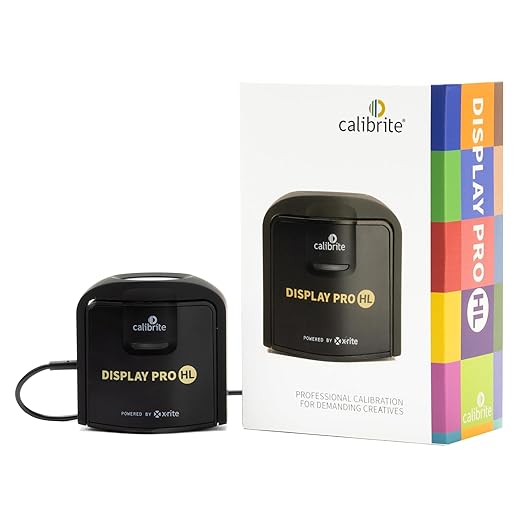
For anyone serious about HDR tone mapping on OLEDs or mini‑LEDs (LG C2, Sony A80K, Samsung QN90B), a simple colorimeter run makes a visible difference.
Sound: baseline before bells and whistles
Run your AVR’s speaker-level/distance test tones and set levels to match (we use 75–82 dB target for reference listening). Measure or estimate distances so the receiver’s delay times align. Set sub crossover around 80–100 Hz and use the receiver’s bass management, not just the sub’s volume knob.
Use room correction — but with skepticism
Auto-EQ systems (Audyssey, Dirac, Yamaha YPAO) can tame peaks and fill gaps, but they also apply broad EQ that masks character. Let the system do coarse fixes, then listen through familiar material and undo aggressive filters if things become honky or lifeless. A few manual parametric cuts usually beat a blanket boost.
When to bring in a pro
If you’ve invested in an expensive display or your room is acoustically weird (open plan, tall ceilings), professional calibration or measurement-backed EQ pays off. For most of us, a 30–90 minute DIY pass—correct picture mode, kill post‑processing, set levels/delays, run room correction sparingly—delivers bigger perceived upgrades than most component swaps.
The source is the signal: compression, streaming choices, and content mixing
Even the best speakers and screens can’t invent information that isn’t in the source. We’ve sat through the same late‑night rain scene on a 4K Blu‑ray and on a popular streaming app; the Blu‑ray kept skin texture and micro‑contrast, the stream smoothed details and flattened ambience. That difference isn’t magic — it’s bitrate, codec overhead, and how the content was mixed for home playback.
Why bitrate and codec matter
Physical 4K discs and well‑encoded local files can carry many times the video bitrate of adaptive streams, and they often include lossless audio tracks (Dolby TrueHD + Atmos, DTS‑Master Audio). Streaming services balance image quality with bandwidth by using HEVC/AV1 and adaptive bitrates; that’s efficient, but complex scenes and dark, textured shots are the first to show compression artifacts and crushed shadows. For immersive audio, streaming usually delivers Atmos wrapped in lossy DD+ rather than the full lossless object tracks on disc — audible to us in quiet passages and dynamic punches.
Practical choices & quick checklist
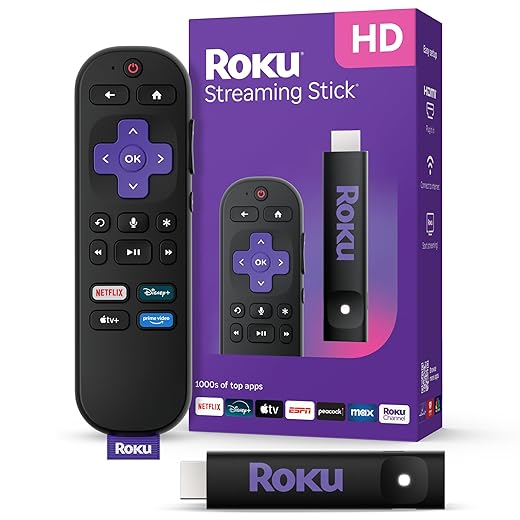
Which device we pick matters: a PS5/Series X emphasizes low latency and game audio features, disc players prioritize raw playback fidelity, and streaming sticks (Roku, Fire TV) optimize app support and UX. Match the source and player to what you value most, and you’ll stop blaming your speakers for problems upstream.
Ecosystem friction: smart TVs, soundbars, remotes, and the politics of integration
We used to buy screens and speakers; now we buy ecosystems. That matters because the handoff between devices — HDMI CEC, ARC/eARC, voice assistants, and app behavior — determines whether everything “just works” or you spend evenings rebooting boxes and toggling settings.
Competing assistants and inconsistent controls
Alexa, Google Assistant, Siri: each wants to be the center of the living room. In practice they don’t play nicely. Voice‑control quirks (different wake words, partial command support) make a one‑phrase pause feel like a hurdle. We recommend picking the assistant you’ll actually use daily and checking integration notes for your TV, soundbar, and streaming stick before buying.
HDMI is a minefield — test passthrough and eARC
Manufacturers ship devices with different HDMI timelines and partial implementations. HDR metadata, Atmos via eARC, and game‑mode latency can be broken by a single outdated firmware or an oddly routed HDMI path. When possible:
Updates and vendor strategy can flip features overnight
We’ve seen TVs gain — or lose — capabilities after updates. That unpredictability is part product management and part vendor calculus. If stability matters, favor brands with clear update policies or premium gear that documents feature parity.
The trade-off: lock‑in vs predictable UX
Going all‑in on one ecosystem (Apple TV + HomeKit + AV brand with documented CEC) reduces surprises. The trade-off is vendor lock‑in. For many of us, predictable behavior and a polished UX beat marginal spec advantages — especially for everyday viewing and voice commands. Test devices together, prioritize documented interoperability, and be ready to favor integration over raw specs.
Ritual and control: how interface, ergonomics, and expectation shape delight
Where the UX actually fails us
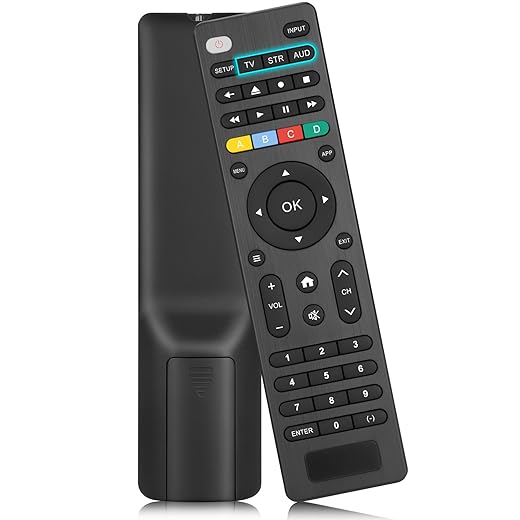
We’ve sat through movie nights where getting to “play” felt longer than the film: a half‑second remote lag, a buried input menu, or three different remotes to power devices. Those small frictions compound. Latency and menu clutter interrupt the ritual; input switching that requires hunting through layered menus kills immersion. It’s not about specs — it’s about flow.
Fixes that change behavior (and enjoyment)
Design-forward control is about reducing steps until playback. Practical moves we recommend:

We also create short voice shortcuts for recurring actions: “Alexa, movie time” should mean the same thing every time. For people who like deep customization, Elgato Stream Deck or BroadLink paired with macros gives reproducible control without complexity at the sofa.
Why this matters now
Modern viewers expect instant gratification — seconds of friction are noticed on par with picture quality. Manufacturers who prioritize smooth, predictable control win perceived value, because delight is as much about how we get to the show as the show itself. In the next section we’ll pull these threads together and explain how to make your system feel greater than the sum of its parts.
Make the whole greater than the sum of its parts
We’ve walked through the usual failure modes — the room that erases detail, mismatched components, factory-flat picture and sound, compressed sources, clunky ecosystems, and awkward controls — and why each matters now that streaming, HDR, and voice assistants raise expectations. Fixing one headline spec rarely fixes experience; aligning room, gear, source, software, and control does. Prioritize placement, smarter spending, careful calibration, cleaner sources, and integration workarounds.
Do those things and your setup stops feeling like a collection of parts and starts feeling intentional. Try one targeted change and you’ll notice the difference.

Chris is the founder and lead editor of OptionCutter LLC, where he oversees in-depth buying guides, product reviews, and comparison content designed to help readers make informed purchasing decisions. His editorial approach centers on structured research, real-world use cases, performance benchmarks, and transparent evaluation criteria rather than surface-level summaries. Through OptionCutter’s blog content, he focuses on breaking down complex product categories into clear recommendations, practical advice, and decision frameworks that prioritize accuracy, usability, and long-term value for shoppers.








