


We’ll break down why OLED’s perfect blacks lose their edge in sunlit living rooms and why QLED’s punchy brightness, screen coating, and smarter TV ecosystems might actually deliver a better everyday experience—so we can pick a set that fits our space, style, and streaming habits.
Sunlight floods our living room—can a TV still dazzle? We compare the 65″ LG G3 OLED evo and Samsung 65″ QLED Q8F to judge real‑world brightness, glare handling, smart features, and practical trade‑offs for everyday home setups, and price considerations.
Cinematic Brightness
We think this set narrows the traditional gap between OLED and bright-room LED TVs by pairing true blacks with significantly improved luminance. The result is a refined, picture-first experience that suits cinephiles and serious gamers who want OLED contrast without giving up usable brightness — but it comes at a premium and with the usual OLED caveats around static imagery.
Bright Rooms
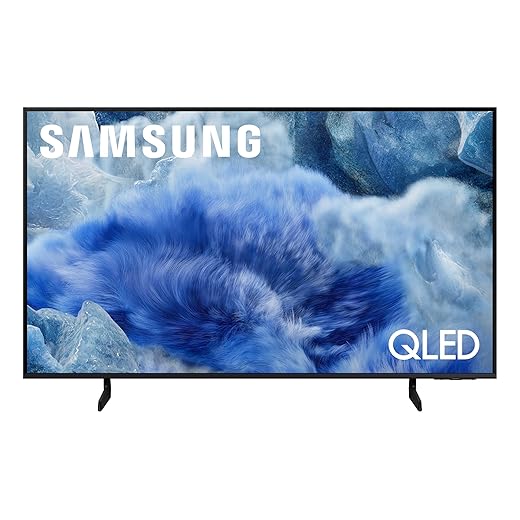
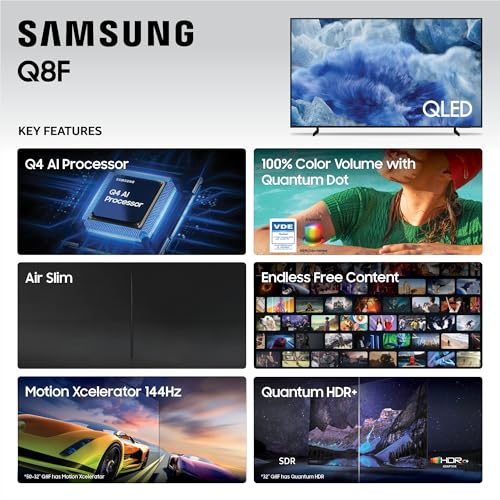
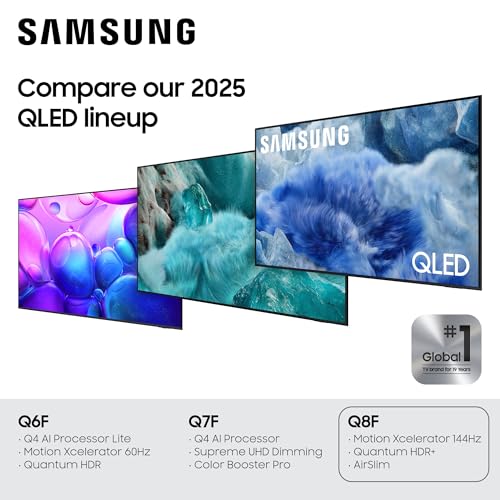
We find this QLED to be a bright, color-forward performer that’s especially well suited to sunlit living rooms and gamers who need high refresh rates. It sacrifices the absolute black levels of self-emissive panels but compensates with punchy highlights, very wide color volume, and strong value for the features it packs.
LG G3 OLED
Samsung Q8F QLED
LG G3 OLED
Samsung Q8F QLED
LG G3 OLED
Samsung Q8F QLED
Brightness and HDR performance: daylight showdowns
Peak highlights and who wins the sunniest rooms
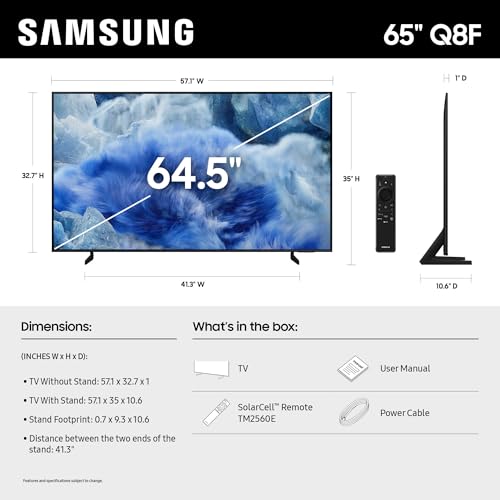
We start with the core question for bright rooms: which panel actually reads better in daylight. The Samsung Q8F leans on Quantum Dot and aggressive backlight drive to deliver very high sustained luminance and wide color volume. That combination keeps specular highlights punchy and colors saturated when ambient light is high, so scenes retain “wow” even with sun or strong room lighting. In uniformly bright conditions and rooms with sun‑facing windows, the Q8F typically resists washout better than OLEDs.
How the LG G3 closes the gap
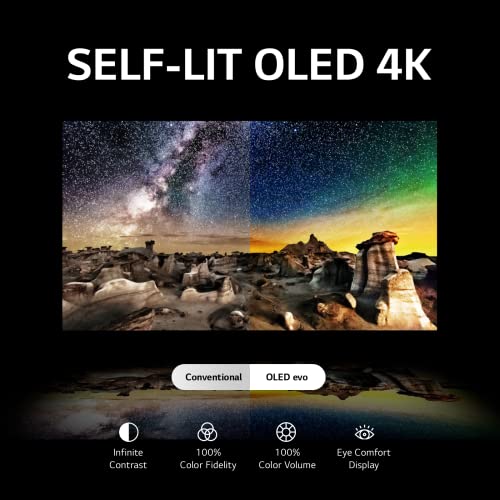
LG’s G3 OLED evo flips the script on the usual OLED weakness. Brightness Booster Max and the a9 AI Gen6 tone‑mapping push out much stronger HDR highlights than older OLEDs, so specular detail reads more clearly instead of sinking into midgray. Crucially, the G3 still delivers OLED’s signature infinite blacks and pixel‑level contrast, which preserves microcontrast and natural gradations in mixed lighting scenes—so handheld shadows and subtle textures stay convincing where some LCDs look flat.

Tone mapping, clipping, and perceived color in the living room
Numbers alone don’t tell the whole story. The Samsung keeps highlights bright across longer windows of time without aggressive roll‑off, which reduces perceived clipping on sunlit exteriors and HDR explosions. The trade‑off: black levels and local contrast can’t match OLED’s per‑pixel dimming, so bright scenes beside deep shadows feel less immediate than on the G3.
The G3’s refined tone mapping limits highlight clipping better than older OLEDs, but extremely bright speculars can still lack the absolute punch of a high‑drive QLED. Under ambient light, the G3 often looks more natural—richer blacks, smoother transitions—whereas the Q8F reads more vivid and “TV‑bright.” That difference matters depending on your room: if you demand outright peak brightness, Samsung takes it; if you value contrast and natural HDR rendering in mixed light, the G3 is a persuasive alternative.
Key takeaways:
Feature Comparison Chart

Glare, viewing angles, and placement: how room setup changes the winner
Coatings and screen finish
Glare and reflections matter as much as peak brightness. The LG G3 uses a matte-ish, anti-reflective treatment and benefits from OLED’s emissive pixels, so specular highlights are softer and broad reflections diffuse more. That treatment, combined with the G3’s off-axis color fidelity, means colors stay consistent when you’re sitting wide across a sofa—useful in open-plan living rooms where viewers roam.


Viewing angles and real‑world seating
We find OLED’s pixel-level light control preserves color and contrast at wider angles. The G3 keeps skin tones and shadow detail from skewing when you sit off-center. The Samsung Q8F, despite excellent color volume and very high brightness, is more sensitive to viewing angle and can exhibit mirror-like specular reflections when light hits it—its image reads best from near-center. In rooms where people cluster around a coffee table, the G3 gives a more even experience; if most viewing is single‑seat or directly in front, the Q8F’s headroom in brightness can outweigh angular falloff.
Placement and practical tips
We care about how these design choices change daily life: the G3 favors social, wide‑seating setups; the Q8F rewards controlled, centered viewing with lots of ambient light.
Smart features, gaming, and ecosystem: how each TV fits your life
Software and daily use
We found the experience of living with these TVs is defined as much by their platforms as by picture. The LG G3 runs webOS with the Magic Remote — point‑and‑click navigation, Quick Cards for organizing apps, and built‑in LG Channels make finding free content painless. Samsung’s Q8F leans on its 2025 platform and the Q4 AI processor to push aggressive upscaling and content-aware tweaks; its SmartThings tie‑ins make it easier to fold the TV into a Samsung-centric smart home. Both have Alexa built in, so voice control works similarly, but the workflow differs: LG’s remote feels faster for browsing; Samsung is stronger at system‑level device control.
Gaming inputs and latency
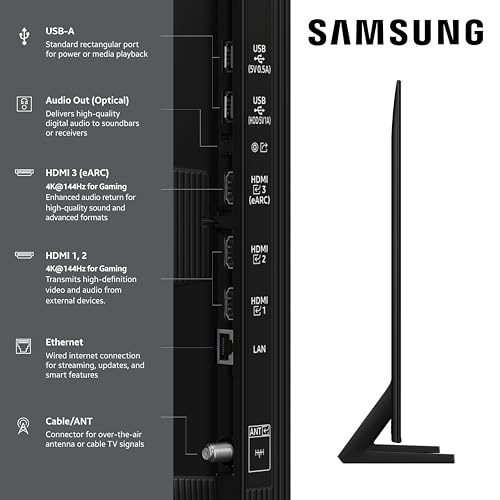
For console players the G3 is tuned around low latency and modern HDMI features — think responsive input, HDMI 2.1 feature set, VRR and ALLM and console‑friendly 4K/120Hz support — combined with LG’s game-focused UI tweaks. The Q8F pushes a different advantage: extremely high refresh ceilings for PC gaming (4K up to 144Hz on compatible PCs) and very low lag in Game Mode. In short, pick G3 for plug‑and‑play console gaming and a cinematic menu of gaming features; pick Q8F if you want PC‑grade frame rates and a price/performance edge.
Ecosystem, audio, and multiroom
Why it matters: app speed, voice routines, and how the TV talks to speakers and lights change daily convenience more than megapixels. Gamers will choose on controller vs. keyboard priorities and whether peak brightness (Samsung) or contrast and filmmaker modes (LG) matter most in a sunlit room.
Price, longevity, and trade-offs: money, maintenance, and risk
Price and value for sunny rooms
We look at straight shopping numbers first: the LG G3 (65″) sits in the premium bracket — around $2,200 street — while the Samsung Q8F (65″) is a mid‑range bargain at roughly $660. For bright rooms, that price gap buys you OLED’s superior contrast and LG’s Brightness Booster Max, but QLED gives far more sustained peak light output per dollar. If absolute daylight punch is your priority, the Q8F is the better value; if contrast and cinematic blacks matter, the G3 can justify the premium.
Warranty and repair realities
LG’s G3 ships with an unusual advantage: a five‑year limited panel warranty on select G‑series sizes, which lowers the long‑term risk if you worry about panel failure or burn‑in claims. Samsung typically offers the standard one‑year limited warranty; panel repairs on LED/QLED sets are usually cheaper than OLED replacements. Panel replacement or out‑of‑warranty service for OLEDs remains expensive.
Energy use and expected longevity
OLEDs are efficient on dark content but the G3’s brightness boost drives higher power draw when showing bright scenes or HDR highlights — so expect higher energy use when you run the TV bright to fight sunlight. QLEDs maintain high luminance with predictable, often lower peak power per sustained bright scene and no risk of permanent image retention.
Practical trade-offs
We weigh price, warranty, and operating cost against how you use the set: for a window‑facing family room with lots of static UI or news channels, QLED is the safer, cheaper long‑term play; for a movie‑first room where contrast matters, the G3 can be worth the premium.
Final verdict: which to buy for a bright room
We recommend the Samsung 65″ QLED Q8F as the clear winner for consistently bright rooms: its high peak brightness, Quantum Dot color volume, and AirSlim design deliver punchy daytime pictures that erase reflections and make casual viewing simple and worry-free. Samsung’s Tizen/Samsung Vision AI ecosystem is also friendlier for living-room families wanting easy streaming and smart-home hooks, and reduce eye strain in daytime viewing.
Choose the LG 65″ G3 OLED evo if you prioritize perfect blacks, wide viewing angles and a gallery-style aesthetic for mixed-use or dimmer evenings — but accept the need to manage static images and slightly lower daytime peak. Ready to trade peak punch for cinematic contrast?

Chris is the founder and lead editor of OptionCutter LLC, where he oversees in-depth buying guides, product reviews, and comparison content designed to help readers make informed purchasing decisions. His editorial approach centers on structured research, real-world use cases, performance benchmarks, and transparent evaluation criteria rather than surface-level summaries. Through OptionCutter’s blog content, he focuses on breaking down complex product categories into clear recommendations, practical advice, and decision frameworks that prioritize accuracy, usability, and long-term value for shoppers.









