
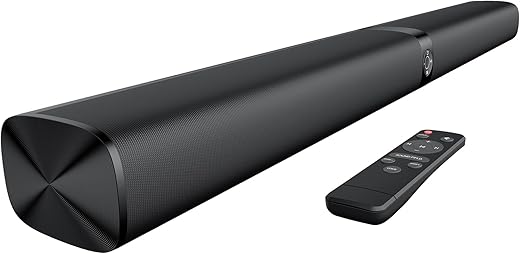

Why this upgrade matters to every flat-TV owner
Slim TVs look incredible, but we’ve traded sound for style. Tiny speakers and thin cabinets leave dialogue tinny, dynamics flat, and the stereo image collapsed into the screen. That’s a real problem for shows, movies, and calls.
This article explains a simple, practical upgrade — a widely compatible audio module that restores clarity, weight, and presence. We’ll show how it fixes core acoustic limits and why it’s often the single most impactful living-room improvement you can make.
Along the way we cover design and placement, smart integration and software, and how this option compares to soundbars, AVR systems, and speaker pairs. We focus on real-world user experience and ecosystem trade-offs that matter.



How flat-TV audio fell behind: the design trade-offs and user impact
Slim cabinets and tiny drivers: the engineering compromise
We love the impossibly thin profiles of modern TVs, but thin equals less air to move. To hit razor-thin bezels and wall-mount friendly depths, manufacturers shrink internal volume and fit smaller drivers — often 20–40mm tweeters and 2–3″ full‑range units — and rely on DSP to fake the rest. The physics are blunt: small diaphragms and shallow boxes can’t reproduce lower frequencies with authority, and they struggle to create a believable soundstage.
Placement that prioritizes looks over acoustics
Speakers tucked behind bezels or firing downward into a stand are chosen for aesthetics, not for where our ears actually sit. That trade-off collapses stereo imaging and buries center-channel dialogue. When a TV is wall-mounted 6–8 feet high, the drivers aren’t aimed at listeners, so clarity suffers — especially in midrange-heavy content like dialogue.
This is why the symptoms are so familiar:
Why makers shifted priorities — and what that means for us
Manufacturers bet on picture, smart features, and a streamlined living‑room aesthetic. R&D budgets went to OLED/LGD panels, HDR processing, app stores, voice assistants, and on‑screen UX. Sound became a software problem to be solved with virtual surround and dialogue enhancers rather than hardware volume. That made sense for marketing headlines, but not for listeners who want real weight and clarity.
Practical takeaways you can use now
Next, we’ll unpack the specific upgrade that addresses these limitations and how it restores the sonic fundamentals TVs lost.
What the upgrade is and how it fixes the core problems
What we mean by the upgrade
It’s simple in concept: a compact, purpose-built audio device — usually a soundbar paired with an optional subwoofer — plus smarter signal processing that undoes the shortcuts TV makers took. Think Sonos Beam (Gen 2), Bose Smart Soundbar 900, or budget winners like the Vizio M-Series soundbars: compact enclosures, larger drivers aimed at listeners, and a separate bass module if you want real low end. In everyday terms, the upgrade restores the physics and focus that flat TVs traded away.
How the hardware fixes the physics
Those changes make dialogue clearer, staging wider, and action scenes more believable. We’ve swapped a midrange TV’s audio for a small soundbar/sub combo and immediately heard room-filling bass and dialogue that no longer fights with background noise.
Why DSP and room correction matter
Hardware gets you where physics allows; DSP polishes the result. Look for:
DSP compensates for placement compromises, corrects frequency imbalances, and sharpens imaging — effectively turning better hardware into a system that works in your living room, not a lab.
Minimum features and specs we recommend
Quick setup tips
This combination of smarter hardware and DSP fixes the real-world problems TVs create, translating technical improvements into everyday listening gains.
Design and user experience: fitting the upgrade into your room and routine
Form factor: size, finish, and presence
When we choose a soundbar, we’re choosing a visible piece of furniture as much as an audio upgrade. Ultra‑compact models like the Sonos Ray or Bose Smart Soundbar 300 disappear visually and are great for small rooms or minimalist setups. Slightly larger units — think Sonos Arc or Samsung HW‑Q series — have more driver real estate and simply “feel” like an upgrade: wider soundstage, firmer bass, and better dialogue focus. Match finish (matte black, textured fabric, or metal) to your TV stand and speakers; a mismatch looks like an afterthought, even if the sound’s great.
Controls and daily interaction
Tactile choices change how often we interact with the unit. Physical buttons and an intuitive IR/BT remote make quick volume and source changes painless. Touch strips and capacitive buttons are elegant but can be finicky; bright LEDs help show status, but large glowing bars in a dark room are distracting. Prioritize:
Placement options and practical tips
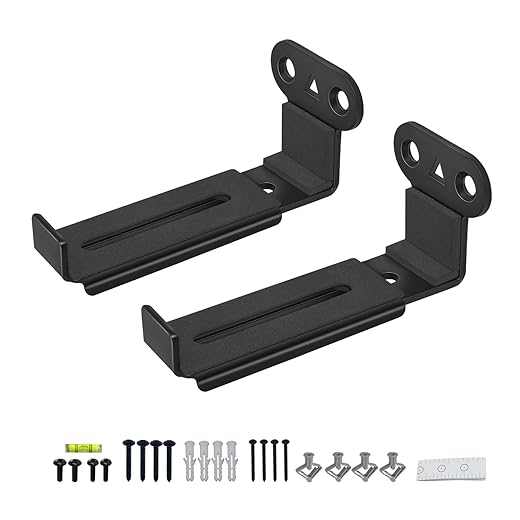
Options matter: on‑stand, wall‑mounted, or mounted under the TV each have trade‑offs. On‑stand keeps cables hidden and is easiest for access; wall‑mounting tightens the aesthetic and improves height alignment with the screen; under‑TV mounts can help dialog clarity if the TV is high.
For subs, place near a wall or corner for extra output; try several spots — the difference can be night and day. Measure clearance for IR receivers and heat dissipation, and leave a finger’s width between TV and bar if rear ports are used.
Setup friction: connections, HDMI‑ARC/eARC, and app tuning
Expect a few friction points: HDMI‑ARC vs eARC behavior (set both TV and bar to the same mode), inconsistent CEC implementations, and firmware updates that sometimes change features. App‑based tuning (Sonos Trueplay, Yamaha YPAO, Dirac) is powerful but varies: some require a phone or a mic sweep; others run automatically. Our best practice: update firmware first, connect via eARC when available, set TV audio output to passthrough, and run room calibration while seated. These steps minimize surprises and make the upgrade feel seamless.
Next, we’ll look at how this hardware ties into wider smart ecosystems and why software compatibility matters.
Ecosystem integration and smart features: why compatibility and software matter
We don’t judge a sound upgrade only by how it measures on a meter. In a living room that doubles as a streaming den, a gaming station, and a hub for voice commands, compatibility and software behavior determine whether the upgrade truly lives up to its promise.
HDMI/eARC, passthrough, and gaming
Gamers and cinephiles need predictable HDMI behavior. Look for:
Practical tip: test with your console and streaming stick (Apple TV 4K, Chromecast with Google TV, Roku). If the bar sits between the console and TV, ensure the bar’s passthrough doesn’t add noticeable input lag.
Voice assistants and mic quality
Built‑in mics vary wildly. “Works fine” for hands‑free volume tweaks isn’t the same as reliable far‑field wake-word performance across a noisy room. Consider:
We once swapped a cheap, mic‑equipped bar into a living room and found it missed voice commands from the couch unless we raised the volume; a better‑built unit corrected that problem instantly.
Multiroom, casting, and ecosystem friction
Decide whether you want an ecosystem or an open box:
Quick checklist before buying:
Firmware, apps, and long-term value
Software updates change what a product can do. Brands that push updates (adding features, bug fixes, or codec support) keep products relevant. Vet the manufacturer’s update track record and app quality — a clunky app ruins an otherwise great speaker. Prefer devices backed by active development and clear privacy policies over cheap, closed boxes that never get updated.
In practice, that determines whether the bar is a one‑year novelty or something that grows with our home theater and smart‑home needs.
How this upgrade stacks up against alternatives and how to choose one
Head-to-head: built-in, separates, and the middle ground
Built-in TV audio improvements (firmware tweaks, tiny internal speakers) are the cheapest route and sometimes help clarity, but they rarely deliver the physical impact — bass and room-filling immersion — most people notice first. At the top end, a full AVR and discrete speaker package (Denon AVR + bookshelf/floorstanders + sub) gives the best fidelity and flexibility, but it costs more, needs room space, and requires setup patience.
The upgrade class we recommend — a modern soundbar with a dedicated subwoofer and optional wireless surrounds — lives in the sweet spot: substantial uplift in dialogue and bass, simpler hookup, and fewer layout constraints than separates.
Which to choose, by priority
Common purchase pitfalls and quick checks
Practical test-listening tips: bring your streaming stick or console to the store, play a dialogue-heavy scene and a big action scene, listen from your usual couch position, and try the bar’s voice and night modes. Measure placement options at home before committing to wall mounts.
With those trade-offs clear, we can pick the upgrade that fits our room and routine — and then compare the winner to the rest of the market in the conclusion.
The upgrade we keep reaching for
We find that a modest, targeted audio upgrade — a compact soundbar or bookshelf pair with good dialogue clarity, simple room-filling bass, and HDMI/ARC or eARC support — delivers the biggest living-room uplift for the least fuss and cost. It restores intelligibility, gives movies and music presence, and slots into modern TV ecosystems without demanding rewiring or tech headaches. Because TV speakers fell behind for design and size reasons, this fix addresses the core problems: driver placement, power, and DSP.
When shopping, prioritize clarity and connectivity over headline wattage. Bring a favorite clip or check online demos, confirm Arc/eArc and auto‑lip‑sync, and pick a unit with easy setup and reliable app updates. Swap fast, enjoy immediately.

Chris is the founder and lead editor of OptionCutter LLC, where he oversees in-depth buying guides, product reviews, and comparison content designed to help readers make informed purchasing decisions. His editorial approach centers on structured research, real-world use cases, performance benchmarks, and transparent evaluation criteria rather than surface-level summaries. Through OptionCutter’s blog content, he focuses on breaking down complex product categories into clear recommendations, practical advice, and decision frameworks that prioritize accuracy, usability, and long-term value for shoppers.








