

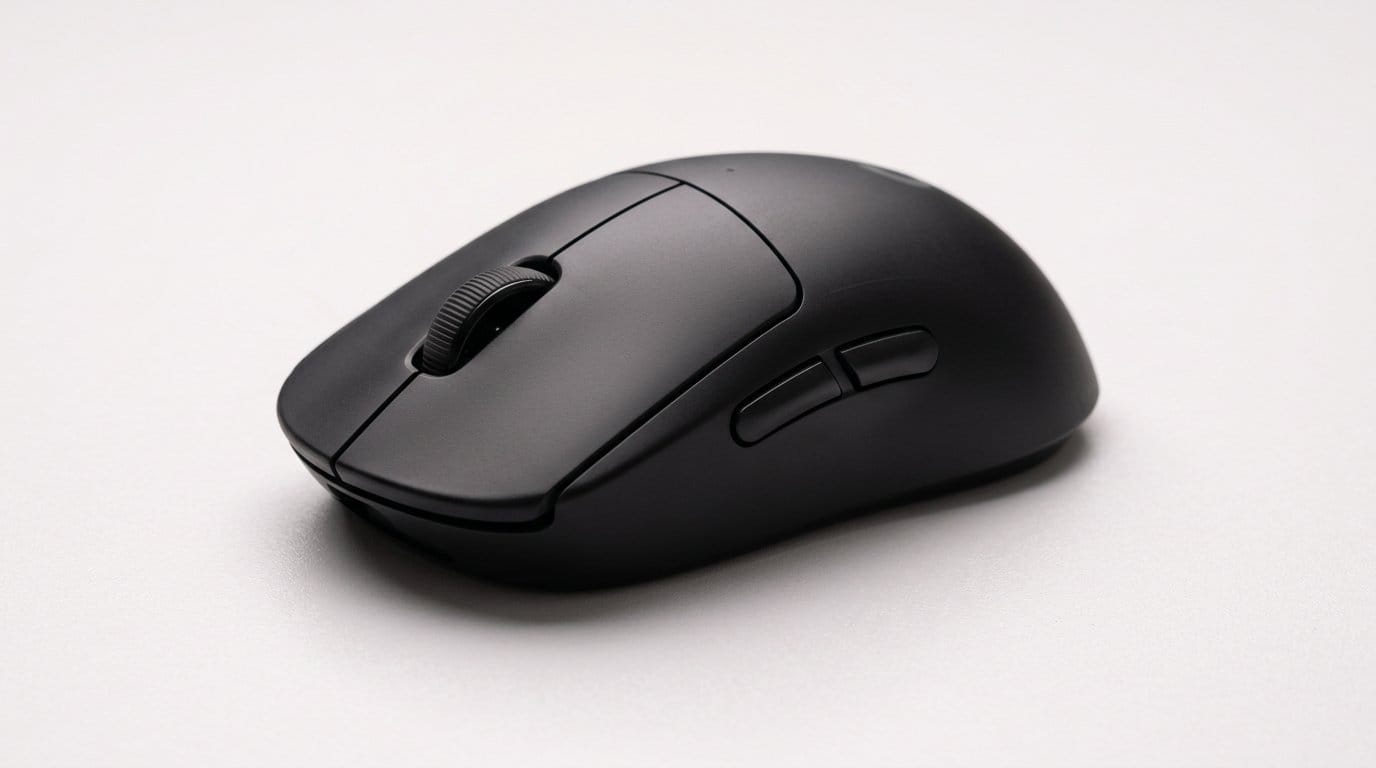

Can shaving a few grams shave milliseconds off your aim? Spoiler: yes — and it feels weirdly addictive.
Weight matters. If you miss a flick in the clutch, it’s not always your crosshair — sometimes it’s inertia. Lighter mice let you stop on a dime and start again without fighting momentum.
We tested shape, switches, tracking, and battery across wired and wireless ultralight gaming mice. We focused on real play: flicks, strafing, and long aim-down-sights sessions, and looked at how each mouse fits into modern ecosystems like Logitech G HUB, Razer Synapse, and Glorious’ software offerings.
Top Picks





Logitech G PRO X Superlight Wireless
A vanishingly light wireless design that prioritizes precision, consistent tracking, and an esports‑tuned feel. Its pared‑back shell and long battery life make it easy to use for extended sessions without compromising aim.
What it’s for and why we recommend it
We think this FPS mouse is aimed squarely at competitive FPS players who want the lowest possible weight without switching to a honeycomb shell. The design does one thing and does it well: reduce inertia so small wrist and arm movements translate to faster, more precise flicks.
Key features and real‑world benefits
We found that the combination of the sensor, low weight, and large PTFE feet on a lightweight mouse results in very predictable aim: flicks are easier to perform and recover from, and micro‑adjustments feel precise. For players moving from heavier mice, the difference is immediate — less wrist fatigue and more control in high‑tempo firefights.
Limitations and practical notes
The naked performance is excellent, but the Superlight isn’t perfect. Some users report occasional issues with the scroll wheel and the side buttons feeling softer over time; that’s worth considering if you heavily use the scroll wheel for weapon swaps or rely on side buttons for macros. Additionally, the mouse is an investment — you'll pay a premium for the weight savings and wireless reliability.
Ecosystem and competitive context
Logitech’s G Hub ecosystem is mature and lets us bind macros and tune DPI profiles quickly, which matters if you switch titles often. In the current market the Superlight beats many rivals on pure weight and wireless fidelity, but competitors offer similar sensors or lighter weights (via honeycomb shells) at lower price points. For players who value a clean, pro‑level wireless package and minimal compromises, this is still our top pick.
Logitech G305 LIGHTSPEED Compact Wireless Mouse
An affordable wireless mouse with a proven HERO sensor and excellent battery life that punches well above its price. It’s a straightforward, dependable option for players who want wireless reliability without extras.
Who this is for
We call the G305 a pragmatic choice in our Top Picks: gamers who want reliable wireless performance without paying for RGB, ultralight shells, or high‑end materials. If you care about accurate tracking and long battery life above all else, this mouse is built for you.
Important features and how they matter
The single‑battery approach on budget wireless gaming mice may feel old‑school, but it’s effective: for many users the convenience of long run time outweighs the lack of a rechargeable battery. The compact shape fits claw and fingertip grips well and remains comfortable for medium‑length sessions.
Downsides and practical tradeoffs
It’s not the lightest mouse — at around 99 g it won’t satisfy those chasing a sub‑70 g feel. There’s also no onboard rechargeable battery or flashy software features, which is deliberate but may frustrate users wanting full customization.
Market position
The G305 occupies a sweet spot among gaming mice: near‑pro wireless responsiveness and the HERO sensory processing disorder. Compared with other budget mice, its wireless implementation and battery life make it one of the best value picks we tested.
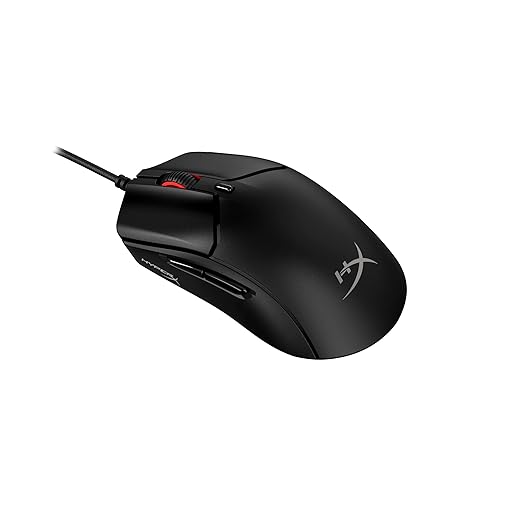
HyperX Pulsefire Haste 2 Wired Ultralight
A solid‑shell ultralight that pairs a very low weight with a high polling rate and a modern sensor. It’s optimized for players who want wired consistency and extreme responsiveness during fast play.
What it’s designed to do
We think HyperX designed the Pulsefire Haste 2 to be a competitive FPS mouse for players who hunt every millisecond of latency. By combining an ultra‑lightweight shell with an 8000 Hz polling option and a high‑resolution sensorineural hearing loss.
Standout features and benefits
In our experience, the mouse feels fast and immediate. The included grip tape is a thoughtful touch — you can tune traction on the buttons and sides to match sweaty palms or different grip styles. Clicks feel satisfying and robust, and the glide is excellent on both cloth and hard pads.
Practical caveats
The 8000 Hz mode is niche: most players won’t perceive large differences over 1000 Hz unless they’re very sensitive and have the rest of the system tuned (high frame rates, USB polling settings). Also, the solid shell approach gives a different tactile feel than honeycomb mice; it’s more rigid and can feel denser despite the low weight.
Competitive placement
Against wired ultralights, the Pulsefire Haste 2 stands out for its combination of low weight and advanced polling features. It’s a great choice if you want wired consistency with bleeding‑edge responsiveness.
GLORIOUS Model O Wireless Superlight Mouse
A wireless honeycomb mouse that balances weight, battery life, and price, making it a compelling choice for competitive FPS players. The flexible cable and reliable wireless make it feel close to wired when charging.
Design intent and real‑world feel
We view the Model O Wireless as Glorious’s attempt to give players the wireless freedom of a superlight honeycomb mouse without compromising on sensor performance. The honeycomb shell shaves grams, and the Ascended paracord feels almost weightless when used wired — which matters for players who want the wired feel while charging.
Features and benefits in play
In practice the mouse feels very responsive in FPS titles; flicking and small adjustments are easy. The battery life is competitive for this class, and the ability to play while charging keeps sessions uninterrupted.
Limitations and setup notes
The main tradeoff is the open shell: while it reduces weight, it also exposes internals to dust and makes cleaning more frequent. Glorious’ Core software provides deep customization, but we encountered occasional stability quirks — a quick firmware update usually fixes these, but it’s an extra step.
Context against rivals
Compared with other wireless ultralights, the Model O Wireless is a balanced option: slightly heavier than some pocket ultralights but more affordable than flagship wireless offerings. For players who want the honeycomb experience with dependable wireless, it’s a solid mid‑market choice.
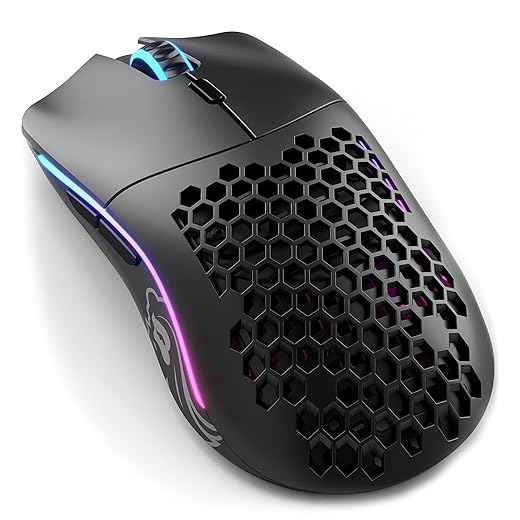
Glorious Model O Wired Superlight Honeycomb
A widely adopted wired superlight that popularized the honeycomb trend — light, responsive, and easy to tune. It’s a dependable wired choice for FPS players who prioritize weight and glide over wireless freedom.
Purpose and who will like it
We think the wired Model O remains a benchmark for players who want the lightest possible wired experience. It’s simple: remove unnecessary mass, pair a good sensor, and give players an almost frictionless connection to the game.
Core features and performance takeaway
In practice the Model O’s combination of low mass and excellent skates makes small, fast movements feel effortless. It’s a favorite among flick‑heavy players and those who want minimal fatigue in marathon sessions. The software lets you tweak DPI, polling rate, and macros, which helps optimize for different titles.
Tradeoffs and long‑term notes
The open shell picks up dust, oils, and crumbs, so maintenance is more frequent than with closed shells. The aesthetic isn’t for everyone, and if you prefer a plush, heavier mouse the Model O’s featherweight design will feel alien.
Market standing
Even years into the honeycomb trend, the Model O still offers one of the cleanest wired ultralight experiences for its price. It’s not the most premium build on the market, but for raw lightweight performance and community support (aftermarket feet, cable mods), it remains a go‑to choice.
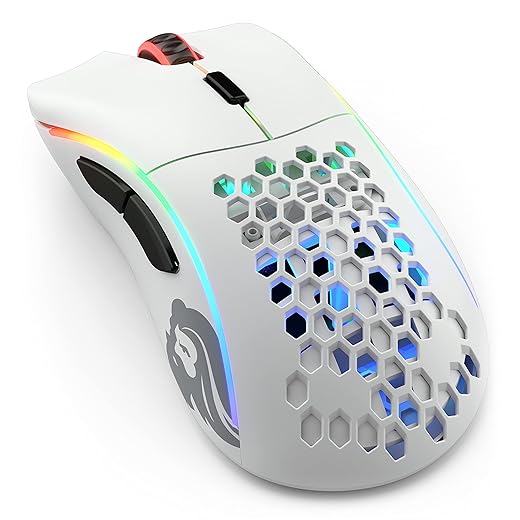
GLORIOUS Model D Wireless Ergonomic Superlight
An ergonomic honeycomb wireless mouse tuned for palm and claw grip players who want lightness plus comfort. It offers dependable wireless latency and decent battery life in a shape that favors medium‑to‑large hands.
Design and target user
We see the Model D Wireless as Glorious’s ergonomic answer to the Model O: it keeps the honeycomb weight savings but shifts to a right‑handed, contoured shell. That makes it a go‑to for players who prefer a palm or claw grip and want a slightly larger surface without a weight penalty.
Notable features and how they translate to play
In testing, the Model D felt comfortable for long sessions and maintained consistent tracking during fast flicks. The paracord cable is soft enough that playing while charging feels nearly untethered, and the included skates glide well.
Drawbacks and practical advice
If you run RGB at full brightness you’ll see battery life drop significantly; disabling lighting gets you much closer to the advertised hours. There are occasional reports of firmware or software oddities — we recommend checking for updates after unboxing and testing the unit thoroughly within the return window.
Competitive context
Compared with the Model O, the Model D’s ergonomic shape is its standout advantage. If you need a right‑handed, contoured ultralight with wireless performance, this is one of the better value options available.
SteelSeries Aerox 3 Wireless Holey RGB Mouse
A lightweight, holey mouse that adds water resistance and extra battery life to a compelling wireless package. It’s an interesting alternative when you want a breathable shell plus splash protection and decent runtime.
What sets it apart
We appreciate the Aerox 3 Wireless because it marries two usually separate priorities: a perforated, ultralight shell and an IP54‑rated protection layer. That gives players the speed benefits of a holey mouse while reducing the risk from spills or dust ingress — a thoughtful design in a noisy, real‑world environment.
Core features and user experience
On the desk the mouse glides and responds well, and the RGB is bright without being distracting. We liked the tactile switches and found the wheel good for both precise weapon swaps and web browsing. The water‑resistant internals are an unexpected practical win for players who game in shared spaces, eat at their desks, or have drinks nearby.
Tradeoffs and reliability notes
Open shells still trap dust and skin oil around the cutouts, so cleaning is necessary. A handful of users report connection hiccups or build issues — not universal, but enough that we recommend testing units and updating firmware. Battery life real‑world numbers will vary depending on RGB usage and wireless mode.
Where it fits in the market
The Aerox 3 Wireless is a sensible compromise for people who want wireless performance plus a breathable shell and spill protection. It’s not the absolute lightest or the premiumest in fit and finish, but its feature set is unusually broad for the price.
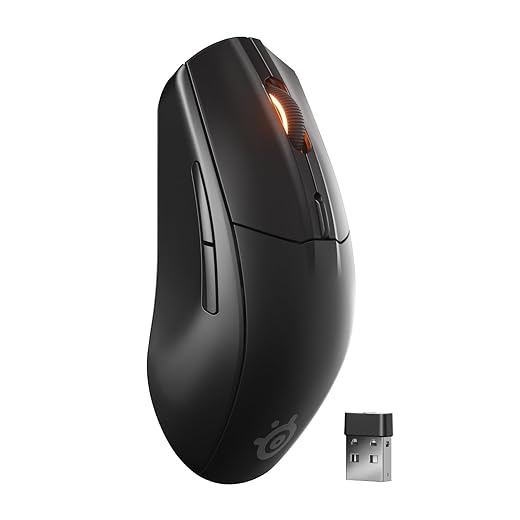
SteelSeries Rival 3 Wireless Gen 2
A pragmatic dual‑mode mouse that balances Bluetooth convenience with 2.4GHz gaming responsiveness. It’s dependable, affordable, and a solid daily driver for both work and play.
Why we recommend it
We think the Rival 3 Wireless Gen 2 suits users who switch between a laptop and desktop and want one mouse to do both. Its dual wireless approach lets us keep a dongle for low‑latency gaming while also pairing to phones or tablets over Bluetooth for productivity tasks.
Key specs and real‑world implications
In everyday use it performs consistently: office work, browsing, and light‑to‑moderate FPS sessions. The battery life is particularly useful if you prefer disposable or spare batteries rather than managing recharging.
Practical caveats
The mouse skews toward smaller hands and can feel light for those expecting heavier mice. The SteelSeries GG software provides customization but has grown into a large suite; we recommend configuring your profile and disabling autostart once you’ve set it up.
Market role
This mouse sits squarely as a reliable, mid‑tier wireless option — less flashy than premium ultralights but more versatile for mixed device use. For many users, that versatility is the deciding factor.
Razer Viper Mini Wired Ultralight Mouse
A compact, ambidextrous mouse that delivers surprising performance for its price and size. It’s a strong pick for players with smaller hands or anyone looking for an affordable ultralight wired option.
Purpose and who should consider it
We see the Viper Mini as a value play: it gives many of the movement benefits of pricier ultralight mice but keeps the price approachable. If you have smaller hands or prefer fingertip/claw grips, it’s an easy recommendation for FPS play without breaking the bank.
What it gets right
The Speedflex cable is understated but important: cable drag can ruin the feeling of a light wired mouse, and Razer’s design keeps that issue minimal. The sensor and switch package is competent for competitive play; we didn’t notice any tracking quirks during our sessions.
Tradeoffs and practical context
You won’t get extra macro buttons or premium materials here — the Mini chooses simplicity. The reduced button count and compact footprint make it less suitable for palm‑grip users with larger hands. If you need lots of custom buttons for MOBA or MMO play, this isn’t the right tool.
Competitive overview
At this price point the Viper Mini is hard to beat for pure value: it competes with other budget ultralights by focusing on essentials — low weight, solid sensor, and reliable switches. For many players, that combination is exactly what matters most.
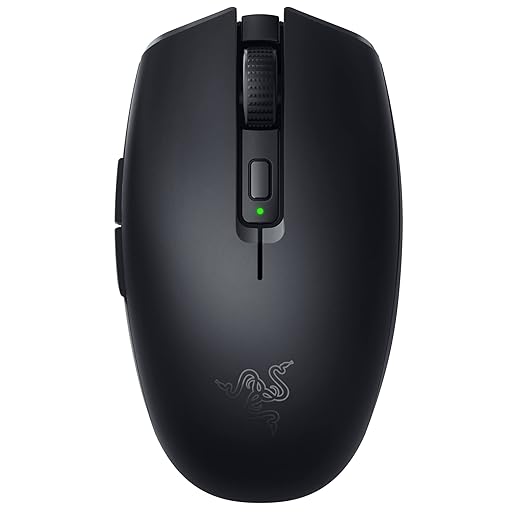
Razer Orochi V2 Compact Mobile Wireless
A compact, dual‑mode mouse built for laptop players who prioritize battery life and portability. It balances versatility—Bluetooth and HyperSpeed wireless—with respectable sensor and switch upgrades for its size.
Intended use and user profile
We see the Orochi V2 as a travel mouse first and a daily driver second. Its strengths show when you juggle a laptop, work in cafés, or need a compact backup for consoles. The long battery life numbers are attractive for anyone who hates charging on the go.
Features that matter in daily use
In our hands, the Orochi V2 is very usable for quick gaming sessions and general productivity. The AA/AAA choice is clever: use AA when you need longevity, AAA when you need the lightest feel. The dongle/BT switching makes the mouse useful with phones, tablets, and laptops.
Practical limits and notes
The form factor is compact — this is great for portability but not ideal for palm grips or larger hands. A few users report Bluetooth disconnects in noisy RF environments, so for competitive FPS we recommend the 2.4GHz adapter mode.
Where it sits among rivals
There aren’t many true travel‑first gaming mice with competitive sensors and switches; the Orochi V2 fills that niche well. If you need a full‑size primary mouse for long sessions, consider larger options, but for portability and battery life the Orochi is a smart pick.
Final Thoughts
We recommend the Logitech G PRO X Superlight Wireless as our Top Picks winner for competitive FPS players who want the best of wireless and weight. Its vanishingly light shell, esports-tuned feel, and rock‑solid LIGHTSPEED latency make it the clearest path to crisper flicks and steadier tracking. It integrates smoothly with Logitech G HUB, so tuning DPI, lift-off, and firmware is quick — an advantage if you like to refine settings between sessions. Choose this if you prioritize absolute minimal weight and want a wireless setup you can trust in tournaments.
If you prefer wired consistency or play on setups that demand the highest polling stability, choose the HyperX Pulsefire Haste 2 Wired Ultralight. It pairs an extremely low weight with high polling rates and a modern sensor for ultra‑responsive input. The solid‑shell design gives a predictable glide and fewer flex quirks than some honeycomb mice, which matters when you’re making repeated micro‑adjustments. Grab this one if you plug in for performance and want a no‑nonsense, tournament‑ready wired mouse.
(Quick alternatives: on a tight wireless budget, the Logitech G305 LIGHTSPEED gives you HERO sensor reliability for much less; if you prefer honeycomb shells and flexible charging options, the GLORIOUS Model O Wireless balances weight and runtime well.)
Frequently asked questions
How did we pick these lightweight gaming mice for fps options?
We shortlist models that balance performance, reliability, and value for typical buyers—not just the highest spec sheet. Hands-on notes, owner feedback, and return/warranty policies all feed the ranking.
Which lightweight gaming mice for fps pick is best for most people?
Start with our top overall choice if you want the safest balance of price and features. Move up or down the list only when a specific need—budget, ecosystem, or a must-have feature—clearly applies to you.
Do prices on this lightweight gaming mice for fps list change often?
Yes. Retailers run frequent promos, so use the live price buttons on this page and compare shipping and return windows before checkout—the best deal is not always the lowest sticker price.
Should I buy the cheapest lightweight gaming mice for fps on the list?
Only if the trade-offs fit your use case. The budget pick can be excellent value, but check what you give up in build quality, software support, or key features you will use every week.
What if none of these lightweight gaming mice for fps picks fit?
Use the comparison and guide links on this page to narrow by size, platform, or feature, then revisit the list with your must-haves written down—forcing a mismatch creates more returns than savings.
How often is this lightweight gaming mice for fps roundup updated?
We refresh rankings when major models launch or pricing shifts enough to change the value story. Check the publish date at the top and compare current specs if you are reading months later.

Princess Rioboca is the Lead Editorial Writer at Option Cutter, bringing over seven years of hands-on experience in consumer technology journalism. Specializing in home networking and smart home architecture, she transforms complex technical data into practical, real-world upgrades. Princess personally tests and audits every product she reviews—evaluating real-world Wi‑Fi throughput, cable management durability, and streaming ecosystem stability—to filter out spec-sheet noise. Her rigorous, field-tested insights are designed to give readers transparent, unbiased buying advice on what to purchase, what to skip, and exactly why.














