


We pit budget-friendly Android multitasking and stylus flexibility against Apple’s polished iPadOS ecosystem to decide which actually improves student life—because battery, app quality, design, and campus IT compatibility aren’t just specs, they shape how we learn.
We put two student-ready tablets through real-life classes and late-night study sessions: the Samsung Galaxy Tab S9 FE+ Plus (12.4″, S‑Pen included) and the Apple iPad Air 11″ with M3 (256GB). We compare usability, ecosystem fit, and value for students.
Rugged Multitasker
We find this tablet to be a practical, durable choice for students who prioritize a big screen, included stylus, and long battery life without spending on a premium slate. Its build quality and IP rating make it feel more rugged than many competitors, but the software and chipset aren’t quite as polished for long-term heavy multitasking as top-tier alternatives. For students who value note-taking, media consumption, and expandable storage, it hits an excellent balance of features and price.
Creative Powerhouse

We see this as the closest thing to a lightweight laptop for students who want performance, longevity, and a polished software experience. The M3 chip and iPadOS multitasking features make it especially good for creative work, note-taking with the Pencil, and running multiple apps smoothly. It’s pricier once accessories are added, but the overall package is hard to beat if you value ecosystem consistency and raw speed.
Samsung S9 FE+
iPad Air M3
Samsung S9 FE+
iPad Air M3
Samsung S9 FE+
iPad Air M3
Design, Display, and Portability: Classroom to Couch
Samsung Galaxy Tab S9 FE+ — a larger canvas for notes and PDFs
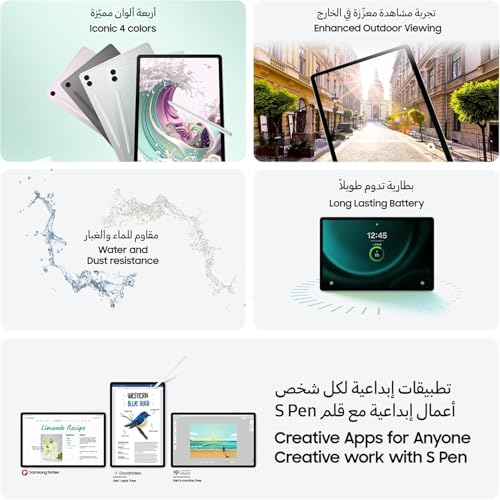
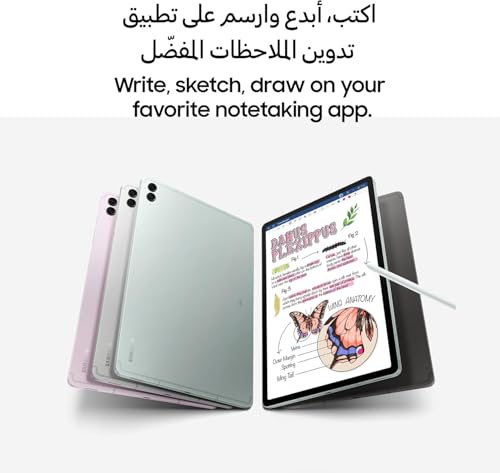
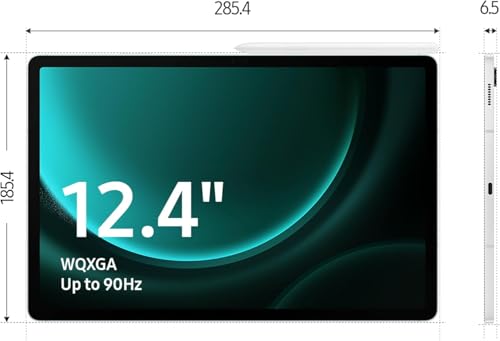
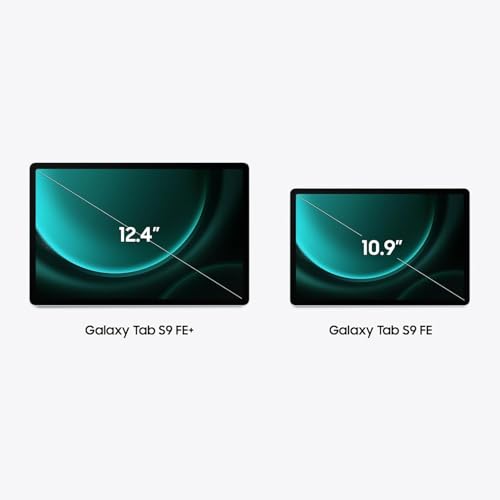
We found the Tab S9 FE+ leans into screen real estate. Its 12.4″ 2560×1440-ish panel and included S‑Pen make reading long PDFs, annotating slides, and split‑screen study sessions noticeably easier. At about 2 pounds and 11.24 × 7.3 × 0.26 inches it’s not small, but the IP68 rating and microSD slot mean fewer compromises for durability and storage — useful for students who carry media and field notes. The 90Hz refresh keeps handwriting and scrolling feeling smooth.
Apple iPad Air 11-inch — compact, premium, and easy to carry
The iPad Air trades some screen area for a much lighter, more portable package. At roughly 1.01 pound and a smaller footprint, it’s easier to slip into a backpack or use one‑handed between classes. The Liquid Retina display with P3 color, True Tone, and ultralow reflectivity delivers excellent color fidelity and high perceived brightness — that matters for color‑sensitive coursework and tight text contrast during long reads. The chassis and build quality feel class‑leading, though Apple charges extra for Pencil and keyboard accessories.


Why calibration, brightness, and size matter for students
Readable text, accurate colors, and enough brightness are practical, not fancy: they reduce eye strain, make handwriting legible, and keep diagrams accurate for labs and art classes. Larger screens win for multitasking and longform annotation; smaller, lighter devices win for commute and classroom mobility. Choose based on how you balance in‑class portability versus at‑desk workspace.
Performance, Software, and Ecosystem Integration
Real-world performance vs. bench numbers
We don’t care about single‑core scores as much as whether a tablet keeps up with a full day of classes, split‑screen reading, and video calls. The iPad Air’s M3 delivers headroom: instant app switching, smooth Stage Manager multitasking, and no slowdown when you have a PDF, Safari tab, and Notes open together. The Tab S9 FE+’s Exynos‑class silicon is competent for everyday study—video lectures, Chrome tabs, and annotated PDFs—but it’s not as future‑proof for heavier creative apps.
Apps that matter for students
Platform differences show up in app quality. iPadOS has more tablet‑optimized, study‑focused apps—Notability, GoodNotes, LiquidText, and polished Office and Adobe builds that take full advantage of the M3 and Pencil workflows. Android has capable equivalents (Samsung Notes, Xodo, Microsoft 365, Google Workspace), but many are phone ports or miss feature parity.
Multitasking reliability and note taking
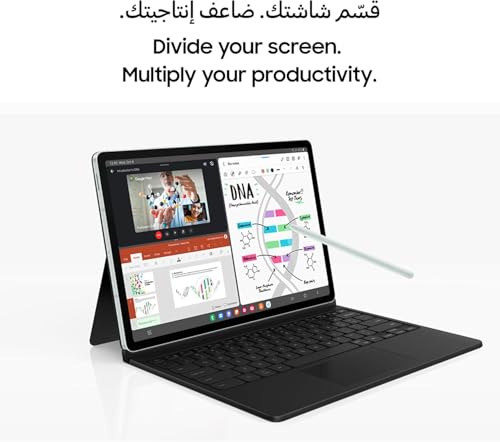
Multitasking on iPad is predictable: resizable windows, reliable drag/drop, and Apple Pencil integration like Scribble make switching between typing and handwriting seamless. Samsung nails the S‑Pen experience—included in the price—so annotating and freehand drawing feel immediate. But Android’s multi‑window behavior and inconsistent app resizing mean workflows can be less stable across titles.


Updates, continuity, and cloud sync
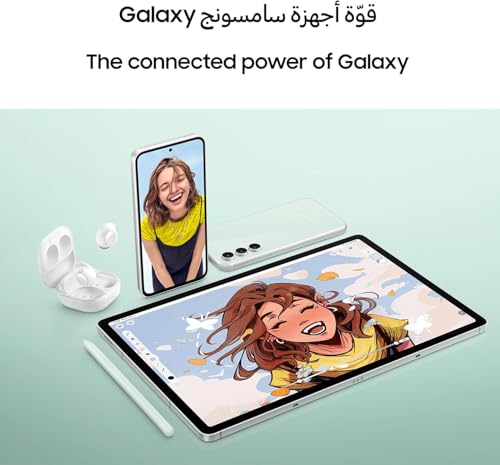
Long software longevity and tight ecosystem integration are where the iPad shines. Apple Intelligence and iPadOS features (system‑level assistants, clipboard continuity, iCloud sync, AirDrop) streamline study workflows across Mac and iPhone. Samsung and Android give useful continuity—Quick Share, Samsung Notes syncing, Google Drive—but cross‑device handoff relies more on third‑party services. Samsung has improved update commitments (multiple years of OS/security updates on recent models), but Apple’s longer, more consistent update window matters if you want a device that stays current for the full run of a degree.
Key takeaway:
Feature Comparison

Productivity, Accessories, and Note‑Taking Experience
Stylus feel, latency, and handwriting recognition
We tested handwriting workflows and the practical difference is clear: the Tab S9 FE+ ships with an S‑Pen that’s immediate and low‑lag for note taking and PDF marks. Apple Pencil workflows feel slightly more fluid — lower latency and better tilt/pressure handling on the iPad Air — but you pay extra for that polish. For handwriting recognition, Apple’s Scribble plus premium apps (GoodNotes, Notability) give more accurate OCR and smoother conversion; Samsung Notes is competent and improving, but conversion and export options are less refined.
Keyboard, trackpad, and multitasking gestures
Apple’s Magic Keyboard (or comparable USB‑C keyboards) gives a laptop‑like typing and trackpad experience; Stage Manager and reliable Split View make juggling notes, slides, and a browser predictable. Samsung supports multi‑window and three‑app layouts and has decent third‑party folio keyboards, but app resizing and gesture behavior can be inconsistent across titles — which matters in a fast lecture.
File management, PDFs, and collaboration
Files is streamlined on iPadOS, and iPad apps usually offer richer PDF annotation toolsets. On Android, My Files + microSD is handy for storage-heavy students and Quick Share simplifies large transfers. Both run Zoom, Google Classroom, and LMS portals without drama, but iPad tends to get feature‑complete app updates sooner.
Cost of accessories (real world ROI)
For students on a budget, bundled S‑Pen and expandable storage offer immediate ROI. If you prioritize the best inking apps and a laptop‑like keyboard/trackpad, the iPad Air’s accessory ecosystem justifies the extra spend.
Battery, Cameras, Multimedia, Price, and Overall Value
Battery life under real student loads
We found both tablets are built for a day of mixed use — lectures, web research, streaming, and note taking. The Galaxy Tab S9 FE+ packs a 10,090mAh cell and will stretch longer between charges in media‑heavy sessions; it also ships with the S‑Pen so you don’t buy extra. The iPad Air promises “all‑day” battery with the M3’s efficiency; in practice it’s slightly lighter and more consistent under CPU‑heavy multitasking. Wi‑Fi 6 (Tab) vs Wi‑Fi 6E (iPad) matters in congested dorms — 6E’s 6GHz band can give noticeably better throughput and lower latency if your router supports it.
Cameras and multimedia for classes
Both handle video calls and document scans well, but their strengths differ:
For quick scans and class video calls we prefer the iPad’s camera software and app ecosystem; for occasional photography and a bigger screen, Samsung is fine.
Price, storage, warranty, and international caveats
Practical cost per course, resale, and value
If you amortize over ~40 courses, the Tab is roughly $8.60/course and the iPad about $14.70/course. The Tab minimizes immediate extra purchases (pen included, expandable storage). The iPad holds resale value better and delivers longer‑term app support and connectivity (Wi‑Fi 6E), making it the smarter value if you can absorb the higher upfront cost and accessory spend.
Final Verdict — Which should students choose?
We pick the iPad Air as the winner for most students: long‑term app support, M3 speed, and seamless Apple ecosystem deliver a smoother, future‑proof study experience tied to iPad‑optimized educational apps.
Choose Galaxy Tab S9 FE+ for a larger included S‑Pen display and better out‑of‑the‑box pen value, accepting Android’s tablet app tradeoffs.

Chris is the founder and lead editor of OptionCutter LLC, where he oversees in-depth buying guides, product reviews, and comparison content designed to help readers make informed purchasing decisions. His editorial approach centers on structured research, real-world use cases, performance benchmarks, and transparent evaluation criteria rather than surface-level summaries. Through OptionCutter’s blog content, he focuses on breaking down complex product categories into clear recommendations, practical advice, and decision frameworks that prioritize accuracy, usability, and long-term value for shoppers.









