

Why Downloads Seem Slower Than They Should
We’ve all watched a progress bar crawl and wondered why a “100 Mbps” connection feels like molasses. The problem isn’t just raw megabits — it’s how networks, servers, apps, protocols, devices, and UX interact. In this piece we peel back those layers to show why perceived speed diverges from headline numbers and why companies trade peak throughput for reliability, fairness, and battery life.
We’ll examine how network dynamics shape perception, server and CDN trade-offs, OS and app throttling, legacy protocol limits, and device constraints like storage and thermal throttling. Finally, we’ll look at the psychology of progress and how smarter messaging can make downloads feel faster — and help us choose better services and devices.
This matters for consumers and builders.


Understanding Internet Download Speeds: What Really Affects Your Speed
How Networks, Not Numbers, Drive Perception
Latency and packet loss: the gap between ping and feel
We obsess over Mbps because it’s easy to advertise. But what actually shapes how fast something feels is latency and packet loss. A 100 Mbps line with 80 ms latency and sporadic packet loss will feel worse than a 50 Mbps link with 10 ms and zero loss. That delay multiplies across many small requests — think dozens of API calls when an app loads — so snappy interfaces prioritize low-latency paths over raw bandwidth.
Peaks vs sustained throughput
Speed tests show peaks: a short burst of many megabits. Real downloads are sustained transfers. A CDN edge or server may deliver a 500 Mbps spike for a second and then drop to 20–30 Mbps as buffers fill or a rate limiter kicks in. Large files expose those sustained-rate limits; small assets hide them. We notice this when updating a phone (many small files) feels quick, but a single 10 GB game takes forever.
Wireless realities: contention and home routing
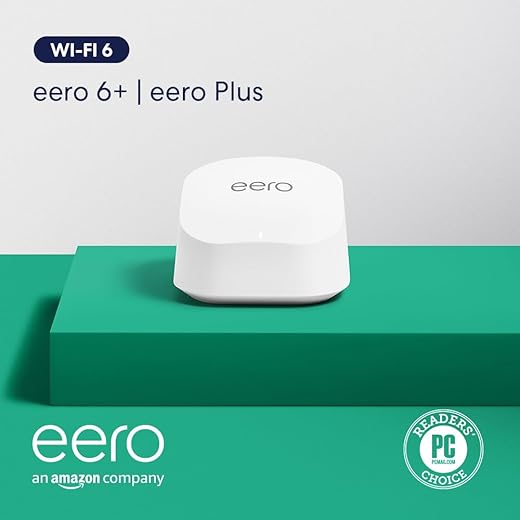
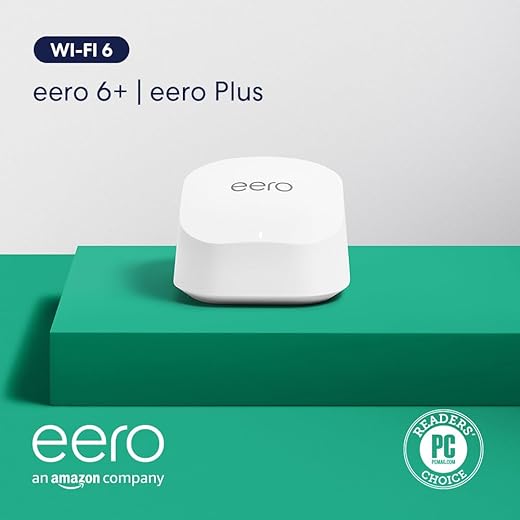
On mobile or Wi‑Fi, “available” bandwidth is shared and variable. Wi‑Fi clients contend for airtime; neighbors, microwaves, and cheap dual‑band routers throttle peak and sustained performance. Mobile networks add handovers and signal variability. We’ve seen a Nest Wi‑Fi handle web browsing fine but struggle streaming multiple 4K devices simultaneously — the router’s scheduling and firmware matter more than headline Mbps.
How this changes what products optimize for
That’s why services optimize for many small, cacheable objects and progressive downloads: they hide latency and make interactions feel instant. Gaming clients use UDP and retry strategies; streaming uses adaptive bitrates to avoid rebuffering even if throughput drops.
Quick tests and fixes you can try now
These checks show why a headline number alone rarely predicts the day‑to‑day experience, and point to where improvement actually matters.
Server-side Design and the CDN Trade-offs
Origin capacity, cache strategy, and the visible tail
On our side of the wire, the story isn’t just “fast pipe” — it’s how origin servers, caches, and routing decisions shape the experience. If a CDN edge has a cached copy, downloads look instant. If it doesn’t, the request hops back to an origin that may be overloaded or across an ocean. We’ve seen small developers serve firmware or niche game patches from a single origin and watch downloads crater for anyone outside the origin’s region.
Why fewer POPs (and cheaper routes) create slow outliers
Companies deliberately limit Points of Presence (POPs) or rely on a single transit provider to cut CDN bills. That improves averages and predictability for most users, but it widens the long tail: users in under‑served regions hit cache misses, cross‑provider peering bottlenecks, or extra TLS handshakes that add seconds or minutes.
Adaptive delivery: smart on paper, messy in practice
Adaptive systems change chunk sizes, switch servers mid‑stream, or open parallel connections to chase throughput. These techniques boost performance for many network conditions, but they can also cause oscillation: a switch to a “faster” edge that’s actually congested, smaller chunks that increase header overhead, or repeated range requests that thrash a slow origin. We’ve watched downloads pause while a client renegotiates with a new edge — optimization that backfires for a subset of users.
Practical steps we can take (as users and as product teams)
Understanding these trade‑offs explains why two people on the same ISP can see very different speeds — and what to look for next as we chase real improvements.
App and OS Behavior: Throttling, Scheduling, and Background Limits
We often blame our ISP or a flaky CDN, but a lot of the slowdown is deliberate: modern apps and operating systems shape networking so foreground tasks feel snappy and battery life survives a busy day. Here’s how those trade‑offs play out in practice — and what we can do about them.
Mobile OSes: deprioritize to preserve battery
iOS and Android give background work tight windows. iOS grants short background transfer time unless an app uses dedicated APIs; Android’s Doze and App Standby delay network access when the device is idle. The result: a large download started in the background can stall or trickle until the OS decides it’s safe to wake the radio.
Desktops: yield to the foreground
On laptops and desktops, services like Windows BITS, macOS App Nap, or Linux cgroup policies throttle background transfers so the active window keeps responsive CPU, I/O, and network. That’s great for browsing during a big download — less great when we expect a bulk update to finish quickly.
App-level choices: resumable, parallel, or limited
Developers choose knobs too: resumable HTTP Range downloads, parallel chunking to saturate paths, or hard caps so a single user doesn’t monopolize server capacity. Services like Steam and app stores often throttle updates to reduce peak load; mobile apps may cap speeds to avoid eating data or overheating phones.
Practical tips — quick wins
These behaviors explain many “mystery slow” cases — and they set the stage for the next layer: how older protocols and legacy routing still limit what those well‑intentioned scheduling policies can do.
Protocols and the Limits of Legacy Infrastructure
We can have a very fast radio, a beefy router, and a greedy app — and still feel like downloads crawl. A lot of that comes from the plumbing: TCP, TLS, and the versions of HTTP that servers and middleboxes actually speak. The stack shapes latency, recovery, and whether a single request can use the whole pipe.
Old habits: TCP slow‑start and head‑of‑line blocking
TCP’s slow‑start and loss recovery mean a single connection takes time to ramp up on high‑bandwidth, high‑latency links. HTTP/1.1 opened one request per connection (or reused one connection poorly), and even HTTP/2 multiplexes streams over TCP — so a lost packet can stall unrelated streams. The net effect: a single “download” can’t always saturate modern links.
TLS handshakes and connection setup cost
TLS 1.2 adds round trips before data flows; TLS 1.3 cuts that down, which is why big platforms pushed it hard. For small files or many short requests (think app assets), handshake overhead is visible. That’s why CDNs and browsers racing to adopt TLS 1.3 and session resumption actually improve perceived speed.
QUIC/HTTP/3: game changer — with caveats
QUIC (HTTP/3) rethinks this: built on UDP, it reduces setup latency, isolates stream loss, and supports connection migration (handy when moving from Wi‑Fi to cellular). But UDP’s openness also triggers middleboxes: corporate firewalls, old NATs, or cheap home routers sometimes drop or throttle UDP 443, forcing fallback to HTTP/2 or HTTP/1.1 and the old limits resurfacing.
Real‑world mismatches
Big players (Cloudflare, Fastly, Google) enable HTTP/3 and TLS 1.3 across their edges — smaller sites often run old Nginx/Apache builds, lack QUIC support, or sit behind legacy load balancers. The result: on the same device a firmware update from Apple can blitz through HTTP/3, while a boutique game patch from an older CDN creeps along the TCP treadmill.
Practical, immediate steps
Protocol evolution matters because it’s not just faster bits — it’s fewer starts, fewer stalls, and fewer middleboxes getting in the way. Upgrading the stack pays off, but the internet’s mixed state means our download experience will keep varying by service for a while.
Device Constraints: Storage, Thermal Throttling, and Multitasking
We shift the focus from networks to the thing in our hands. Even when the pipe is wide, the device can be the bottleneck: slow flash, cramped I/O paths, CPU bursts for crypto and verification, and thermal headroom all shape how fast a “download” really feels.
Slow storage and post‑download work
Downloads aren’t finished when the last packet arrives. Encrypted installers, signature checks, decompression, and indexing often run on the device after transfer, sometimes using more CPU and I/O than the network did. Budget phones with eMMC or older UFS can write at a few dozen MB/s; modern NVMe or UFS 3.1 can sustain several hundred MB/s. That gap is obvious when a 2 GB app “finishes downloading” but sits at 0% while it installs.
Thermal limits and sustained throughput
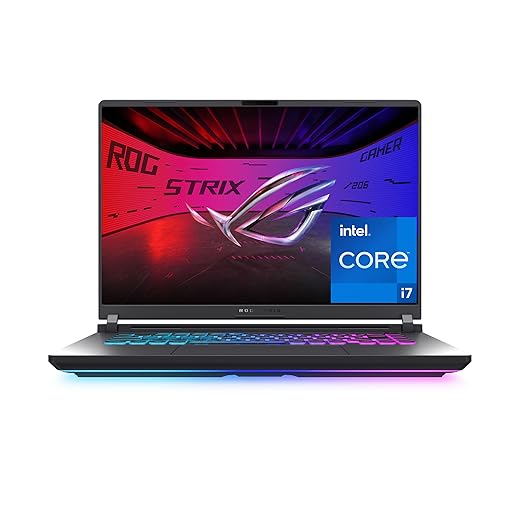
Thin designs prioritize silence and battery life over sustained performance. A phone or ultrabook that tops benchmarks in 30‑second bursts may thermally throttle under longer workloads — downloads plus post‑processing are exactly that sustained load. Gaming laptops and consoles, with bigger heatsinks and active cooling, keep throughput higher over time.
Multitasking and I/O contention
Background apps, media scanning, or cloud sync daemons compete for the same flash channels and CPU cores. Streaming boxes like Apple TV 4K or Nvidia Shield optimize for consistent media playback, not raw install speed, so large updates can be deprioritized to avoid interrupting playback.
Practical tips we actually use:
Manufacturers juggle cost, battery, and thermals. The result: a phone or laptop that “wins” benchmarks can still produce a mediocre, throttled download experience when real‑world workloads collide.
UX, Messaging, and the Psychology of Progress
We’ve talked about pipes and silicon; now let’s talk about the little things that change how a download feels. Even when technically identical, two transfers can feel worlds apart depending on how progress is communicated, how failures are surfaced, and whether the UI keeps our attention.
Perception vs. reality
Users judge time by events, not bytes. A progress bar that stalls for 20 seconds then leaps to 100% feels worse than a steady slow climb. ETA algorithms that swing from “1 minute” to “10 minutes” are worse than a conservative constant estimate. We’ve seen App Store installs that disappear mid‑progress and Windows Update bars that hang; these create distrust more than inconvenience.
Tricks of the trade
Product teams know this and sometimes “cheat”: showing rapid early progress, smoothing ETA with exponential averaging, or faking a deterministic finish animation. Those tricks work short‑term—people feel satisfied—but they break trust when retries or post‑processing actually take longer.

Ecosystem pressure
App stores, browsers, and platform updaters set expectations. Chrome’s mini-download UI conditions users to expect instant finishes; game launchers (Steam, Epic) normalize chunked downloads and staged installs. Competitive pressure pushes teams toward perceived snappiness over strict accuracy.
How we design better downloads
Actionable steps we actually use:
Good UX aligns expectation with reality. That alignment is what we’ll evaluate in the wrap‑up next.
Putting It Together: What We Should Look For
We’ve seen that perceived download speed is an emergent property of network design, server and CDN choices, protocols, device constraints, OS scheduling, and UX. That means no single metric tells the whole story — latency, initial bytes, parallelism, storage throughput, and messaging all matter. When we evaluate services, we test cold starts, resumability, perceived progress, and behavior under contention. Product teams should prioritize predictable first-byte time, graceful degradation, and honest progress indicators over raw megabits. For consumers, favor ecosystems that align device thermal and background policies with app needs.
Check and demand transparency.

Chris is the founder and lead editor of OptionCutter LLC, where he oversees in-depth buying guides, product reviews, and comparison content designed to help readers make informed purchasing decisions. His editorial approach centers on structured research, real-world use cases, performance benchmarks, and transparent evaluation criteria rather than surface-level summaries. Through OptionCutter’s blog content, he focuses on breaking down complex product categories into clear recommendations, practical advice, and decision frameworks that prioritize accuracy, usability, and long-term value for shoppers.








