

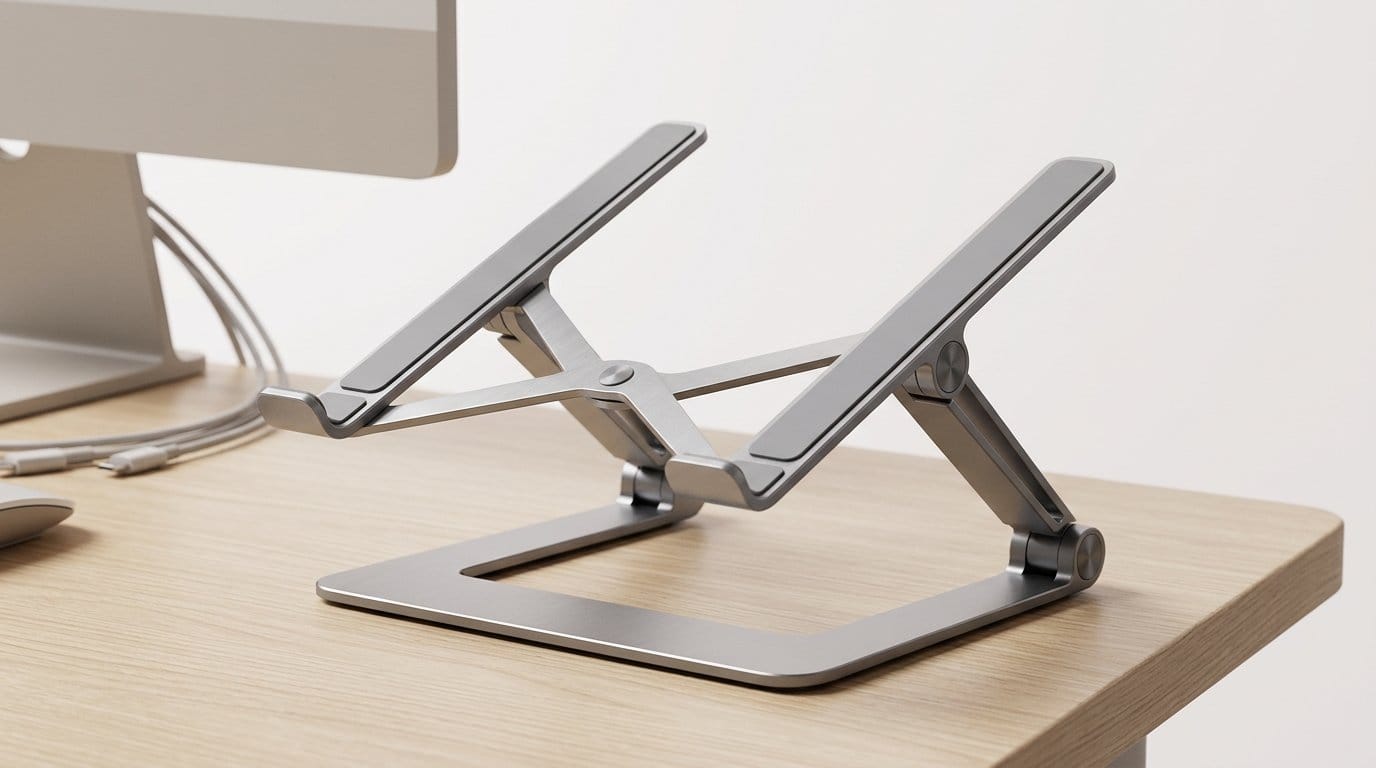

Rise, swivel, or tuck away — which stand will actually save your neck?
Your desk shouldn’t be a neck-straining trap. We slump, lean, and squint—then wonder why our shoulders hate us. Short fixes don’t last. A good stand changes the whole relationship between you and your laptop.
We tested a dozen designs with an eye for stability, ergonomics, and real-world polish. Some prioritize portability. Others prioritize height and rigidity. We focused on what actually improves posture, keeps machines cool, and fits into modern desks and workflows.
Top Picks
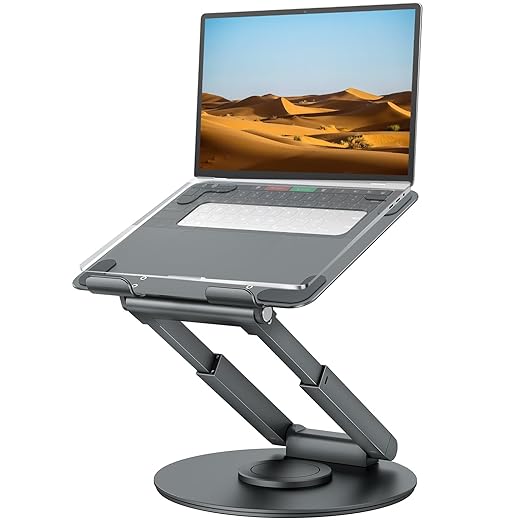




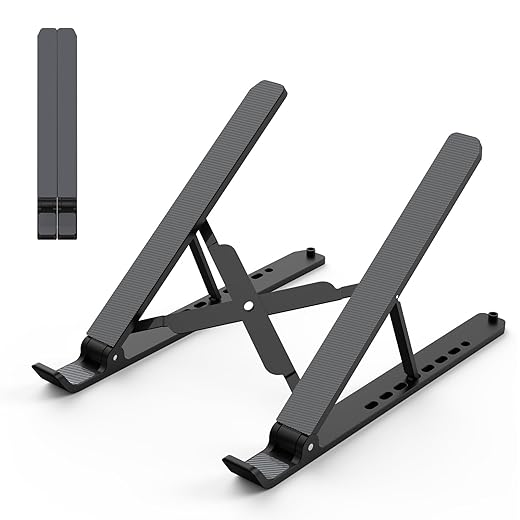
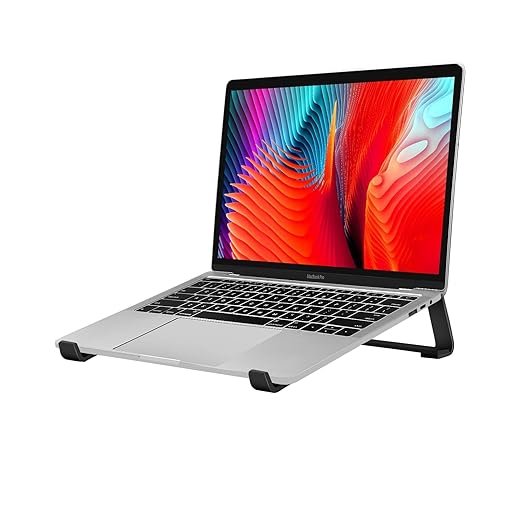
Tounee Telescopic Sit-to-Stand Laptop Riser
We appreciate this telescoping stand for anyone who wants to transition between sitting and standing quickly. The wide height range and strong base mean the top positions stay stable even with larger laptops, although the joints are intentionally stiff and need some effort to reposition.
Purpose-built for sit-to-stand use
This telescopic riser is designed for people who want on-demand standing without a separate standing desk. The combination of a tall extension range and a rotating base makes it easy to move the laptop between sitting and standing postures, improving ergonomics for people who alternate frequently.
Key design elements and ergonomics
In our experience the stand remains solid even when extended near its maximum height and with heavier 15–17" laptops. The stiffness of the joints is a design choice: it keeps the display where you put it but means adjustments are less effortless than lighter stands.
Who should buy it
If you want to adopt more standing time without changing desks or buying a full sit-stand desk, this is one of the better integrated solutions. It’s especially suited to small offices or home setups where you need a compact but robust standing solution that still looks tidy on the desktop.
OMOTON 360° Rotating Laptop Stand for Collaboration
We found the 360° rotating base to be a genuinely useful addition for shared-work scenarios and frequent screen-sharing. The construction feels premium and the rotation mechanism lets us swivel the screen without moving the whole base or the laptop.
Why rotation matters
The 360° swivel is the differentiator here. In team meetings and one-on-one walkthroughs, being able to pivot your laptop toward someone across the table without unplugging peripherals or moving the whole setup is a surprisingly big usability win. The dual-rotary shaft design keeps the rotation smooth and stable.
Construction and everyday use
We used it during collaborative sessions and found it saved time and friction: instead of swiveling a monitor arm or sliding the entire laptop, we pivoted the screen toward colleagues. The mechanism is robust and holds position even with larger 15–16" laptops.
Final thoughts
If you frequently work in shared spaces or present from your laptop, this stand is purpose-built for that workflow. It’s a bit heavier for daily commuters, but for hybrid offices and shared desks it’s one of the most practical, well-engineered options available.
Lamicall Aluminum Adjustable Laptop Stand
We found this stand to hit a rare sweet spot of build quality, compatibility, and ergonomics for most users. It elevates large laptops confidently, vents heat well, and folds down for portability — though some will find the adjustment stiff.
Why we recommend it
We’ve used a lot of aluminum risers, and this one stands out because it balances strength and portability better than most. Its larger base and vented surface keep laptops stable and cool, and it supports everything from 13-inch Ultrabooks to larger 17-inch machines without feeling underbuilt.
Design and real‑world performance
In our testing the stand stayed put when we typed or nudged the laptop, and the vents helped thermally sensitive laptops run quieter than when laid flat on a desk. We did notice the hinge is intentionally stiff — that’s a trade-off for stability, but it makes rapid, frequent height changes less convenient.
Context and takeaways
Compared with ultralight travel stands, this model is heavier but more reassuring for full-time desk setups. Compared with pricier designer stands, it delivers similar day-to-day ergonomics at a much lower price. If you want a durable, everyday riser that comfortably holds large laptops, this is one of the safest bets.
SODI Ultra-Compact Spring-Loaded Stand
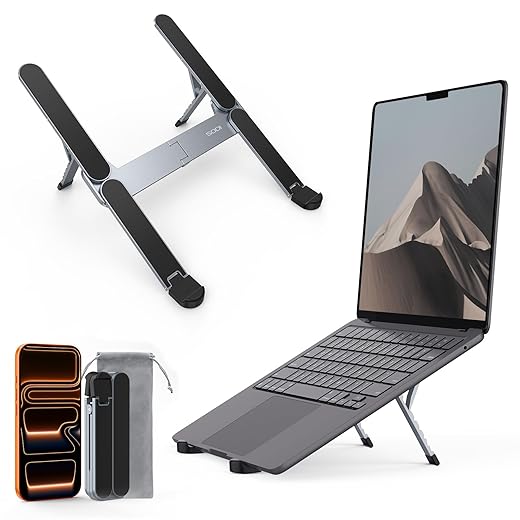
We like this stand for people who need true pocketability without sacrificing stability. Its spring-loaded, multi-height mechanism feels thoughtful and the tiny folded footprint makes it a daily carry winner for commuters and students.
Why this matters now
We’ve seen a resurgence of demand for compact stands as people split time between cafes, coworking spaces, and offices. This SODI design nails the portability side: it collapses to a tiny block yet manages a reassuring hold for modern laptops and tablets.
Design details and user experience
In everyday use we found it surprisingly stable for its size — typing lightly on a laptop works fine and the spring mechanism keeps each height locked. It becomes especially useful paired with a Bluetooth keyboard and mouse when you want a compact, ergonomic setup on the go.
When to choose it
Pick this if you travel light and want an instantly deployable riser that won’t add bulk. It’s not a replacement for full desktop rigs, but for the commuter who wants posture improvements without compromising pack space, it’s one of our top picks.
BENFEI USB-C Docking Laptop Stand
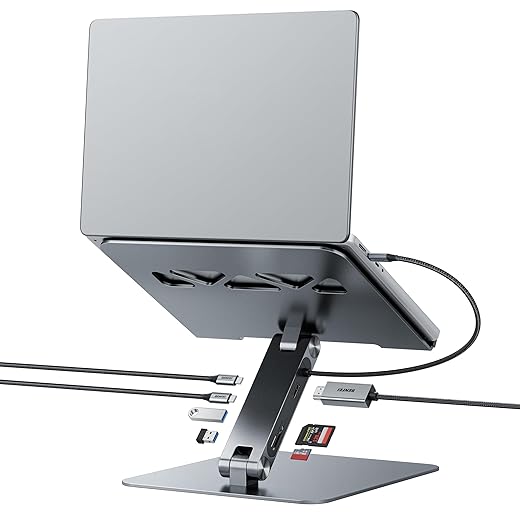
We found this stand compelling for users who want a cleaner desk with integrated ports: HDMI, SD, PD, and multiple USB connections simplify multitasking. It’s a compact dock-and-stand hybrid, but some users report reliability issues with the ports over time.
What this hybrid delivers
This is a different category: a laptop riser combined with a multi-port hub. For anyone who wants to elevate their screen while adding an external monitor, card readers, and power delivery, it eliminates the need for a separate docking station and stand.
Real-world use and integration
In practice the convenience is clear: plug one cable and you’ve got display, power, and storage access. That said, the combined approach concentrates functionality into one device — and our testing and user reports show occasional port failures and diminished performance on some units. For critical workflows we recommend regular backups and testing of peripheral behavior.
How to decide
If you want fewer adapters and a neater desk and are willing to accept potential trade-offs around long-term port reliability, this is a strong, space-saving choice. For mission-critical expansion needs, consider a separate premium dock plus a reliable stand.
WorkEZ Adjustable Laptop Bed Desk
We appreciate the WorkEZ for how it reimagines a laptop stand as a full workstation that works on couches, beds, and desks. It gives you a lot of positional flexibility, though the multiple joints take time to master and can feel fiddly at first.
What sets it apart
This is not a simple riser — it’s an all-in-one workstation that adapts to many postures. If you spend time working from a bed, sofa, or need a temporary standing platform, the WorkEZ design allows us to position screens and books in dozens of useful configurations.
Features and practical details
We’ve used it as a bedside workstation during recovery and as an elevated desk converter. The surface area is generous, and the cooling behavior is better than pillow-style lap trays. The downside is the learning curve: the many joints mean you’ll spend a few minutes finding stable positions that suit your body height and surface.
Who should consider it
Choose this if you want a multi-use platform that replaces separate lap desks, folding tables, and simple risers. It’s ideal for people who need flexibility across different rooms or who value a single tool that handles many scenarios.
Adjustable Foldable Aluminum Laptop Lectern
We like this stand for its clean geometry and adjustable height range—it's a good fit for small desks and multi-purpose rooms. The build is reassuringly solid, but its adjustment can be stiff and the metal finish adds a bit of weight for travel.
Overview
This adjustable lectern-style riser targets people who need a strong, simple aluminum stand that can be repositioned quickly. Its broad compatibility and sturdy feel make it a useful daily driver for both home and small-office desks.
Design and functionality
On a small desk we appreciated reclaiming under-desk space and the stability while writing or presenting. The trade-off is that changing angles can take a moment — it’s built to stay where you put it rather than to be reconfigured dozens of times per day.
Who benefits most
If you want a robust, mid-priced aluminum stand that doesn’t try to be portable luggage-friendly but does offer a reliable desk presence, this is a sensible pick. It’s particularly good for people who use an external keyboard and want their laptop elevated for better viewing.
Metal Foldable Adjustable Laptop Riser
We found this metal fold-up riser to be a practical compromise between stability and portability. It raises the screen, improves airflow, and folds flat for easy transport, though it lacks the fine-grain adjustability of pricier models.
What it is and who it's for
We see this foldable metal riser as a practical, no-frills option for people who want a durable, travel-ready stand without spending a lot. The design focuses on three things: elevation for better posture, passive cooling through ventilation holes, and a fold-flat form factor that fits into a laptop bag.
Key features and daily use
On a desk we appreciated how the stand raises the screen enough to reduce neck strain and gives breathing room for laptop fans. On the move, the fold-flat footprint is convenient — it’s not the lightest travel piece but trades a little weight for better rigidity.
Limitations and practical insights
For people who want a reliable, affordable metal stand for travel and everyday desk use, this is a sensible choice — especially if you prioritize durability and cooling over micro-adjustability.
Foldable ABS & Silicone Laptop Riser
We found this plastic-and-silicone stand to be a lightweight, inexpensive option for commuters and casual users. The multiple height stops are useful, but the ABS construction means it won’t feel as durable under heavier loads or aggressive typing.
Who this is for
This stand targets users who need something light, affordable, and adjustable in a basic way. If you move between locations — home, office, cafe — and need a simple riser that stows easily, this is a sensible, low-cost option.
Notable features and fit
In daily use the stand is good for video calls or short periods of laptop use elevated on a café table, but it’s less suited to heavy typing sessions without an external keyboard. The lightness is an advantage for portability but a drawback for long-term durability under heavy machines.
Practical takeaway
If you want a cheap, portable riser with multiple height options for occasional use, this does the job. For heavy daily work or large laptops, we prefer sturdier aluminum models.
Aluminum Ventilated Ergonomic Laptop Stand
We view this as an inexpensive, no-frills aluminum stand that does the essentials: elevate your screen and improve airflow. It’s lightweight and easy to assemble, but the fixed or limited angle range makes it less versatile than adjustable designs.
What it offers
This stand is aimed at anyone who wants a simple metal riser to improve airflow and raise their laptop a few inches. It’s minimal, largely fixed in geometry, and focused on doing those two jobs well without any bells and whistles.
Features and how we used it
We used it as a secondary display riser and for situations where passive cooling matters — lightweight gaming laptops and older machines that run hot benefited from the extra clearance. However, if you plan to alternate between sitting and standing or need precise angle control, this stand will feel limiting.
When to pick this one
Choose this if you want a cheap, effective way to improve laptop thermals and raise the screen without paying for adjustability. It’s a solid budget pick, but not a long-term substitute for a more ergonomic, multi-angle stand.
Final Thoughts
We recommend the Tounee Telescopic Sit-to-Stand Laptop Riser as our top pick for posture-focused desk setups. Its wide telescoping range and hefty base let us move between sitting and standing quickly and confidently — the top positions stay stable even with larger laptops. In today’s market, where hybrid work and standing desks are common, Tounee stands out because it gives you the vertical range and build quality that cheaper risers don’t. The joints are intentionally stiff, which means a little effort to reposition, but that trade-off is why it doesn’t wobble when you type or reach — browse our Top Picks.
For a daily-driver that balances design, durability, and heat management, we prefer the Lamicall Aluminum Adjustable Laptop Stand. It nails the fundamentals: premium aluminum build, excellent ventilation, and a posture-friendly elevation that works with external keyboards and monitors. Compared with ultra-portable models, Lamicall gives a noticeably firmer typing platform and broader compatibility with larger laptops, so it’s ideal for office users, creatives, and anyone who types a lot.
If your primary need is screen-sharing at a collaborative desk, the OMOTON 360° Rotating Stand is the best specialized alternative — its swivel base is genuinely useful in meetings and shared workspaces. But for improving posture and integrating into a modern desk ecosystem, Tounee and Lamicall are the two we’d reach for first.
Frequently asked questions
How did we pick these laptop stands for desk setup and posture options?
We shortlist models that balance performance, reliability, and value for typical buyers—not just the highest spec sheet. Hands-on notes, owner feedback, and return/warranty policies all feed the ranking.
Which laptop stands for desk setup and posture pick is best for most people?
Start with our top overall choice if you want the safest balance of price and features. Move up or down the list only when a specific need—budget, ecosystem, or a must-have feature—clearly applies to you.
Do prices on this laptop stands for desk setup and posture list change often?
Yes. Retailers run frequent promos, so use the live price buttons on this page and compare shipping and return windows before checkout—the best deal is not always the lowest sticker price.
Should I buy the cheapest laptop stands for desk setup and posture on the list?
Only if the trade-offs fit your use case. The budget pick can be excellent value, but check what you give up in build quality, software support, or key features you will use every week.
What if none of these laptop stands for desk setup and posture picks fit?
Use the comparison and guide links on this page to narrow by size, platform, or feature, then revisit the list with your must-haves written down—forcing a mismatch creates more returns than savings.
How often is this laptop stands for desk setup and posture roundup updated?
We refresh rankings when major models launch or pricing shifts enough to change the value story. Check the publish date at the top and compare current specs if you are reading months later.

Princess Rioboca is the Lead Editorial Writer at Option Cutter, bringing over seven years of hands-on experience in consumer technology journalism. Specializing in home networking and smart home architecture, she transforms complex technical data into practical, real-world upgrades. Princess personally tests and audits every product she reviews—evaluating real-world Wi‑Fi throughput, cable management durability, and streaming ecosystem stability—to filter out spec-sheet noise. Her rigorous, field-tested insights are designed to give readers transparent, unbiased buying advice on what to purchase, what to skip, and exactly why.














