

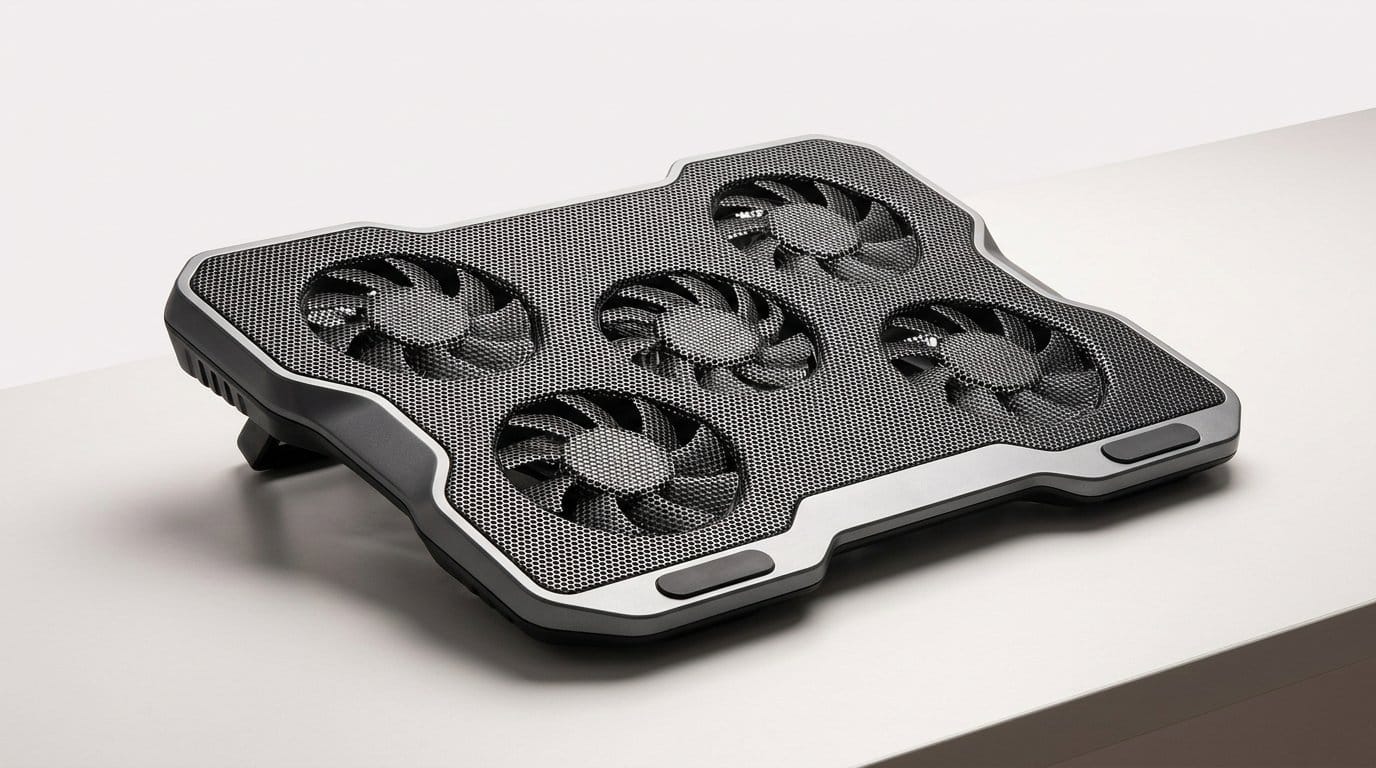

Can a cooling pad actually save your FPS (and your laptop’s dignity)? We hunted down the coolest contenders.
Heat ruins more sessions than lag — and nobody likes a throttled laptop GPU. We’ve all watched temps spike mid-boss fight and felt the frame rate bleed away. Short sessions turn into long waits while fans howl and performance tumbles.
We tested pads that promise to cut temps, tame noise, and fit modern setups. We care about real-world ergonomics, cable and port choices (USB-C, anyone?), and whether a pad feels like a thoughtful accessory or just a glowing slab of plastic.
Top Picks
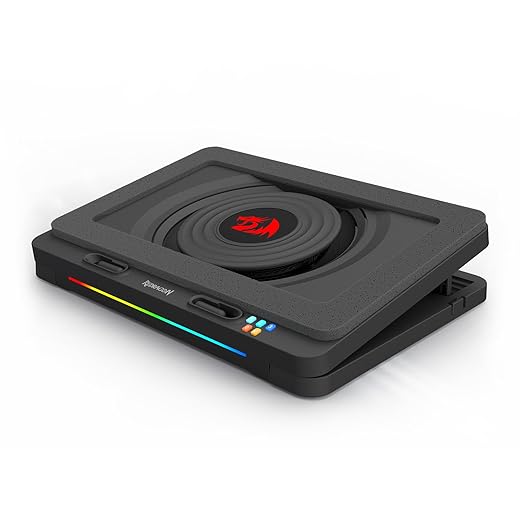



High‑Pressure Single‑Fan RGB Cooler
A high‑pressure design centered on a large 5.9" fan that displaces a lot of air for rapid temperature drops, especially on gaming laptops with rear or low vents. It blends strong performance with modern connectivity like USB‑C.
What sets it apart
The Redragon GCP512 takes a different approach from multi‑fan arrays by centering cooling on a large, high‑pressure fan. That design excels for laptops that suffer from trapped intake vents or need concentrated airflow to clear a specific exhaust path. We value the straightforward engineering: one strong fan plus a foam seal and thoughtful placement can produce larger reductions in component temps than many multi‑fan spreads.
Key features and connectivity
Performance, usability and tradeoffs
In our comparisons the cooler often outperforms similar pads at equivalent price points, producing quick and measurable drops in CPU/GPU temps under both gaming and synthetic loads. The USB‑C connection modernizes setup and avoids awkward cable routing, though some laptops with weak Type‑C power delivery may need an external PD charger for full performance. Noise is the natural tradeoff — the high‑pressure fan is effective but audible at top speeds.
Where it belongs in your kit
We recommend the Redragon for users with performance laptops that struggle thermally (Razer Blade‑type designs, dense gaming workstations) and for anyone who wants a relatively compact, powerful cooler with modern ports. It’s a strong all‑around choice when you need meaningful cooling gains without a full external desktop cooling solution.
Six‑Fan RGB Cooling Stand with Phone Holder
A visually assertive pad that adds six fans and RGB lighting to the cooling pad formula. It’s an excellent pick if you want gaming aesthetics plus practical adjustable heights and a phone holder for a dual‑screen setup.
Product positioning
We see the TopMate C11 as a model aimed at gamers who care about both performance and presentation. It combines six fans with RGB lighting and five ergonomic positions, so it doubles as a functional cooling tool and a desk centerpiece for a gaming setup.
Design and features you’ll notice
Performance, ergonomics and limitations
Out of the box the C11 is effective at reducing surface and component temperatures, especially when elevated to allow adequate inlet airflow. Users report good longevity and quiet operation thanks to capacitor‑damped fans, but the unit performs poorly when laid fully flat due to restricted intake air. The RGB and build quality punch above its price point, though the button finish and brief manual leave room to improve the user experience.
Who should buy this
If your desk is part of your setup’s identity — RGB, angled displays, and a phone within reach — this pad gives a strong combination of style and functionality. For maximum thermal results, pair it with a laptop stand or make sure the pad has breathing room underneath; flat use limits performance — browse our product reviews..
Five‑Fan Cooler with LCD Controls
A cooling pad that packs five fans and an LCD control set for adjusting multiple speed profiles. It’s designed for gamers who want control and visibility over airflow without spending on a premium branded stand.
What this model aims to do
We look at the TopMate C5 as a mid‑range contender that leans into control and flexibility. With five fans (including a strong central fan) plus an LCD readout and multiple speed modes, it’s built for users who want to tune airflow rather than simply buy raw cubic‑feet‑per‑minute numbers.
Feature highlights
How it performs in practice
The C5 cools quickly and adaptively; users report noticeable temperature drops and restored performance during heavy loads. The included LCD and buttons make it easy to find a balance between noise and cooling. However, the LED lighting can be distracting (there’s no universal lights‑off on some early revisions), and the unit is more substantial than the slimmest pads, so it’s less ideal if you travel frequently.
Where it fits in the market
This is a sensible step up from cheapest pads if you want per‑mode control and strong multi‑zone airflow without paying for premium materials or brand cachet. We’d recommend it to desktop‑centric gamers and content creators who want an accessible way to manage thermals while keeping noise down.
Four‑Fan High‑Capacity Cooling Stand
A solidly built four‑fan cooler that trades flashy features for longevity and steady performance. It’s aimed at people who want dependable cooling and a long warranty rather than lights or complex controls.
What the KLIM Wind tries to solve
The KLIM Wind is pitched as a robust, utilitarian cooling pad: plenty of fan area, sensible ergonomics, and a warranty that signals confidence. We think of it as a defender for aging laptops or heavy workloads where stability and long‑term use matter more than flashy extras.
Design and material choices
Use cases, benefits, and tradeoffs
Users appreciate the KLIM Wind for rapid surface cooling and improved performance under heavy loads. The design is straightforward and durable; KLIM backs that with a multi‑year warranty. That said, the pad is focused on function rather than features — there’s no RGB or advanced control panel — and larger 17.3" laptops will overhang slightly even when stable.
Market fit and recommendation
We recommend this pad if you value build quality and long‑term reliability over bells and whistles. It’s a great choice for older systems, heavy editors, and gamers who want quiet, predictable cooling without extra software or lighting.
Slim Triple‑Fan Portable Cooling Pad
A compact, three‑fan cooler that gives consistently good temperatures for the price and stays quiet in most situations. It’s a tried‑and‑true option if you want reliable cooling without extras like RGB or complex controls.
Overview
We view the havit HV‑F2056 as a pragmatic pick: affordable, effective, and portable. The three‑fan arrangement creates distributed airflow across the laptop bottom, which helps reduce throttling in everyday gaming and creative workloads without adding much weight to your bag.
Notable design and features
What we liked and where it falls short
The HV‑F2056 shines because it addresses the most important goals for a cooling pad—lower temps, low noise, and portability—at a low price. Users regularly report meaningful drops in component temperatures and fewer system fan spin‑ups. On the flip side, it lacks advanced controls like variable fan speed or an LCD readout, and the included cable is short, which can complicate placement depending on your laptop’s port layout.
Practical takeaway and context
This cooler is a dependable, no‑frills option for students and gamers on a budget. If you want software integration or fine‑grained speed control to tune cooling for high‑TDP laptops, consider stepping up to more feature‑rich pads. For most users who need reliable temperature relief, this is a strong value.
Five‑Fan Adjustable Gaming Cooling Stand
A five‑fan cooler that balances noise and cooling with flexible height settings. It’s a good midrange option for gaming laptops that need distributed airflow without a lot of fan whine.
Summary and role in a setup
We see the Kootek five‑fan pad as a useful compromise between raw power and desktop friendliness. It’s aimed at people who want multi‑zone cooling and ergonomic adjustability without moving up to a heavier or more expensive stand.
Design and key features
Real‑world performance and caveats
Owners report substantial temperature improvements (10–20°C in many cases) when the pad is used elevated so intake is not obstructed. The fans are quiet even at higher settings, which helps for long sessions. The tradeoffs are a somewhat flexible stand mechanism and reduced effectiveness when the pad is flattened against a surface — you need a gap underneath for optimal circulation.
Recommendation
We recommend this for gamers and creators who want steady cooling and ergonomic options without breaking the bank. For constant travel or high‑precision cooling under extreme loads, consider a more rigid premium pad with stronger materials.
Ultra‑Slim 160mm Single‑Fan Cooler
A no‑frills, ultra‑slim cooling pad built around a single large 160mm fan that emphasizes form factor over feature bloat. It’s ideal if you want a low‑profile surface that improves airflow without adding much bulk or noise.
What it is and who it’s for
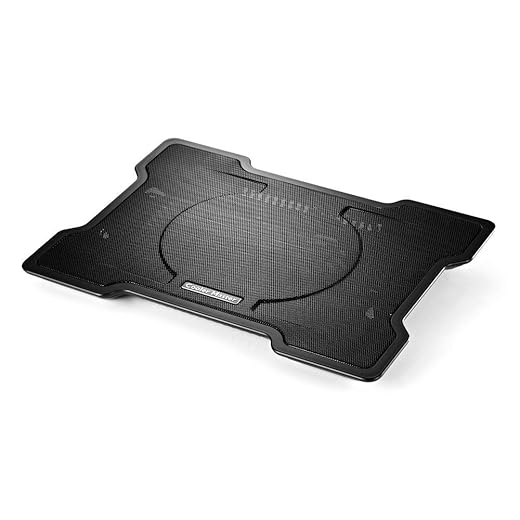
We see the Cooler Master NotePal X‑Slim as a simple design answer to a common problem: laptops that get hot but you don’t want another heavy accessory. The unit centers on a single, large 160mm fan that spins at a moderate speed to move air under a mesh surface while keeping the chassis thin and light.
Key features and design notes
Real‑world benefits and limits
In our testing and from users’ reports, the X‑Slim cools surface temperatures effectively for everyday workloads and light gaming sessions. The noise profile is pleasant because the single large fan runs at lower RPMs compared with tiny high‑speed fans. That said, heavy sustained gaming or laptops with heat concentrated in multiple spots (CPU and GPU in different zones) expose the limits of a single‑fan design: it’s broad but not surgical.
How it fits the market
We recommend this to people who prioritize portability and subtlety — commuters, students, and owners of thin‑and‑light gaming laptops who need some extra airflow without turning their desk into a gadget graveyard. If you’re chasing maximum delta‑T under heavy load, a multi‑fan pad or a model with higher airflow is a better choice.
Slim Triple‑Fan Budget Cooling Pad
A compact, lightweight pad with three blue‑LED fans that covers laptops up to 17 inches. It’s a sensible low‑cost choice for everyday productivity or light gaming, but it lacks advanced features and premium materials.
Positioning and intended users
The TECKNET laptop cooling pad is a straight‑forward, inexpensive solution for users who need an immediate temperature reduction without investing in a major accessory. It targets budget‑minded buyers and those who only occasionally push their laptops hard.
Feature set and ergonomics
Performance and realistic expectations
In everyday use—web browsing, video, light gaming—the TECKNET keeps surface temperatures down and prevents fan‑spin spikes from the laptop. However, it’s not designed to match the airflow or longevity of higher‑end stands: materials are utilitarian and there’s no speed control, so enthusiastic gamers who run extended high loads will want something stronger.
How we’d recommend using it
For students, remote workers, and anyone who needs occasional cooling on a budget, this pad delivers a sensible trade‑off between price and function. If you plan frequent high‑TDP gaming or content rendering, look for a pad with larger fans, variable speed control, or a sturdier chassis.
Final Thoughts
Our top pick for serious gamers is the High-Pressure Single-Fan RGB Cooler. It earned the highest score for a reason: its large 5.9" high-pressure fan moves a ton of air and produces the fastest temperature drops, especially on laptops with rear or low vents. The design focuses on raw thermal performance and modern connectivity like USB-C passthrough, so it slots neatly into today’s peripheral ecosystems. If you run GPU-heavy titles or use your laptop for long sessions, this is the pad that actually changes the experience — lower temps, more sustained clocks, and fewer throttling interruptions.
If you want performance with show and ergonomic polish, the Six-Fan RGB Cooling Stand with Phone Holder is our runner-up. It delivers distributed airflow across the chassis while adding adjustable heights and a built-in phone holder for a dual-screen workflow. It’s louder and a bit bulkier than the single-fan power option, but it merges cooling, posture improvements, and gaming aesthetics in a way that fits streamers and desk setups that prioritize both form and function.
Why these two? Modern gaming laptops are already more capable thermally, but higher TDP CPUs and GPUs still benefit from directed airflow and good ergonomics. The High-Pressure Single-Fan Cooler is the practical performance tool — minimal fuss, maximum cooling. The Six-Fan Stand is the better pick for users who want a fuller desk ecosystem: adjustable heights, integrated phone placement, and RGB that plays nicely with gaming rigs. Together they cover the two most common needs: raw thermal mitigation and a polished, ergonomic desk experience.
Frequently asked questions
How did we pick these laptop cooling pads for gaming laptops options?
We shortlist models that balance performance, reliability, and value for typical buyers—not just the highest spec sheet. Hands-on notes, owner feedback, and return/warranty policies all feed the ranking.
Which laptop cooling pads for gaming laptops pick is best for most people?
Start with our top overall choice if you want the safest balance of price and features. Move up or down the list only when a specific need—budget, ecosystem, or a must-have feature—clearly applies to you.
Do prices on this laptop cooling pads for gaming laptops list change often?
Yes. Retailers run frequent promos, so use the live price buttons on this page and compare shipping and return windows before checkout—the best deal is not always the lowest sticker price.
Should I buy the cheapest laptop cooling pads for gaming laptops on the list?
Only if the trade-offs fit your use case. The budget pick can be excellent value, but check what you give up in build quality, software support, or key features you will use every week.
What if none of these laptop cooling pads for gaming laptops picks fit?
Use the comparison and guide links on this page to narrow by size, platform, or feature, then revisit the list with your must-haves written down—forcing a mismatch creates more returns than savings.
How often is this laptop cooling pads for gaming laptops roundup updated?
We refresh rankings when major models launch or pricing shifts enough to change the value story. Check the publish date at the top and compare current specs if you are reading months later.

Princess Rioboca is the Lead Editorial Writer at Option Cutter, bringing over seven years of hands-on experience in consumer technology journalism. Specializing in home networking and smart home architecture, she transforms complex technical data into practical, real-world upgrades. Princess personally tests and audits every product she reviews—evaluating real-world Wi‑Fi throughput, cable management durability, and streaming ecosystem stability—to filter out spec-sheet noise. Her rigorous, field-tested insights are designed to give readers transparent, unbiased buying advice on what to purchase, what to skip, and exactly why.














