

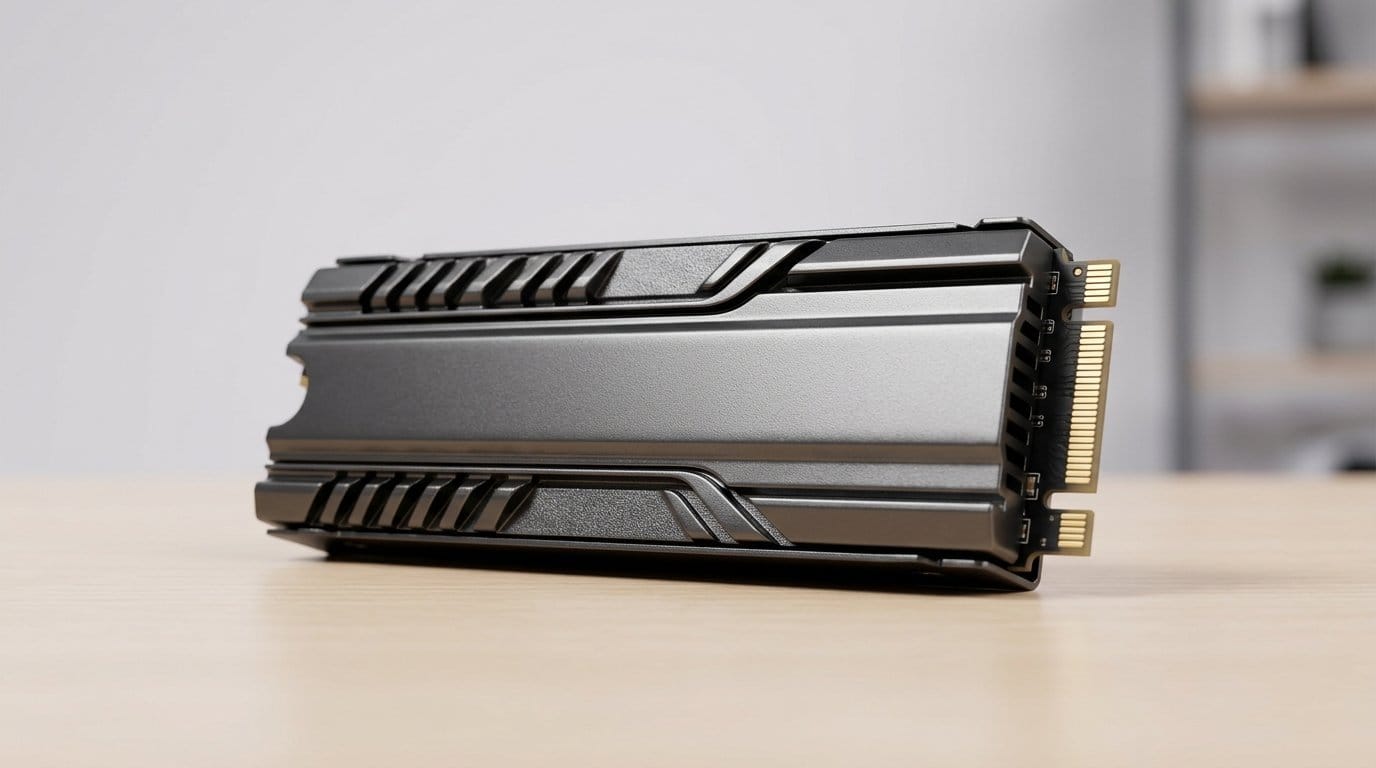

More space, fewer loading screens — which NVMe will make your PS5 actually feel new (without a soldering iron)?
Upgrading your PS5 SSD is the fastest way to breathe new life into your console. We loved the instant payoff: faster installs, less waiting, and more room for the games you actually play.
Speed matters, but so do thermals, capacity, and how much headache the install creates. PCIe Gen4 is table stakes now; an integrated heatsink and predictable thermal behavior are the features that separate a smooth upgrade from a confusing afternoon of trial and error.
Top Picks




Samsung 990 PRO Heatsink 1TB NVMe
We found this drive to be a near-ideal balance of peak sequential throughput and predictable thermals for console and desktop use. Its integrated heatsink and Samsung’s ecosystem tools make it an easy, low-hassle upgrade for PS5 owners who want top-tier speed without fiddling with third‑party cooling.
Why we recommend it
We treat the 990 PRO with heatsink as the pick for people who want to do the least amount of work for the best possible Gen4 experience in a PlayStation 5 storage. In practice that means blistering sequential and random performance, and a heatsink that’s sized to fit typical console expansion slots. We value that combination: fast out of the box, and thermals you don’t have to babysit.
Performance and real‑world impact
The drive advertises near‑max PCIe 4.0 throughput and, in sustained transfers, it legitimately competes with the fastest drives available. That throughput translates to noticeably shorter game installs and quicker large‑file movement on a PC; on the PS5 you’ll see faster load times but not the raw 7,450 MB/s number because the console’s subsystem caps sustained rates. Still, you get a tangible snappiness improvement over older Gen3 drives.
Design, ecosystem, and reliability
What sets this model apart is Samsung’s vertical control: controller, NAND and firmware are all in‑house, and Samsung Magician gives us straightforward health monitoring and firmware updates. The integrated heatsink is a practical convenience for PS5 installs and tight desktop builds alike.
We should call out tradeoffs: the price is premium and you’ll only see the full speed advantage on platforms that truly expose PCIe 4.0 bandwidth. If you care more about raw value per TB than peak latency or absolute throughput, there are cheaper options. But if your priority is the cleanest, highest‑performing PS5‑compatible Gen4 drive with minimal setup, this is an easy pick.
Samsung 990 PRO 2TB NVMe Gen4
We see this 2TB variant as the best fit for users who want roomy capacity and top-tier Gen4 speeds without the heatsink version’s slim convenience. It’s an enthusiast‑grade drive with the same efficient controller and strong firmware support, ideal for desktops and workstations that can leverage the bandwidth.
Who this is for
This 2TB 990 PRO targets power users who want both big capacity and the sort of peak Gen4 performance that makes heavy workloads feel effortless. We recommend it to PC builders, content creators, and console users who will house the module behind a board or in an enclosure with adequate cooling.
Performance in context
In benchmarks and heavy file work the drive shines — sequential reads and SSD IOPS are among the best in the PCIe 4.0 field. For PS5 owners the real benefit is headroom: the console doesn’t fully saturate the top speeds but benefits from the drive’s low latency and consistent behavior under load, which reduces texture pop‑ins and load variation.
Ecosystem and practical points
Samsung’s Magician suite is a practical strength: easy firmware updates and health checks keep the drive behaving long term. Our caveat: this SKU lacks an integrated heatsink, so if you plan to use it in a PS5 expansion slot you’ll want a compatible low‑profile heatsink. That extra step is minor but worth noting.
Overall, we view the 2TB 990 PRO as a premium, future‑proof option for people who value speed, capacity, and Samsung’s software polish over the lowest price per terabyte.
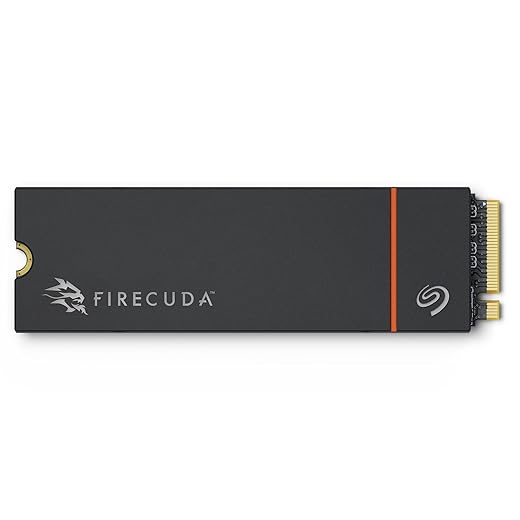
Seagate FireCuda 530 1TB Heatsink
We value the FireCuda 530 for its blend of high sustained bandwidth and exceptionally high TBW ratings, which give us confidence for long-term heavy use. The included heatsink and Rescue recovery service make it a practical choice for console expansion and professional work where durability matters.
What stands out
Seagate’s FireCuda 530 is built for people who treat storage like a long‑term tool rather than a disposable component. It pairs a high‑end controller and TLC NAND with an endurance rating that’s among the best in class. For PS5 owners who plan to keep the drive installed for years and install dozens of large games, that durability is meaningful.
Performance and thermals
The drive hits Gen4 performance numbers in the same ballpark as other flagship models and the heatsinked SKU helps maintain those speeds under sustained transfers. That matters for content creators copying multi‑hundred‑GB projects and for consoles where thermal headroom is limited.
Practical extras and ecosystem
Seagate includes a multi‑year Rescue Data Recovery plan with certain SKUs, which is a comfort for anyone who stores irreplaceable work or a large game library. The tradeoff is cost: you pay a premium for the performance and services, so budget‑minded buyers should weigh whether the extra TBW and rescue coverage justify the higher price.
Seagate FireCuda 530R 2TB Heatsink
We see the 530R as the FireCuda 530’s evolution aimed at creators and power users who need both speed and extreme endurance. Its high TBW and DirectStorage compatibility make it a solid pick for people juggling large game libraries and media projects.
Who should consider this
If you’re a content creator, streamer, or someone with a large library of AAA titles, the 530R’s combination of high endurance and Gen4 performance is compelling. We recommend it when longevity and sustained performance are priorities — think multi‑year installs and heavy file movement rather than occasional upgrades.
Why endurance matters
High TBW numbers mean Seagate expects the drive to tolerate heavy write cycles without early wear. That provides peace of mind for users who run constant render jobs or keep large volumes of installs on a single drive. Performance is competitive with other premium Gen4 drives, but the endurance rating is what differentiates this model in our view.
Real‑world tradeoffs
The built‑in heatsink keeps temperatures reasonable under long transfers but also increases overall module height — an important consideration for cramped PS5 bays or compact laptops. The drive’s price reflects its spec sheet; if you don’t need very high TBW, there are cheaper drives that will feel just as snappy for gaming alone.
WD_BLACK SN850X Heatsink 1TB NVMe
We consider this drive a top choice for gamers who want fast, reliable performance with an included heatsink so you don’t need to buy extras. It’s tuned for game workloads and includes dashboard features that make drive management and Game Mode convenient on Windows systems.
How it fits into a gaming setup
The SN850X is explicitly pitched at gamers: short load times, sustained texture streaming, and practical software features like a Game Mode. We like that it’s available with a heatsink so console and cramped PC cases can get good thermals without aftermarket tinkering.
Performance and usability
Measured sequential speeds are competitive with the fastest Gen4 drives and the drive performs particularly well in gaming workloads where small, random reads matter. On PS5 the heatsink model is an advantage because it reduces the chance of thermal throttling in the expansion bay. On Windows PCs, Game Mode 2.0 and the WD dashboard give us simple toggles and monitoring for day‑to‑day use.
Design tradeoffs and real-world notes
One practical downside is that advanced dashboard features are Windows‑only, so the tooling isn’t as useful for Mac or Linux users. Also, the heatsinked version increases thickness compared to bare M.2 modules — that matters in very tight laptops or boards with small expansion slots. Still, for most gamers the combination of speed, thermals, and software polish make this an easy recommendation.
Kingston Fury Renegade 1TB NVMe Heatsink
We appreciate Kingston’s Renegade for delivering strong Gen4 numbers and a low-profile heatsink that keeps thermals in check in consoles and compact builds. It’s a polished package for gamers who want fast installs and consistent behavior without a large premium.
Kingston’s approach
The Fury Renegade is Kingston’s play for players and builders who want flagship Gen4 throughput but prefer a restrained aesthetic and practical thermals. The package is sensible: competitive speeds, a graphene/aluminum heat spreader or optional heatsink, and reliable 3D TLC NAND.
Real-world relevance
In gaming and workstation tasks the drive’s low latency and high throughput reduce load and transfer times noticeably. The low‑profile heatsink option makes it convenient for PS5 installs where clearance can be tight; you get thermal headroom without a bulky bracket.
Practical considerations
The Renegade doesn’t lean on a flashy software ecosystem, which keeps the experience simple and focused on performance. It’s a solid middle way: not always the absolute fastest in synthetic benchmarks, but consistently speedy in workloads that matter to gamers and creators.
Sabrent Rocket 4 Plus 4TB NVMe
We see the Rocket 4 Plus as a compelling option if you need both high capacity and Gen4 throughput. Its 4TB configuration lets us consolidate large game libraries or project files onto a single fast drive, reducing complexity in multi‑drive setups.
When capacity matters
Sabrent’s Rocket 4 Plus stands out when you need a lot of fast local storage — single‑drive 4TB solutions cut down on juggling external media or multiple slower drives. We like it for creators and players who keep large libraries installed and want near‑flagship Gen4 throughput.
Performance and longevity
In real use the drive delivers the expected Gen4 performance profile and users report years of stable service when the drive isn’t filled beyond recommended thresholds. That said, high capacities and very heavy sustained writes will generate heat; pairing the drive with good case airflow or a heatsink is a practical step.
Ecosystem and tradeoffs
Sabrent packs utilities and cloning tools which make migration convenient. The main tradeoffs are cost and thermal management: you pay for capacity, and to maintain peak speeds under long transfers you should account for cooling. If you need maximum TB per drive and can manage the price and thermals, this is an attractive option.
Crucial P310 1TB Gen4 NVMe SSD
We found the P310 to be one of the best value Gen4 options: strong advertised sequential rates, broad compatibility, and a competitive price point. It's a practical upgrade for handhelds and midrange PCs where you want good speed without spending top dollar.
Value proposition
The Crucial P310 is positioned as a cost‑sensitive Gen4 NVMe that still delivers meaningful performance gains over Gen3 drives. We recommend it for users who want Gen4 benefits — faster game loads and snappier OS behavior — but don’t need flagship performance or every advanced feature.
Performance and real-world use
Advertised peak reads and writes put it in the respectable upper tier of Gen4 drives. In everyday scenarios — gaming, boot times, and transferring big files — the drive feels rapid and responsive. Crucial’s Micron‑backed NAND gives us confidence in consistency, and the included Acronis offer for cloning helps with simple migrations.
Fit and finish
It’s a straightforward M.2 module without a flashy software suite, which will appeal to users who prefer a no‑nonsense install. Handheld consoles like the ROG Ally X and similar devices benefit from its balance of speed and power efficiency. If you’re chasing benchmark supremacy, there are faster drives, but for most people the P310 hits the sweet spot.
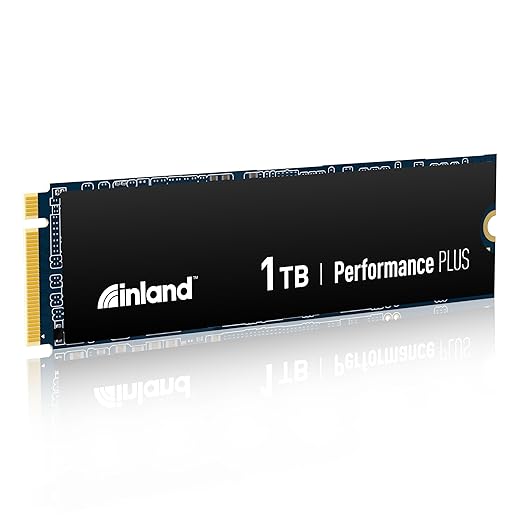
INLAND Performance Plus 1TB NVMe
We view this INLAND drive as an accessible way to get Gen4 speeds at a lower price point. It’s a practical choice for budget‑minded PS5 owners and builders who need larger storage without paying flagship premiums, though it requires a heatsink for safe console use.
Why consider it
INLAND’s Performance Plus is attractive when your primary goal is to add a lot of fast storage without breaking the bank. For PS5 owners and general builders who need an affordable Gen4 module, the drive provides modern NAND and controllers at a friendly price point.
Real-world behavior and fit
Performance is broadly in line with Gen4 expectations for its class; users report smooth game installs and reliable day‑to‑day performance. A practical caveat: many SKUs come without a heatsink, so for PS5 installs you should budget a low‑profile heatsink — something inexpensive that prevents thermal throttling.
Tradeoffs and final take
The drive doesn’t come with the same software polish or long warranty extras as some premium brands, but the combination of price, capacity options, and decent endurance metrics makes it a smart choice for value‑conscious buyers who want real Gen4 benefits. We recommend checking the heatsink inclusion and fitting before purchase to avoid surprises.
Final Thoughts
We recommend the Samsung 990 PRO Heatsink 1TB as our top pick for most PS5 owners. It pairs class-leading Gen4 throughput with an integrated heatsink and Samsung’s mature firmware and tools, so installs are simple and thermals are predictable — exactly what we want in a console upgrade. If you keep a very large library or prioritize long-term durability, choose the Seagate FireCuda 530 1TB Heatsink for its higher endurance ratings, sustained performance under heavy loads, and included Rescue service for peace of mind — browse our Top Picks.
If you need more than 1TB, opt for the Samsung 990 PRO 2TB (bring a low-profile PS5-compatible heatsink) — it gives you the same top-tier performance with extra room for dozens more games, at the cost of one extra minute of DIY. These picks balance real-world gaming behavior, thermal design, and ecosystem support — which is exactly what matters for a PS5 upgrade today.
Frequently asked questions
How did we pick these nvme ssds for ps5 upgrades options?
We shortlist models that balance performance, reliability, and value for typical buyers—not just the highest spec sheet. Hands-on notes, owner feedback, and return/warranty policies all feed the ranking.
Which nvme ssds for ps5 upgrades pick is best for most people?
Start with our top overall choice if you want the safest balance of price and features. Move up or down the list only when a specific need—budget, ecosystem, or a must-have feature—clearly applies to you.
Do prices on this nvme ssds for ps5 upgrades list change often?
Yes. Retailers run frequent promos, so use the live price buttons on this page and compare shipping and return windows before checkout—the best deal is not always the lowest sticker price.
Should I buy the cheapest nvme ssds for ps5 upgrades on the list?
Only if the trade-offs fit your use case. The budget pick can be excellent value, but check what you give up in build quality, software support, or key features you will use every week.
What if none of these nvme ssds for ps5 upgrades picks fit?
Use the comparison and guide links on this page to narrow by size, platform, or feature, then revisit the list with your must-haves written down—forcing a mismatch creates more returns than savings.
How often is this nvme ssds for ps5 upgrades roundup updated?
We refresh rankings when major models launch or pricing shifts enough to change the value story. Check the publish date at the top and compare current specs if you are reading months later.

Princess Rioboca is the Lead Editorial Writer at Option Cutter, bringing over seven years of hands-on experience in consumer technology journalism. Specializing in home networking and smart home architecture, she transforms complex technical data into practical, real-world upgrades. Princess personally tests and audits every product she reviews—evaluating real-world Wi‑Fi throughput, cable management durability, and streaming ecosystem stability—to filter out spec-sheet noise. Her rigorous, field-tested insights are designed to give readers transparent, unbiased buying advice on what to purchase, what to skip, and exactly why.














