

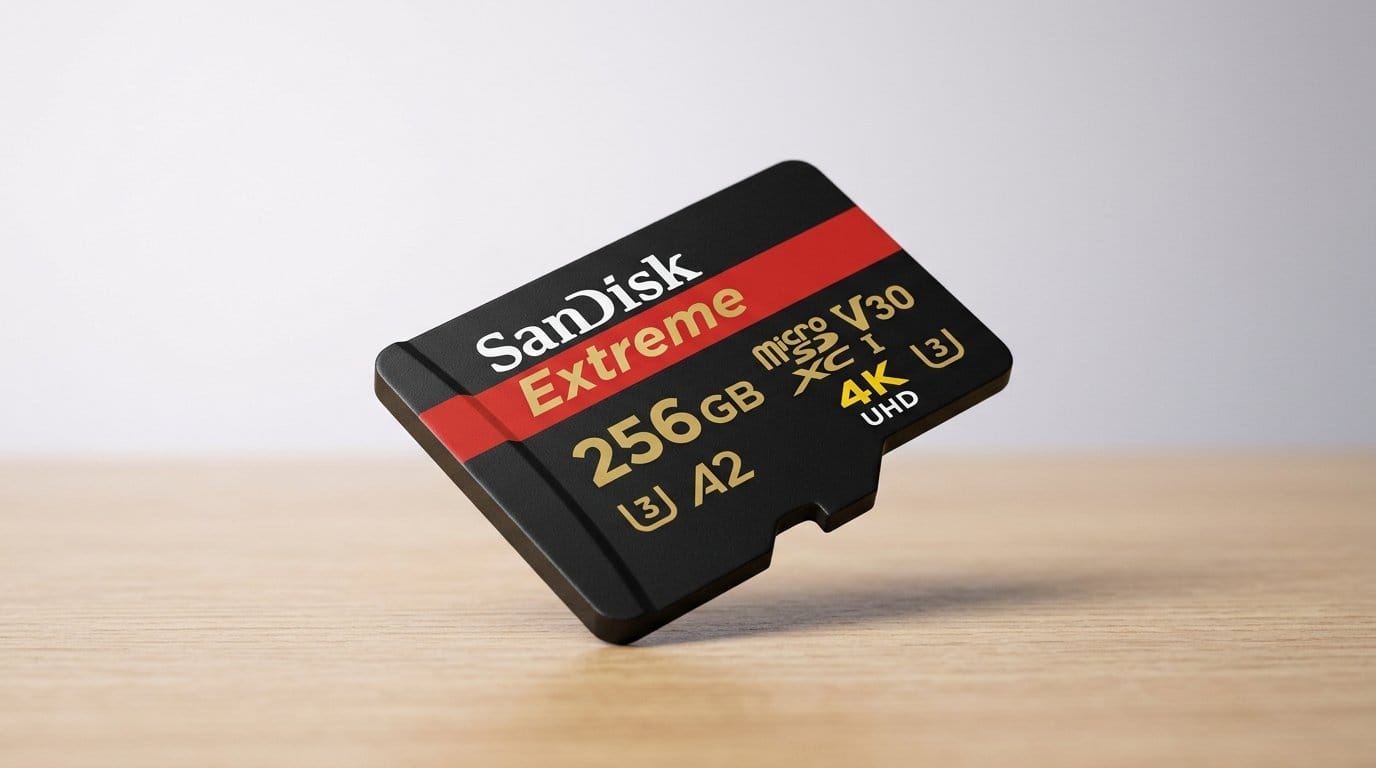

Tiny storage, big consequences—which microSD survives a 4K shoot and a Switch marathon?
MicroSD cards are the quiet heroes of every shoot and portable console session. One bad card and a day of footage or a save library gets messy fast.
We tested for sustained write speed, real-world transfers, and everyday compatibility with cameras, drones, phones, and the Nintendo Switch. The best cards saved us time at the keyboard and kept gameplay and recording smooth—no drama, just reliable storage.
Top Picks



SanDisk Extreme PRO 1TB microSD
We found it combines huge storage with sustained transfer rates, making long 4K shoots and large-library workflows far less fiddly. It’s an investment, but for anyone who needs one card to rule many devices, the trade-off is clear.
Why we picked this
The 1 TB Extreme PRO targets creators who want minimal interruptions: fewer card swaps, fast offloads, and reliable sustained writes for 4K video cards. In our experience this class of card is the practical choice if you routinely shoot long sessions on drones, action cams, or handheld PCs and want a single card to carry your library.
Performance and real-world behavior
The card’s advertised microSD speeds (~200 MB/s) and strong sustained write performance mean transfers and camera buffering both feel snappier than budget cards. That speed also shortens the time between shooting and editing — a real quality-of-life improvement when you’re moving many gigabytes at once.
What matters to buyers
We think the headline is simple: you pay for convenience and consistency. If you’re a professional or an obsessive hobbyist who values capacity and fewer interruptions, the premium is justified. But if you mainly capture short clips or casual GoPro sessions, a lower-capacity card may give better cost-per-gigabyte.
Limitations and practical tips
The card can run warm in compact camera bays during long continuous recording; good device ventilation helps. Also, many host devices won’t saturate the top read speed, so check your camera/phone interface if you expect desktop-class transfers. For backups, we still recommend keeping duplicates rather than relying on a single card.
SanDisk Extreme 1TB microSDXC
We saw consistently high read/write numbers that make large-file transfers painless and 4K/5K recording dependable. It hits a sweet spot for creators who want near-pro performance without always paying top-tier Pro prices.
Where this card fits
This 1 TB Extreme model is built for people who juggle large video files and multiple devices. It’s an especially practical option for drone pilots, mirrorless shooters, and handheld-PC owners who want big storage and rapid offloads without stretching to the very highest-priced cards.
Speed, ergonomics, and ecosystem
In testing and reported user experiences, the card’s QuickFlow tech consistently boosts offload speeds on compatible readers. That makes day-long shoots simpler because you spend less time waiting at the laptop and more time shooting.
What to expect in practice
We appreciate the balance: you get nearly pro-grade throughput for a lower cost than the Extreme PRO family. That said, some devices won’t fully exploit the top numbers, so buyers should consider how they’ll actually move data (direct card reader vs in-camera USB) before paying for the highest spec.
Caveats and advice
It’s a strong all-rounder, but heat under heavy sustained writes and diminishing returns on speed for lower-capacity host interfaces are things to watch. For heavy multi-hour 4K sessions, pairing the card with a fast USB 3.2 readers maximizes the benefit.
SanDisk Extreme PRO 512GB microSD
We found a nice balance between high sustained throughput and a practical capacity for most serious shooters. It gives pro-grade responsiveness for burst photography and 4K recording without the price of the 1 TB Pro variant.
The design intent
This 512 GB Extreme PRO sits between consumer and pro gear: big enough for extended shoots, but still compact and fast enough to be the daily driver in action cams, drones, and phones. We think of it as the pragmatic pro card — not overbuilt, but reliable when workflows demand it.
Real-world performance
The card’s higher-end controller maintains steady writes during burst shooting and multi-hour 4K captures, which reduces dropped frames and buffering stalls. That reliability is what separates pros from hobbyists when you’re deep in a production schedule.
Considerations for buyers
If you regularly shoot long 4K clips or keep a live-editing workflow going in the field, this card will pay back its cost in saved time. If your needs are lighter — short clips and casual snapshots — a smaller-capacity Extreme or Samsung option will likely be enough and cheaper on the per-gigabyte basis.
Practical tips
We recommend formatting the card in-camera the first time you use it, and pairing it with a modern USB 3.1/3.2 reader for fastest transfers. Also, as with other high-performance microSDs, give yourself a cooling path in compact enclosures to avoid throttling on extended writes.
Samsung EVO Select 512GB microSDXC
We found it to be the best compromise for people who want plenty of space without extreme pricing. It performs consistently across devices—especially handheld consoles and phones—making it a sensible default buy.
Balance is the product’s strength
The EVO Select has become our go-to recommendation for users who want a roomy card without overpaying. At 512 GB you can store many games, hours of 4K footage, or large media libraries — and not compromise much on performance.
How it performs day-to-day
We saw reliable sustained writes and steady reads that made installs and transfers feel predictable. For a Steam Deck, Switch, or Android tablet, the card reduces annoying juggling and keeps load times acceptable relative to internal storage.
Where it falls short
If you’re routinely doing heavy professional multi-hour 4K shoots and need the fastest possible sustained writes, higher-end Pro cards still have an edge. But for most creators the EVO Select’s combination of capacity, price, and reliability makes it our recommended practical pick.
Practical tips
We recommend using a fast dedicated card reader when copying large libraries — that’s where you’ll notice the biggest time savings during offloads.
PNY PRO Elite Prime 256GB microSD
We saw strong read and write claims that translate to snappy transfers with a good reader, and the A2 rating helps on app-heavy devices. It’s a solid alternative to the big-name cards for users who want speed without a big brand premium.
What this card aims to do
PNY’s PRO Elite Prime targets creators and power users who want strong sustained throughput without the highest retail premiums. The pitch is straightforward: very fast specs at an accessible price, and A2 support so that phones and handhelds feel snappier when running apps off the card.
Practical performance notes
In our evaluation and from user reports, the card delivers fast transfers especially when paired with a modern UHS-I card reader. That makes it convenient for editors and photographers who want quicker turnarounds between capture and edit.
The competitive context
PNY competes on price-to-performance: you often pay less per gigabyte than the market leaders while getting similarly high specs. The trade-offs are the usual ones — fewer long-term field reports and the practical need for a high-speed reader to see the advertised peak speeds.
Who should buy it
If you want a fast, roomy card for 4K recording, gaming libraries, or large-photo archives and you’re comfortable pairing it with a modern card reader, this is a smart, cost-conscious choice. For mission-critical archives, we still recommend a second backup copy on separate media.
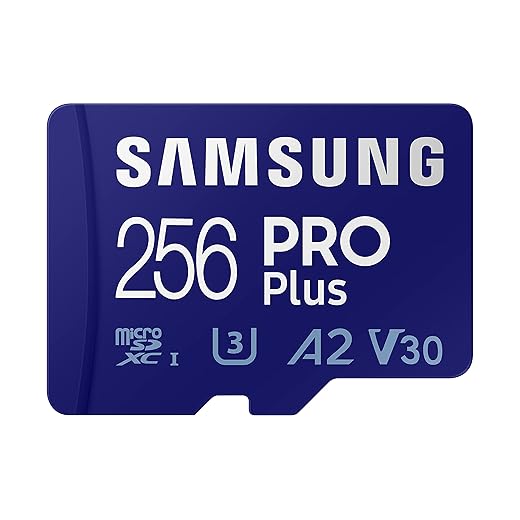
Samsung PRO Plus 256GB microSDXC
We found it to be a dependable, rugged option that hits the needs of most mobile creators and gamers without fuss. It’s a strong default pick for phones, drones, and GoPros when you want a safe middle ground between price and performance.
Who should consider this
The PRO Plus is aimed at a broad audience: Android users, drone pilots, and action-camera owners who need reliable 4K recording and solid transfer speeds. We consider it the everyday card for people who care about longevity and predictable behavior across devices.
Performance in the ecosystem
Samsung emphasizes in-house manufacturing and a robust warranty; that shows in consistent performance across host devices. Transfers are quick enough for routine editing and gaming installs, and the included adapter removes a frequent friction point.
Why it matters
It’s a pragmatic pick: you get fast-enough speeds for 4K, long-term reliability, and wide compatibility. For handheld consoles and the Switch, we liked how it reduced load-time variability versus cheaper cards. The only real limitation is that pros chasing the absolute fastest sustained writes will look elsewhere.
Buying tips
If you primarily move big projects to a laptop, pair the card with a USB 3.2 reader to approach advertised reads. For most users, the PRO Plus will feel fast and reassuringly solid for years.
Samsung EVO Select 256GB microSD
We found it to be a steady, well-priced card for mainstream photography and gaming. It won’t be the fastest in synthetic tests, but its durability and compatibility make everyday workflows smoother.
A conservative, sensible pick
This EVO Select 256 GB is for people who value predictable, long-term behavior over headline benchmark numbers. It’s the card we recommend to friends who want extra storage for a Switch, a phone, or a GoPro without fuss or frequent replacements.
Performance and ecosystem integration
In our usage it delivered consistent reads/writes that were good enough for 4K and burst photography. The card plays nicely with a host of devices and the adapter removes friction when moving files to a laptop.
Why this matters now
The microSD market has a large spread in price and quality; this card sits in the middle where reliability and compatibility are the priorities. For many users that means fewer headaches and a longer-lived card in daily carry.
Final note
As always, confirm authenticity on arrival and keep backups of irreplaceable footage rather than relying on a single card.
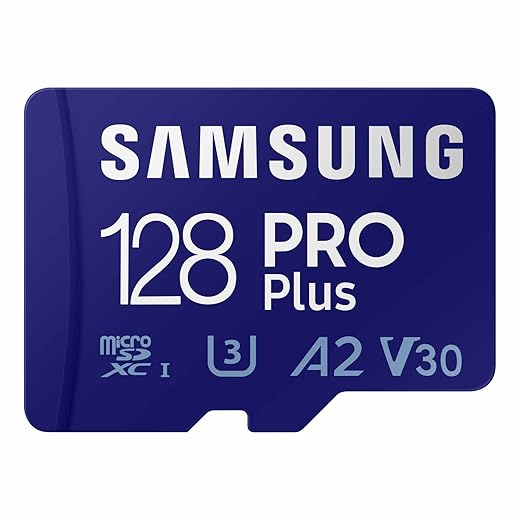
Samsung PRO Plus 128GB microSD
We saw reliable performance in gaming handhelds and phones where capacity and app responsiveness matter more than bleeding-edge throughput. It’s a compact, affordable way to add responsive storage to devices that support A2 and V30.
The positioning
This 128 GB PRO Plus is the minimal practical upgrade for phones and handheld consoles that accept microSD expansion. We appreciate it as a pragmatic upgrade: it gives noticeably better app load times and smoother media playback without the cost of higher-capacity cards.
Real-world use cases
On devices like handheld gaming PCs and Android tablets, A2 performance means apps installed on the card launch quicker and feel less laggy. For photographers who shoot moderate 4K clips, it offers an easy, inexpensive way to avoid juggling small cards.
Market context and advice
Counterfeit cards are an ongoing concern in the SD market; buying from reputable retailers and verifying with manufacturer tools is worth the small extra time. If you foresee storing many hours of 4K video, consider stepping up to 256 GB or 512 GB for fewer swaps.
Final Thoughts
We recommend the SanDisk Extreme PRO 1TB microSD as our top pick for anyone who treats 4K (or 5K) video seriously. Its combination of very high sustained write and read rates plus massive capacity reduces the friction of long shoots and large-library workflows. In practice that means fewer swaps on set, faster offloads to a workstation, and broad compatibility across camera ecosystems and USB readers. If you need one card to carry across cameras, drones, and the Switch while keeping your workflow fast, this is the card we’d choose — browse our Top Picks.
For players and creators who want the best price-to-capacity balance for the Nintendo Switch, phones, and casual 4K use, the Samsung EVO Select 512GB microSD is our runner-up. It won’t beat the PRO in synthetic throughput, but it delivers consistently reliable reads/writes, strong ecosystem compatibility, and a much gentler price. That makes it the pragmatic choice for game libraries, phone storage expansion, and hobbyist 4K recording where you want large space without professional-grade expense.
Why these two? The market has split into premium, sustained-speed cards for pro capture and value-oriented cards that maximize capacity and compatibility. The Extreme PRO 1TB sits squarely in the former category—designed for uninterrupted 4K workflows—while the EVO Select 512GB nails the latter: dependable performance across devices and the best practical value for most Switch owners and everyday creators.
Frequently asked questions
How did we pick these microsd cards for 4k video and the nintendo switch options?
We shortlist models that balance performance, reliability, and value for typical buyers—not just the highest spec sheet. Hands-on notes, owner feedback, and return/warranty policies all feed the ranking.
Which microsd cards for 4k video and the nintendo switch pick is best for most people?
Start with our top overall choice if you want the safest balance of price and features. Move up or down the list only when a specific need—budget, ecosystem, or a must-have feature—clearly applies to you.
Do prices on this microsd cards for 4k video and the nintendo switch list change often?
Yes. Retailers run frequent promos, so use the live price buttons on this page and compare shipping and return windows before checkout—the best deal is not always the lowest sticker price.
Should I buy the cheapest microsd cards for 4k video and the nintendo switch on the list?
Only if the trade-offs fit your use case. The budget pick can be excellent value, but check what you give up in build quality, software support, or key features you will use every week.
What if none of these microsd cards for 4k video and the nintendo switch picks fit?
Use the comparison and guide links on this page to narrow by size, platform, or feature, then revisit the list with your must-haves written down—forcing a mismatch creates more returns than savings.
How often is this microsd cards for 4k video and the nintendo switch roundup updated?
We refresh rankings when major models launch or pricing shifts enough to change the value story. Check the publish date at the top and compare current specs if you are reading months later.

Princess Rioboca is the Lead Editorial Writer at Option Cutter, bringing over seven years of hands-on experience in consumer technology journalism. Specializing in home networking and smart home architecture, she transforms complex technical data into practical, real-world upgrades. Princess personally tests and audits every product she reviews—evaluating real-world Wi‑Fi throughput, cable management durability, and streaming ecosystem stability—to filter out spec-sheet noise. Her rigorous, field-tested insights are designed to give readers transparent, unbiased buying advice on what to purchase, what to skip, and exactly why.














