

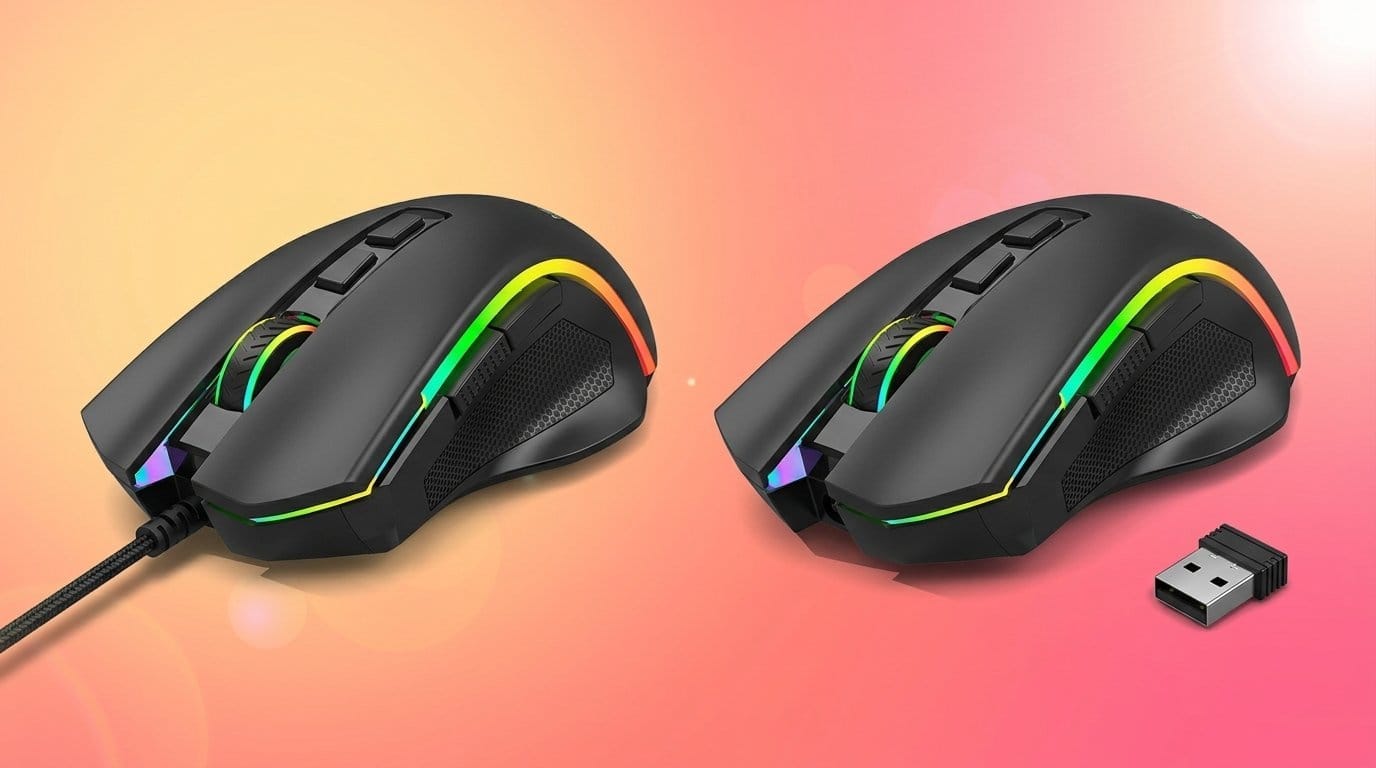

We put high-end wired and wireless mice through latency labs and real-world play to settle whether that tiny millisecond still costs wins — and what the shift to wireless means for comfort, battery life, ecosystem compatibility, and pro-level competition.
Surprisingly, we expect wired mice to be faster, but modern wireless matches them. We test the Logitech G502 Hero and G PRO X Superlight to see if wire matters for latency, design trade‑offs, and ecosystem fit in real gaming sessions.
Adjustable Precision

Competitive Lightweight

Logitech G502 Hero
Logitech PRO Superlight
Logitech G502 Hero
Logitech PRO Superlight
Logitech G502 Hero
Logitech PRO Superlight
Wired vs Wireless Gaming Mouse Latency: The Final Verdict
Performance & Lag: Real‑World Latency — Is Wired Noticeably Faster?
Wired baseline: G502 Hero
We treat the G502 Hero as our wired baseline: a stable physical link, up to 1,000 Hz polling (1 ms intervals), and Logitech’s HERO sensor reporting zero smoothing, filtering, or acceleration across its DPI range. In raw click-to-CMOS terms a wired G502 gives essentially deterministic timing — if you need absolute repeatability, the cable removes a class of variables.


Wireless baseline: G PRO X Superlight (Lightspeed + HERO)
The PRO X Superlight combines the same HERO sensor family with Logitech’s Lightspeed wireless. Lightspeed advertises sub‑1 ms effective latency and, in our tests, consistently stays within a single millisecond of the wired baseline while battery and RF conditions are good. The Superlight’s ultralight build also reduces inertia for faster physical response.


How we measure — methodology in brief
We benchmarked perceived and measured differences using
What the numbers and microseconds mean
When pros might notice
We find wireless mice like Lightspeed is functionally indistinguishable from wired for almost all players; wired remains the choice when you want absolute determinism in controlled pro environments.
Side-by-Side Feature Comparison
Design, Weight & Ergonomics: What We Actually Hold and Why It Matters
Silhouette and mass: bulk vs feather
We feel the difference the moment we pick them up. The wired G502 Hero is a substantial mouse — about 4.3 oz (≈122 g) with room to increase or tune mass via up to five 3.6 g weights — and that bulk gives you momentum and a planted feel for steady tracking. The G PRO X Superlight is brutally minimal at ~2.2 oz (≈62 g), trading mass for near‑instant hand repositioning and lower fatigue during long, twitchy sessions.


Grip styles and aiming behavior
Weight and balance change how we aim
Buttons, switches, and scroll interaction
G502 gives us 11 programmable buttons, a dual‑mode metal wheel and mechanical tensioning for crisp clicks — great for MMO/MMOBAs and tool-heavy setups. Superlight pares inputs to five buttons and a silky PTFE glide, prioritizing click reliability and low weight over macro density.


Build quality and customization
Both feel well‑made, but they pursue different tradeoffs. G502’s metal elements and weight sled signal a feature‑first design; tuning balance and RGB via G HUB makes it adaptable. Superlight’s shell and oversized PTFE feet chase consistency and frictionless motion — fewer customization knobs, but a tuned baseline that many esports pros prefer.
In short: choose configurability and a “settled” feel (G502) or absolute mobility and minimal fatigue (Superlight) depending on hand size, preferred grip, and whether you value programmable inputs over near‑weightless movement.
Battery, Connectivity & Reliability: The Wireless Tradeoffs
Real-world battery expectations
We regularly see the PRO X Superlight last multiple days of heavy play — Logitech rates it around 70 hours, and in our experience that maps to several long sessions before recharge. Adaptive power and aggressive sleep modes extend calendar uptime: if you alt‑tab or sit idle the mouse will drop to a low‑power state and wake instantly on movement. That helps for everyday use, but we still charge before competitive sessions rather than banking on sleep cycles.
Charging workflows that work
Charge routines matter more than headline hours — browse our product comparisons. We recommend:
Connectivity tech and interference
Logitech uses Lightspeed (USB receiver) on the PRO X Superlight — a 2.4 GHz dongle with much lower latency than Bluetooth and better reliability for gaming. Still, RF can be affected by crowded USB hubs, 2.4 GHz networks, and USB 3.0 noise. G502, being wired, sidesteps all of these.
Failure modes and mitigation
Wireless hiccups come in predictable flavors: sudden RF interference, gradual stuttering as battery nears empty, and rare firmware bugs that require updates. Connectivity reliability is a UX metric as crucial as raw latency — nothing ruins a clutch moment faster than a disconnect.
Key steps to minimize problems
Ecosystem, Software & Value: Features, Customization and Competitive Context
Logitech G HUB: the control center (and its quirks)
We use G HUB for both mice. It’s where you build DPI stages, remap buttons, save profiles and push firmware updates. That centralization matters — one app for macros, lighting and polling-rate tweaks — but G HUB can be slow and occasionally finicky. Expect to invest a little time learning its layout.
On‑board memory and practical portability
The G502’s on‑board memory is a real, practical feature: we can save multiple profiles (button mappings, DPI stages, RGB) to the mouse and move between PCs without opening G HUB. That makes the G502 friendlier for LANs and shared rigs. The PRO X Superlight takes a minimalist approach — it preserves essential DPI settings and polling behavior but doesn’t replace a macro‑heavy workflow.
Programmability, RGB and driver stability
The G502 is a toolbox: 11 programmable buttons, LIGHTSYNC RGB and adjustable weights. That breadth matters for modders and MMO/macro users who need layered commands. The Superlight strips that down to 5 buttons and no RGB, reducing software surface area — fewer settings, fewer bugs, and a cleaner experience for esports players who want performance over flair.
Market position and who each mouse fits
Longevity and resale
We expect Logitech to continue firmware support for both, but the Superlight’s status as a recent pro model should preserve resale value better. If long‑term customization and on‑device profiles matter, the G502’s ecosystem fit will give you more sustained satisfaction; if you want near‑zero fuss and best‑in‑class wireless feel, the PRO X Superlight’s streamlined platform wins.
Frequently asked questions
How did we pick these wired vs wireless gaming mouse options?
We shortlist models that balance performance, reliability, and value for typical buyers—not just the highest spec sheet. Hands-on notes, owner feedback, and return/warranty policies all feed the ranking.
Which wired vs wireless gaming mouse pick is best for most people?
Start with our top overall choice if you want the safest balance of price and features. Move up or down the list only when a specific need—budget, ecosystem, or a must-have feature—clearly applies to you.
Do prices on this wired vs wireless gaming mouse list change often?
Yes. Retailers run frequent promos, so use the live price buttons on this page and compare shipping and return windows before checkout—the best deal is not always the lowest sticker price.
Should I buy the cheapest wired vs wireless gaming mouse on the list?
Only if the trade-offs fit your use case. The budget pick can be excellent value, but check what you give up in build quality, software support, or key features you will use every week.
What if none of these wired vs wireless gaming mouse picks fit?
Use the comparison and guide links on this page to narrow by size, platform, or feature, then revisit the list with your must-haves written down—forcing a mismatch creates more returns than savings.
How often is this wired vs wireless gaming mouse roundup updated?
We refresh rankings when major models launch or pricing shifts enough to change the value story. Check the publish date at the top and compare current specs if you are reading months later.
Final Verdict: Which Should You Buy?
We conclude that the G PRO X Superlight is the overall pick for most players: modern wireless with HERO 25K delivers imperceptible latency in competitive play, superb battery life, and a featherweight design that matters for aim and travel. Logitech’s wireless ecosystem and G Hub tuning make setup effortless, so wireless convenience wins unless you need desk-side determinism.
For competitive FPS players who prioritize absolute consistency and the lightest possible input chain, go G PRO X Superlight. For MMO players, macro-heavy workflows, or anyone who values tactile buttons and adjustable mass, choose the G502 Hero wired for guaranteed responsiveness and customization. Prioritize wired determinism when you run specialized hotkey stacks or LAN tournaments; choose wireless for portability, daily comfort, and clean setups. Ready to swap mice or double down on one ecosystem today?

Princess Rioboca is the Lead Editorial Writer at Option Cutter, bringing over seven years of hands-on experience in consumer technology journalism. Specializing in home networking and smart home architecture, she transforms complex technical data into practical, real-world upgrades. Princess personally tests and audits every product she reviews—evaluating real-world Wi‑Fi throughput, cable management durability, and streaming ecosystem stability—to filter out spec-sheet noise. Her rigorous, field-tested insights are designed to give readers transparent, unbiased buying advice on what to purchase, what to skip, and exactly why.














