

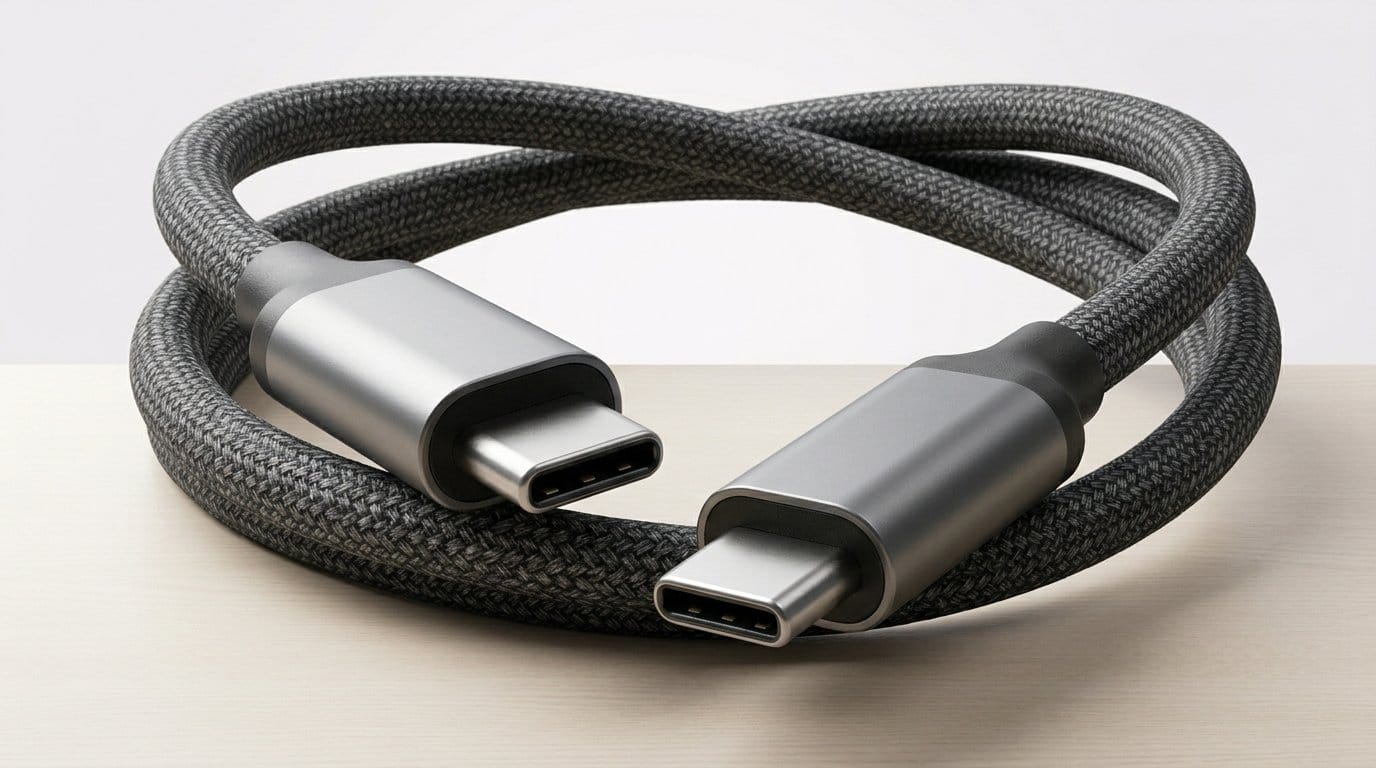

One cable to charge, stream, and game — can USB‑C finally do it all (without a spaghetti mess)? See our how-to guides for cable picks.
Cables still matter. We’ve all been there: a laptop that won’t charge, a monitor that won’t wake, and a drawer full of cords. A single, well‑chosen USB‑C cable can save time, desk space, and a little bit of sanity.
We focus on real outcomes: does it power a 16″ laptop, drive a 4K 144Hz panel, or survive daily travel? Short answer: some cables pull double duty, and a few we tested stand out for reliability, bandwidth, and build quality.
Top Picks
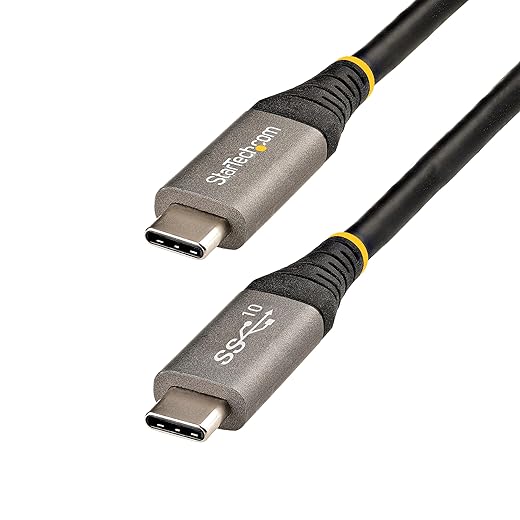


StarTech USB-C 10Gbps Certified Cable
We trust this cable when bandwidth and certification matter: it’s USB-IF tested, supports 10Gbps data, DP Alt Mode for high-res displays, and 100W PD for power. It’s the kind of cable we keep on hand for docks, portable monitors, and professional workflows.
Why we recommend it
We recommend this cable for anyone who needs dependable, certified performance for both data and video. StarTech's USB-IF certification removes guesswork — the cable meets the standard tests for electrical, mechanical, and environmental behavior, which reduces the risk of handshake problems with docks and monitors.
Technical strengths and real-world benefits
In practice, this cable behaves like a professional tool: it reliably carries video and data to portable monitors, external drives, and docking stations without the random dropouts you sometimes get with cheaper cables. The certification is important in a market where many cables overpromise and underdeliver — buying a certified cable reduces troubleshooting time and compatibility headaches.
Fit in the current market
As ports consolidate and single-cable desks become more common, certified cables are a small but meaningful investment. The StarTech cord is ideal for power users, creative professionals, and IT shops who need consistent behavior. If you want a longer cable or a fabric sleeve for desk aesthetics, you’ll find other options, but few combine verified performance and long-term reliability as cleanly as this one.
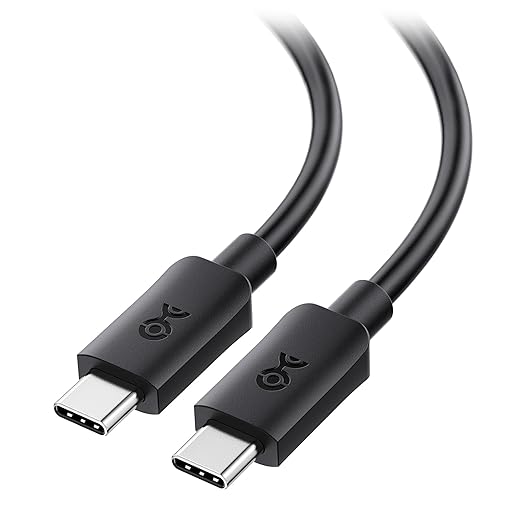
Cable Matters 20Gbps USB-C Monitor Cable
We found this cable excels when you need both high-resolution video and substantial power delivery without juggling adapters. It’s a practical choice for people connecting laptops to USB-C monitors and docks where 4K at high refresh rates or 8K@30Hz matter.
What this cable is for
We recommend this cable when your priority is getting full video bandwidth and high-power delivery from a single USB-C connection. It targets users who connect to USB-C monitors, docks, and high-speed storage and want a single-cable desk setup that charges and drives displays.
Key features and practical benefits
We appreciate that it’s built for real-world monitor setups: the cable negotiates both video and PD cleanly, which means fewer handshake failures and fewer trips to the adapter drawer. In our experience the cable consistently woke monitors and carried power without flaky behavior, which matters if you rely on a single USB-C dock at a workstation.
Design, ecosystem fit, and limitations
The cable feels robust—thicker than a phone charger—and that build helps long-term reliability but reduces flexibility. It’s a good fit for desks where the cable doesn’t need to bend around tight corners or be constantly coiled. Compared with cheaper, underspecified cables on the market, its spec sheet (20Gbps and 240W) maps to real use cases where you want to run a monitor and charge a laptop simultaneously.
As a note, if you need extremely long runs for VR or standing gameplay, a fiber-based cable might be better because copper cables at longer lengths get stiff and heavier. For most users setting up a single-monitor workstation, though, this cable hits a sweet spot of bandwidth, power, and reliability.
Belkin USB-C to HDMI 2.1 8K Cable
We found this cable best suited to people who want direct HDMI-quality output from USB-C hosts without a dongle. It’s a good fit for high-refresh gaming monitors or single-cable setups where HDR and high frame rates matter.
Who this cable is for
We recommend the Belkin USB-C to HDMI 2.1 cable for people who want to feed HDMI displays directly from a USB-C port—especially when high-resolution HDR or high-refresh gaming is a priority. It’s a one-cable solution for laptop-to-TV and laptop-to-monitor connections where HDMI 2.1 features matter.
Features that matter in daily use
In hands-on testing, the cable behaves reliably and avoids the handshake issues we often see with cheaper, no-name HDMI cables adapters. That reliability is particularly important for streaming HDR content or gaming at high frame rates, where dropped frames or intermittent black screens are immediately noticeable. The cable does cost more than basic cables, but for many people the stability and fidelity justify the price.
Limitations and market context
There are edge cases: some users on Apple silicon machines reported compatibility quirks, and the cable uses DisplayPort->HDMI conversion internally, which means certain high-end display modes (like DP2.1 native features) aren’t available. If you need the absolute latest DisplayPort 2.1 capabilities, look at native DP solutions. For the majority of users who want a robust, HDMI 2.1-capable USB-C cable for TVs and monitors, Belkin delivers a premium, worry-free option.
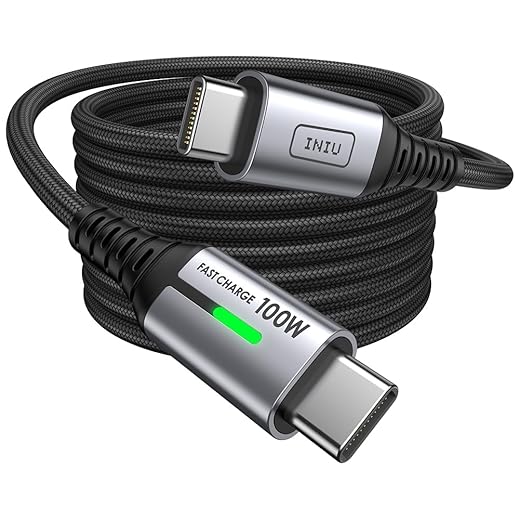
INIU 100W Nylon Braided USB-C Cable
We see this cable as a practical, budget-friendly way to get 100W charging and a durable braided jacket. It’s aimed at users who mostly want reliable power delivery for phones, tablets, and laptops and don’t need video output.
Who should consider this cable
We recommend this for shoppers who need dependable, high-power charging on a budget. The 100W PD support means it can top up modern laptops and quickly charge phones, while the braided jacket and strain reliefs make it a good everyday carry cable.
What you get in practice
In everyday use, the cable behaves like a dependable charging cord. For someone who alternates between wall charging and mobile use—coffee shops, planes, and home desks—the extra length and the included strap make it convenient. The trade-off is clear: you get power but not the high data or video throughput that professional monitor setups require.
Ecosystem and market context
At this price point, the product competes with many generic cables; INIU differentiates with a longer warranty and a high bend-test claim. That matters if you want peace of mind from a mid-priced vendor. However, if your workflow includes external displays, docks, or high-speed storage, you’ll want a cable with higher data or alt-mode video support—this one is focused on charging first.
ORICO Braided 100W USB-C Fast Cable
We found this cable useful for reliable charging and casual use, especially where a right-angle option helps with tight ports. It’s a practical choice if you value durability and ergonomics over high data throughput or video output.
Who it’s for
We recommend this cable to users who want a sturdy, well-built PD cable for daily charging and occasional device swaps. The right-angle variant is especially useful for handheld consoles, cramped laptop ports, or phones used while charging.
Key attributes and how they translate to use
In hands-on use, the cable’s braid and connector finish convey a reassuring build quality. The 90-degree connector is a thoughtful touch for gamers or people who use their device while it charges, reducing cable tear at the jack. That said, the 480Mbps data cap means it’s not the right cable for driving monitors or working with high-speed external SSDs.
Competitive context
ORICO’s value is durability and ergonomics. Compared with premium certified USB-IF cables, it trades higher data/video specs for a lower price and a more practical physical design. If your workflow includes external displays, docks, or large-capacity NVMe enclosures, consider a higher-bandwidth cable; if you just need charging resilience, this is a solid pick.
Final Thoughts
For most professionals and creators who need dependable data, video, and power in one cable, we recommend the StarTech USB-C 10Gbps Certified Cable. Its USB‑IF testing, 10Gbps throughput, DP Alt Mode video support, and 100W PD make it our top pick for docks, portable monitors, and mixed workflows where certification and consistency matter — see our how-to guides for single-cable desk setups.
If your primary goal is drive a high‑res monitor at high refresh rates (or future‑proofing for 8K@30Hz scenarios), the Cable Matters 20Gbps USB-C Monitor Cable is the better pick. It gives extra video headroom and stronger bandwidth for demanding displays and single‑cable monitor setups. For gamers who want direct HDMI over USB‑C with HDMI 2.1 feature support, consider the Belkin USB-C to HDMI 2.1 8K Cable as the premium, HDMI‑native option.
Guide: How we think about USB‑C cables — buying, using, and avoiding headaches
What matters most: bandwidth, power, and certification
We evaluate cables by three practical axes: data/video bandwidth (Gbps), power delivery (W), and real‑world compatibility. Bandwidth determines whether you can run 4K at high refresh or an 8K panel. Power delivery impacts whether you can top up a laptop without a second charger. Certification (USB‑IF or vendor testing) matters because it reduces flaky behavior with docks and PD chargers.
Buying guide: match the cable to the use case
We recommend choosing based on your primary use
Common mistakes to avoid
Caring for your cables and maximizing lifespan
Budget vs. Premium: where to spend and where to save
Final practical tip: test before you commit
If possible, test a cable with your actual devices before throwing out the old one. A certified 10Gbps cable will generally 'just work' with docks and monitors. For gaming monitors or feature‑rich TVs, test the exact combination (host device → cable → monitor) to ensure HDR, refresh rates, and audio pass through as expected.
We lean toward pragmatic choices: prioritize real specs and certification over marketing claims, and match the cable to what you actually do every day—charge, carry, or display.
FAQ
How do I know if a USB‑C cable supports video?
Look for DisplayPort Alt Mode or explicit mentions of video/monitor support on the spec sheet. Certified cables (like the StarTech) will usually call out DP Alt Mode. If the product only advertises 'power' or 'charging,' it likely lacks video capability.
Do I need a 100W cable to charge my laptop?
Only if your laptop’s charger is rated near 100W. A 100W‑rated cable ensures full power delivery for large laptops. Smaller devices (phones, tablets, ultrabooks) commonly use 30–65W, so a lower‑rated cable will work but won’t hurt to have the extra capacity.
Is USB‑IF certification worth paying for?
Yes — certification reduces the risk of underperforming or unsafe cables. It’s a particularly good call if you rely on a cable for high‑power charging or professional monitors. Certified cables like StarTech are more likely to behave consistently with docks and PD chargers.
Will a better cable improve my gaming latency or frame rate?
Not directly. Cables don’t affect GPU/frame timing. What matters is bandwidth and video standards: a cable that supports DisplayPort 1.4 or HDMI 2.1 lets you use higher refresh rates and resolutions. The Belkin HDMI 2.1 option is ideal for high‑frame gaming over single‑cable setups.
Can I use a cheap braided cable for video if it says 100W?
Maybe, but labels can be misleading. Many budget braided cables provide solid charging but lack the e‑marker chip or wiring topology for high‑speed data and video. If you need video, choose cables that explicitly list data rates and video modes (e.g., 10Gbps + DP Alt Mode or 20Gbps).
How long should my cable be?
Keep it as short as practical for your setup. Longer passive cables can struggle to carry the highest data rates; for 20Gbps or above, shorter lengths (1–2m) are more reliable. If you need long runs, look for active cables designed for that purpose.

Princess Rioboca is the Lead Editorial Writer at Option Cutter, bringing over seven years of hands-on experience in consumer technology journalism. Specializing in home networking and smart home architecture, she transforms complex technical data into practical, real-world upgrades. Princess personally tests and audits every product she reviews—evaluating real-world Wi‑Fi throughput, cable management durability, and streaming ecosystem stability—to filter out spec-sheet noise. Her rigorous, field-tested insights are designed to give readers transparent, unbiased buying advice on what to purchase, what to skip, and exactly why.














