


We put QD‑OLED and WOLED through real-world gaming tests — and discovered the decision is less about pure contrast or color and more about response, HDR punch, UI quirks, and ecosystem trade‑offs that actually shape how we play: which compromises are worth it for competitive speed versus cinematic immersion?
Surprising as it sounds, panel tech still changes how games feel, so we pitted Samsung’s QD‑OLED S95C against LG’s WOLED evo C5. We cut through marketing to show what actually matters for play, setup, and daily, hands‑on use in practice.
Vivid HDR

We found the set’s QD-OLED panel delivers punchy HDR highlights and a very wide color gamut that makes games and cinematic content pop. Its combination of low latency, excellent motion clarity, and Samsung’s gaming features make it a top pick for players who want bright HDR and a polished TV ecosystem.
Perfect Blacks
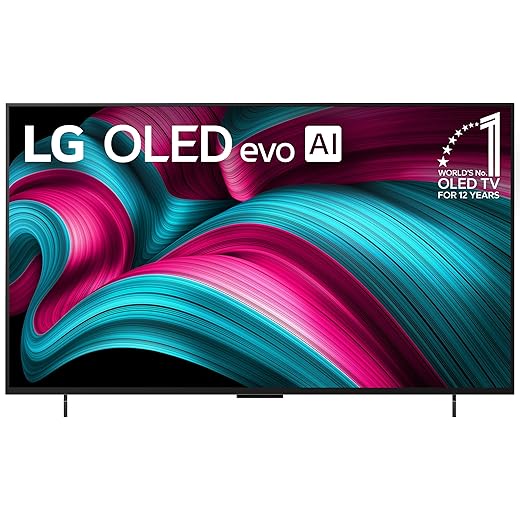
We appreciate how the WOLED evo panel delivers reference-level blacks and consistent color, with gaming-first features built into the platform. Its lower peak HDR compared with QD-OLEDs is the trade-off for near-perfect black levels and a feature-rich Smart TV experience that caters strongly to gamers.
Samsung S95C OLED
LG C5 OLED
Samsung S95C OLED
LG C5 OLED
Samsung S95C OLED
LG C5 OLED
QD-OLED vs WOLED: Which Tech Wins and Why
Picture quality and in‑game image performance
We start with raw image performance because that’s why many gamers pick OLED. In practice we found the two panels take very different approaches: Samsung’s QD‑OLED pushes for brightness and color volume, while LG’s WOLED evo leans on refined tone mapping and mature processing. The net effect shows up in HDR-heavy games immediately.
QD‑OLED: punchy highlights and saturated HDR
The S95C’s QD‑OLED delivers higher peak brightness and stronger color volume than a typical WOLED. In HDR scenes—explosions, flame effects, neon signs—specular highlights feel more convincing and colors look denser without clipping. That extra headroom makes HDR effects “pop” on the battlefield and adds perceived dynamism in fast, colorful titles.


WOLED evo: tone mapping and shadow fidelity
LG’s C5 doesn’t try to win on sheer peak lumens. Instead, its evo panel and Alpha processing preserve shadow detail and render skin tones and cinematic scenes more neutrally. Upscaling and tone‑mapping are more conservative, so HDR scenes feel controlled and filmic—great for story-driven games and darker, visually complex levels where detail in deep blacks matters.


Blacks, blooming, and perceived contrast
Both panels give essentially perfect blacks at pixel level. Where they diverge is perceived contrast: QD‑OLED’s higher specular brightness increases perceived contrast in mixed scenes; WOLED’s consistent tone mapping preserves micro‑contrast in shadows. Blooming isn’t a major issue on either, but very bright small highlights on QD‑OLED can create a slightly broader halo versus LG’s gentler roll‑off.
Burn‑in risk and longevity in long sessions
Burn‑in remains a theoretical risk for heavy, static HUD usage. Both manufacturers include mitigation:
In short: if you play HUD‑heavy competitive shooters many hours daily, use brightness moderation and the built‑in refresh tools; the S95C’s brightness advantage improves HDR spectacle, the C5’s evo tuning rewards nuanced, shadow‑heavy games.
Feature Comparison Chart
Latency, motion handling, and gamer‑facing features
Input lag and 4K/120Hz responsiveness
Latency and motion decide whether a TV feels responsive. In practice both the Samsung S95C and LG C5 give the experience most players want: very low lag in their dedicated Game modes and smooth 4K/120Hz support for current consoles. Samsung advertises Motion Xcelerator Turbo Pro for consistent 4K@120Hz and PC modes up to 144Hz; LG’s C5 touts a 0.1ms response marketing figure and explicit support for up to 144Hz on PC. Bottom line: enable Game Mode/ALLM and you’ll get the competitive responsiveness you expect from modern HDMI 2.1 sets.


VRR, HDMI 2.1 bandwidth, and port behavior
Both TVs support VRR (AMD FreeSync and variable‑refresh features) and work with G‑Sync‑compatible setups, so tearing is not a worry on consoles or PCs. Important practical differences:
Motion processing, cadence, and competitive play
Motion interpolation can smooth judder but can also introduce latency or the “soap opera” look. Samsung’s Motion Xcelerator Turbo Pro is aggressive and can be useful for fast-action movies, but we turn it off for competitive multiplayer to preserve native frame cadence. LG’s Game Optimizer and Filmmaker Mode make it easier to preserve source cadence by default; Game Dashboard lets us toggle processing per input quickly.


UX and console‑oriented extras
Samsung’s Gaming Hub and automatic low‑latency switching give a fast path to cloud and console play without hunting menus. LG’s Game Optimizer shines with per-input presets and the Game Dashboard, and Filmmaker Mode can conflict with game presets—so knowing how to switch modes quickly matters when we hop from PS5 to cloud streaming. Our takeaway: both are excellent, but UX around mode toggles is as important as raw numbers.
Design, sound, and platform ecosystems
Industrial design and practical mounting
We notice the S95C leans into a statement look: Samsung’s Infinity One chassis is impossibly thin with the optional Slim One Connect that tidies cables but adds a small external box to manage. The 55‑inch size and heavier build make wall mounting feel like a two‑person job. The LG C5 is physically smaller and lighter (42‑inch here), with an ultra‑thin bezel that suits desk or small‑room setups; mounting is simpler and less conspicuous. In short: Samsung’s design prioritizes showpiece aesthetics and cable management, LG’s prioritizes space efficiency and ease of placement.
Built‑in audio and how it affects immersion
Object Tracking Sound+ on the S95C actively steers audio to follow on‑screen movement; that gives games and action movies a more tangible center without a soundbar. LG’s Wow Orchestra (with Dolby Atmos) uses AI sound staging and multi‑device sync to deliver accurate dialogue and wide staging, but it’s not as precise at “tracking” a flying object. If you want to skip a soundbar:
Remote, OS responsiveness, apps, and smart‑home fit
Tizen (Samsung) and webOS (LG) are both mature. We find webOS 25 snappier for app switching; Tizen surfaces the Gaming Hub and cloud services more prominently. Both have Alexa built‑in; Samsung ties into SmartThings, LG leans on ThinQ and broader Apple/HomeKit hints. Firmware cadence matters: LG’s Re:New program promises visible refreshes, while Samsung’s One Connect/firmware history means we’d check update notes before buying.
Cross‑device synergy and everyday friction
Quick input switching, companion apps (ThinQ vs SmartThings), and VRR/G‑Sync compatibility shape real gaming sessions. Small delays—slow app launches, confusing input menus, or firmware‑introduced HDMI quirks—interrupt play. The smoother the ecosystem, the faster we’re back to the game.
Price, size choices, and who should buy which
Street price and real‑world total cost
We look at value, not just sticker price. At typical street prices — roughly $1,300 for the Samsung 55″ S95C and about $900 for the LG 42″ C5 — the S95C is the pricier buy but gives QD‑OLED’s brighter HDR and larger canvas. Factor in a soundbar if you want theater‑level audio: plan another $200–$600 depending on how serious you are. Also check current Amazon deals and bundle promotions; those can flip the value equation overnight.
Size, room fit, and viewing distance
Size matters. The 42″ C5 fits desks, bedrooms, and small living rooms and is comfortable at ~3–5 ft viewing distance. The 55″ S95C is better for sofas and shared living rooms, roughly ~4.5–8 ft away. Beyond comfort, a bigger screen amplifies HDR punch — the S95C’s extra peak brightness and QD color advantage are more obvious at 55″.
Warranty, burn‑in risk, and resale/upgrade paths
Both are OLEDs, so burn‑in is a shared risk; we recommend varied content, brightness limits, and enabling pixel‑shift features. Check warranty terms and consider a short extended plan if you’re a heavy UI‑static user (HUDs, scoreboards). Resale tends to favor sought‑after panels: QD‑OLED often retains value thanks to its distinctive HDR performance, while a newer 2025 LG C5 benefits from recent firmware support (Re:New) and broad HDMI 2.1 compatibility.
Who should buy which
Final verdict
We name the Samsung S95C our overall winner for gaming: its QD‑OLED gives brighter, more vivid HDR on a 55‑inch canvas and Motion Xcelerator Turbo Pro plus Gaming Hub deliver the responsiveness and ecosystem fit competitive players need, and great design polish.
The LG C5 earns second place for compact setups: WOLED evo upscaling, quieter neutral tone and a simpler ecosystem suit mixed use. Which would we buy?

Chris is the founder and lead editor of OptionCutter LLC, where he oversees in-depth buying guides, product reviews, and comparison content designed to help readers make informed purchasing decisions. His editorial approach centers on structured research, real-world use cases, performance benchmarks, and transparent evaluation criteria rather than surface-level summaries. Through OptionCutter’s blog content, he focuses on breaking down complex product categories into clear recommendations, practical advice, and decision frameworks that prioritize accuracy, usability, and long-term value for shoppers.









