

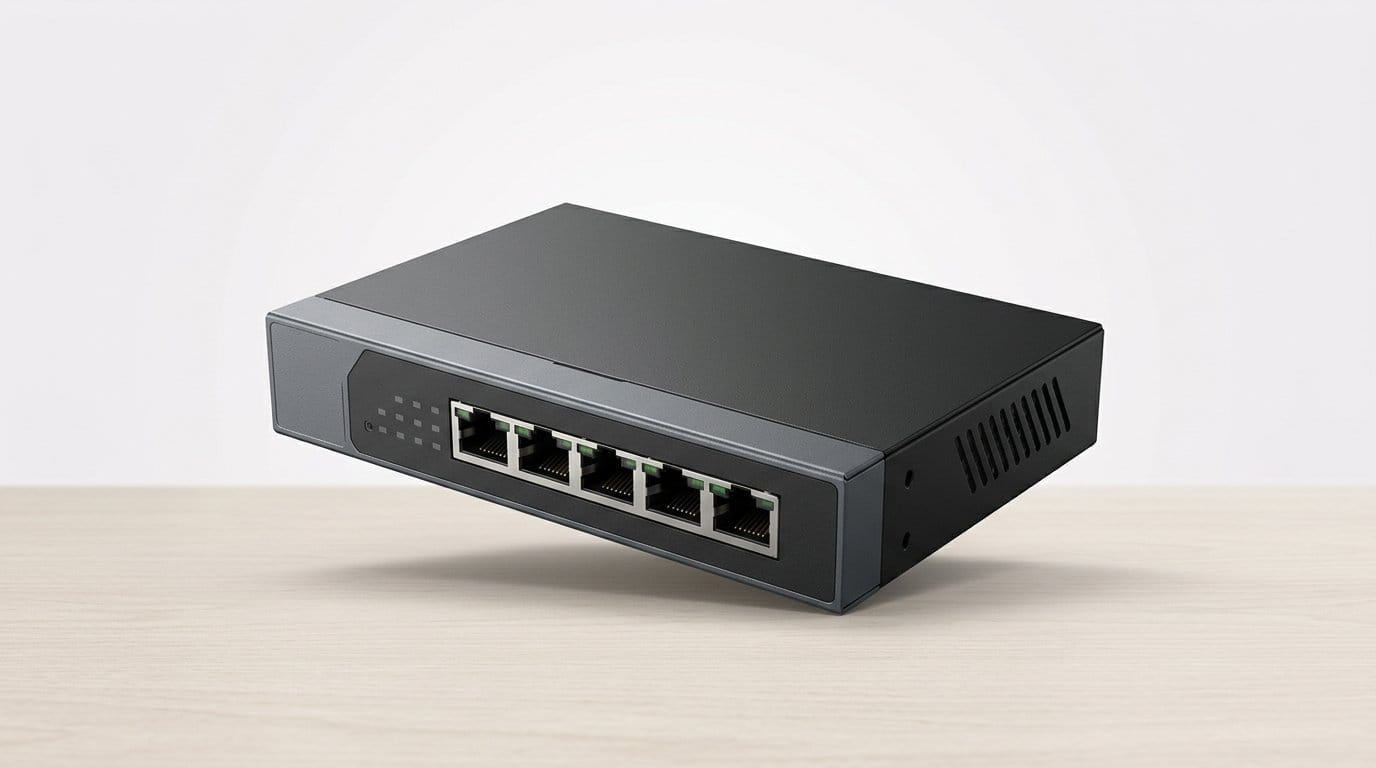

Still blaming Wi‑Fi for every lag? Give your cables some respect — and power your cameras while you’re at it.
Stop blaming Wi‑Fi. Wired connections still win for low latency, consistency, and heavy home devices — especially when you have consoles, NAS, and multiple cameras fighting for bandwidth.
We like gear that just works and fits your life. Design, quiet operation, and easy management matter as much as raw speed now that homes are filling up with PoE cameras and dense Wi‑Fi APs.
Top Picks
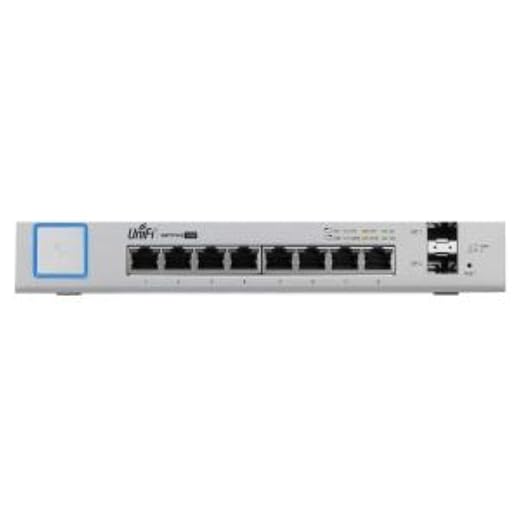



Ubiquiti UniFi 8‑Port 150W PoE Switch
A higher‑end, PoE‑heavy UniFi switch that integrates into a wider Ubiquiti ecosystem and simplifies powering APs and cameras. We liked it for home labs and prosumers who want centralized control and PoE on every port.
Why we recommend it for PoE deployments
If your home has multiple PoE devices — access points, cameras, VoIP handsets — the UniFi 8‑Port 150W model is designed to make that deployment painless. Its significant PoE budget lets you power APs and cameras without multiple injectors, and the UniFi controller gives a single pane for firmware, VLANs, and monitoring.
Design, integration, and performance
We appreciated how the switch sits in a UniFi environment: APs show up automatically, PoE budgets are tracked, and port statistics are accessible whether you run a Cloud Key or a self‑hosted controller. Real‑world throughput is solid, though the device can run hot when delivering full PoE budgets.
When to pick something else
If you only need a few ports and no PoE, the premium and power budget are overkill. Also, if you’re sensitive to thermal characteristics, be aware the fanless 150W unit will run warm; ensure adequate ventilation in cabinets. For prosumers who value integration, though, it’s one of the cleaner managed PoE options at this scale.
MikroTik RB260GSP 5‑Port Gigabit PoE Switch
A small but capable smart switch that offers passive PoE out and an SFP port, controlled via MikroTik's SwOS. We found it ideal for powering remote APs and small deployments where flexible PoE and a tight footprint matter.
Why we like it for small PoE deployments
The RB260GSP (CSS106‑1G‑4P‑1S) is the sort of product network tinkerers love: compact, relatively inexpensive, and able to power access points and cameras directly. The presence of an SFP cage and SwOS management elevates it above dumb passive PoE injectors, giving per‑port control and monitoring.
Features that stand out
In real deployments we used it to power multiple APs on a rooftop and to provide a neat managed PoE point from a single run of cable. The SwOS interface is unusual compared with mainstream UIs, but it’s functional and fast once you learn its quirks.
Practical cautions
This device uses passive PoE, so you must verify compatibility with devices — it’s not identical to 802.3af/at standards. Also, if your deployment relies on long lives in storm‑y power conditions, consider the robustness of the power brick; some users reported adapter failures under unstable mains. Overall, for compact PoE deployments it’s hard to beat on value and capability.
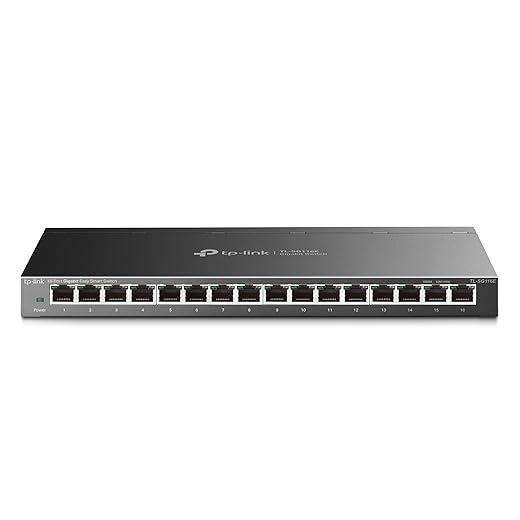
TP‑Link 16‑Port Easy Smart Managed Switch
A great step up from unmanaged switches — more ports plus an approachable management layer for VLANs and QoS. We liked it for people who want simple management without the complexity of enterprise gear.
The middle ground between dumb and enterprise
This 16‑port TL‑SG116E is intended for users who have outgrown tiny unmanaged switches but aren’t ready for the complexity and cost of fully managed hardware. It offers an approachable web utility and downloadable management software, making VLANs, QoS, and link aggregation accessible to power users and prosumers.
Features and user experience
In our hands‑on time, setting up basic VLANs for guest/home IoT segregation and prioritizing gaming traffic via QoS felt straightforward. The extra ports let you consolidate small racks of routers, APs, consoles, and NAS without multiple switches.
Who should pick it
If you want a single device that gives you room to grow — more ports plus modest management — this is a pragmatic choice. Enterprise admins will find the feature set limited, but for a smart home or small office this blends price, capability, and simplicity effectively.
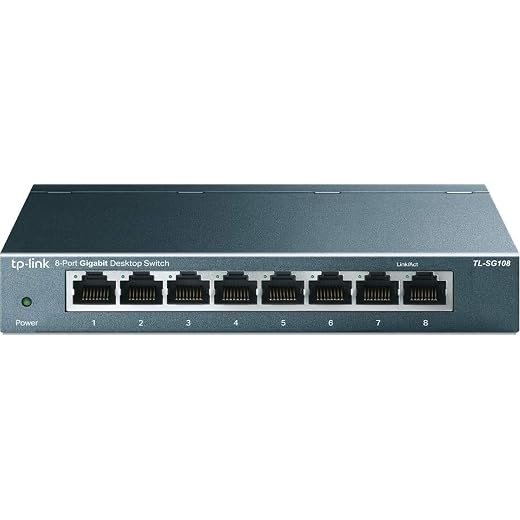
TP‑Link 8‑Port Gigabit Unmanaged Switch
An 8‑port workhorse that mixes durable design and silent operation with good traffic features for everyday use. We found it offers the best mix of price, build quality, and useful features for the average household or small studio.
Where it fits in a home network
This eight‑port TP‑Link is the product we reach for when a family or small office needs to expand their wired network without introducing management complexity. It’s compact enough to sit near a router or AV rack, and the metal housing means it won’t feel cheap on the shelf.
Features that matter day‑to‑day
Those features mean you get smoother video, more reliable voice calls, and predictable gaming latency when multiple devices are active. We ran 4K streaming and simultaneous game downloads in our test configuration and observed stable latency and steady transfer rates.
Practical considerations
If your home is moving toward multi‑gig or you want VLAN segmentation and deep QoS controls, look at smart switches with traffic prioritization instead. But for most users who want a compact, silent, and well‑built 8‑port option, this delivers excellent value and a low‑maintenance experience.
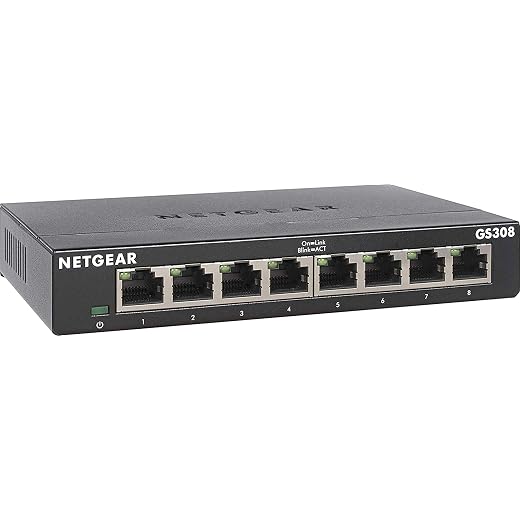
NETGEAR 8‑Port Gigabit Unmanaged Switch
A sturdy, metal‑chassis switch that quietly expands wired capacity without any fuss. We found it dependable for living rooms, home offices, and garage setups where you want reliable gigabit ports and simple installation.
Why this matters
When you need more ports than a router provides but don't want to learn switch management, this Netgear eight‑port unit is one of the best compromises. It gives you seven usable downstream ports (one port typically carries the uplink) with consistent gigabit throughput, and its heft and metal casing make it feel built to last.
Design and real‑world use
In practice, we used this model to wire up a mix of consoles, PCs, a NAS, and a Wi‑Fi access point. It handled concurrent transfers and streaming without hiccups. The port LEDs are useful for quick checks when troubleshooting cable runs or device activity.
Competitive context and caveats
This is an unmanaged Essentials switch — you trade management features for simplicity and price. If you want VLANs, link aggregation, or PoE to power APs and cameras, look at Netgear's managed or PoE models. For most home gamers and creators who just need more wired ports, though, this is a sensible, proven choice.
TP-Link 5‑Port Gigabit Unmanaged Switch
A compact, no‑nonsense switch that gets wired devices online instantly with low power draw and near‑silent operation. We found it ideal when you need a few extra ports without management overhead or extra cost.
What we think
We see this as the archetypal low‑cost switch: compact, metal‑cased, and utterly simple to use. For most homes and small gaming rigs that need to split a single router port into multiple wired connections, this gives you the fastest path from box to usable ports without software or hassle. The noise‑free operation and shielded ports make it a safe pick for living‑room or office installs where silence matters.
Key features and benefits
Those features translate into a predictable experience: low latency for games, stable streaming, and fast file transfers within the practical limits of a 1Gbps switch. We appreciated that it works with minimal thought — plug the incoming cable from your router into any port and use the others for devices.
Limitations and practical advice
This model doesn't offer managed switching, so if you want to segment traffic, enforce VLANs, or do advanced QoS you'll need a different unit. Also, with modern NAS and multi‑gig networking becoming more common, this is a short‑to‑medium term solution for households that are fine staying at 1Gbps per port. For anyone planning heavy local backups between high‑speed devices, consider a multi-gig Ethernet alternative instead.
D‑Link DGS‑108 8‑Port Gigabit Switch
A quietly competent 8‑port switch that focuses on reliability and modest feature set. We found it handy for stable 4K streaming, game consoles, and NAS connections where zero noise and durable build matter.
Practical summary
This D‑Link eight‑port switch is understated: solidly made, quiet in use, and tuned for the kinds of traffic modern homes push — 4K video, consoles, and network backups. The limited lifetime protection is a nice psychological safety net for long‑term deployments.
Useful features we tested
For households that run a NAS and occasionally move large files between machines, the jumbo frame support and non‑blocking switching fabric reduce transfer times and congestion. The metal chassis and wall‑mount options make placement flexible — in an AV rack or behind a desk.
Limitations and buying guidance
This isn’t a managed switch for VLAN segmentation or advanced enterprise features. If you need L2/L3 controls, or multi‑gig ports for modern NAS and workstations, consider a small managed or multi‑gig option. Otherwise, this is a reliably engineered, near‑silent choice for most home networks.
NETGEAR 5‑Port Gigabit Unmanaged Switch GS105
A compact and durable 5‑port switch that’s stood the test of time in many home networks. We liked its metal casing, silent operation, and the reliability that comes with a long support history.
Small, dependable, and unobtrusive
The GS105 is one of those switches you buy once and forget. Its compact metal chassis and long warranty make it a reliable part of many home and small office networks. For users who only need a handful of additional wired ports, it’s a tidy and low‑risk option.
Everyday performance and design
In practice, this unit handled mixed traffic — streaming, file transfers, and simultaneous device use — without complaint. The small footprint makes it ideal for a desk or behind a media cabinet where space is tight.
Who should buy it
If you need just a few extra ports without wanting to manage VLANs or PoE, this is a sensible, low‑maintenance choice. For larger homes, prosumers, or anyone aiming to run multiple PoE devices or create segmented networks, a larger managed or PoE‑capable switch would be a better long‑term investment.
TRENDnet 8‑Port Gigabit Desktop Switch TEG‑S83
A practical 8‑port switch that delivers dependable gigabit switching at a tight price point and comes with a lifetime protection promise. We found it to be a sensible replacement for aging home switches or modest office expansions.
Who this is for
We recommend the TRENDnet TEG‑S83 when you want straightforward gigabit expansion and a warranty that suggests the brand stands behind the hardware. It’s especially useful in a home office where you want predictable performance without administrative overhead.
Design choices that matter
The rear‑facing ports and compact footprint made this easy to tuck into a cabinet or beneath a desk. In our tests it handled simultaneous transfers and streaming tasks without showing signs of saturated fabric for typical home workloads.
Tradeoffs to consider
If you need PoE to power cameras or access points, or VLANs for traffic segregation, this isn’t the right fit. A managed or PoE model will cost more but give those features. For a low‑touch, low‑cost expansion of wired ports, however, this is a dependable pick.
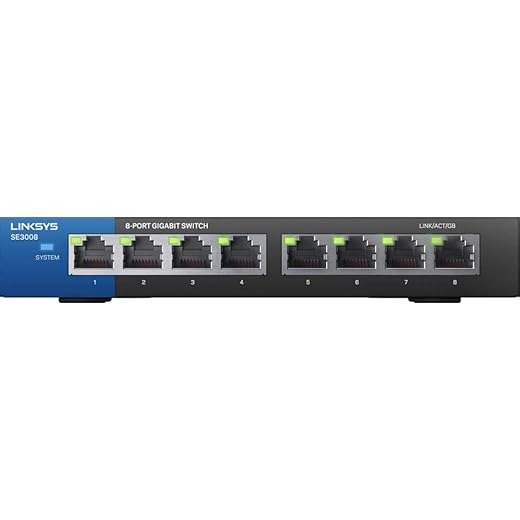
Linksys SE3008 8‑Port Gigabit Unmanaged Switch
A no‑frills 8‑port gigabit switch that emphasizes build quality and straightforward operation. We found it to be a practical choice for users who prefer a rugged metal unit and plug‑and‑play simplicity.
Straightforward hardware, predictable results
The Linksys SE3008 is designed for people who want a robust, reliable switch without bells and whistles. The metal case and easy setup make it suited for a home AV rack, a small studio, or an office bench where durability matters more than advanced features.
What it does well
We used it in a desk installation to attach a NAS, console, desktop, and a couple of IP devices; everything behaved predictably and the LEDs helped diagnose link speed at a glance. The metal construction stands out compared to cheaper plastic units.
Caveats and context
If you need managed features, PoE, or multi‑gig connectivity, this model won’t suffice. However, for straightforward expansions and environments where a durable chassis and plug‑and‑play reliability are priorities, it’s a solid, low‑maintenance option.
Final Thoughts
For most power users and smart‑home prosumers, we recommend the Ubiquiti UniFi 8‑Port 150W PoE Switch. Its 150W PoE budget and full‑featured UniFi integration make it the best choice when you want centralized control, easy provisioning of access points and cameras, and room to grow a home lab. Design and UX matter: the UniFi controller gives persistent device visibility and firmware management that regular unmanaged switches can’t touch. In today’s market—where PoE devices are multiplying—having every port supply power and being able to manage them from one UI is a practical time saver — browse our Top Picks.
If you just need reliable, fuss‑free wired ports for gaming, a console, and a NAS, pick the TP‑Link 8‑Port Gigabit Unmanaged Switch. It’s quiet, compact, and near‑zero configuration: plug in, get gigabit, and forget it. That simplicity matters for gamers and living‑room setups where low latency and silent operation beat advanced management features. In short: choose the UniFi 8‑Port if you want PoE and ecosystem control; choose the TP‑Link 8‑Port if you want dependable, plug‑and‑play wired performance with no headaches.
Frequently asked questions
How did we pick these ethernet switches for home networks and gaming options?
We shortlist models that balance performance, reliability, and value for typical buyers—not just the highest spec sheet. Hands-on notes, owner feedback, and return/warranty policies all feed the ranking.
Which ethernet switches for home networks and gaming pick is best for most people?
Start with our top overall choice if you want the safest balance of price and features. Move up or down the list only when a specific need—budget, ecosystem, or a must-have feature—clearly applies to you.
Do prices on this ethernet switches for home networks and gaming list change often?
Yes. Retailers run frequent promos, so use the live price buttons on this page and compare shipping and return windows before checkout—the best deal is not always the lowest sticker price.
Should I buy the cheapest ethernet switches for home networks and gaming on the list?
Only if the trade-offs fit your use case. The budget pick can be excellent value, but check what you give up in build quality, software support, or key features you will use every week.
What if none of these ethernet switches for home networks and gaming picks fit?
Use the comparison and guide links on this page to narrow by size, platform, or feature, then revisit the list with your must-haves written down—forcing a mismatch creates more returns than savings.
How often is this ethernet switches for home networks and gaming roundup updated?
We refresh rankings when major models launch or pricing shifts enough to change the value story. Check the publish date at the top and compare current specs if you are reading months later.

Princess Rioboca is the Lead Editorial Writer at Option Cutter, bringing over seven years of hands-on experience in consumer technology journalism. Specializing in home networking and smart home architecture, she transforms complex technical data into practical, real-world upgrades. Princess personally tests and audits every product she reviews—evaluating real-world Wi‑Fi throughput, cable management durability, and streaming ecosystem stability—to filter out spec-sheet noise. Her rigorous, field-tested insights are designed to give readers transparent, unbiased buying advice on what to purchase, what to skip, and exactly why.














