

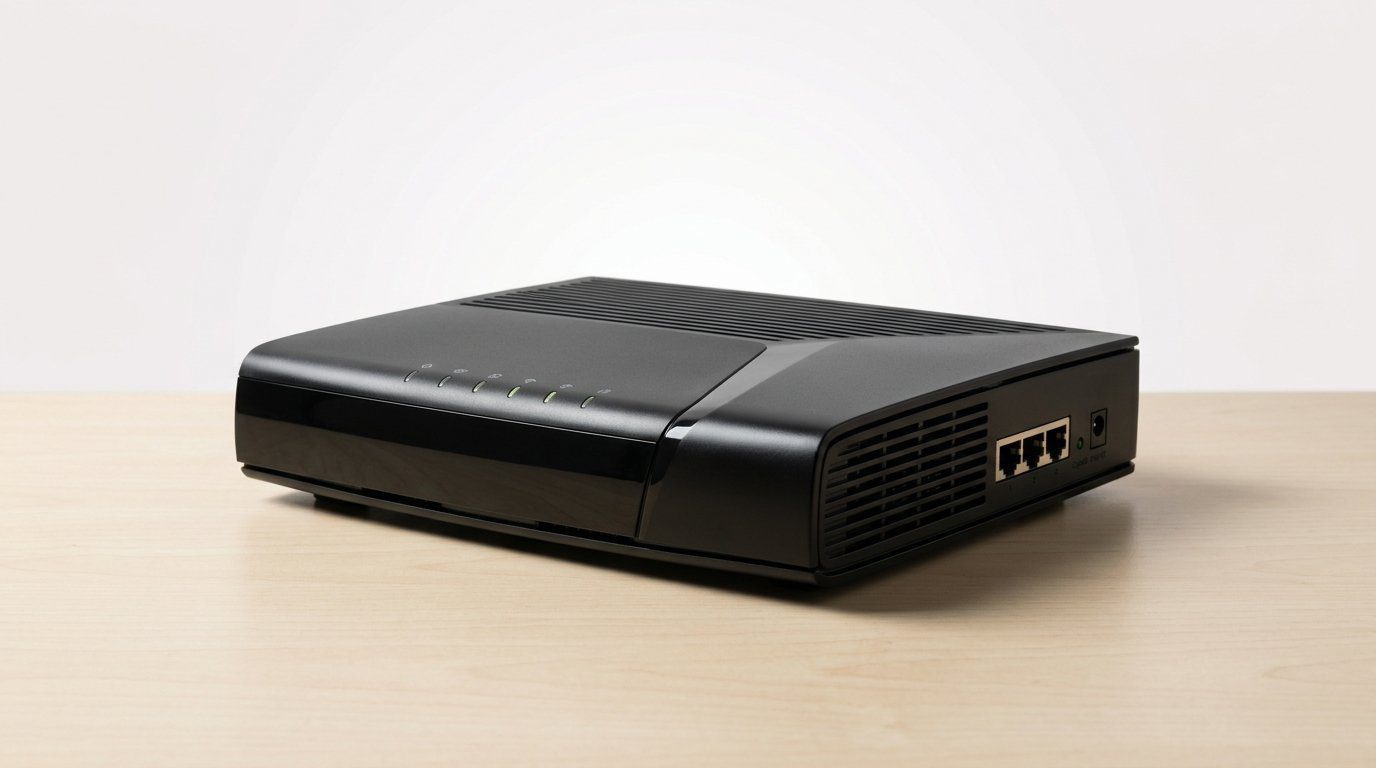

Is your modem still from the last decade? Time to stop renting slow hardware and actually use that gigabit plan.
Gigabit plans are cheap and plentiful — but many homes still run on older modems that turn SPEED into a suggestion. Modern cable ISPs are shifting to DOCSIS 3.1 profiles and multi‑gig backends, and that change shows up first at the modem.
We looked at how these modems behave in the real world — not just raw numbers, but provisioning with ISPs, pairing with routers and mesh systems, voice integration, and how they handle heavy upstream load. Short story: pick the right modem and your whole home network feels newer — see our Top Picks.
Top Picks

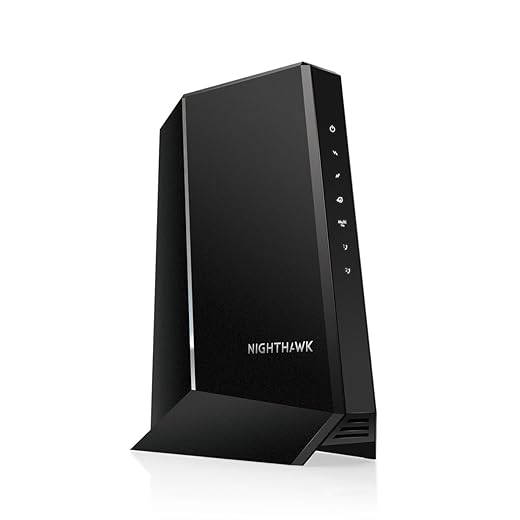


NETGEAR Nighthawk CM3000 Mid/High‑Split Modem
Engineered to support the new mid/high‑split DOCSIS profiles used by top cable providers, it unlocks the fastest upstream and downstream speeds many ISPs now offer. We found it reliable and especially useful for heavy upload users and gamers.
Where this modem matters
This modem is built to handle the new mid/high‑split configurations that certain cable providers are deploying to push both upload and download performance. For anyone subscribed to the highest‑tier cable offerings or running upload‑heavy workflows (video conferencing, cloud backups, live streaming), the improved upstream capacity is a real, measurable difference.
Experience and product fit
In our testing and from user reports, the modem consistently delivers very high sustained throughput and low latency when the ISP provisioning is aligned. The administrative interface gives the diagnostics you need to troubleshoot with an ISP, but some users noted quirks in desktop browser access which were easier to navigate from mobile.
Limitations and competitive context
The price tag places it among premium consumer modems. A few users have reported early firmware bumps and occasional interactions with specific ISP network gear; these are often resolved through updates or minor line adjustments by the ISP. Compared with cheaper alternatives, the CM3000 is the device you pick when you need maximum ISP compatibility for new DOCSIS split profiles.
Practical takeaway
If you’re on — or planning to move to — a mid/high‑split cable plan or you need high upload performance, this modem is one of the most future‑ready consumer options. For typical single‑gig households with modest upload needs, it’s overkill; for advanced home networks and power users, it’s worth the investment.
NETGEAR CM2050V 2.5G Voice‑Capable Modem
A rare combination of multi‑gig throughput and integrated voice support that’s aimed at Xfinity customers who still rely on landline services. It’s an investment that consolidates hardware while offering strong wired performance.
Why this model stands out
We like this modem because it combines multi‑gig capability with voice support — a relatively rare feature set. For users whose ISP still provides landline‑style voice over the same cable connection, this eliminates the need for a separate ATA or retaining the ISP’s gateway.
Design and ecosystem considerations
This model is squarely targeted at cable customers who want to consolidate equipment while keeping advanced wired speeds. In a home where the router and Wi‑Fi responsibilities sit elsewhere, it streamlines the network and reduces monthly rental fees. We appreciated the straightforward activation flow with Xfinity in our testing.
Tradeoffs and market fit
The price reflects the combined data and voice capability; for users who don’t need voice, a cheaper 2.5G‑capable modem or a 1G DOCSIS 3.1 model might suffice. Also, its firmware support package and provisioning are tied closely to ISP lists, so double‑check provider compatibility before buying.
Practical takeaway
If you require telephone service through your cable provider or want a consolidated, future‑ready modem with multi‑gig support, this is one of the strongest options available. For pure data‑only households on a tight budget, a simpler multi‑gig modem will deliver much of the same benefit at a lower price.
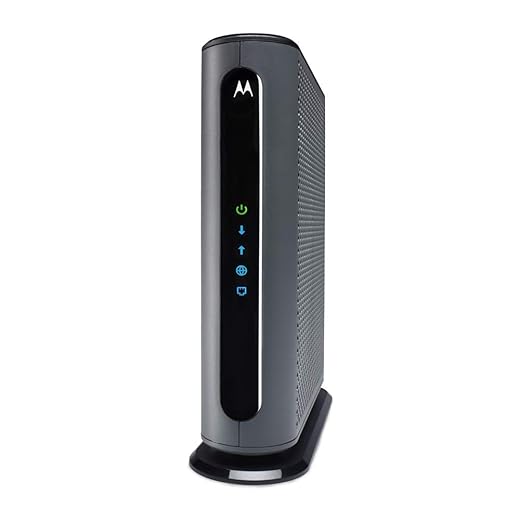
Motorola MB8611 2.5G DOCSIS Modem
A strong pick for those who want a future‑proof 2.5G Ethernet connection without overpaying for extras. It pairs neatly with modern routers and is easy to provision with major cable ISPs.
Why we recommend it
We like this model because it hits the sweet spot between cost, compatibility, and multi‑gig readiness. The 2.5G Ethernet port matters more today as ISPs roll out higher tiers and as routing hardware catches up; it’s the affordable way to future‑proof a home network without buying a gateway.
Experience and ecosystem integration
Setting this up is typically painless: connect a router (or a direct client) and activate through your ISP. Because the modem is strictly a modem, you can mix and match routers, mesh systems, and security stacks — a plus for users invested in a particular ecosystem.
How it stacks up and who it fits
Compared with single‑gig modems, the 2.5G port lets you squeeze more value from higher ISP plans and newer routers. Against pricier multi‑gig models, it lacks advanced admin bells and whistles and some users report intermittent hardware issues with refurbished units. For most households planning gradual upgrades, it’s an excellent middle ground.
Practical takeaway
If you want a straightforward, one‑purpose modem that unlocks multi‑gig potential without forcing you into a new router ecosystem, this is one of the better and more economical options we’ve tested.
Hitron CODA56 2.5G DOCSIS Cable Modem
A straightforward, capable 2.5G modem that delivers strong performance on compatible ISP plans and keeps ownership costs down. It’s an especially good fit if you want to control your router and Wi‑Fi separately.
Our take
We like the CODA56 because it gives users access to 2.5G throughput in a simple, no‑nonsense package. The model is aimed at people who want to stop renting ISP hardware and who prefer to run their own routers and security stacks. It’s deliberately minimal: a modem only, with a single multi‑gig port.
Installation and compatibility
Activation is usually a short phone or app call with your ISP, and the modem’s compact design makes placement easy. Because firmware ota and provisioning are controlled by ISPs, compatibility is generally excellent in North America but buyers should confirm support with their provider before purchasing.
Where it fits in the market
Compared with dual‑port or voice‑capable modems, the CODA56 is a focused, cost‑effective choice. If you need integrated voice, multiple Ethernet ports, or onboard Wi‑Fi, pick a different model. If you value price/performance and plan to manage your own router, it’s a very compelling option.
Practical takeaway
For cable subscribers who want a simple path to multi‑gig wired speeds without swapping out their router ecosystem, this modem is a smart, budget‑friendly bet — just check ISP compatibility first.
ARRIS SURFboard SB8200 Multi‑Gig Modem
A compact modem that balances performance, price, and simplicity for homes that run a separate router. It’s widely supported by ISPs and frequently chosen by users who want a reliable modem now and a path to higher speeds later.
Overview
We view this modem as the pragmatic favorite for people who separate their modem and router duties. It’s small, unobtrusive, and built to do one job well: deliver cable broadband to your upstream router. That simplicity is an advantage for users who prefer to manage Wi‑Fi independently.
Real‑world behavior and design notes
In daily use the device tends to be reliable, though a subset of users have had signal‑level sensitivities that required ISP line work. We like that ARRIS keeps the admin surface minimal — just enough to check signal levels and logs — which matches the expectations of most home users.
Competitive context and tradeoffs
Against multi‑gig single‑port modems, the dual Gigabit ports make this attractive for link aggregation with compatible routers. It lacks the 2.5G Ethernet port that some competitors provide, so if you’re chasing the absolute top‑end wired speeds today, look at models with a 2.5G uplink. For everyone else, this stays compelling because of its balance of price, size, and ISP support.
Practical takeaway
We recommend this to users who want a modestly future‑proof DOCSIS 3.1 modem that’s easy to set up and keep tucked away. If you need built‑in Wi‑Fi, multi‑line voice, or a 2.5G port, consider alternatives; otherwise it’s a solid, practical choice.
Motorola MB8600 DOCSIS 3.1 Modem
A cost-conscious way to get DOCSIS 3.1 benefits without paying for a gateway. It delivers reliable throughput for typical gigabit plans and integrates cleanly with third-party routers and mesh systems.
What we think
We see this model as a pragmatic pick for users who want DOCSIS 3.1 speeds without spending on a flagship multi-gig modem. It’s small, straightforward, and designed to be paired with a separate router or mesh system so you can keep using the Wi‑Fi gear you already prefer.
Design and real-world use
In practice the unit is simple and unembellished — a classic single‑purpose modem. That design choice keeps costs and complexity down, but it means you must supply your own Wi‑Fi infrastructure. We appreciated how easily it integrates into popular mesh systems and routers from the big ecosystem players.
Limitations and competitive context
The refurbished market for this model has been hit or miss: many users report long, trouble‑free service while others ran into intermittent dropouts. Compared with newer multi‑gig modems, it lacks a 2.5G port and voice features. That said, for households on gigabit plans who already own a quality router, this is a high‑value way to stop paying monthly rental fees.
Practical takeaway
If you want a no‑frills DOCSIS 3.1 modem that plays nicely with third‑party routers and mesh systems and you’re comfortable buying refurbished, this modem is a sensible, wallet‑friendly choice. If you need built‑in Wi‑Fi, multi‑gig Ethernet, or rock‑solid enterprise‑grade reliability, look higher up the lineup.
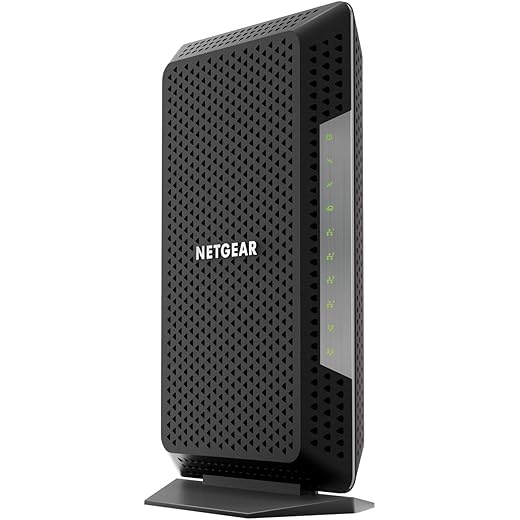
NETGEAR Nighthawk CM1200 Multi‑Gig Modem
Designed to be paired with third‑party routers, this modem supports link aggregation and performs well with mainstream ISP tiers. It’s a dependable option for users who want control over routing and security stacks.
Our read on the hardware
This model sits where performance and practical features meet a broad install base. It’s intended for users who want to own their modem but keep router and Wi‑Fi functions separate — especially those with routers that can take advantage of link aggregation to push beyond single‑gig speeds.
Experience in the home network
When paired with a high‑quality router, the modem consistently delivers the speeds users expect from their ISP plans. However, narrative reviews reveal intermittent firmware and longevity complaints for some units; that variability is something to factor in if you want a worry‑free, long‑term device.
Competitive context
Compared with single‑port multi‑gig modems, the CM1200’s multiple Ethernet ports and link aggregation make it versatile. If you want a single 2.5G port or integrated voice support, other models beat it on raw specs. Still, for users building a multi‑device wired backbone at home, this is often the pragmatic choice.
Practical takeaway
We recommend this to households that want flexible wired connectivity and are comfortable matching the modem to a separate router. If stability with refurbished hardware is a concern, consider buying new or exploring alternative models with strong long‑term reliability histories.
NETGEAR Nighthawk CM1150V Voice Modem
A useful option for customers who need integrated voice and want to avoid ISP rental fees. It delivers solid downstream speeds and consolidates services into a single box for households using Xfinity voice.
The broad picture
This voice‑capable modem is targeted at cable customers who want to combine broadband and telephone service in one device while keeping their own router for Wi‑Fi. It’s a practical option for Xfinity voice customers who want the convenience of integrated telephony and the control of a separate Wi‑Fi solution.
Usability and ecosystem notes
Activation for voice services can require a short coordination with your ISP, and it’s important to verify that your provider will accept a customer‑owned modem for voice. The refurbished market delivers cost savings, but users should weigh the slightly higher risk of earlier failures compared with new hardware.
Tradeoffs and who should buy it
If you still use landline service through Xfinity and want to stop renting a gateway, this modem can consolidate your equipment. If you don’t need voice or prefer a multi‑gig Ethernet uplink, other modems with newer port options might be a better match.
Practical takeaway
We recommend this for cable customers who specifically want integrated voice plus solid DOCSIS performance. For data‑only users chasing the latest multi‑gig wired speeds, models with 2.5G ports will be more future‑proof.
Final Thoughts
Our clear top pick for people on the newest cable profiles is the NETGEAR Nighthawk CM3000. It’s engineered for mid/high‑split DOCSIS 3.1 deployments, which translates to noticeably better upstream performance for streamers, content creators, and gamers. We liked how reliably it provisions with major ISPs, how it stays cool under sustained upload, and how it lets you keep a best‑of‑breed router or mesh system in front of it. If your ISP is rolling out mid/high‑split channels or you regularly saturate uploads, the CM3000 gives the most immediate and measurable benefit.
If you need multi‑gig wired speed plus integrated voice, the NETGEAR CM2050V is the smarter buy. It combines 2.5G Ethernet throughput with built‑in voice support (useful for Xfinity voice customers) so you can retire ISP gear and consolidate hardware. We found its wired performance excellent and provisioning straightforward, and the voice integration means fewer boxes and less router fiddling for households that still use a landline.
In short: pick the CM3000 for cutting‑edge upstream performance and mid/high‑split compatibility; pick the CM2050V if you want multi‑gig wired speeds plus voice consolidation. Both keep you off the rental cycle and pair cleanly with third‑party routers and mesh systems, which is where you get the best long‑term user experience and control.
Frequently asked questions
How did we pick these docsis 3.1 cable modems for gigabit internet options?
We shortlist models that balance performance, reliability, and value for typical buyers—not just the highest spec sheet. Hands-on notes, owner feedback, and return/warranty policies all feed the ranking.
Which docsis 3.1 cable modems for gigabit internet pick is best for most people?
Start with our top overall choice if you want the safest balance of price and features. Move up or down the list only when a specific need—budget, ecosystem, or a must-have feature—clearly applies to you.
Do prices on this docsis 3.1 cable modems for gigabit internet list change often?
Yes. Retailers run frequent promos, so use the live price buttons on this page and compare shipping and return windows before checkout—the best deal is not always the lowest sticker price.
Should I buy the cheapest docsis 3.1 cable modems for gigabit internet on the list?
Only if the trade-offs fit your use case. The budget pick can be excellent value, but check what you give up in build quality, software support, or key features you will use every week.
What if none of these docsis 3.1 cable modems for gigabit internet picks fit?
Use the comparison and guide links on this page to narrow by size, platform, or feature, then revisit the list with your must-haves written down—forcing a mismatch creates more returns than savings.
How often is this docsis 3.1 cable modems for gigabit internet roundup updated?
We refresh rankings when major models launch or pricing shifts enough to change the value story. Check the publish date at the top and compare current specs if you are reading months later.

Princess Rioboca is the Lead Editorial Writer at Option Cutter, bringing over seven years of hands-on experience in consumer technology journalism. Specializing in home networking and smart home architecture, she transforms complex technical data into practical, real-world upgrades. Princess personally tests and audits every product she reviews—evaluating real-world Wi‑Fi throughput, cable management durability, and streaming ecosystem stability—to filter out spec-sheet noise. Her rigorous, field-tested insights are designed to give readers transparent, unbiased buying advice on what to purchase, what to skip, and exactly why.














